Skip to content
| Marketplace
Sign in
Visual Studio Code>Visualization>Tessly: AI Token TrackerNew to Visual Studio Code? Get it now.
Tessly: AI Token Tracker

Tessly: AI Token Tracker

Arif Mardhatillah

|
1 install
| (0) | Free
See how many tokens Claude Code uses today, this month and this year, right in the status bar.
Installation
Launch VS Code Quick Open (Ctrl+P), paste the following command, and press enter.
Copied to clipboard
More Info

Tessly: AI Token Tracker

See how many tokens Claude Code uses on your computer, right in the VS Code status bar.

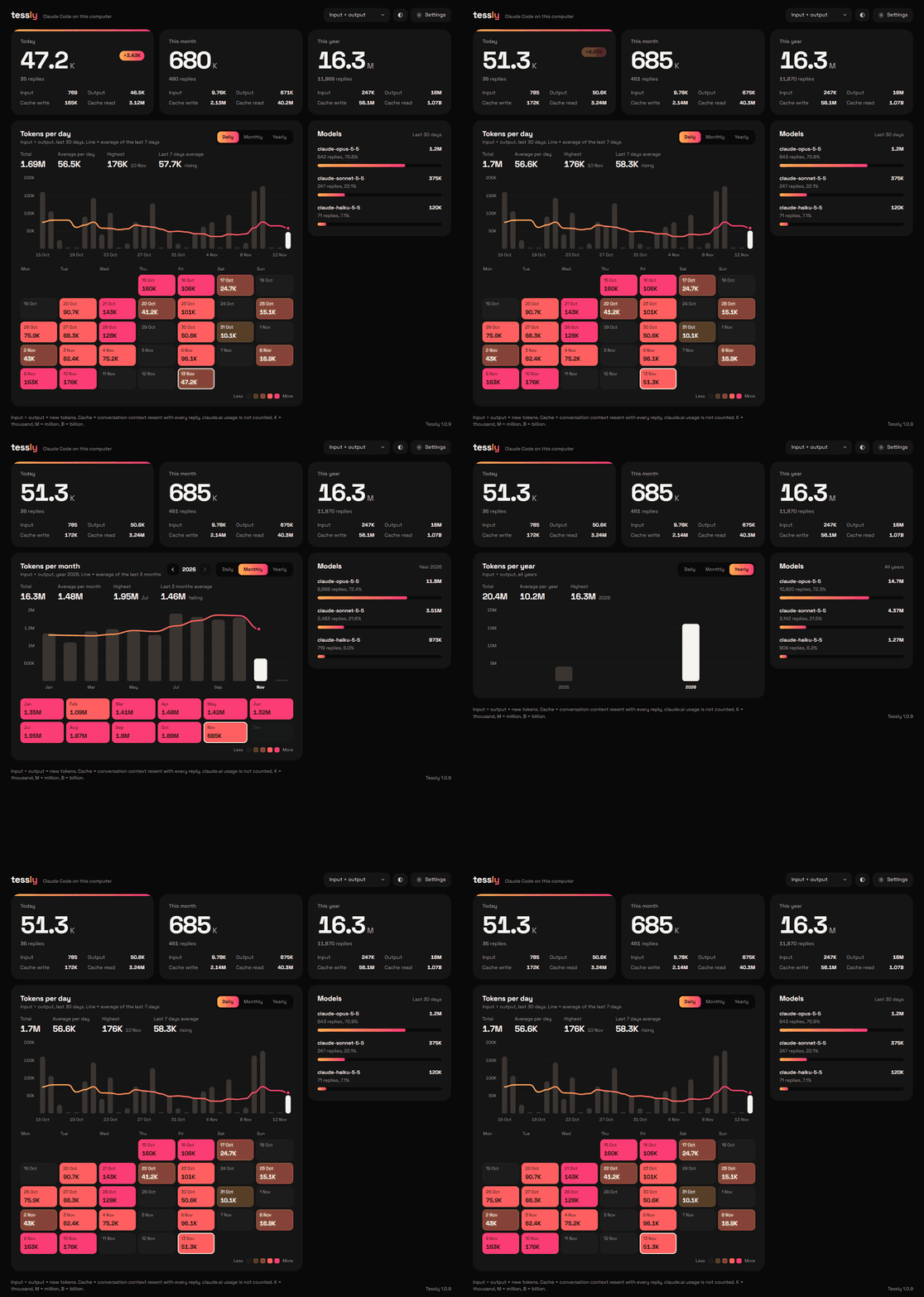
Tessly adds every Claude Code session and every project together and keeps the history. The total in the status bar goes up as soon as a reply finishes. Click it to open the full dashboard in an editor tab.

The Tessly dashboard

The image uses sample data.

Features

  • Status bar total. Today's input and output tokens, updated live.
  • Today, this month, this year. Each split into input, output, cache write and cache read.
  • Charts and a usage calendar. Daily, monthly or yearly bars with a trend line, plus a color calendar of recent weeks.
  • Per model. How your tokens divide between Opus, Sonnet and Haiku.
  • English and Indonesian, light and dark mode.

How it works

Claude Code already writes a log of every session to ~/.claude/projects. Tessly reads those files on your computer and counts the tokens in them. It needs no account, no API key and no setup.

  • Stores numbers only. Token counts per date and model. Never conversation text, file names or project folders.
  • Sends nothing. Tessly makes no network requests.
  • Keeps your history. Claude Code deletes logs older than 30 days by default. Tessly keeps its own totals, so your monthly and yearly numbers stay.

If you also use the Tessly desktop app on Windows, its saved history is brought in the first time the extension runs.

Commands

Command What it does
Tessly: Open Dashboard Opens the dashboard in an editor tab. Clicking the status bar does the same.
Tessly: Re-read Claude Code Logs Reads every log again. Rarely needed: new replies are picked up automatically.

Settings

Setting Default
tessly.showStatusBar true Show today's total in the status bar.

Logs are read from ~/.claude/projects, or from the folders in CLAUDE_CONFIG_DIR if you set it.

FAQ

Why are cache reads so much larger than input and output? Claude Code resends the whole conversation with every reply, and most of it is read from cache. That is why the status bar counts input and output only. The dashboard lets you switch to other token types.

Does it count usage on claude.ai? No. Chats on claude.ai are stored only on Anthropic's servers.

Also available

Tessly is also a Windows tray app for when VS Code is closed.

License

MIT © Arif Mardhatillah. The bundled Space Grotesk font is licensed under the SIL Open Font License 1.1.

Tessly is an independent project. It is not affiliated with, endorsed by or sponsored by Anthropic. "Claude" and "Claude Code" are trademarks of Anthropic, used here only to describe what the extension works with.

  • Contact us
  • Jobs
  • Privacy
  • Manage cookies
  • Terms of use
  • Trademarks
  • Your Privacy Choices
  • Consumer Health Privacy
© 2026 Microsoft