SQL Visual DebuggerFind where your SQL result went wrong. Debug Excel, CSV, SQLite, MySQL, PostgreSQL, and SQL Server in VS Code. Installation Launch VS Code Quick Open ( Ctrl+P), paste the following command, and press enter.Copied to clipboard |

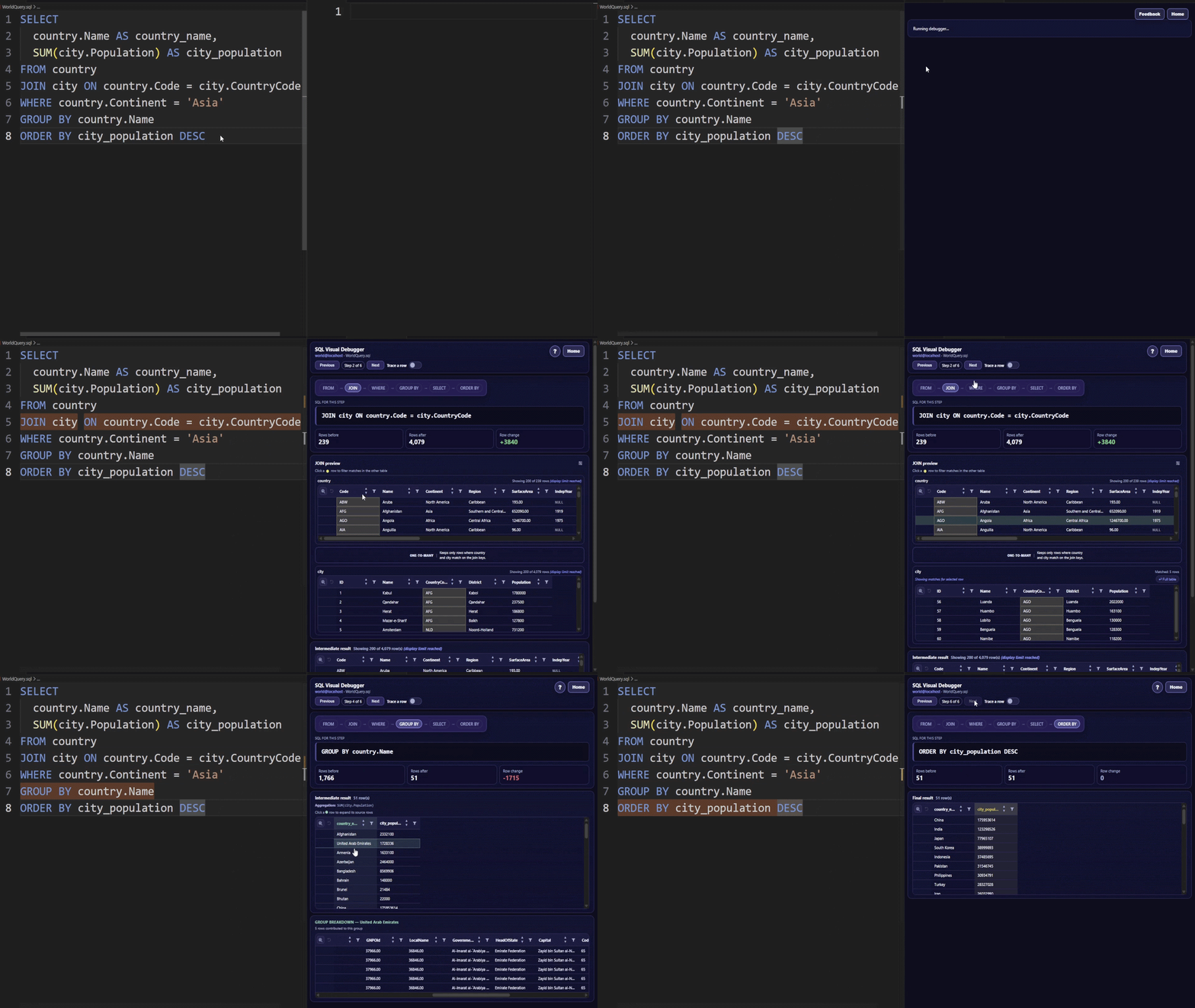
SQL Visual DebuggerFind where your SQL result went wrong. SQL Visual Debugger turns supported
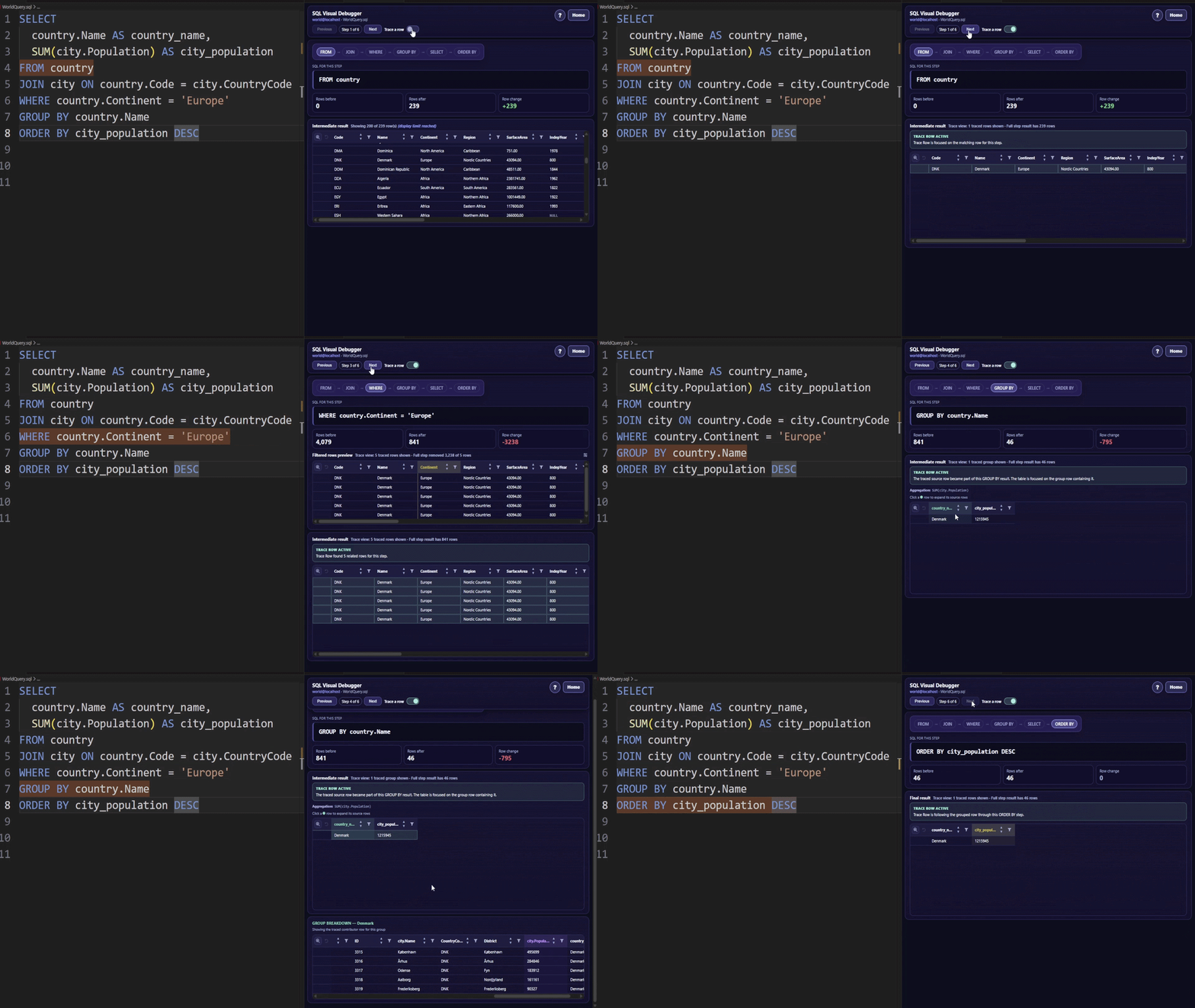
Debug SQL the way you debug code: step by step, with the intermediate state visible. Stop guessing why a query returned the wrong rowsSQL bugs are hard because the final result does not show where the problem happened. Was the row removed by SQL Visual Debugger shows each stage of the query so you can find the exact step where the result changed. Trace rows through the queryFollow one row, or a set of matching rows, across the query flow.
Trace rows backward and forward through the debugger to see where they came from, how they changed, whether they matched a join, and where they disappeared. Inspect intermediate resultsSort, filter, and inspect intermediate tables while you debug.
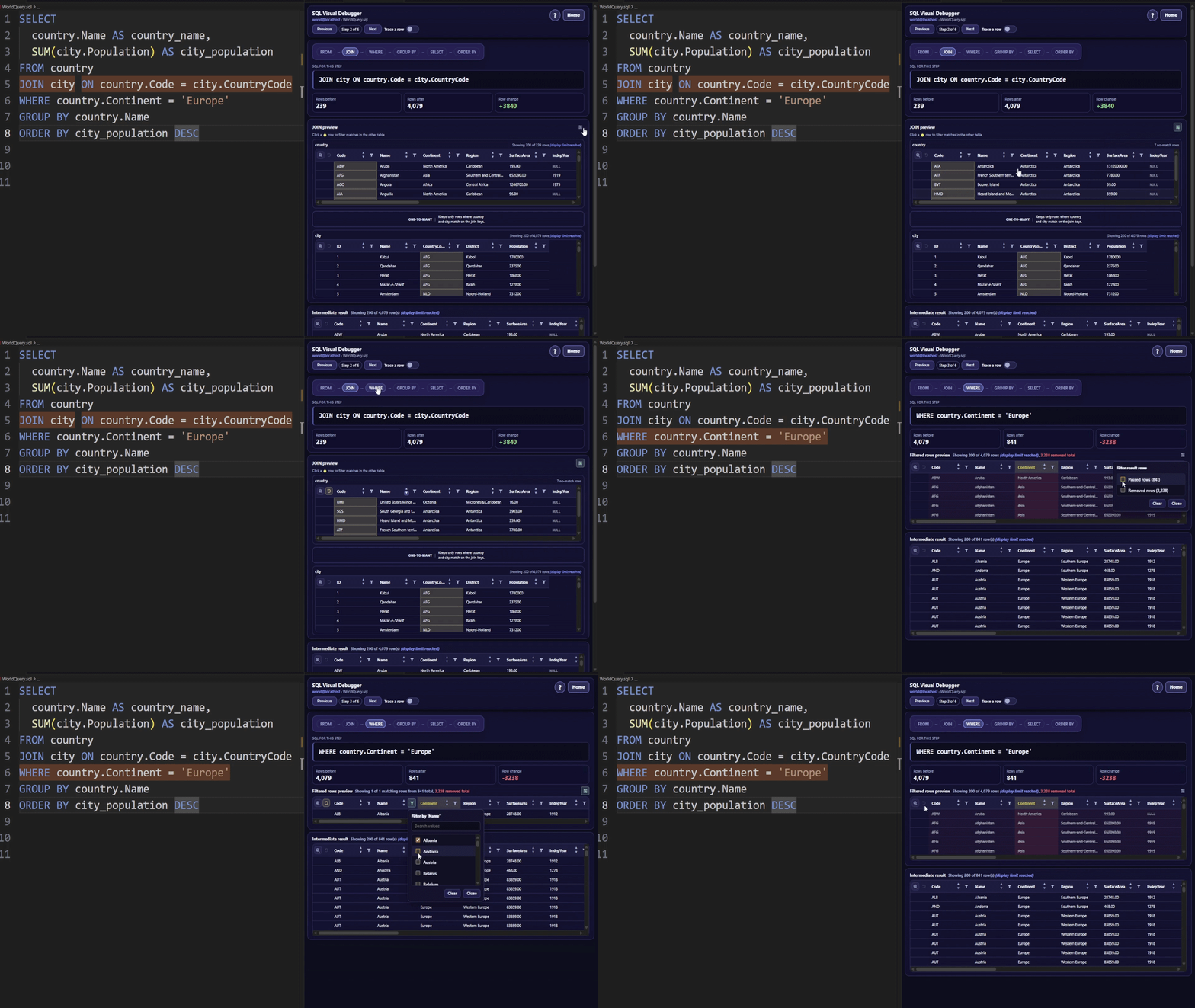
Use table filters and sorting to narrow large result sets, inspect JOIN matches, and review WHERE/HAVING filter previews without leaving the visual debugger. What you can debugSQL Visual Debugger works with sample data in the free demo, and can also debug your own real data after activation. Supported real data sources:
Remote SQL Server connections require SQL Server Authentication and Encrypt. Try the free demoNo database or file ready? Try the free demo with sample data.
The free demo is free forever and does not require a license. Unlock real data debuggingThe free demo is free forever. Debugging your own Excel files, CSV files, SQLite databases, MySQL databases, PostgreSQL databases, or SQL Server databases requires a one-time lifetime license.
To purchase Premium, open SQL Visual Debugger in VS Code and select Before continuing to checkout, you will be asked to agree to the Terms of Use and acknowledge the Privacy Policy. After purchase:
Use it on your own SQLYou can start from a
You can also open SQL Visual Debugger from the VS Code Activity Bar, the bottom status bar, or the CodeLens above your SQL query. Debugging toolsSQL Visual Debugger includes:
Supported SQLSQL Visual Debugger focuses on readable
Current boundariesSome advanced SQL shapes are intentionally limited today, including When a query is outside the supported visual-debugging shape, the extension stops with a clear message instead of pretending to debug it. Safety and privacySQL Visual Debugger is built for read-only debugging.
Optional limited usage telemetry helps improve reliability and prioritize future support. The extension does not intentionally include SQL query text, table names, column names, database names, credentials, hostnames, query results, database contents, or file paths in usage telemetry. SQL queries, schema information, query results, database credentials, and file contents are not routed through servers or cloud infrastructure operated by Ariel Turgeman. Telemetry can be disabled with: LegalFeedback and issuesFound a bug, need help, or have feedback? Email me at arielturgi@gmail.com, or open an issue in the SQL Visual Debugger feedback repository. |