Organize, track, and manage code TODOs directly from your VS Code sidebar.
🌟 Overview
Comment View scans your workspace for inline todo: comments and structures them into a clean, hierarchical tree view grouped by file. Customize your workflow with dynamic <flag> tags (like <done>, <urgent>, or <review>) and map them directly to custom icons, colors, and descriptions.
🚀 Key Features
1. Tree View Grouped by File
Automatically scans open workspace files and organizes comments by file paths for fast navigation.
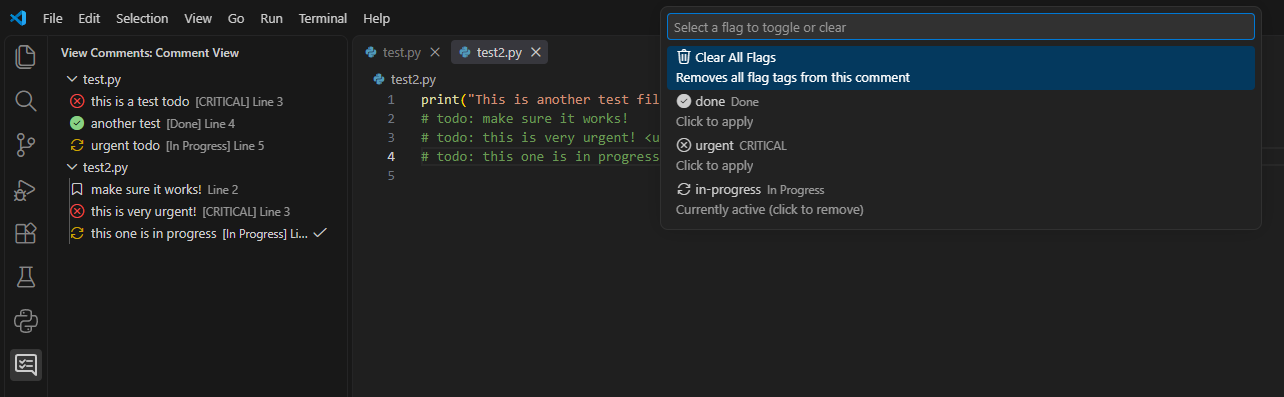
2. Custom Flag Parsing & Styling
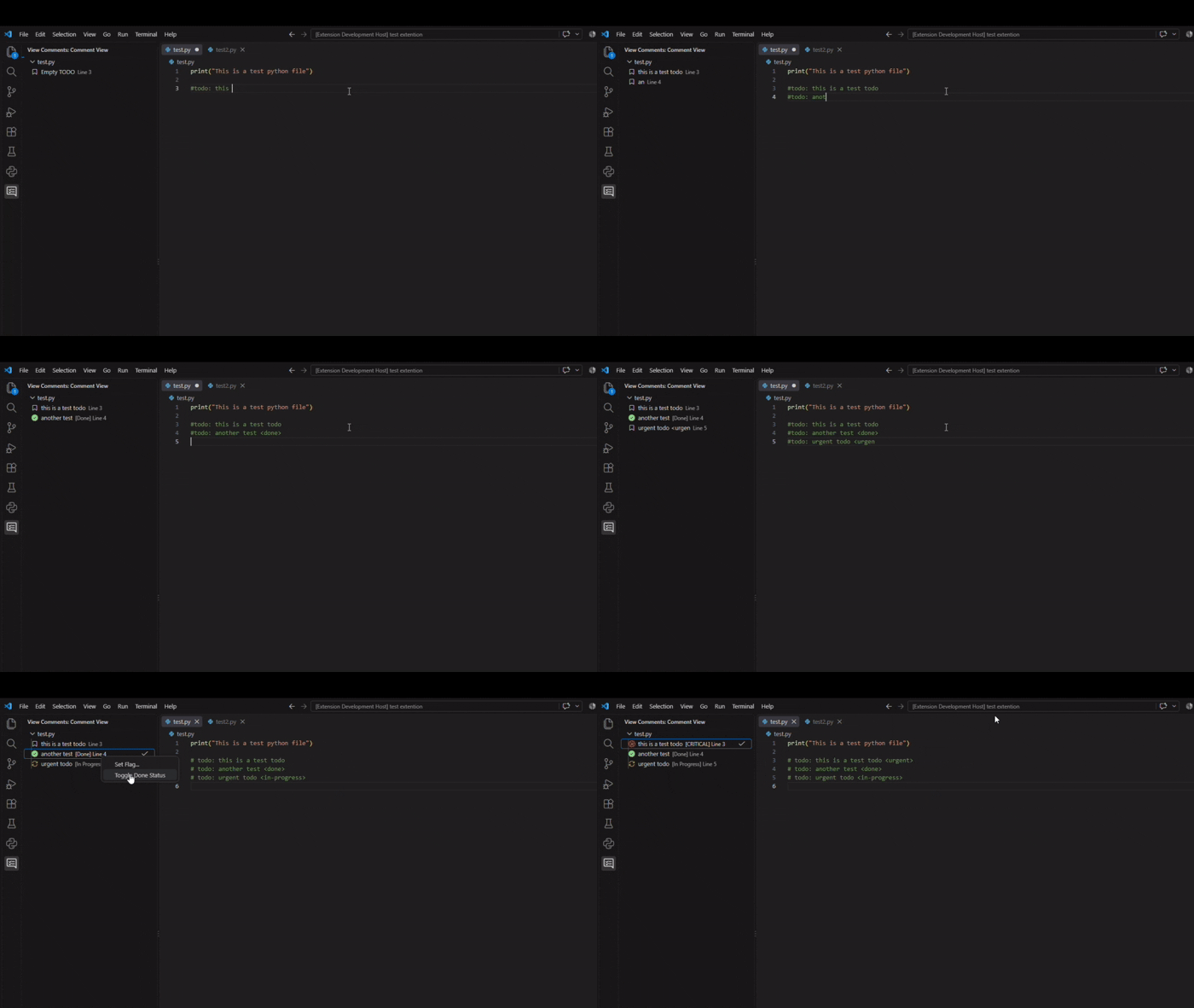
Add trailing <flag> tags to comments to instantly change their appearance in the sidebar tree.
// todo: Fix memory leak in auth provider <urgent>
# todo: Complete API integration test <done>
/* todo: Code review pending <review> */
Right-click any comment in the sidebar or click the hover actions to quickly toggle completion or set custom flags.
⚙️ Extension Settings
Define your own flags in VS Code Settings (settings.json) under commentView.flags:
"commentView.flags": {
  "done": {
    "icon": "pass-filled",
    "color": "disabledForeground",
    "description": "Done"
  },
  "urgent": {
    "icon": "flame",
    "color": "charts.red",
    "description": "HIGH PRIORITY"
  },
  "in-progress": {
    "icon": "sync",
    "color": "charts.yellow",
    "description": "In Progress"
  },
  "review": {
    "icon": "eye",
    "color": "charts.blue",
    "description": "Needs Review"
  }
}
Setting Properties
| Property |
Type |
Description |
Example |
icon |
string |
Any valid VS Code Codicon identifier |
flame, pass-filled, star |
color |
string |
Native VS Code Theme Color token |
charts.red, disabledForeground |
description |
string |
Label suffix displayed in the tree view item |
[URGENT], [Done] |
📦 License
This extension is licensed under the MIT License.

