HttpKeeper
Send HTTP requests from a .http file and read the response in the editor. No account, no cloud, no paywall, no telemetry.
A maintained fork of REST Client by Huachao Mao (MIT) — 7.5 million installs, 4.9 stars, and no release since June 2022. Same .http format, same settings, picked up and kept alive.
Why this fork exists
The original is not broken; it is parked. Its repository has 529 open issues and 61 pull requests that nobody merges, and the reason is concrete: the project had zero tests. Merging sixty-one patches from strangers without a safety net is a coin flip, so nobody did it for four years.
So the first thing this fork shipped was not a feature. It was the net.
|
Original |
HttpKeeper |
| Tests |
0 |
52 (24 unit, 28 integration against a real server) |
| Vulnerabilities in production deps |
75 (6 critical) |
0 |
| Packages |
1,487 |
399 |
| Telemetry |
Application Insights |
none |
aws-amplify — the whole AWS SDK, GraphQL, DataStore, ML predictions and all — was being pulled in for a Cognito login. It is now sixty lines that talk to Cognito over HTTP: 1,088 packages gone.
What you get on top
Three bugs its users had been reporting for years are fixed: the response not showing up in Cursor, a re-sent request carrying mangled headers, and a JSONPath with several matches quietly returning just the first one. Two other pull requests were rejected after testing them: one that claimed to fix IPv6 and broke localhost instead, and the most upvoted of the lot — it ran shell commands straight from the .http file.
Then the things the original's users have been asking for since 2018, each with the votes to prove it.
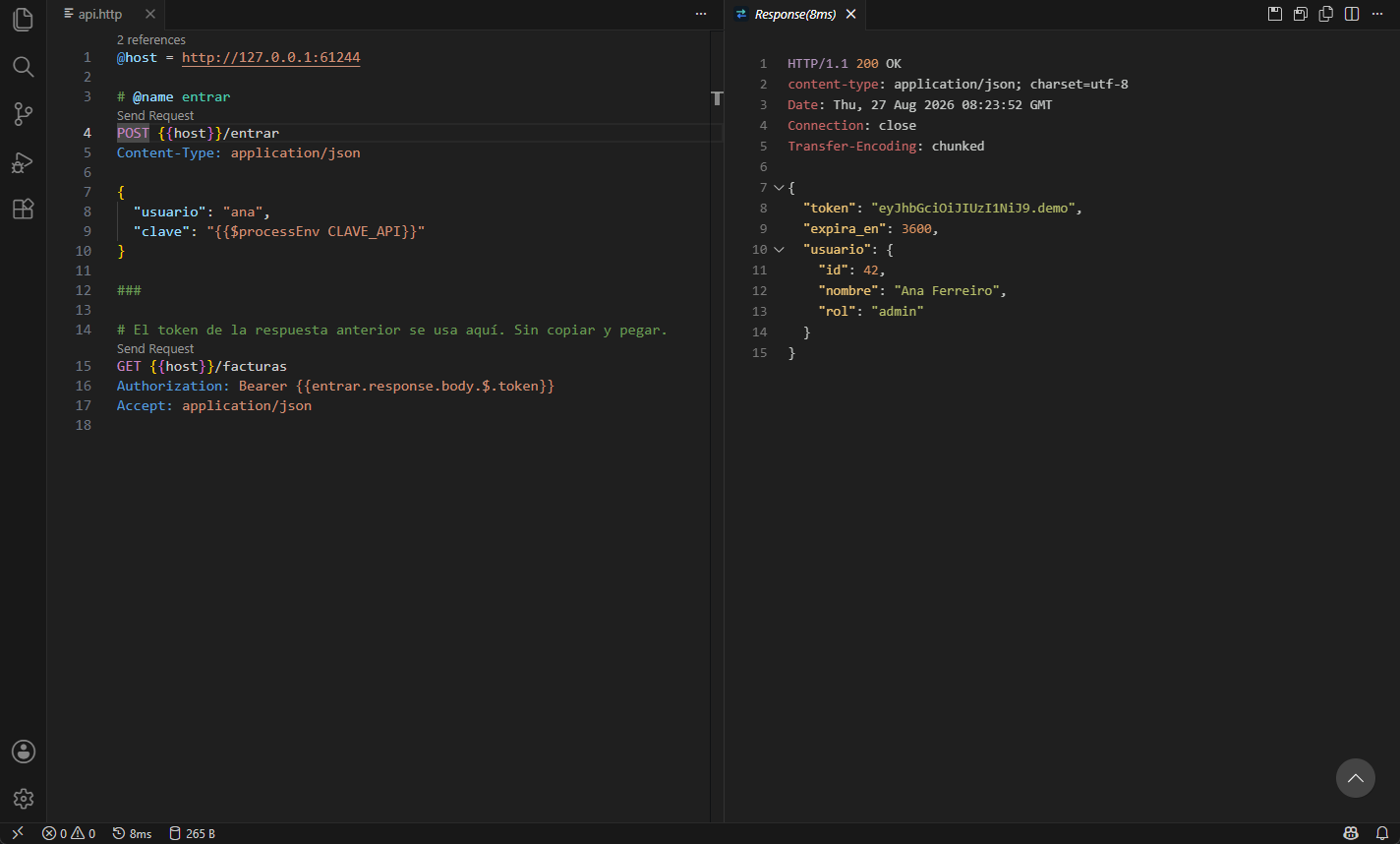
Environments live next to the file, in http-client.env.json (shared) and http-client.private.env.json (yours, in .gitignore, wins). Files import each other and run each other's requests. A request's response is available in every file that imports it.
import ./lib/auth.http

run #login

###
GET {{host}}/invoices
Authorization: Bearer {{login.response.body.$.token}}
X-Api-Key: {{$secret API_KEY}}
{{$secret NAME}} reads the editor's encrypted secret storage — the file never contains the value, so it can be committed whole. {{$uuid}}, {{$isoTimestamp}} and {{$random.integer(1,10)}} work as in IntelliJ.
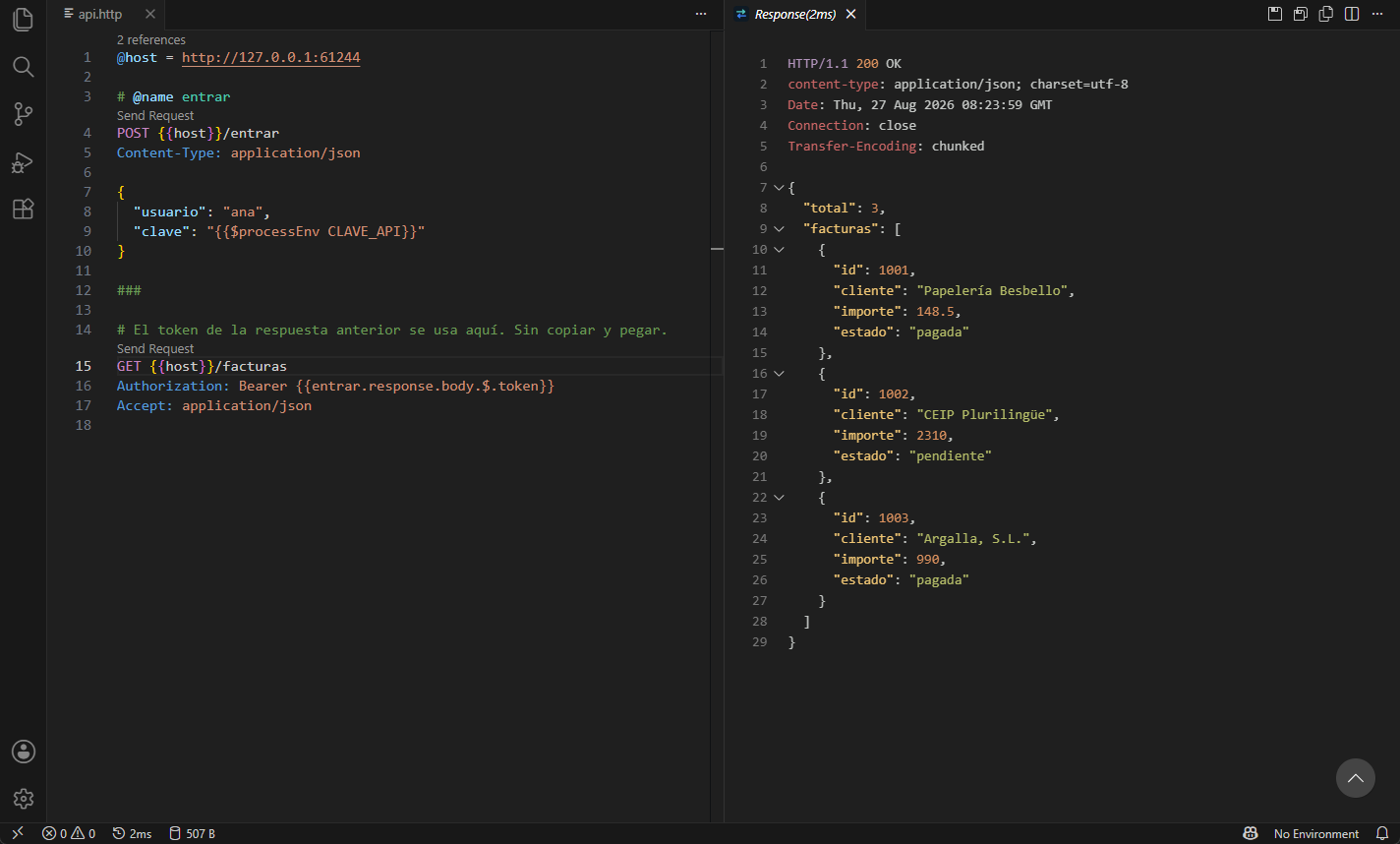
Run every request in a file, in order (+62), with assertions written in the file (+59)
# @name login
POST {{host}}/auth
Content-Type: application/json

{"user": "ana"}

# @assert status == 200
# @assert body.$.token exists
# @assert header.content-type contains json
# @assert time < 2000
Assertions are @ comments, so any other tool that reads the format just ignores them.
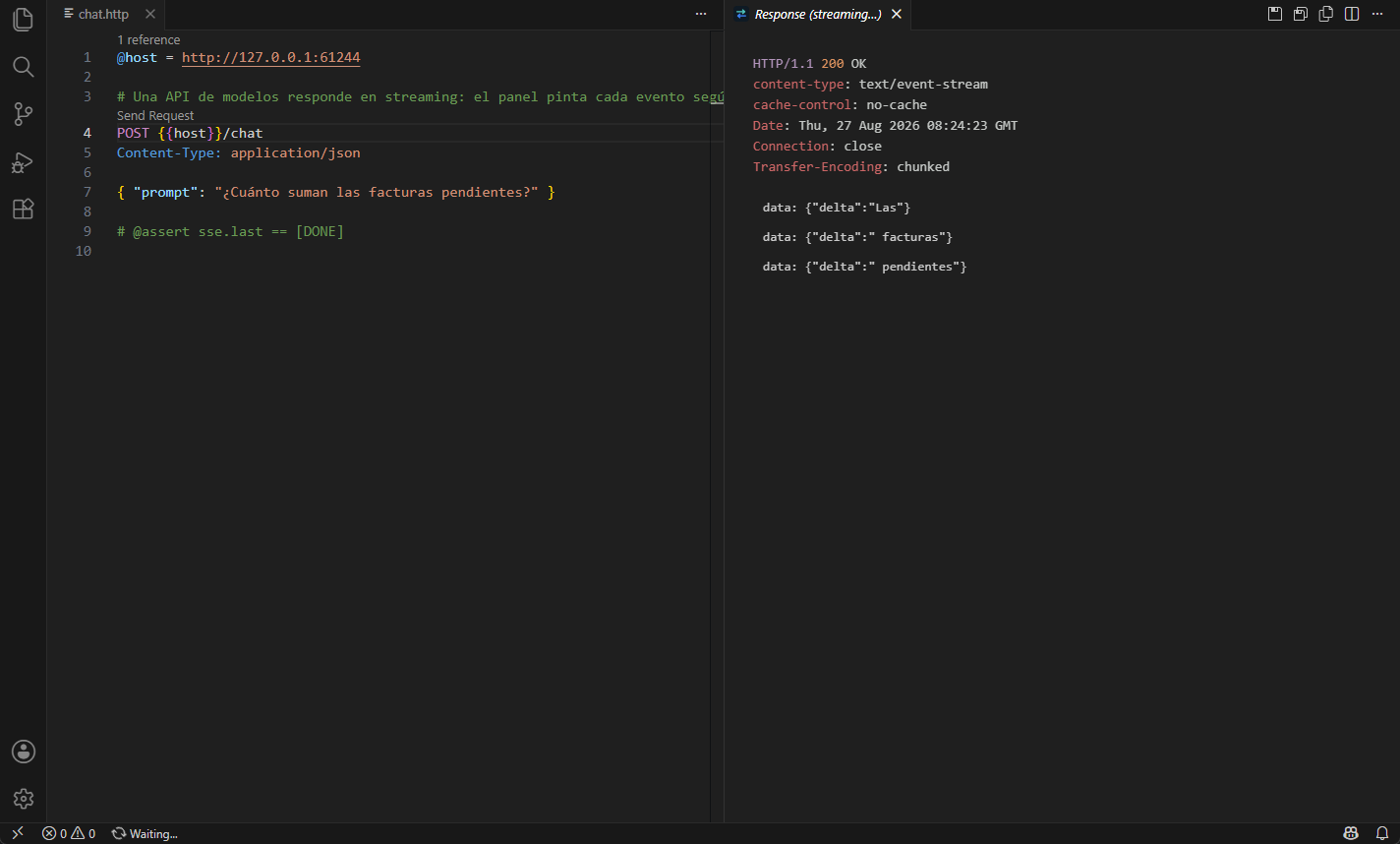
Streaming (+72)
text/event-stream — how every AI API answers in 2026 — is painted in the response panel as it arrives. Cancel keeps what came in. sse.count, sse.first and sse.last can be asserted.
WEBSOCKET wss://host/socket with the JetBrains syntax: messages in the body separated by ===, # @timeout 3000 to say how long to listen, and a transcript (>> sent, << received) as the response.
The HTTP client your agents can use
In VS Code, #httpkeeper lists the requests of a file and sends one by name from Copilot Chat or any other language-model participant — sending asks you first, and files outside the workspace are refused. On VS Code 1.101+ the extension also announces its MCP server to agent mode, with nothing to configure.
Outside the editor, httpkeeper mcp is an MCP server over stdio for Claude Code, Cursor or anything else that speaks MCP: list_requests, send_request, run_http_file. It only reads files under the root it was started with and never writes to disk.
{ "mcpServers": { "httpkeeper": { "command": "npx", "args": ["httpkeeper-cli", "mcp", "--raiz", "."] } } }
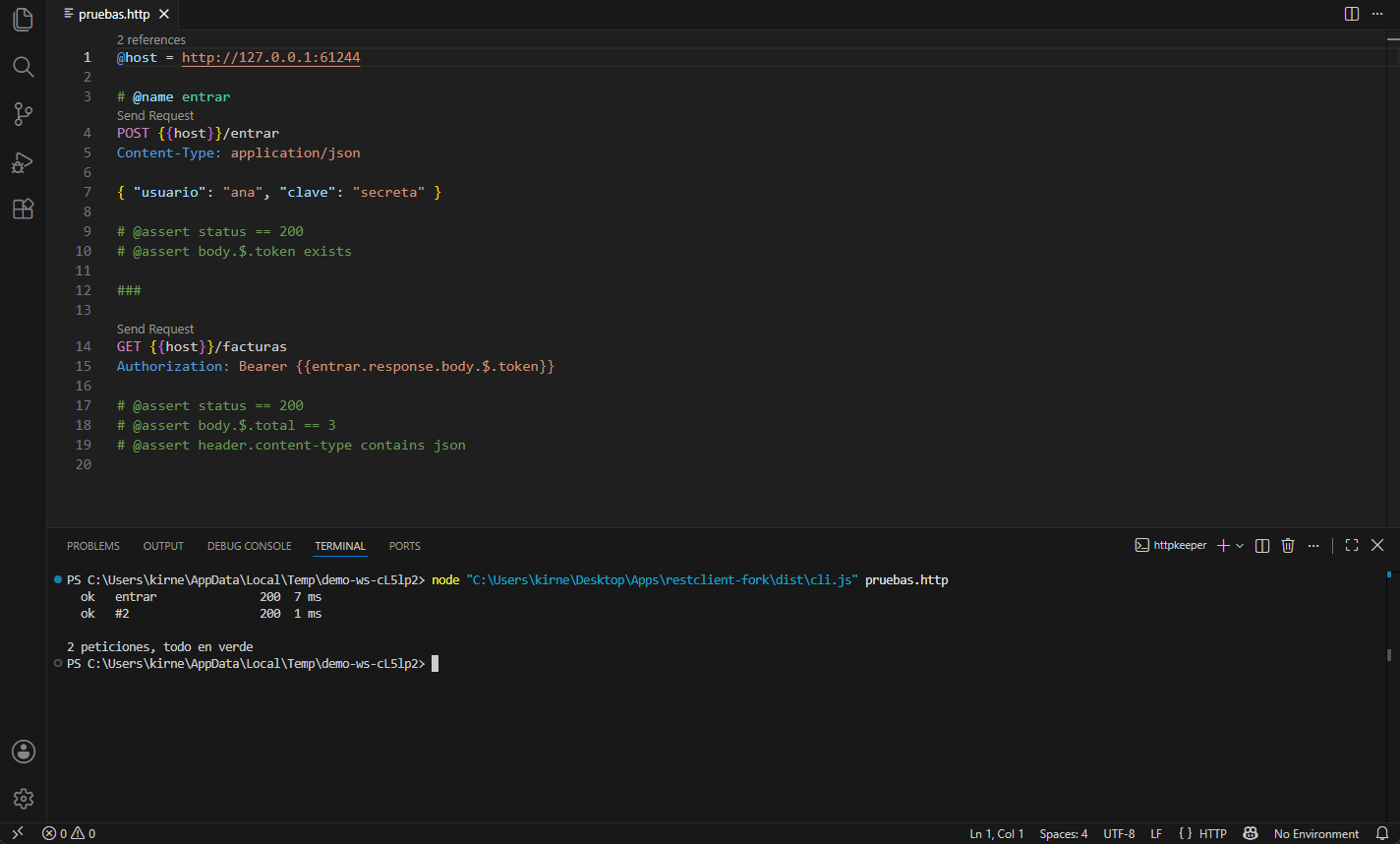
The runner, everywhere (+44)
$ npx httpkeeper-cli api.http --env dev --secret API_KEY=… --junit report.xml
  ok   login                200  184 ms
  ok   invoices             200    9 ms

2 peticiones, todo en verde
Exit code 0 when every assertion passes, 1 when one fails, --json for machines, --junit for the test dashboards of GitHub and GitLab. Pasted curl commands and multipart bodies with < file work in the runner too. In GitHub Actions:
- uses: TecniartGalicia/httpkeeper@v1
  with:
    file: api/smoke.http
    env: staging
    junit: httpkeeper.xml
  env:
    HTTPKEEPER_SECRET_API_KEY: ${{ secrets.API_KEY }}
Migrating from REST Client
Nothing to do. The .http format is identical — JetBrains uses it too — and your rest-client.* settings are still read, so eight years of configuration keep working. Your own httpkeeper.* settings win when you set them. Your history, cookies and environments are read from the same ~/.rest-client folder, so you keep them too.
The interface is available in English and Spanish.
Not covered
No Postman-style GUI, no cloud collections, no team sync, no accounts. The product is a text file in your repository and it stays that way.
From the JetBrains format, run #name (@var = value) inline overrides and > {% … %} response scripts are not supported yet. WebSocket needs the WebSocket built into Node 22 or newer (VS Code ships it; older node binaries get a clear message).
Credit
All the hard-won behaviour in here is Huachao Mao's work, kept under MIT. Changes are offered back upstream. If the original comes back to life, so much the better.
Argalla · Tecniart Galicia, S.L. — Español

