
Lit Analyzer
Syntax highlighting, type checking, and code completion for Lit templates in Visual Studio Code.
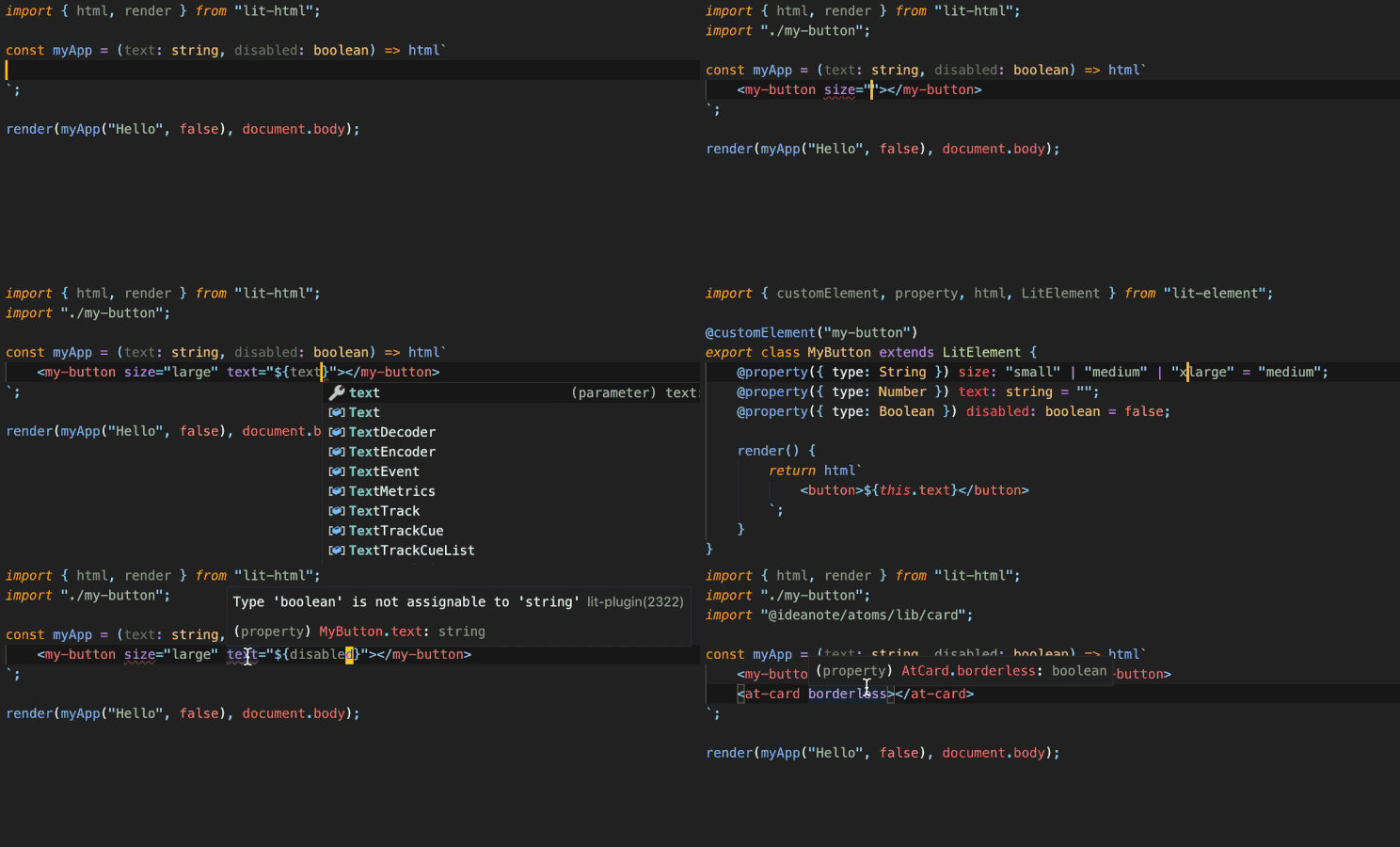
Overview
Lit Analyzer adds language support to html and css tagged template literals in JavaScript and
TypeScript files.
The extension can:
- Report errors while you type.
- Complete element, attribute, property, event, and CSS names.
- Show type information and documentation.
- Go to the declarations of elements and their members.
- Find custom elements in your project.
- Add imports for custom elements.
- Close HTML tags automatically.
Installation
Install the packaged extension from a .vsix file:
code --install-extension lit-analyzer.vsix
To build the file from this repository, run this command:
pnpm --dir packages/vscode-lit-plugin package
Editor features
Diagnostics
Lit Analyzer checks each template while you edit the file. A rule can report an error or a warning.
You can also turn off each rule. See Rules for the complete rule list.
Code completion
Press Ctrl+Space in an html or css template. Lit Analyzer completes element, attribute,
property, event, CSS property, and CSS part names.
Quick info
Move the pointer over an element, attribute, property, or event. Lit Analyzer shows its type and
JSDoc text.
Go to definition
Use Cmd+Click on macOS or Ctrl+Click on Windows and Linux. You can go to the declaration of an
element, attribute, property, or event.
For standard HTML attributes, Lit Analyzer opens the applicable declaration in the TypeScript DOM
library. This also works for attributes that an unknown custom element inherits from HTMLElement.
Automatic tag close
Lit Analyzer adds a closing HTML tag when you type an opening tag in a template.
Custom element discovery
Lit Analyzer finds custom elements that you declare in your project. It uses
web-component-analyzer
to read each element declaration.
The extension then supplies completion, type checking, documentation, navigation, and imports for
the element.
Elements from a dependency
A dependency can add its elements to the global HTMLElementTagNameMap interface. Lit Analyzer
reads this map and checks those elements.
declare global {
	interface HTMLElementTagNameMap {
		'my-element': MyElement;
	}
}
These limits apply:
- Lit Analyzer reads public fields and their types. It does not read a
@property decorator or a
field initializer from a declaration file. Thus, each property is optional.
- TypeScript must load the dependency before Lit Analyzer can find its elements. Import the
dependency from your project to make its declaration files available.
Rules
The default severity of a rule depends on the strict option. Strict mode is off by default. Set a
rule to off, warning, or error to override its default severity.
Custom elements
| Rule |
Description |
Normal |
Strict |
no-unknown-tag-name |
Checks that the element name exists. |
off |
warning |
no-missing-import |
Checks that the file imports each element that it uses. |
off |
warning |
no-unclosed-tag |
Checks for an unclosed tag or an invalid self-closing tag. |
warning |
error |
no-missing-element-type-definition |
Checks that the element is registered in HTMLElementTagNameMap. |
off |
off |
Binding names
| Rule |
Description |
Normal |
Strict |
no-unknown-attribute |
Checks that the attribute exists on the element. |
off |
warning |
no-unknown-property |
Checks that the property exists on the element. |
off |
warning |
no-unknown-event |
Checks that the element dispatches the event. |
off |
off |
no-unknown-slot |
Checks the slot name against the @slot JSDoc tags on the element. |
off |
warning |
no-legacy-attribute |
Reports legacy Polymer binding syntax such as foo$=. |
off |
warning |
Binding types
| Rule |
Description |
Normal |
Strict |
no-expressionless-property-binding |
Reports a property binding that does not have an expression. |
error |
error |
no-noncallable-event-binding |
Reports an event binding whose value is not callable. |
error |
error |
no-boolean-in-attribute-binding |
Reports a Boolean value in an attribute binding. |
error |
error |
no-complex-attribute-binding |
Reports a complex value in an attribute binding. |
error |
error |
no-nullable-attribute-binding |
Reports a null or undefined value in an attribute binding. |
error |
error |
no-incompatible-type-binding |
Reports a value whose type does not match the target. |
error |
error |
no-invalid-directive-binding |
Reports a built-in directive in a binding that does not accept it. |
error |
error |
no-unintended-mixed-binding |
Reports a ', ", }, or / character that is possibly in the binding by mistake. |
warning |
warning |
LitElement
| Rule |
Description |
Normal |
Strict |
no-incompatible-property-type |
Checks the type option of a @property decorator against the TypeScript type. |
warning |
error |
no-invalid-attribute-name |
Checks that the attribute option contains a valid attribute name. |
error |
error |
no-invalid-tag-name |
Checks that a custom element has a valid name. |
error |
error |
no-property-visibility-mismatch |
Checks that a public property uses @property and a non-public property uses @internalProperty. |
off |
warning |
CSS
| Rule |
Description |
Normal |
Strict |
no-invalid-css |
Checks the CSS in a css template. |
warning |
error |
Configuration
Run Lit Analyzer: Format Lit HTML from the Command Palette to format Lit HTML bindings without changing the file's default formatter. This command can coexist with ESLint format-on-save.
Open Settings, then select Extensions > Lit Analyzer. All setting names have the
lit-plugin. prefix.
| Option |
Description |
Type |
Default |
typescript.tsdk |
Sets the TypeScript SDK lib directory. The path can be absolute or relative to the first workspace folder. Reload VS Code after you change it. |
string |
Bundled TypeScript |
strict |
Changes the default rule severities. |
boolean |
false |
rules |
Sets the severity of one rule or more. For example, {"no-unknown-tag-name": "off"}. |
{ [rule]: "off" \| "warning" \| "error" } |
Depends on strict |
disable |
Turns off the extension. |
boolean |
false |
format.groupBindings |
Groups property, attribute, Boolean, and event bindings. |
boolean |
true |
format.newLineBindings |
Puts each binding on a new line. |
boolean |
true |
format.newLineTemplate |
Puts Lit HTML template content on its own lines. |
boolean |
true |
format.alignBindingAssignments |
Aligns binding assignment signs. |
boolean |
true |
dontShowSuggestions |
Hides suggestions that describe how to correct diagnostics. |
boolean |
false |
logging |
Sets the language server log level. |
"off" \| "error" \| "warn" \| "debug" \| "verbose" |
"off" |
securitySystem |
Sets the Lit security sanitization system. |
"off" \| "ClosureSafeTypes" |
"off" |
htmlTemplateTags |
Lists the template tags that contain HTML. |
string[] |
["html", "raw"] |
cssTemplateTags |
Lists the template tags that contain CSS. |
string[] |
["css"] |
globalTags |
Lists the element names that are always available. |
string[] |
|
globalAttributes |
Lists the attribute names that Lit Analyzer does not check. |
string[] |
|
globalEvents |
Lists the event names that Lit Analyzer does not check. |
string[] |
|
customHtmlData |
Loads element data in the VS Code custom HTML data format. The value can be an array, an object, or a relative file path. |
Custom HTML data |
|
maxProjectImportDepth |
Sets how many import levels Lit Analyzer reads in your project. -1 removes the limit. |
number |
-1 |
maxNodeModuleImportDepth |
Sets how many import levels Lit Analyzer reads in an npm package. -1 removes the limit. |
number |
1 |
Document a custom element
Lit Analyzer reads properties, attributes, and events from your code. Use JSDoc to supply
information that is not present in the code.
/**
 * A custom element.
 * @attr size
 * @attr {red|blue} color - The element color
 * @prop {String} value
 * @prop {Boolean} active - The active state
 * @fires change
 * @fires my-event - A custom event
 * @slot - Content for the default slot
 * @slot right - Content for the right slot
 * @cssprop {Color} --border-color
 * @csspart header
 */
class MyElement extends HTMLElement {
}

customElements.define('my-element', MyElement);
Architecture
Lit Analyzer uses these components:
lit-language-server supplies diagnostics, completion, navigation, and type information.- vscode-lit-html supplies syntax highlighting for
html templates.
- vscode-styled-components
supplies syntax highlighting for
css templates.
This extension starts the language server and sends it the relevant VS Code settings.
Report syntax highlighting problems to the applicable highlighting project. Report all other
problems in the Lit Analyzer issue tracker.
Contributing
See CONTRIBUTING.md.
License
Lit Analyzer uses the MIT License. See LICENSE.md.
This extension is a fork of lit-analyzer by Rune Mehlsen
and Andreas Mehlsen. The original copyright notice is in the license file.

