VSCode support for the XWidget Flutter framework: EL syntax highlighting, fragment and controller navigation, code generation, and hot reload.
Features
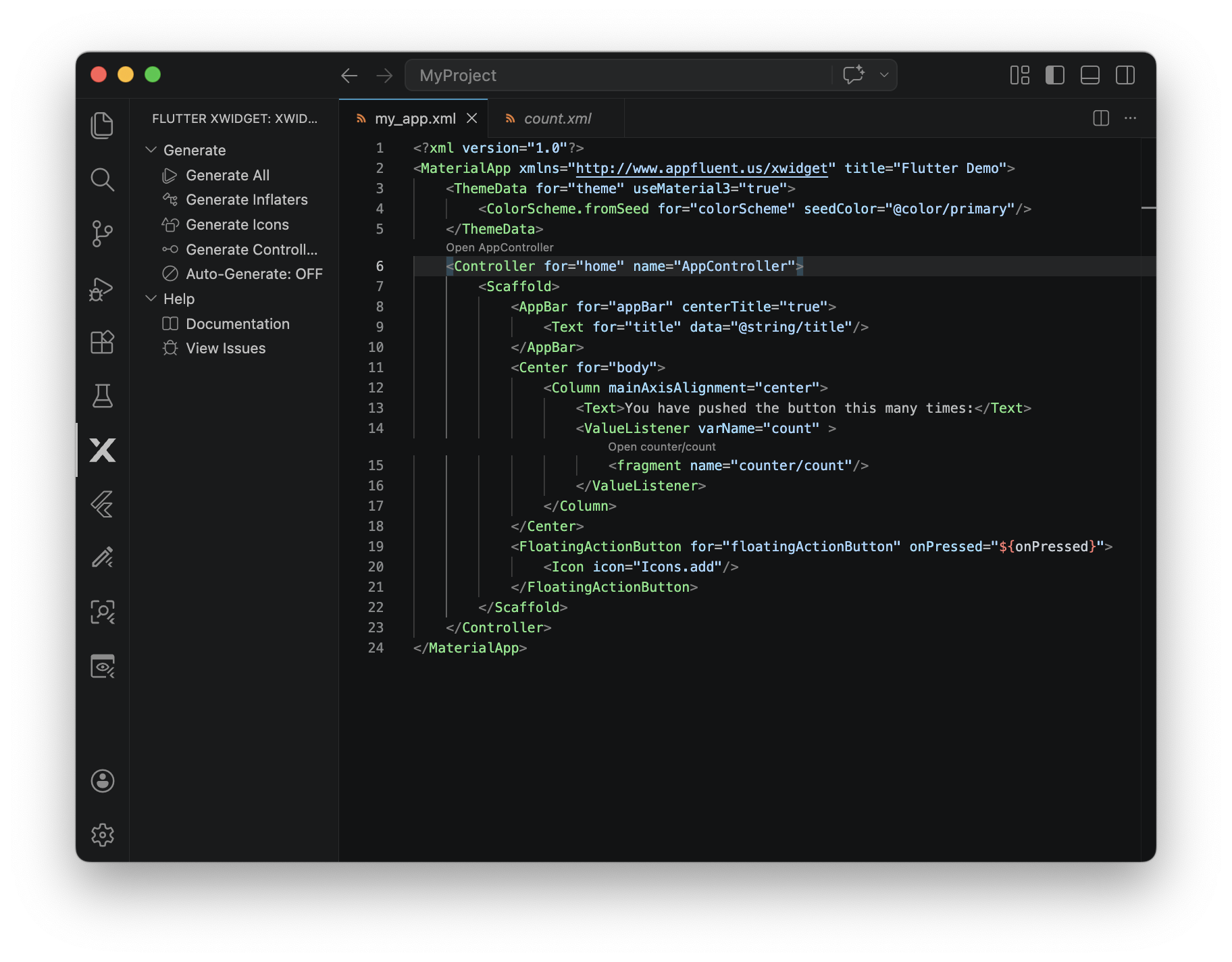
EL syntax highlighting for ${...} expressions inside XML attribute values.
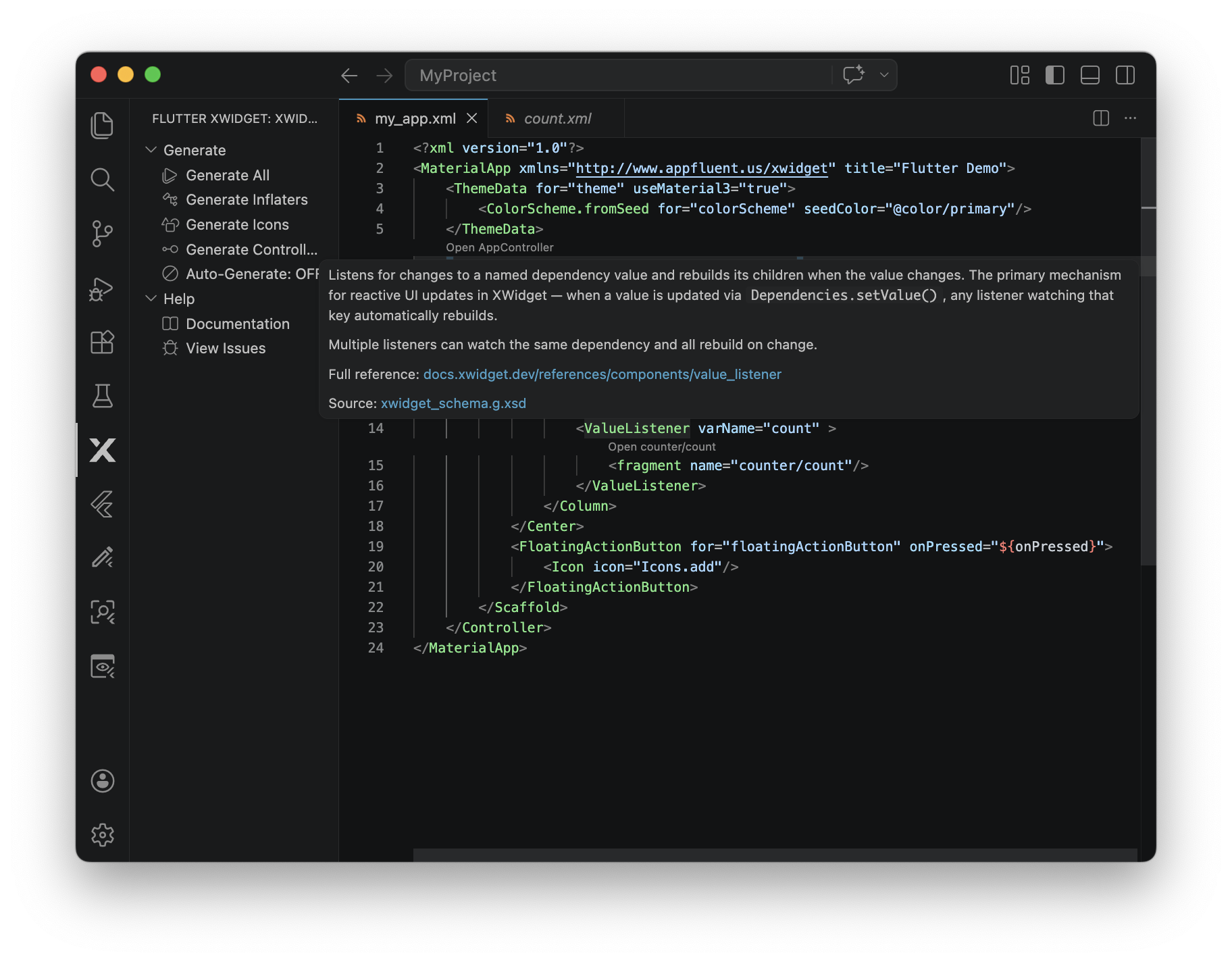
XML completion, validation, and hover docs for fragment, values, and routes files. The schemas generated by dart run xwidget_builder:generate are automatically registered with the Red Hat XML extension — no manual setup, for both builder >= 0.7.0 projects (schema catalog in .xwidget/) and older ones. Registration is namespace-based, so completion only kicks in for files that declare an XWidget namespace — unrelated XML in your project is unaffected. If Red Hat XML isn't installed, you'll be prompted to install it the first time you open an XWidget project (with a "Don't Ask Again" option).
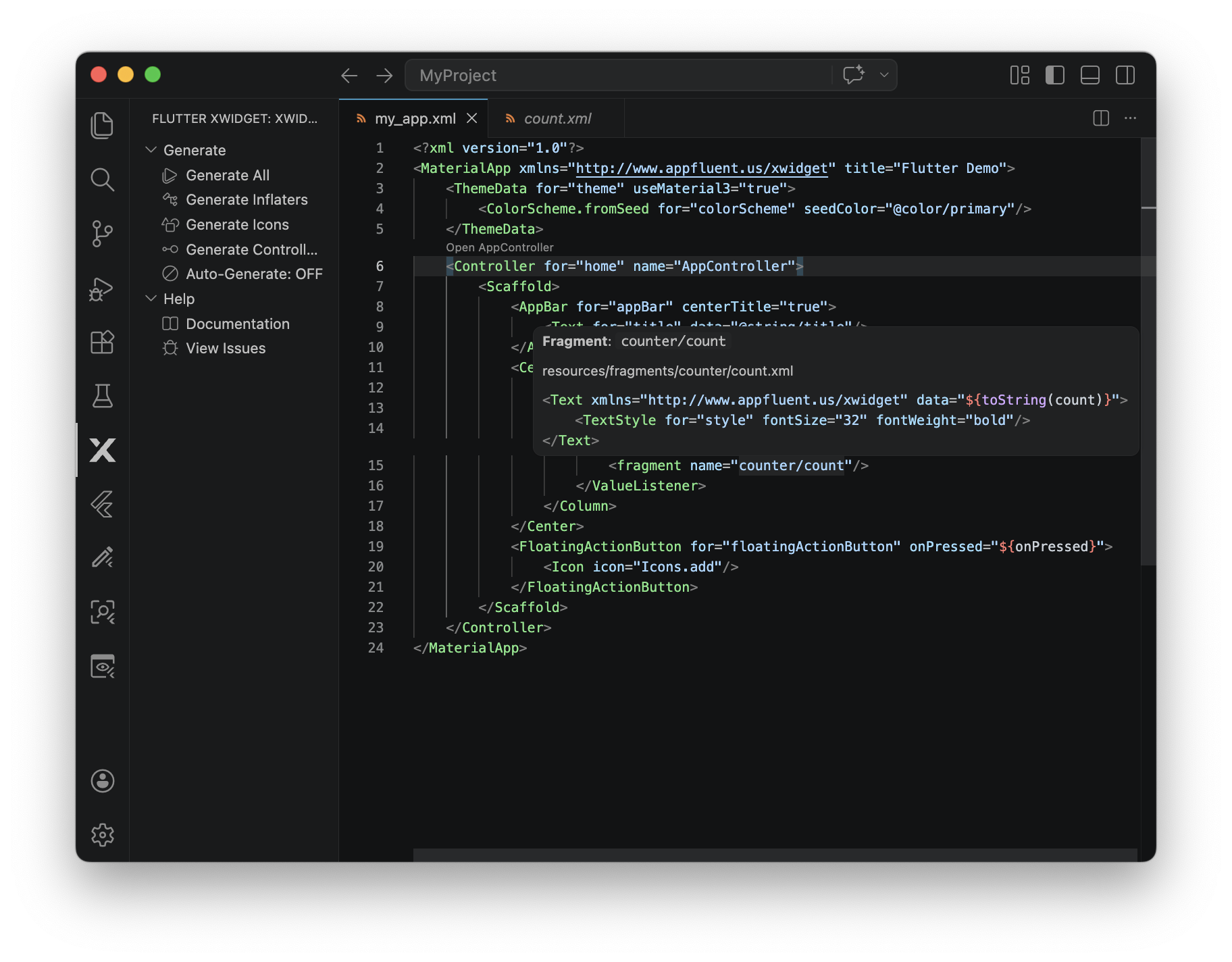
Navigation from <fragment> and <Controller> references — Cmd-click (Ctrl-click on Linux/Windows) the name attribute value to jump to the target file. A ↗ Open <name> CodeLens above each reference offers the same navigation by click. Hovering over the value shows the resolved file path and a 5-line preview of the target.
Fragment names with URL-style params (profile?id='3') and explicit extensions (profile.xml) are handled. Names without an extension are tried as <name>.xml and <name>/index.xml in turn.
Controller navigation requires the Dart extension (you'll be prompted to install it on first activation if missing).
Hot reload of fragments and resource values during a Flutter debug session. Save a fragment or values XML file and the running app updates without a full restart. Requires xwidget >= 0.5.0 and an active Dart-Code debug session. File changes are debounced at 200ms to coalesce rapid saves; a status bar indicator shows progress and surfaces errors. The extension watches fragmentsPath and valuesPath as configured in xwidget_config.yaml — changes to those config paths require restarting the debug session to take effect.
Activity Bar tree view with quick access to generate / init / docs commands. Includes a Status section that surfaces project health issues — missing dependencies (Red Hat XML, Dart extension), ungenerated schema, removed schema registration, or an xwidget version below the hot-reload threshold. Each status item is clickable and runs the appropriate fix. A numeric badge on the Activity Bar icon shows the count of issues so you notice them even when the tree is collapsed.
Status bar item for toggling auto-generation on save.
Auto-regeneration of inflaters, icons, and controllers when their spec sources change (opt-in).
Requirements
VSCode 1.95 or later
A Flutter project with xwidget_builder in dev_dependencies — see the XWidget quick-start guide for setup
Recommended companion extensions (you'll be prompted to install them on first activation):
Red Hat XML — for schema-based completion and validation
Install the extension from the VSCode Marketplace.
Open a Flutter project that uses XWidget (or run dart run xwidget_builder:init to add XWidget to an existing Flutter project).
Run code generation — from the Command Palette: XWidget: Generate All. This produces your inflater code and the XML schemas (in .xwidget/).
Check the Activity Bar — the XWidget icon shows a tree view with commands and a Status section that flags anything that needs attention (missing dependencies, ungenerated schema, etc.).
Start debugging your Flutter app with the Dart extension. Save a fragment or values XML file and the running app updates without a restart.
The extension reads all configuration from your project's xwidget_config.yaml. See the XWidget configuration reference for the full list of options. The VSCode extension picks up changes automatically — no reload required.
Relevant settings:
fragmentsPath — where your fragment XML files live (default: resources/fragments). The extension scopes fragment navigation, hot reload, and the XML schema association to this directory.
valuesPath — where your resource XML files live (default: resources/values). Hot reload watches this directory too.