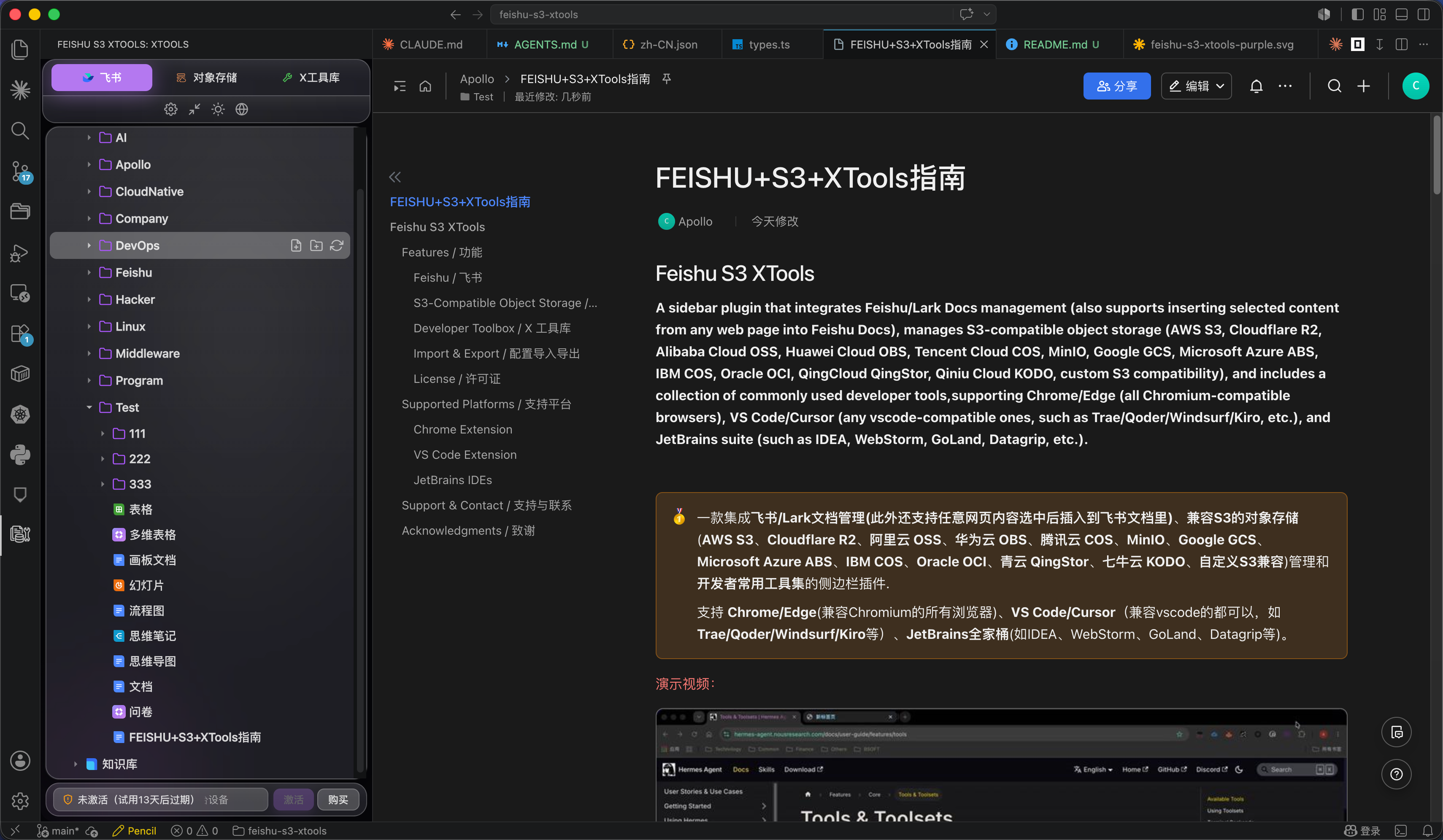
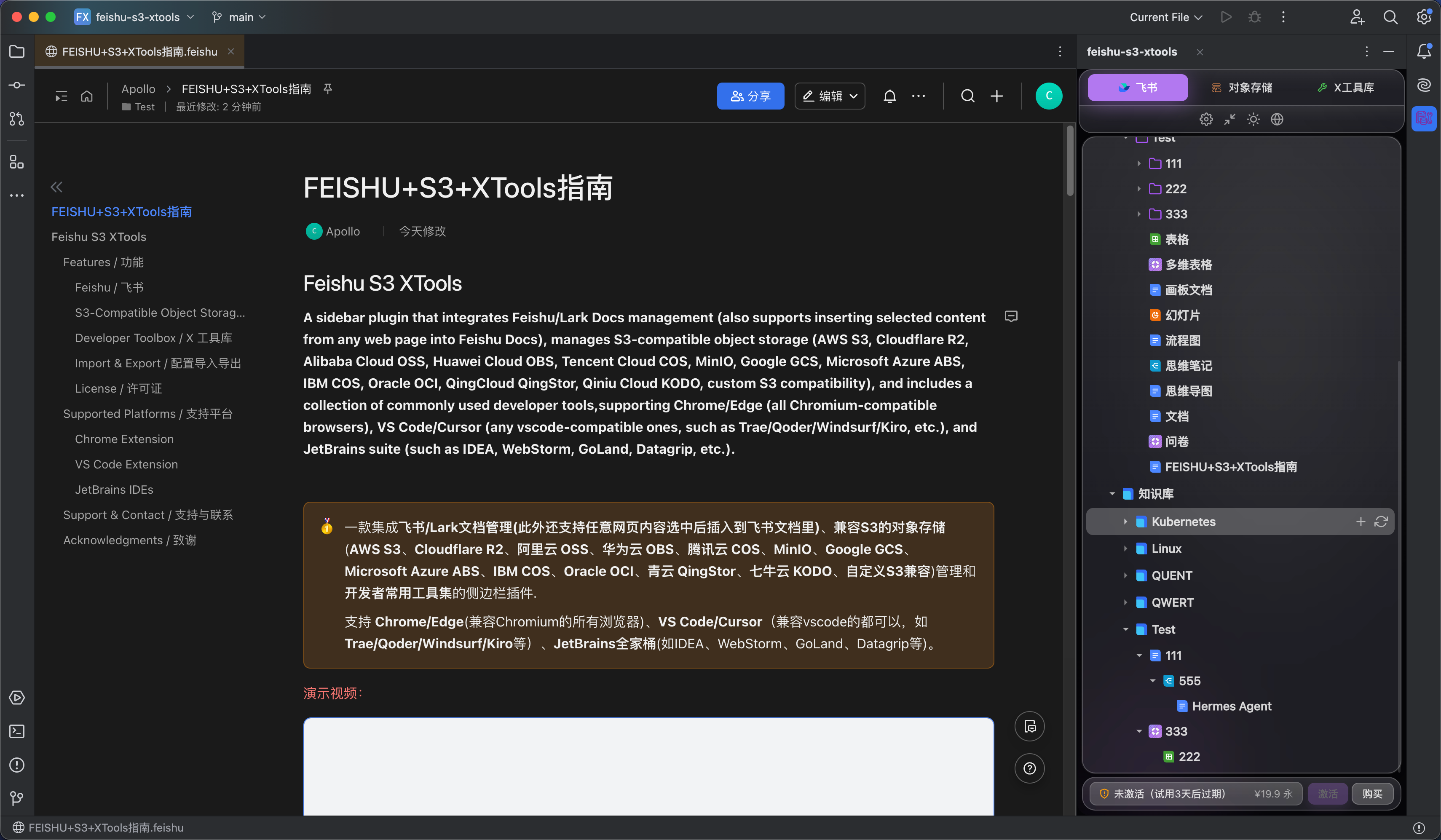
Feishu S3 XToolsSupports Feishu/Lark document management (it also supports inserting selected content from any web page into Feishu Docs), S3-compatible object storage (AWS S3, Cloudflare R2, Alibaba Cloud OSS, Huawei Cloud OBS, Tencent Cloud COS, MinIO, Google GCS, Microsoft Azure ABS, IBM COS, Oracle OCI, QingClo Installation Launch VS Code Quick Open ( Ctrl+P), paste the following command, and press enter.Copied to clipboard |

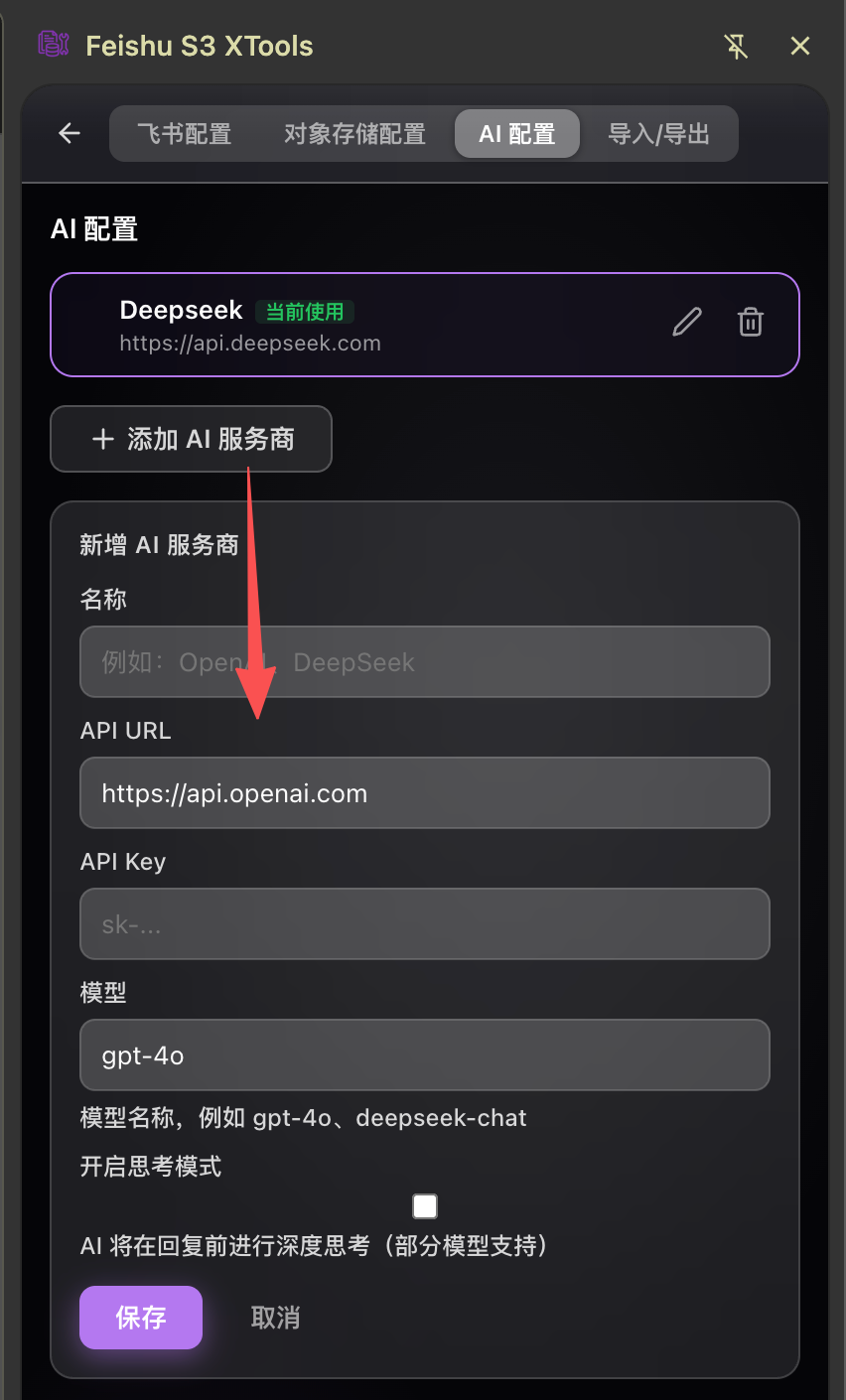
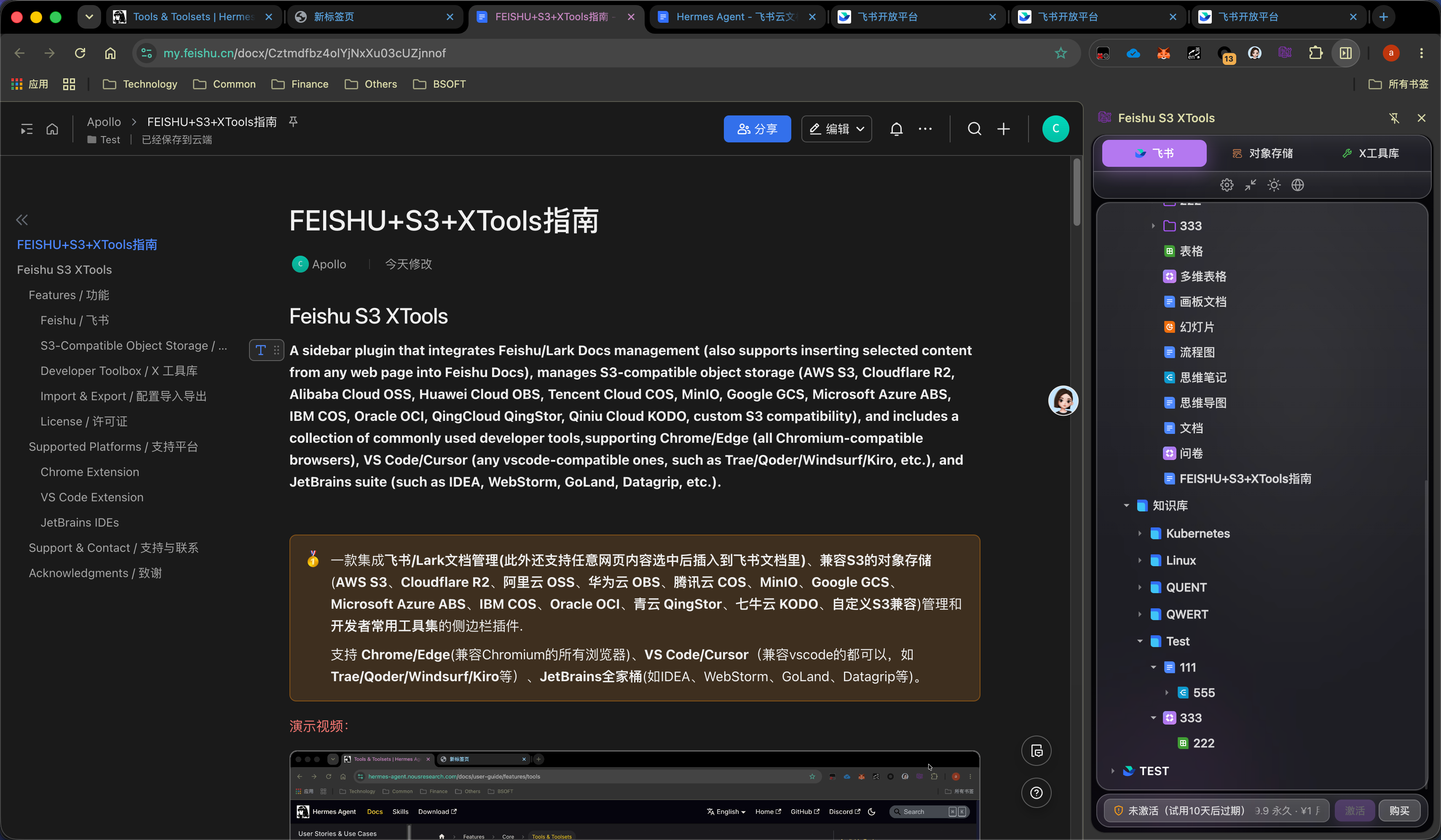
Feishu S3 XToolsSupports Feishu/Lark document management (it also supports inserting selected content from any web page into Feishu Docs), S3-compatible object storage (AWS S3, Cloudflare R2, Alibaba Cloud OSS, Huawei Cloud OBS, Tencent Cloud COS, MinIO, Google GCS, Microsoft Azure ABS, IBM COS, Oracle OCI, QingCloud QingStor, Qiniu Cloud KODO, custom S3 compatibility) management, and developer toolkits commonly used. Supports Chrome/Edge (all Chromium-compatible browsers), VS Code/Cursor (any vscode-compatible ones, such as Trae/Qoder/Windsurf/Kiro, etc.), and JetBrains suite (such as IDEA, WebStorm, GoLand, Datagrip, etc.). 支持飞书/Lark文档管理(还支持任意网页内容选中后插入到飞书文档里)、兼容S3的对象存储(AWS S3、Cloudflare R2、阿里云 OSS、华为云 OBS、腾讯云 COS、MinIO、Google GCS、Microsoft Azure ABS、IBM COS、Oracle OCI、青云 QingStor、七牛云 KODO、自定义S3兼容)管理和开发者常用工具集的侧边栏插件. 支持 Chrome/Edge(兼容Chromium的所有浏览器)、VS Code/Cursor(兼容vscode的都可以,如Trae/Qoder/Windsurf/Kiro等)、JetBrains全家桶(如IDEA、WebStorm、GoLand、Datagrip等)。 演示视频:(点击跳转浏览器查看) 演示视频:(点击跳转浏览器查看) 演示视频:(点击跳转浏览器查看) 部分截图:
浏览器:
vscode:
idea:
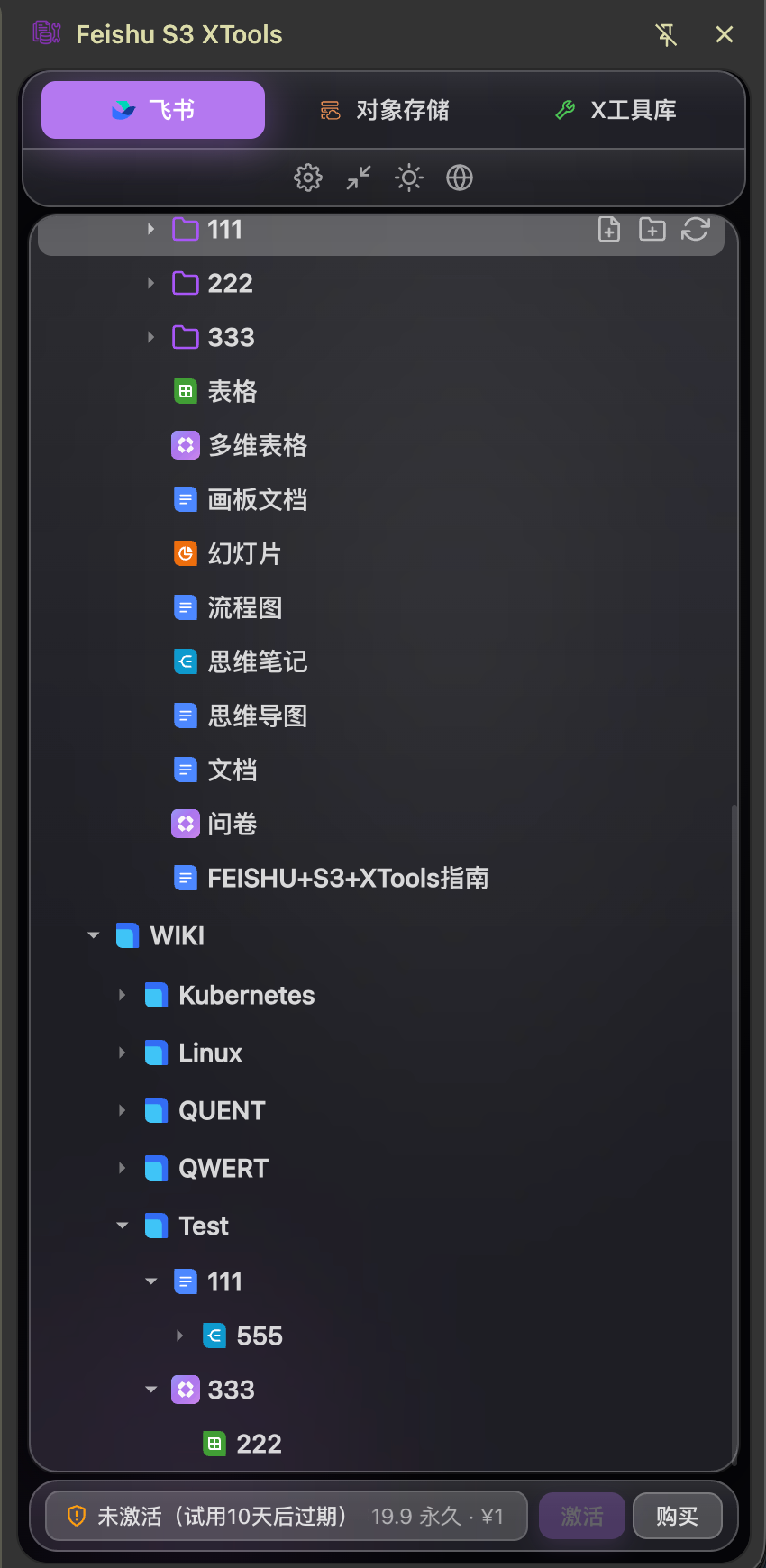
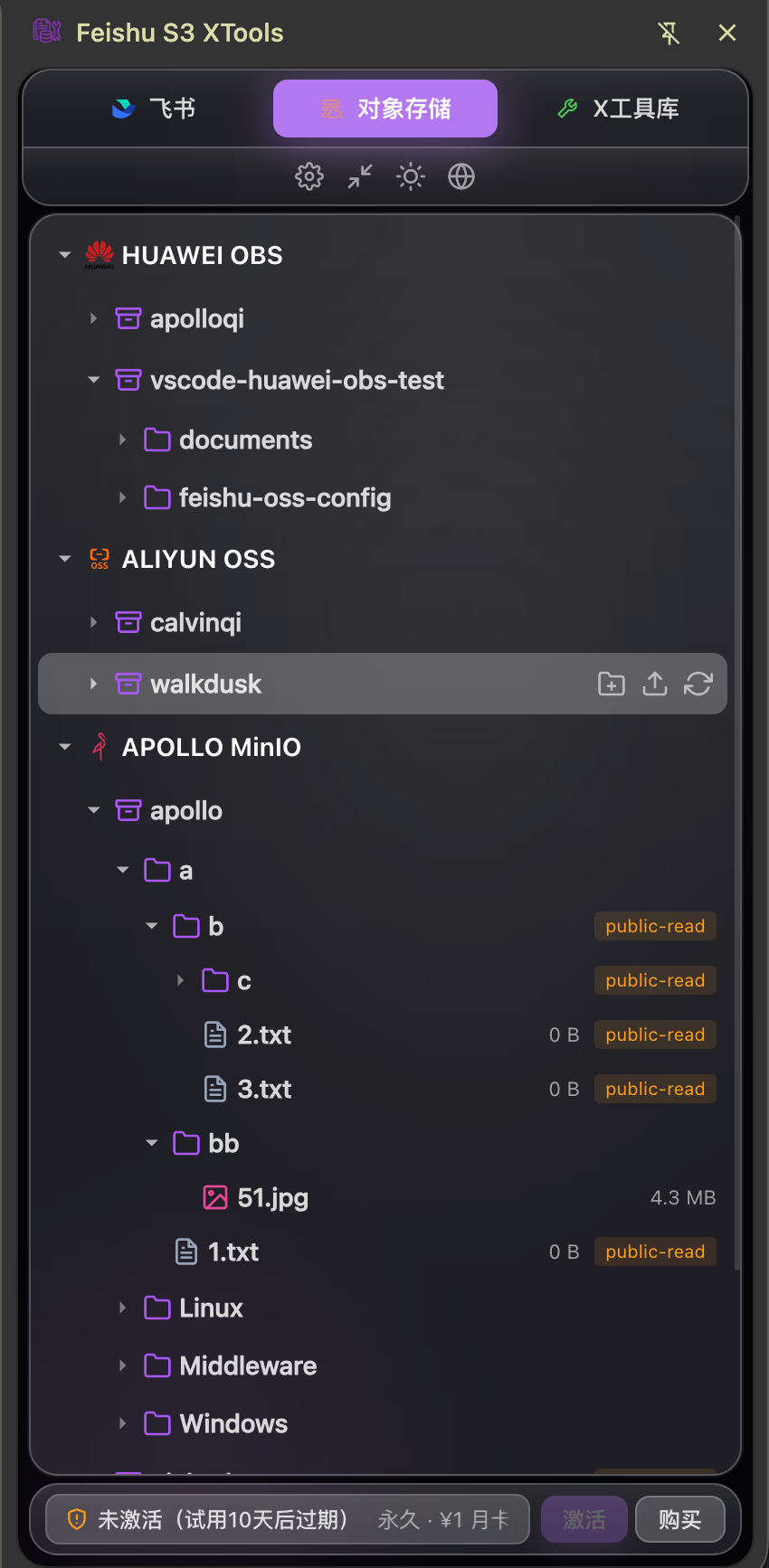
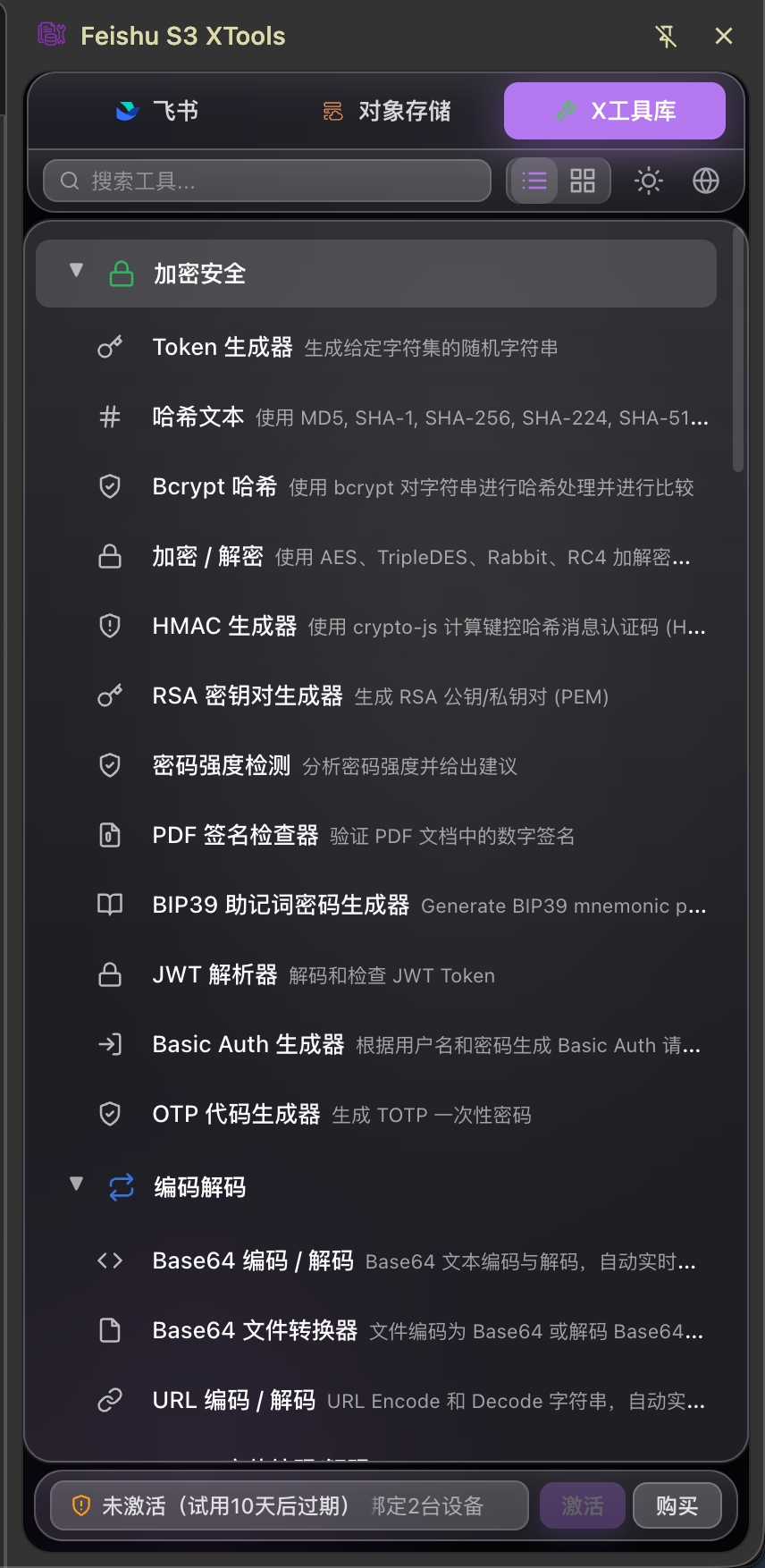
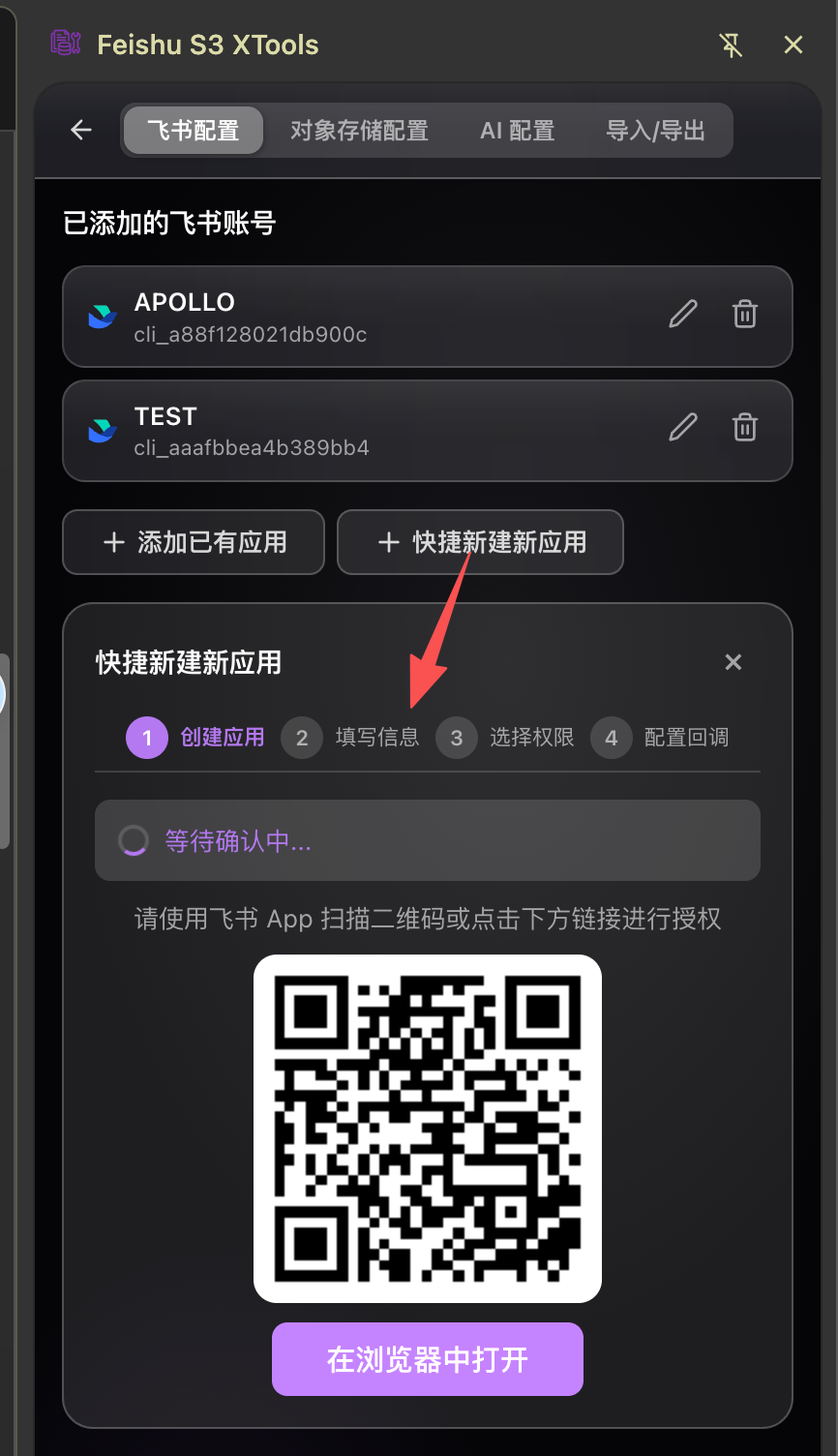
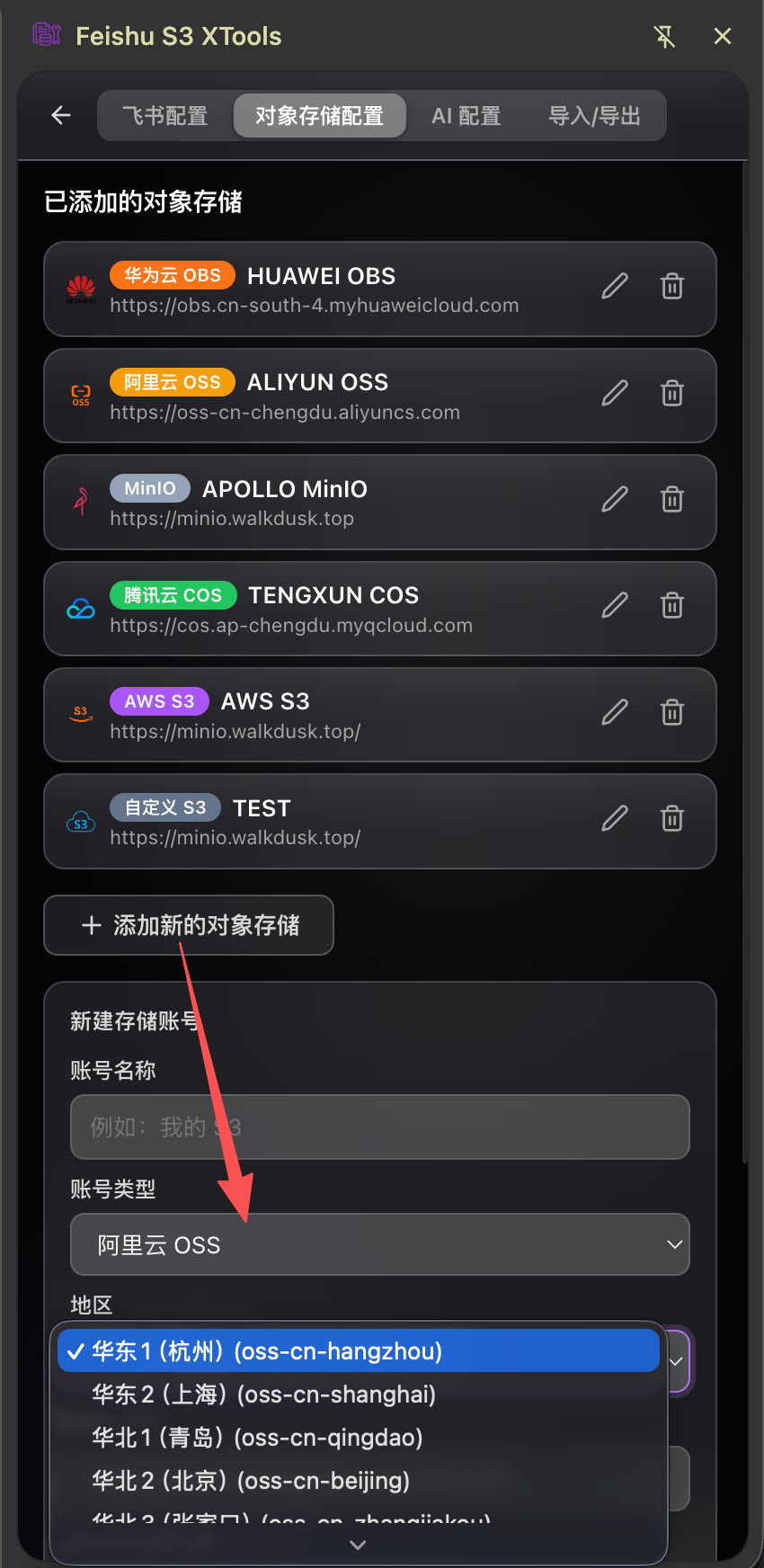
Features / 功能Feishu / 飞书Quickly create and add Feishu accounts to the plugin, browse and manage Feishu Docs and Knowledge Base. Supports creating new, renaming, moving, deleting, and opening with one click in the browser/IDE. Multi-account management with automatic Token refresh. In the browser, you can right-click on selected content from any web page to choose to insert/create in Feishu Docs, support retaining the original content and automatically inserting/creating into the document after typesetting, and also use system prompt options and custom prompt options to let AI process and then insert/create into the document. 快捷创建添加飞书账号到插件,浏览和管理飞书云文档与知识库。支持新建、重命名、移动、删除,一键在浏览器/IDE里打开。多账号管理,Token 自动刷新。 在浏览器里可将任意网页内容选中右键选择插入/新建到飞书文档里,支持保留原文内容并排版后自动插入/新建到文档里,还可用系统提示词选项和自定义提示词选项让AI处理后插入/新建到文档里 S3-Compatible Object Storage / 对象存储Manage AWS S3, Cloudflare R2, Alibaba Cloud OSS, Huawei Cloud OBS, Tencent Cloud COS, MinIO, Google GCS, Microsoft Azure ABS, IBM COS, Oracle OCI, QingCloud QingStor, Qiniu Cloud KODO, and custom S3-compatible storage. Supports file upload/download/preview/pre-signed URL/ACL permission control management, tree view operations, batch folder upload, and ZIP download. 支持管理 AWS S3、Cloudflare R2、阿里云 OSS、华为云 OBS、腾讯云 COS、MinIO、Google GCS、Microsoft Azure ABS、IBM COS、Oracle OCI、青云 QingStor、七牛云 KODO、自定义S3兼容存储。支持文件上传/下载/预览/预签名 URL/ACL权限控制管理,树形视图操作,批量文件夹上传和 ZIP 下载。 Developer Toolbox / X 工具库
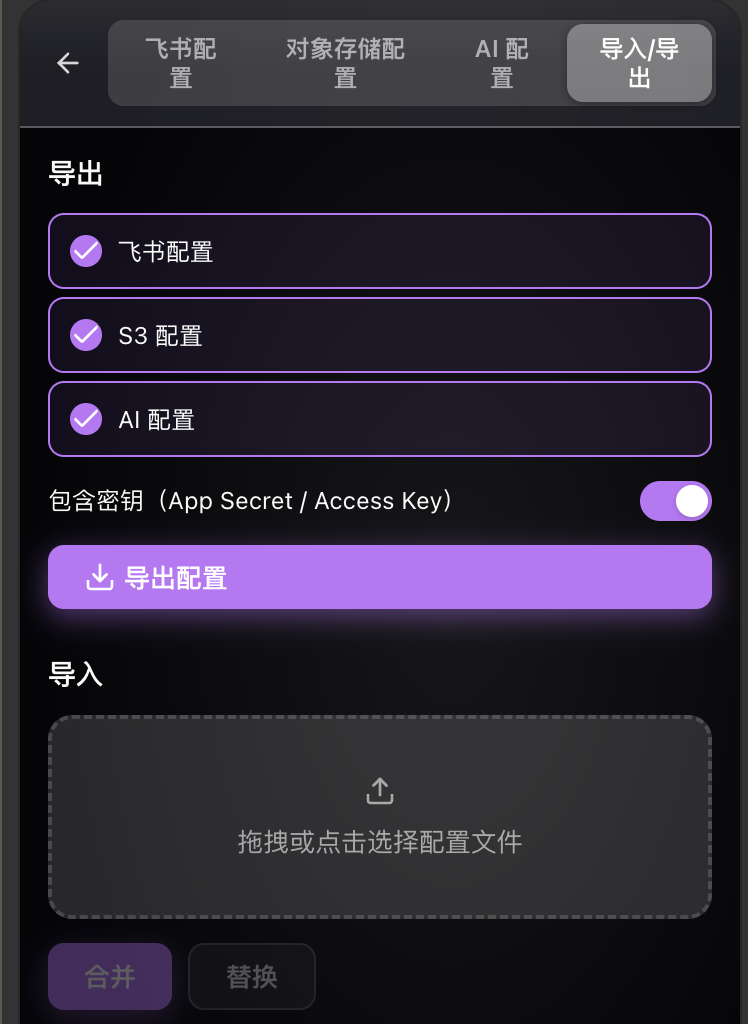
Import & Export / 配置导入导出Export your Feishu, S3, and AI account configuration as a file. Import with merge or replace mode. Easy migration between machines. 将飞书、对象存储和AI账号配置导出为文件,支持合并或替换模式导入,方便跨设备迁移。 License / 许可证Activate with a license key. Supports permanent, monthly, and trial licenses with per-device binding. 通过卡密激活,支持永久卡、月卡、试用,设备级绑定。 Supported Platforms / 支持平台Windows / macOS / Linux Chrome ExtensionSupports Chrome, Edge, and all Chromium-based browsers. 支持 Chrome、Edge 及所有基于 Chromium 的浏览器。 VS Code ExtensionSupports VS Code, Cursor, and all VS Code-compatible editors (Trae, Qoder, Windsurf, Kiro, etc.). 支持 VS Code、Cursor 及所有兼容 VS Code 的编辑器(如 Trae、Qoder、Windsurf、Kiro 等)。 JetBrains IDEsSupports the full JetBrains family: IntelliJ IDEA, WebStorm, GoLand, DataGrip, PyCharm, PhpStorm, Rider, and more. 支持 JetBrains 全家桶:IntelliJ IDEA、WebStorm、GoLand、DataGrip、PyCharm、PhpStorm、Rider 等。 Support & Contact / 支持与联系If you enjoy this project, feel free to:
如果您喜欢这个项目,欢迎:
Acknowledgments / 致谢
|