🚀 PRO C++ Watcher
The ultimate Developer Experience (DX) for C++ on Windows, now directly inside VS Code.
Stop fighting with CMake and compilers, start writing code. Perfectly tailored for .NET 10+ integration.
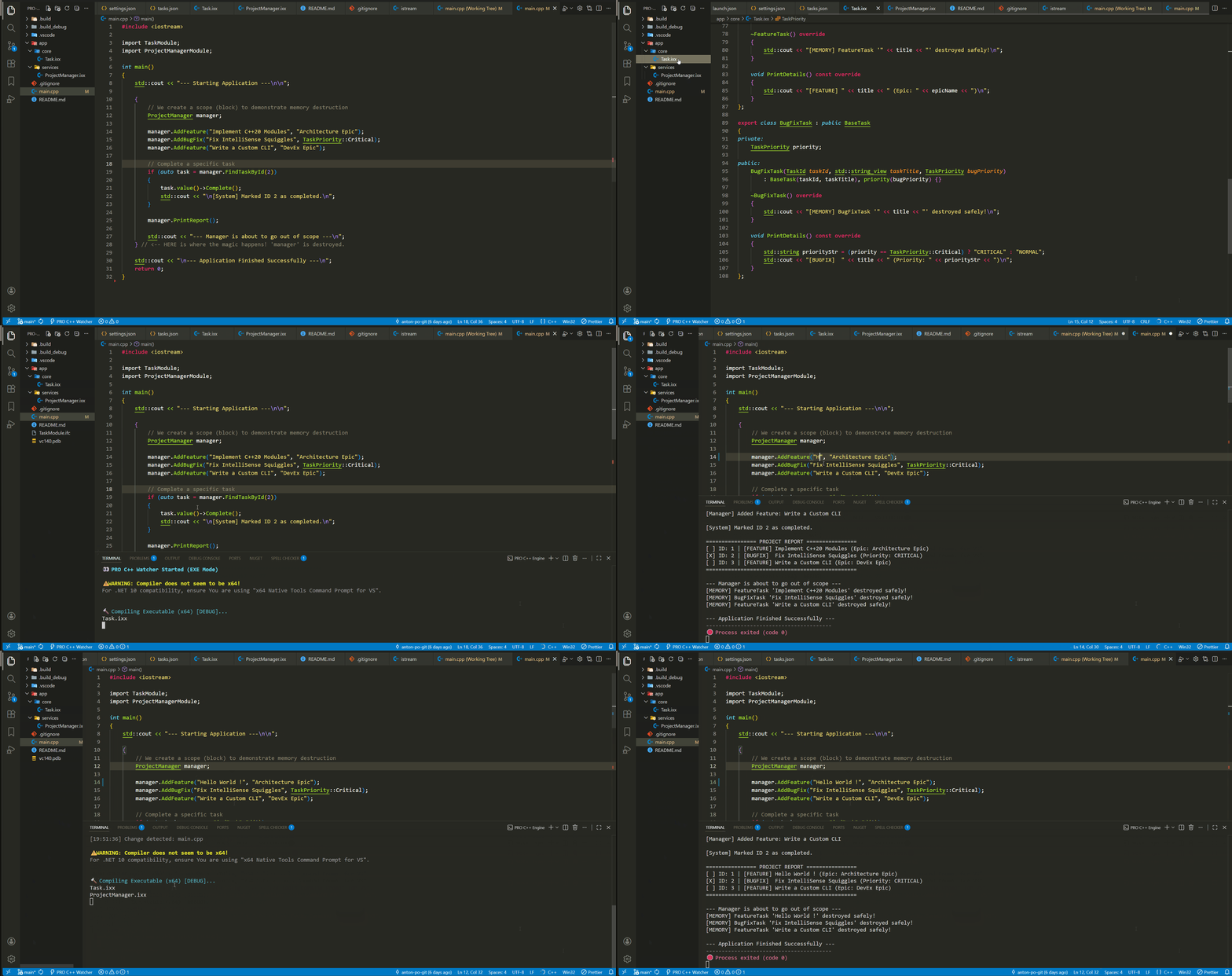
⚡ What is this?
This extension is a GUI wrapper for the powerful pro-cpp-cli-core engine. It brings Web Development DX (like Vite/Nodemon) to the C++20 world. One click to watch, compile, and run.
🛠 Prerequisites
This tool is designed for Windows and requires Visual Studio 2022 (Community, Pro, or Enterprise).
- Visual Studio C++ Workload: Ensure "Desktop development with C++" is installed.
- Node.js: Install the latest LTS version.
- The Core Engine: You must install the CLI globally via terminal:
npm install -g pro-cpp-cli-core
📦 How to Use
It is ridiculously simple:
Open a folder (Workspace) in VS Code containing your .cpp or .ixx files.
Look at the bottom left of your Status Bar.
Click the ⚡ PRO C++ Watcher button.
Watch the magic happen in the integrated terminal!
Alternatively, press Ctrl+Shift+P and type PRO C++ to see all available commands, including the interactive Build DLL mode.
✨ Features (The PRO Way)
💎 Smart C++20 Modules Handling
Forget about manual build order. The engine automatically scans your .ixx (interfaces) and .cpp files, detects export module and import statements, and performs Topological Sorting to compile everything correctly.
📦 .NET 10+ Integration Ready
Compiling DLLs for C# usually brings headaches like DllNotFoundException. We fixed it:
Static Runtime Linking (/MT): All dependencies are packed into the DLL. No need for VC++ Redistributable on the server.
x64 Architecture Enforcement: Automatic checks to ensure your DLL matches your .NET runtime architecture.
Dynamic DLL Naming: Run the PRO C++: Build DLL (.NET) command, and a native VS Code input box will ask for your desired library name.
🐞 Advanced C++20 Debugging
Want to step through your code with F5 while the watcher runs? We support that too!
Check out our official documentation for instructions on setting up build.ps1 and tasks.json for bulletproof F5 debugging.
Created with ❤️ for the C++ & .NET Community.

