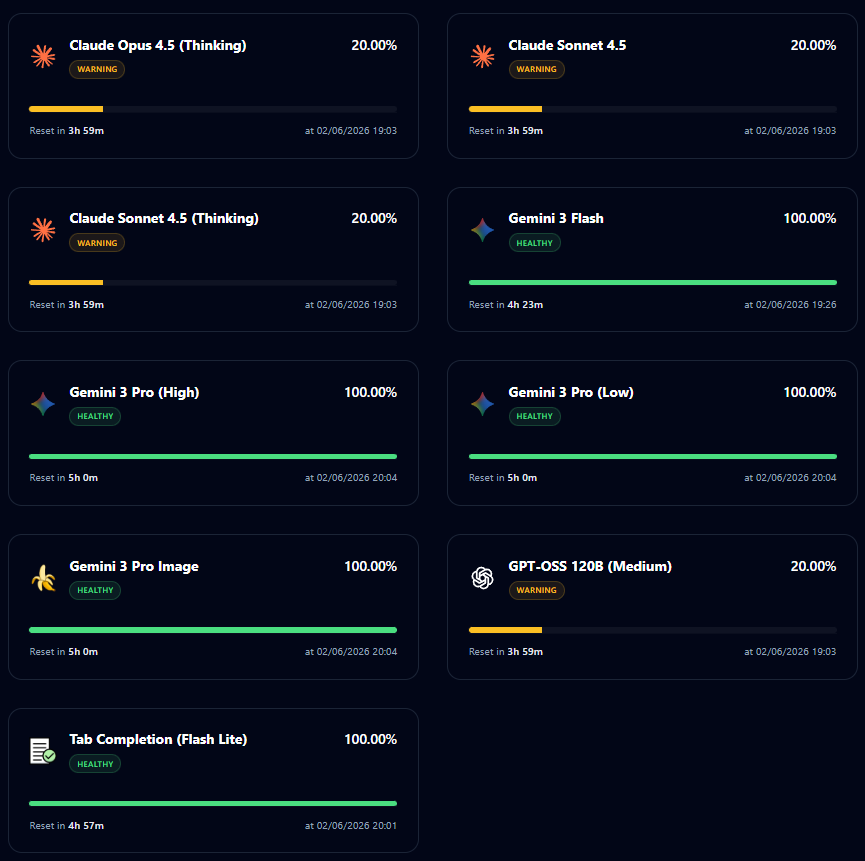
Antigravity NanoA lightweight, dashboard-style quota monitor for Antigravity AI. Installation Launch VS Code Quick Open ( Ctrl+P), paste the following command, and press enter.Copied to clipboard |

ANTIGRAVITY COCKPIT NANO MONITORAntigravity Cockpit Nano Monitor is a minimalist version that helps you monitor AI quota directly within VS Code/Antigravity. It allows users to focus purely on Quota in a visual and easy-to-use manner.
EnglishKey FeaturesDashboardDisplays all essential information clearly:
Status BarMonitor status quickly without opening any panels:
Commands & Shortcuts
Tiếng Việt (Vietnamese)Antigravity Cockpit Nano Monitor là phiên bản tối giản giúp bạn theo dõi hạn ngạch (quota) AI ngay trên VS Code/Antigravity, .... Giúp người dùng chỉ cần tập trung vào Quota một cách trực quan và dễ dàng Tính năng chínhDashboardHiển thị toàn bộ thông tin quan trọng:
Thanh trạng thái (Status Bar)Theo dõi trạng thái nhanh mà không cần mở bảng điều khiển:
Phím tắt & Lệnh
Support / Hỗ trợAcknowledgmentsThis project is inspired by and learned from Antigravity Cockpit by @jlcodes99. Antigravity Cockpit Nano is a lightweight, focused version that:
Credits:
We're grateful for the original project's foundation and have built upon it to create a faster, more minimalist alternative for users who prefer simplicity. LicenseNote: This is an educational project. Quota monitoring accuracy depends on Antigravity API backend. |