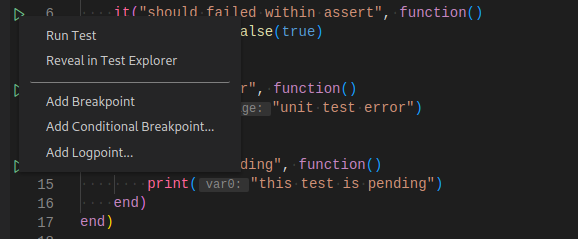
The extension will generate shortcuts (the green play button) on the left side of the context blocks and test case function calls. To run the target test cases, simply click on the green play button. You can also right click on them to see more options.
Test Explorer
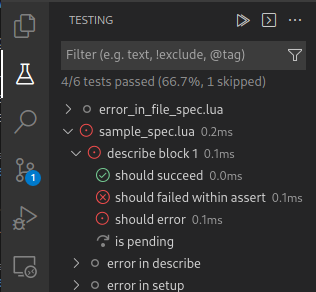
The Test Explorer is the place to show all the test cases in your workspace. You can also run your test cases from here.
View Test Result
After running the test cases, the state of the related test items will be updated in both editor decoration and test explorer.
You can trigger the command Test: Peek Output to peek the result view.
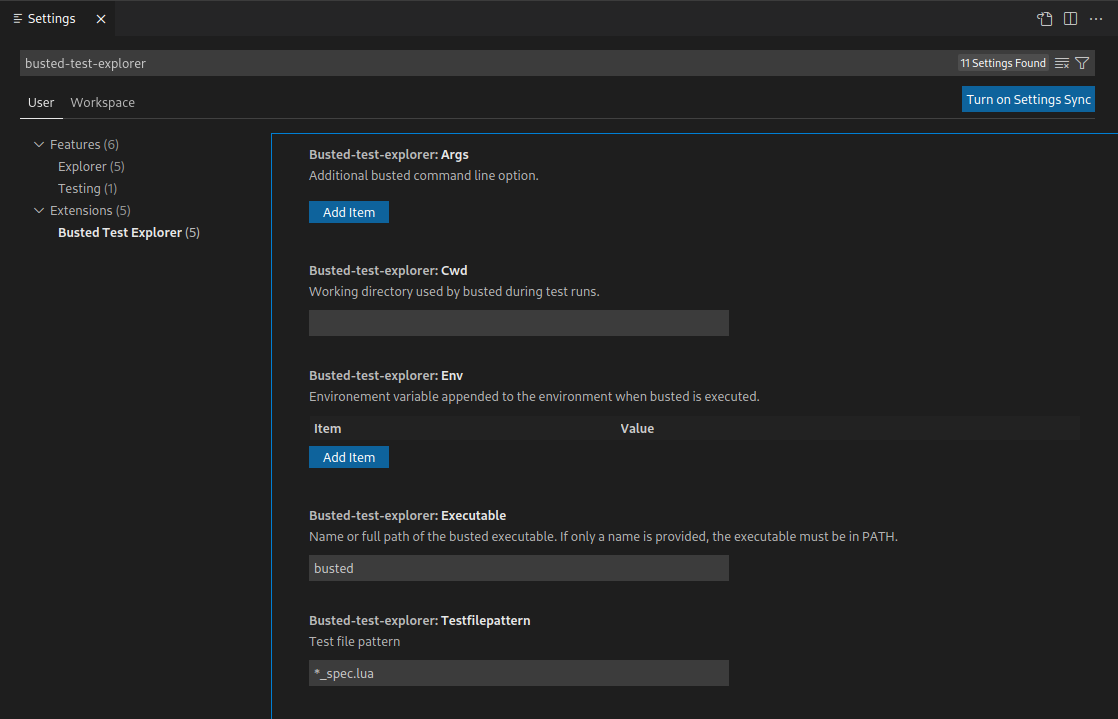
Settings
Setting Name
Description
Default Value
busted-test-explorer.executable
Name or full path of the busted executable. If only a name is provided, the executable must be in PATH.
busted
busted-test-explorer.args
Additional busted command line option.
[]
busted-test-explorer.cwd
Working directory used by busted during test runs.
``
busted-test-explorer.env
Environement variable appended to the environment when busted is executed.
{}
busted-test-explorer.testfilepattern
Test file pattern.
**/*_spec.lua
Contributing and Feedback
Contributions and feedback are welcomed. Feel free to submit issue and pull request on the github project.