MinFlix
Watch movies & series — with subtitles — in a dockable VS Code panel while you work.
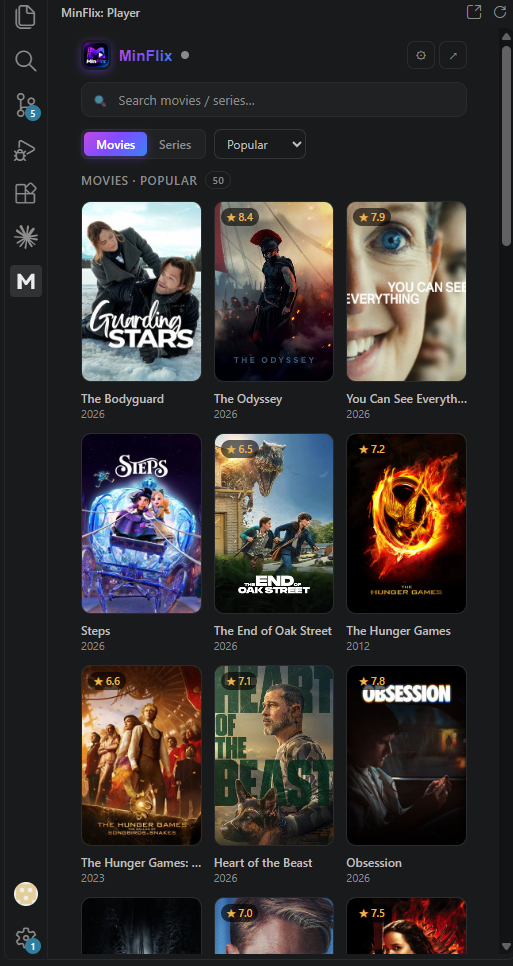
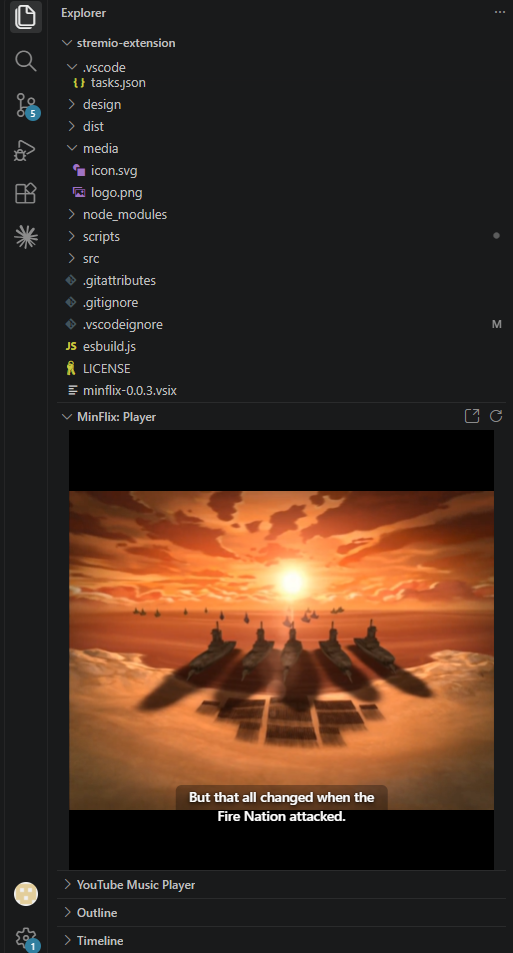
MinFlix turns a corner of VS Code into a mini movie player. Browse a catalog, open a title,
pick a stream, and watch it in a panel you can dock anywhere, pop out to an editor tab, or float
as Picture-in-Picture while you keep coding.
It's a standalone client for the open Stremio addon protocol — it does not require the
Stremio app to be installed. You bring your own addons; MinFlix plays what they provide.
Features
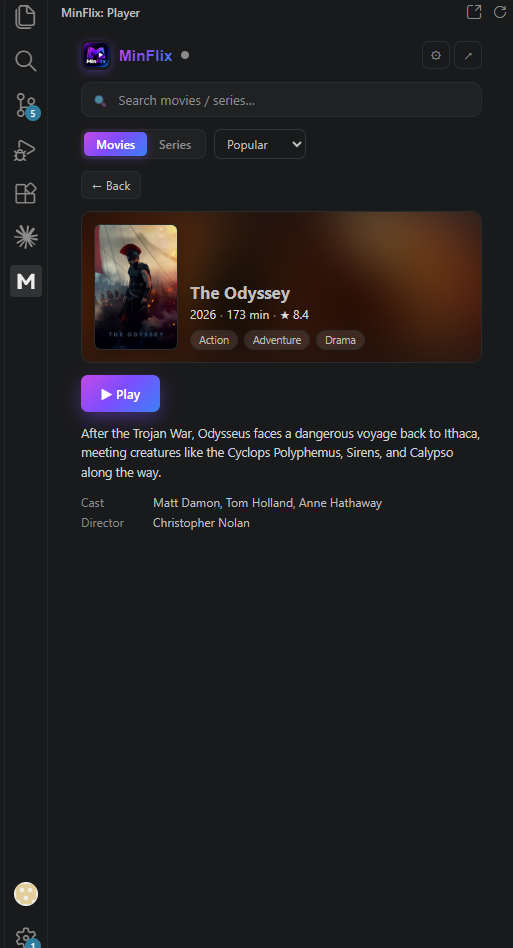
- 🎬 Browse & search movies and series (posters, ratings, synopsis, cast, episodes) via Cinemeta.
- â–¶ï¸ Play in a dockable panel — drag it to any sidebar/panel, pop out to an editor tab, or use Picture-in-Picture to float the video over everything.
- 🔤 Subtitles — pick from addon-provided tracks, search languages, load a local
.srt/.vtt, and fine-tune sync (delay offset) when they drift.
- ðŸŽšï¸ Full player controls — seek, ±10s skip, volume, buffering %, keyboard shortcuts, fullscreen.
- 🧩 Addon manager — add any Stremio-compatible stream/subtitle addon by manifest URL.
- â¯ï¸ Continue watching — resume a title right where you left off.
- 🌠Multi-language UI — Indonesia & English (switch in Settings).
- 🎨 Blends into your VS Code theme, with a MinFlix purple-blue accent.
Quick start
- Open the MinFlix icon in the Activity Bar.
- Open Settings (⚙) → Addon and add the addons you want (see below).
- Go back, pick a movie or series, hit Play, choose a stream, and enjoy. ðŸ¿
Setting up addons
MinFlix itself ships with only Cinemeta (public movie/series metadata). To actually play
something and get subtitles, add addons in ⚙ → Addon by pasting their manifest URL:
| Need |
Addon |
Manifest URL |
| Subtitles |
OpenSubtitles v3 |
https://opensubtitles-v3.strem.io/manifest.json |
| Streams |
Torrentio |
https://torrentio.strem.fun/manifest.json |
Streams are your choice. MinFlix is a neutral player for an open protocol — which stream
addons you install and what content you access is entirely your decision and responsibility.
Prefer sources you're allowed to watch (your own media servers, public-domain / freely-licensed
content, or services you subscribe to).
Once an addon is added, open any title → Play → the stream picker lists sources with quality,
size and seeder badges. Subtitles appear under the CC menu.
How it works
VS Code's built-in media stack can decode H.264 video but not AAC audio (the format most
videos use). So MinFlix transcodes every stream with ffmpeg to an HLS stream it can play
(-c:v copy when the video is already H.264, otherwise libx264; audio → MP3), serves it
locally, and plays it with hls.js.
- A standalone Stremio streaming server (downloaded on first use) turns torrents into HTTP streams — no Stremio app needed.
- ffmpeg is reused from a Stremio install if present, otherwise a static build is downloaded automatically on first use.
- All addon/subtitle HTTP happens in the extension host (the server's CORS policy blocks the webview), while the webview just renders the player.
Build from source
npm install
npm run build        # or: npm run watch
Press F5 to launch an Extension Development Host, or build an installable package:
npm run package      # typecheck + bump version + build + create minflix-<version>.vsix
npm run install:vsix # install it into VS Code
Screenshots
License
MIT © Amiin Rosyid
MinFlix is an independent project and is not affiliated with Stremio. "Stremio" is a trademark of its respective owner; MinFlix is only compatible with the open Stremio addon protocol.