Screenshots
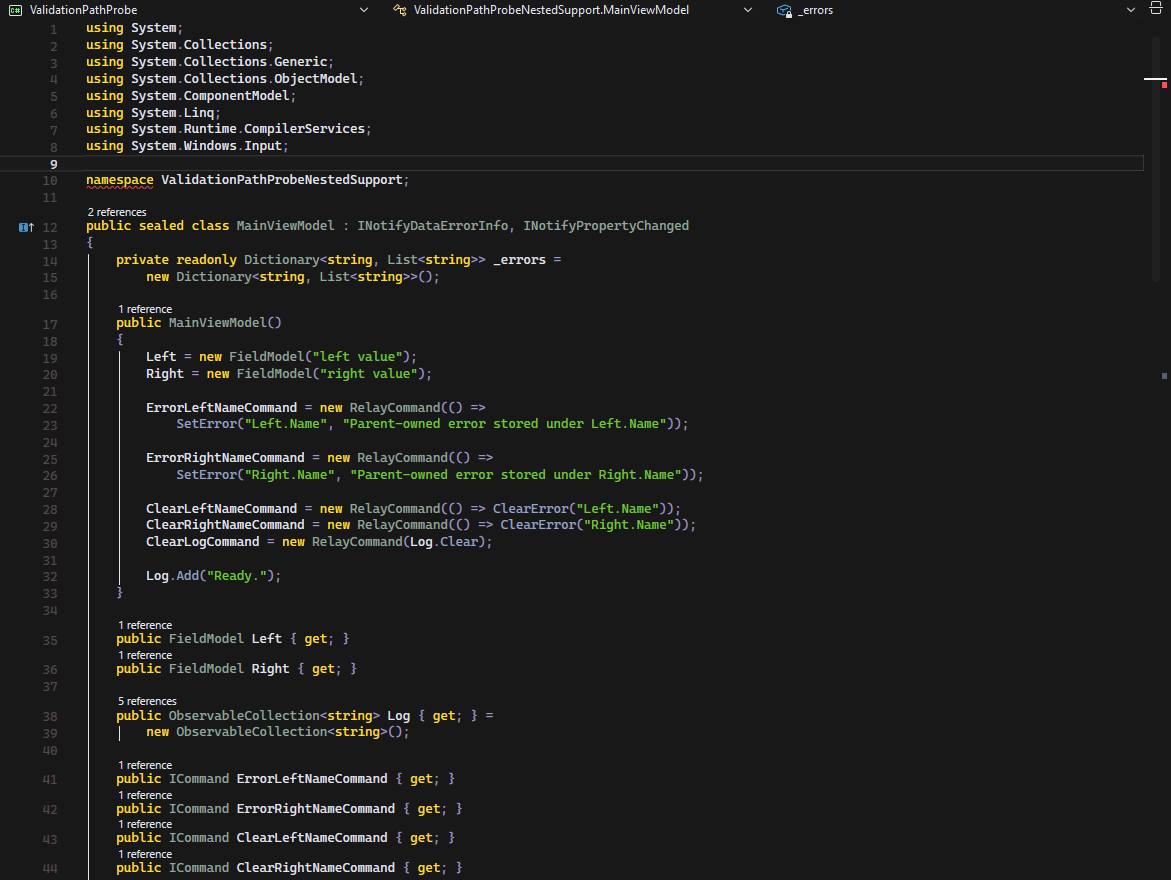
C# — syntax highlighting for classes, members, and comments in the editor
|
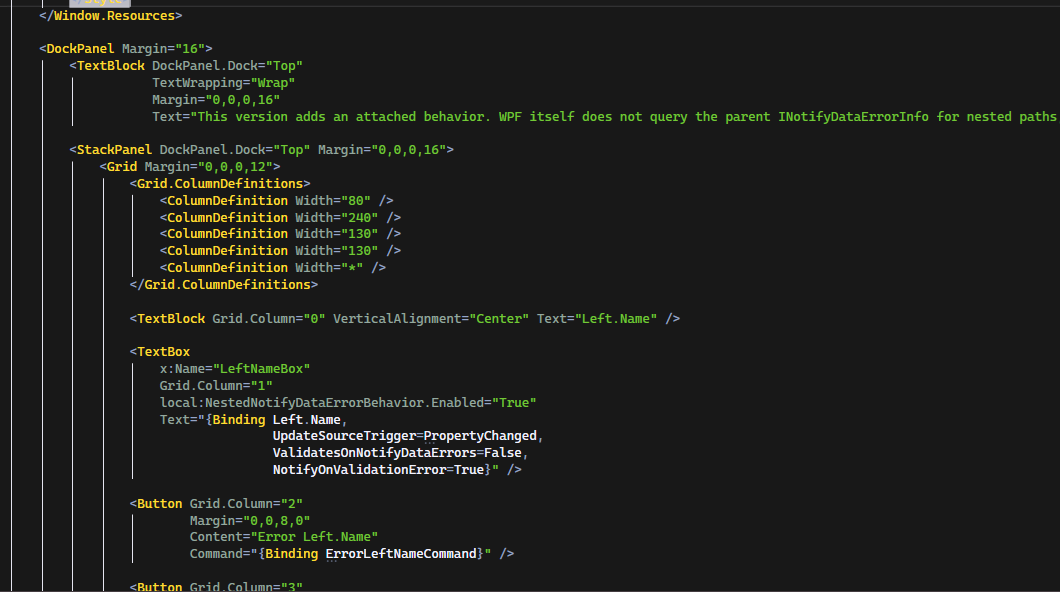
XAML — markup, attributes, and data bindings rendered with the theme
|
About
Gruber Darker for Visual Studio brings a long-running color scheme lineage natively into
the VS shell — editor, tool windows, and chrome alike — rather than just recoloring the text
editor.
The lineage:
- Gruber Dark — the original BBEdit
colour scheme by John Gruber.
- Gruber Darker — a darker Emacs port of
Gruber Dark, originally by Jason Blevins and now maintained by Alexey Kutepov (rexim).
- This extension — a Visual Studio port of the Gruber Darker palette, mapped across the
full set of VS editor, language service, and environment colour tokens (not just the code
editor).
The palette itself (bg, fg, red, green, yellow, brown, niagara, wisteria, …) is
carried over unchanged from gruber-darker-theme.el; what this project adds is the mapping of
those roles onto Visual Studio's much larger token surface.
Features
- Full-shell theming: editor surface, language service classifications, tool windows, and
environment chrome all resolve to the same Gruber Darker palette, not just syntax colours.
- Warm, low-saturation syntax highlighting: comments in brown, strings in green, keywords in
yellow, types in a muted quartz grey.
- Consistent diagnostic colouring for errors, warnings, added/removed/changed state, and
debugger execution markers.
Installation
From the Visual Studio Marketplace
- Open Extensions → Manage Extensions in Visual Studio.
- Search for Gruber Darker.
- Select Download, then restart Visual Studio to complete installation.
From a .vsix file
- Download the latest
.vsix from the Releases page, or build it locally
(see CONTRIBUTING.md).
- Double-click the
.vsix file and follow the installer prompts.
Usage
- In Visual Studio, open Tools → Options → Environment → General.
- Set Color theme to Gruber Darker.
- Select OK.
Requirements
- Visual Studio 2022 (installation target range
[17.0, 18.0)) with the Visual Studio core
editor component.
- .NET Framework 4.7.2 or later.
Contributing
The theme is generated from a token-mapping pipeline rather than hand-written XML. See
CONTRIBUTING.md for the pipeline, how to regenerate the theme, and how to
build and debug the extension locally.
License
Released under the MIT License.
Credits
| |