

A deep cobalt-blue dark theme for Visual Studio Code, crowned with royal gold.
The blue sibling of Royal Theme, customised across 219 UI colours and 259 syntax rules.
✨ Highlights
- 🌊 Deep cobalt workbench. A
#193549 editor with layered navy panels (#15232D sidebar, #122738 tabs and terminal) that feel calm and focused.
- 👑 Royal gold accents. The cursor, active tab, panel border, badges, git changes and suggestion highlights all glow in
#FFC600 gold against the blue.
- 🎨 Extra-vivid syntax. Atom One Dark's purple, blue, green and rose, plus Blue-only touches: gold control flow, mint-green declarations, lime method calls, sky-blue HTML tags and soft indigo comments.
- 🧩 Language-aware highlighting. Hand-tuned scopes for JavaScript / TypeScript, Python, HTML, CSS / SCSS / Less, JSON, Java, C / C++, Rust, Go, Markdown, regex, diffs and more.
- 🖥️ Fully themed UI. Activity bar, sidebar, tabs, breadcrumbs, panels, suggest and hover widgets, peek view, debug toolbar, charts and the status bar all match.
- 💻 Integrated terminal palette. ANSI colours tuned for the blue background, so CLI output stays readable.
📸 Screenshots
JavaScript, with the integrated terminal
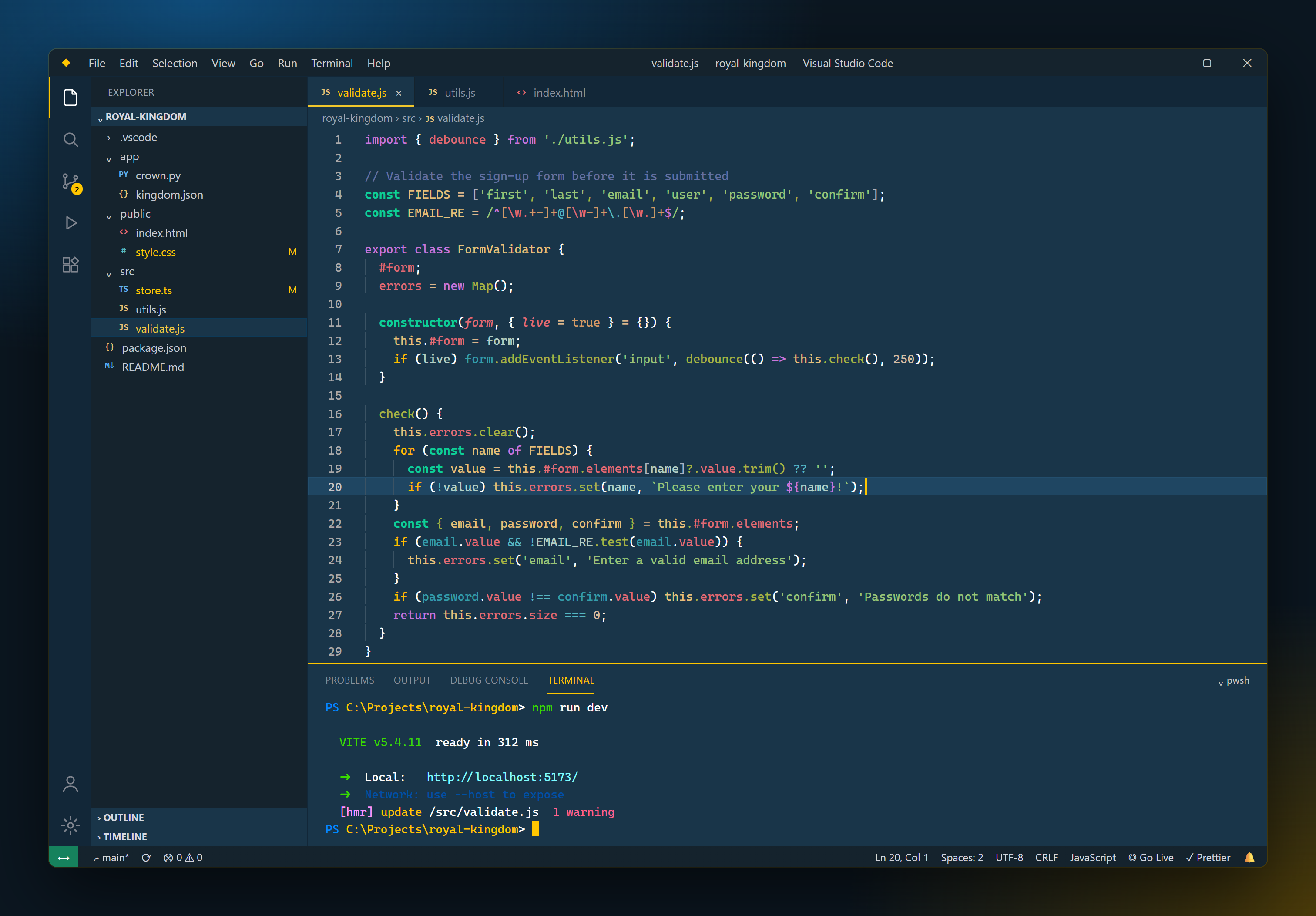
Python
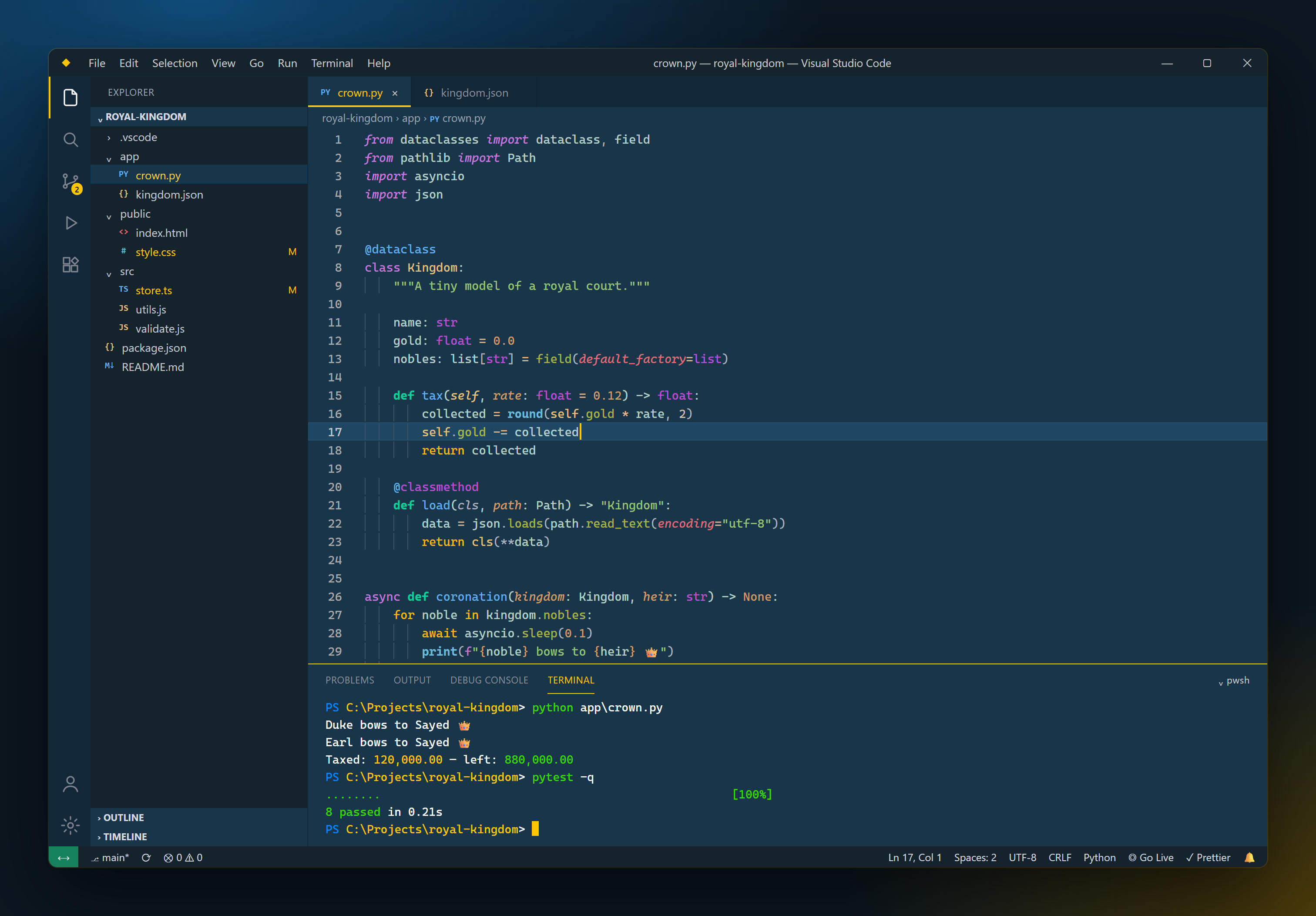
TypeScript, with IntelliSense suggestions
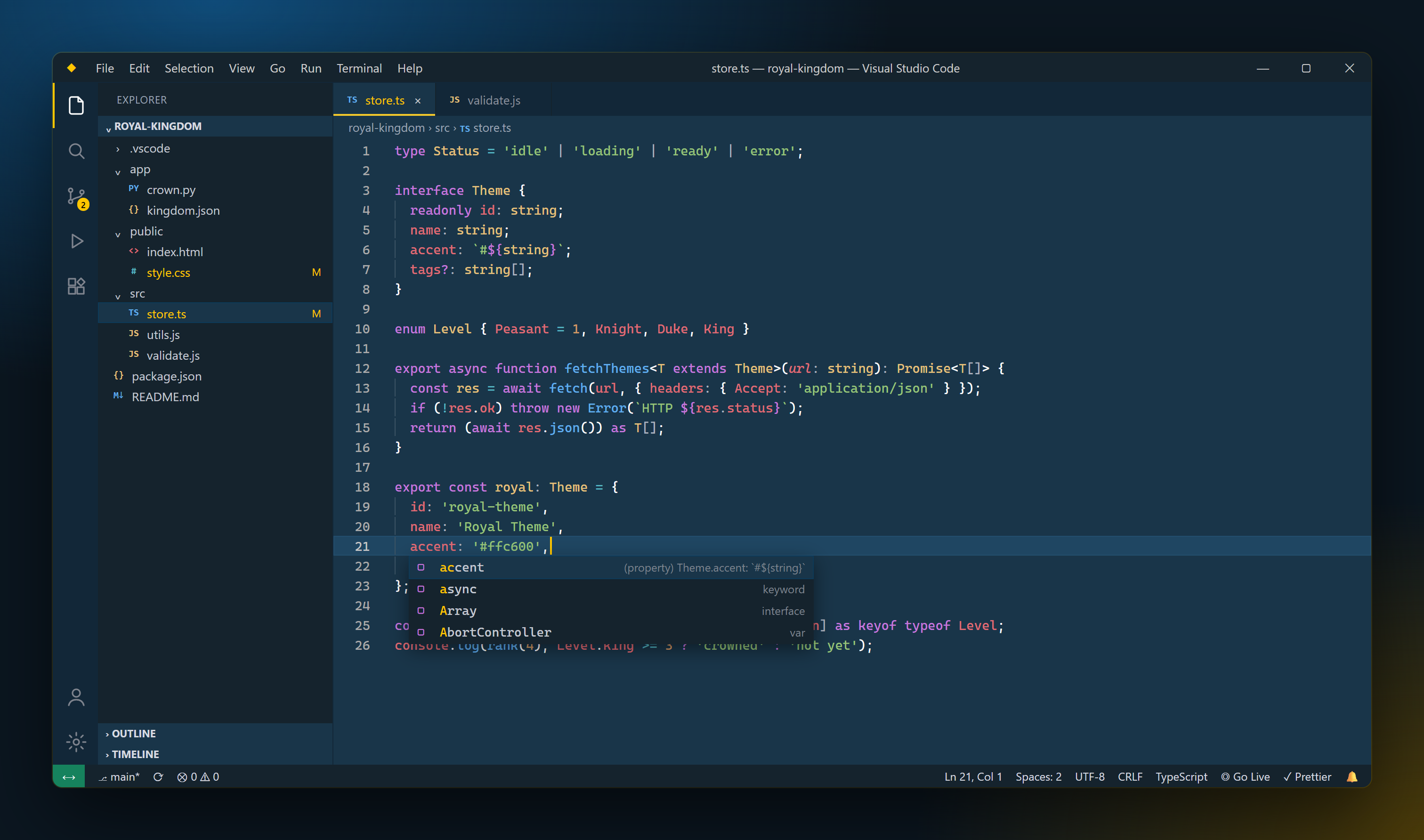
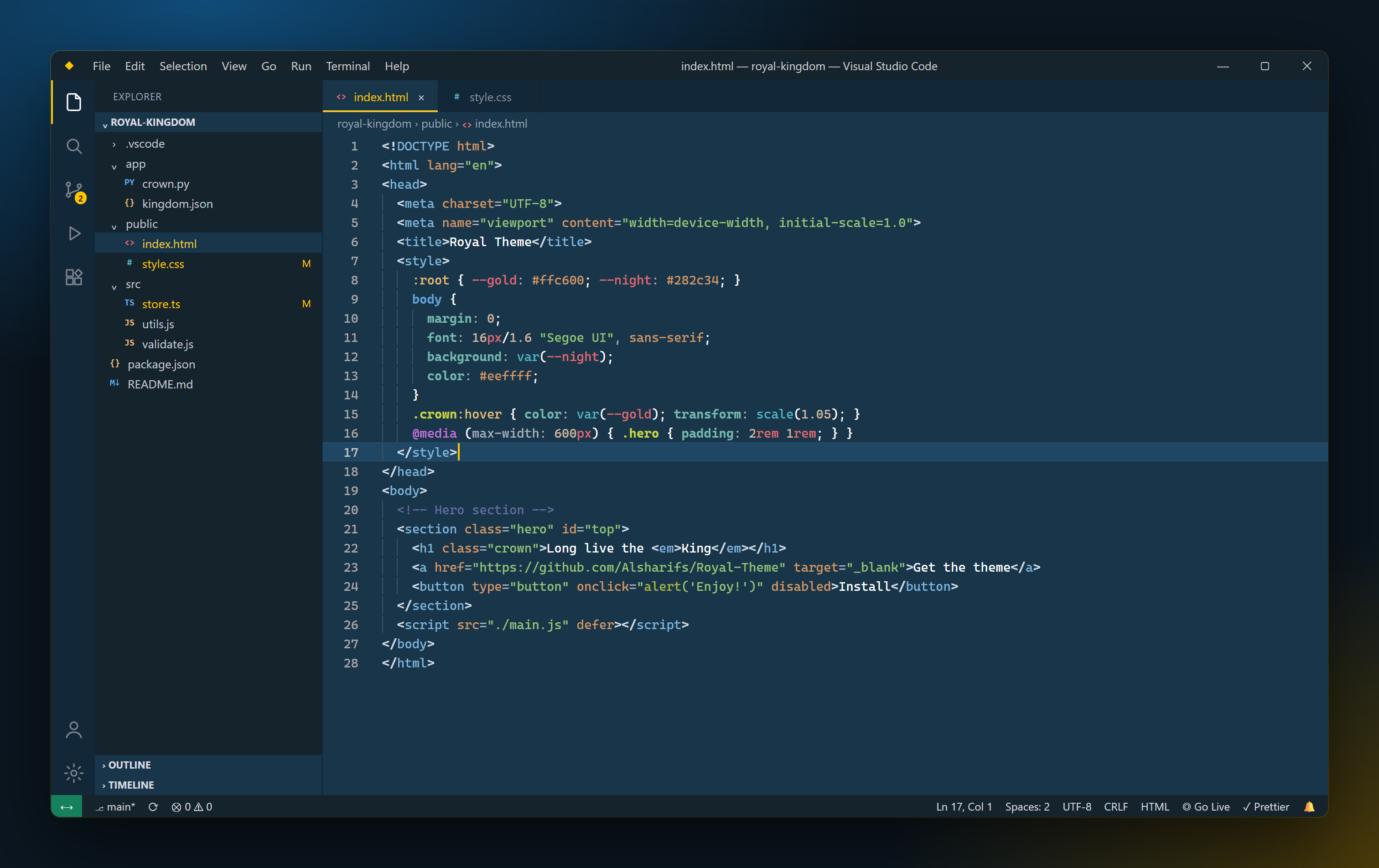
HTML & CSS
🎨 Colour palette
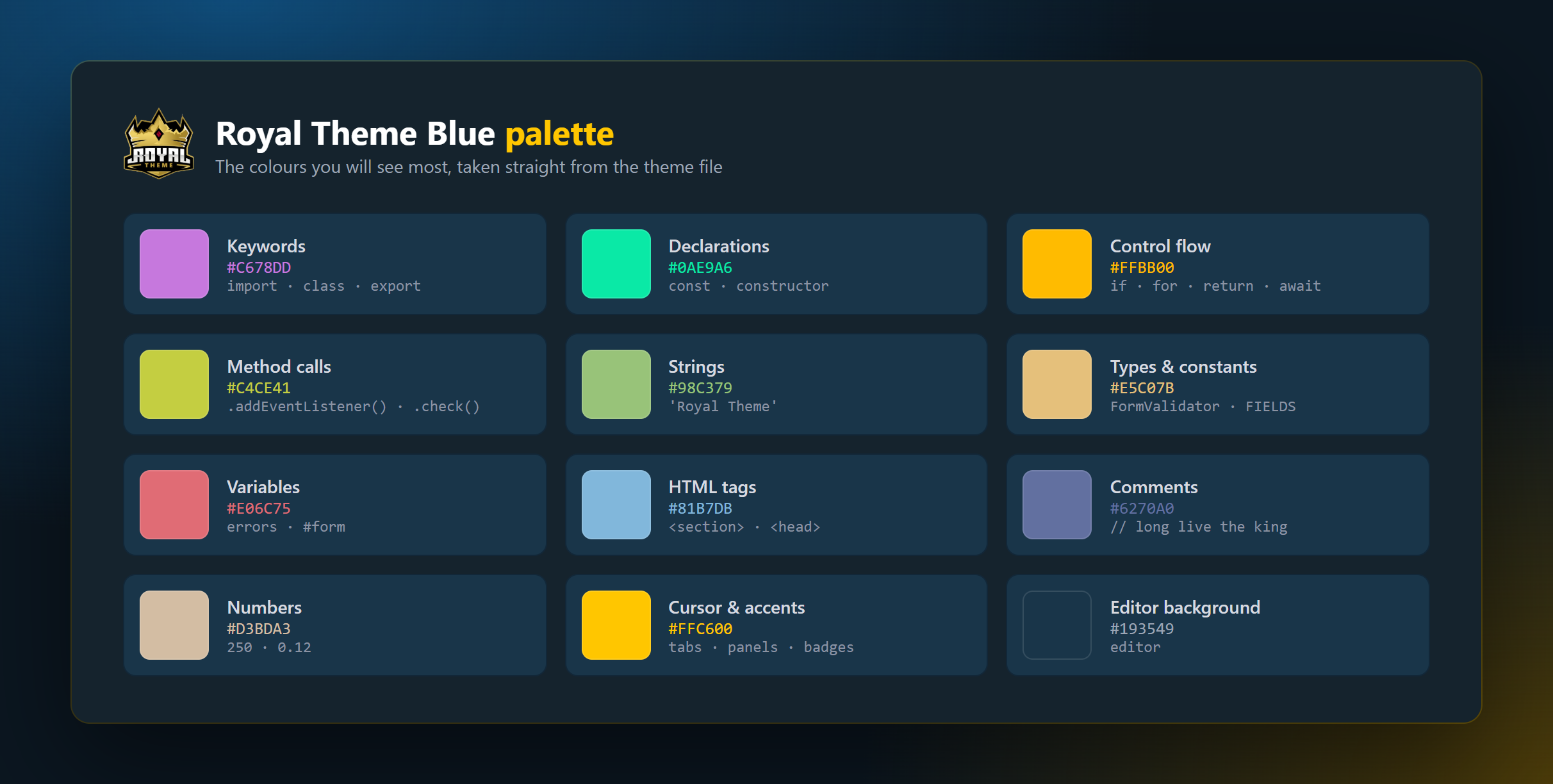
| Role |
Colour |
Used for |
| Accent |
 |
Cursor, active tab and panel borders, badges, highlights |
| Editor background |
 |
Editor, active tab |
| Sidebar background |
 |
Explorer, title bar, status bar, widgets |
| Tabs & terminal |
 |
Activity bar, tab strip, terminal |
| Keywords |
 |
import, class, export, interface |
| Declarations |
 |
const, constructor |
| Control flow |
 |
if, for, return, await |
| Method calls |
 |
.addEventListener(), .clear() |
| Strings |
 |
String literals |
| Types & constants |
 |
Class names, types, this, constants |
| Variables |
 |
Variables, private fields, object keys |
| HTML tags |
 |
<section>, <head>, <body> |
| Comments |
 |
Line, block and HTML comments |
| Numbers |
 |
Numeric literals |
Full colour base used to build the theme
#DA52ECD7  pink
#0AE9A6DA  new green
#3FC3CFB9  new blue
#81B7DB    soft blue
#C4CE41D3  soft yellow
#D19A66    soft brown
#E06C75    soft rose
#FFBB00    gold for conditions
#DBF5E4CC  semi-white for normal variables
#98C379    very soft green for quotes
#E5C07B    new yellow
#C9710C    dark brown
#3BCF47    light green
#2C88D3    light blue
#FBFF16BD  light yellow
#F02121FA  red, only for invalid code
#6270A0    comments
#DBB88D    operators
#D3BDA3    numbers
#FEC4D2    new colour 1
#9FEDD4    new colour 2
🚀 Installation
From VS Code
- Open the Extensions view (
Ctrl+Shift+X / Cmd+Shift+X).
- Search for Royal Theme blue and click Install.
- Open the Command Palette (
Ctrl+Shift+P / Cmd+Shift+P), run Preferences: Color Theme and pick Royal Theme blue.
From the command line
code --install-extension alsharifs.royal-theme-blue
From the Marketplace
Install it from the Visual Studio Marketplace page.
Activate it in settings.json
{
  "workbench.colorTheme": "Royal Theme blue"
}
⚙️ Recommended settings
These are the settings used in the screenshots. Add any of them to your settings.json (Preferences: Open User Settings (JSON)):
{
  "workbench.colorTheme": "Royal Theme blue",
  "workbench.iconTheme": "vscode-icons",

  // Editor
  "editor.fontFamily": "'Cascadia Code', Consolas, 'Courier New', monospace",
  "editor.fontSize": 14,
  "editor.cursorBlinking": "expand",
  "editor.renderWhitespace": "boundary",
  "editor.suggestSelection": "first",
  "editor.formatOnSave": true,
  "editor.minimap.enabled": false,
  "breadcrumbs.enabled": true,

  // Built-in bracket pair colours that suit the theme
  "editor.bracketPairColorization.enabled": true,
  "workbench.colorCustomizations": {
    "[Royal Theme blue]": {
      "editorBracketHighlight.foreground1": "#FFD700",
      "editorBracketHighlight.foreground2": "#DA70D6",
      "editorBracketHighlight.foreground3": "#87CEFA"
    }
  },

  // Prettier as the default formatter
  "[javascript]": { "editor.defaultFormatter": "esbenp.prettier-vscode" },
  "[jsonc]": { "editor.defaultFormatter": "esbenp.prettier-vscode" },
  "[html]": { "editor.defaultFormatter": "esbenp.prettier-vscode" },

  // Terminal
  "terminal.integrated.cursorBlinking": true
}
The gold / orchid / sky-blue bracket colours replace the older Bracket Pair Colorizer extension settings. VS Code now colours brackets natively.
🛠️ Customising the theme
You can tweak any colour without forking the theme by overriding it in settings.json:
{
  "workbench.colorCustomizations": {
    "[Royal Theme blue]": {
      "editor.background": "#1b3a50",
      "editorCursor.foreground": "#ff9d00"
    }
  },
  "editor.tokenColorCustomizations": {
    "[Royal Theme blue]": {
      "comments": { "fontStyle": "italic" }
    }
  }
}
Every UI key is listed in the VS Code Theme Color reference.
🤝 Contributing
Issues and pull requests are welcome in the Royal-Theme repository. The Blue variant lives in the royal-theme-blue/ folder.
- Open the
royal-theme-blue folder in VS Code and press F5 to launch an Extension Development Host.
- Edit
themes/Royal Theme Blue-color-theme.json. Changes apply live.
- Use Developer: Inspect Editor Tokens and Scopes to find the scope of any piece of code.
- Open a pull request with a before/after screenshot.
👑 Also by me
Prefer the classic look? Try Royal Theme, the gold-accented Atom One Dark original.
🔗 Links
Enjoy! If Royal Theme Blue brightens your editor, please ⭐ the repo and leave a rating on the Marketplace.
Copyright © Sayed AlshaRif 🇪🇬
| |

