Claude Code SuperNotifier
Native desktop notifications for Claude Code, built for people who run several VS Code windows and Claude Code sessions in parallel.
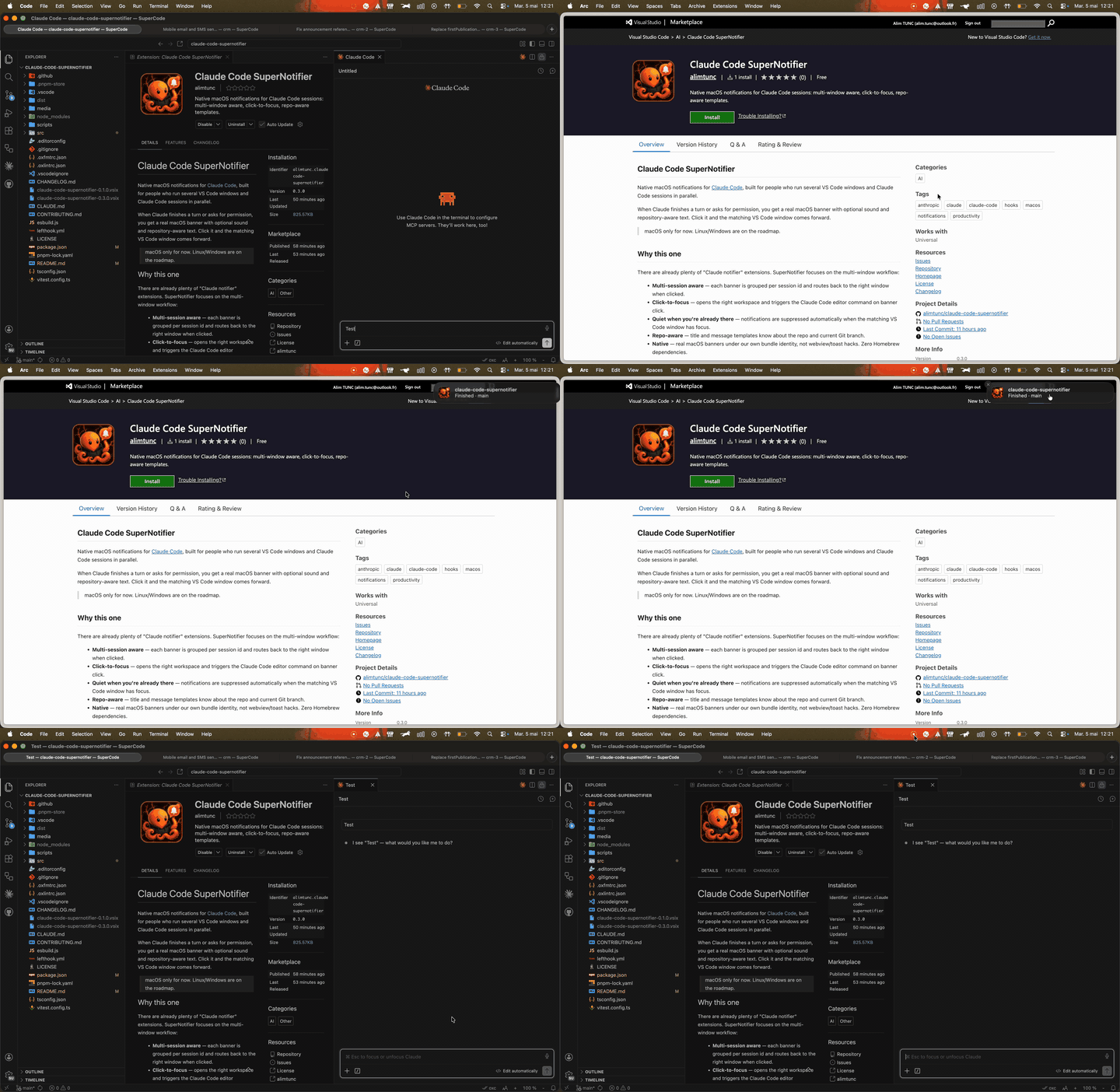
When Claude finishes a turn or asks for permission, you get a real desktop banner with optional sound and repository-aware text. On macOS, clicking the banner brings the matching VS Code window forward.
| Platform |
Banner |
Sound |
Click-to-focus |
Status bar |
| macOS 12+ |
bundled Swift helper (UNUserNotificationCenter) |
configurable, per-event |
yes |
yes |
| Linux |
notify-send (libnotify) |
paplay/aplay + bundled WAV |
not yet |
yes |
| Windows 10+ |
PowerShell + WinRT toast (ToastNotificationManager) |
default toast sound (or silent) |
not yet |
yes |
Linux and Windows support is fire-and-forget for v1: the notification fires, but clicking it doesn't refocus VS Code. Use the live status bar item (or the Open Settings command) to jump back to the right session.
Why this one
There are already plenty of "Claude notifier" extensions. SuperNotifier focuses on the multi-window workflow:
- Multi-session aware — each banner is grouped per session id (and routes back to the right window when clicked, on macOS).
- Live status bar — a Claude indicator in the VS Code status bar tells you at a glance whether the session is working, waiting on you, or idle. Click it to jump back into the session.
- Cross-platform — bundled Swift helper on macOS,
notify-send on Linux, WinRT toast on Windows. No Homebrew, no npm-side dependency.
- Quiet when you're already there — notifications are suppressed automatically when the matching VS Code window has focus.
- Mute on demand — the
Toggle Mute command silences every notification until you toggle it back on; the status bar shows a mute icon while muted.
- Repo-aware — title and message templates know about the repo and current Git branch.
- Native — real OS-level banners under our own identity, not webview/toast hacks.
Install
- Install Claude Code SuperNotifier from the VS Code Marketplace.
- Run
Claude Code SuperNotifier: Install Claude Hooks from the Command Palette.
- Run
Claude Code SuperNotifier: Test Notification. On macOS the first banner triggers the OS permission prompt under "Claude Code SuperNotifier" — accept once. On Linux make sure notify-send is on PATH (sudo apt install libnotify-bin on Debian/Ubuntu). On Windows 10+ no setup is required — PowerShell ships with the OS.
The bundled helper (ClaudeCodeSupernotifier.app) ships with the VSIX for macOS. Linux and Windows rely on system-provided notifiers — no additional binaries are bundled.
Upgrading from 0.5.x? Re-run Install Claude Hooks once so the status bar can see when Claude starts working — the working state relies on the new UserPromptSubmit hook.
Commands
| Command |
Effect |
Claude Code SuperNotifier: Install Claude Hooks |
Registers the helper in ~/.claude/settings.json. |
Claude Code SuperNotifier: Uninstall Claude Hooks |
Removes the entries managed by this extension. |
Claude Code SuperNotifier: Test Notification |
Sends a sample notification through the helper. |
Claude Code SuperNotifier: Open Settings |
Opens the SuperNotifier settings section. |
Claude Code SuperNotifier: Toggle Mute |
Silences every notification until toggled off; the status bar shows a mute icon while active. |
Claude Code SuperNotifier: Pick Event Sound |
Opens a sound picker that previews each platform sound live as you arrow through the list, then saves it for the chosen event. |
Claude Code SuperNotifier: Set Minimum Task Duration |
Prompts for the minTaskDurationSeconds threshold (validated/clamped to 0..3600); also reachable from the status-bar panel. |
How it works
Claude Code  ──Stop/Notification─▶  ~/.claude-code-supernotifier/hook.js
                                          │
                                          ▼
                              ClaudeCodeSupernotifier.app
                              (UNUserNotificationCenter)
                                          │
                                  user clicks banner
                                          │
                                          ▼
                          ~/.claude-code-supernotifier/focus-state/<hash>/clicked
                                          │
                              FileSystemWatcher (extension)
                                          │
                                          ▼
                              focuses the right VS Code window
State files live in ~/.claude-code-supernotifier/:
hook.js — the helper script (installed/refreshed on every activation).events.jsonl — append-only log of every event the helper saw.errors.log — crash details from the helper.focus-state/<sha1>/{signal.json, clicked} — per-workspace click state.task-start/<session>.json — per-session task-start marker for minTaskDurationSeconds (swept after 24h).stage/<session>.json — per-session dedup state coalescing repeat banners within one prompt (swept after 24h).muted — present only while notifications are muted (toggled by the Toggle Mute command).
Nothing leaves your machine.
Settings
All settings live under claudeCodeSupernotifier.*.
| Setting |
Default |
Purpose |
notifyOnStop |
true |
Notify when Claude finishes a turn. |
notifyOnAttention |
true |
Notify on permission/idle prompts and questions (AskUserQuestion). |
notifyOnSubagentStop |
false |
Notify when a Task subagent finishes. Off by default to avoid noise during multi-step turns. |
suppressSubagentInteractions |
true |
Drop permission/question prompts that originate inside a subagent (events carrying an agent_id). Top-level prompts are unaffected. |
minTaskDurationSeconds |
0 |
Minimum task duration (seconds) before a Stop/PermissionRequest/AskUserQuestion notification fires. Tasks shorter than this are suppressed as noise. 0 disables the threshold; clamped to 0..3600. |
sound |
Glass |
Global sound name, the fallback for every event. macOS plays the named sound; Windows uses its default toast sound when non-empty (silent when empty); Linux maps it to a freedesktop theme sound, falling back to a bundled WAV (see Sounds below). |
stopSound |
"" |
Per-event sound for Stop (turn finished). Empty means use sound. |
permissionSound |
"" |
Per-event sound for permission prompts. Empty means use sound. |
questionSound |
"" |
Per-event sound for question prompts (AskUserQuestion). Empty means use sound. |
subagentStopSound |
"" |
Per-event sound for subagent finished (SubagentStop). Empty means use sound. |
stopLevel |
sound+popup |
Notification level for Stop events (sound+popup / sound / popup / off). Supersedes notifyOnStop. See Notification levels below. |
permissionLevel |
sound+popup |
Notification level for permission prompts. Supersedes notifyOnAttention. |
questionLevel |
sound+popup |
Notification level for question prompts (AskUserQuestion). Supersedes notifyOnAttention. |
subagentStopLevel |
off |
Notification level for subagent finished events. Supersedes notifyOnSubagentStop. |
notifyCommand |
"" |
Optional override of the notifier binary. Auto-detected when empty (notify-send / powershell / bundled .app). |
notificationStyle |
system |
macOS only. system honors Banners/Alerts pref + keeps the notif in Notification Center. banner forces the legacy auto-dismiss. |
titleTemplate |
${repo} |
Notification title template. |
messageTemplate |
${eventLabel}${branchSuffix} |
Notification body template. |
includeBranch |
true |
Append the current Git branch to messages. |
allowedRepos |
[] |
Allow-list of folder names. Empty means all repos. |
customRepoNames |
{} |
Map folder name → display name. |
focusOnClick |
true |
Open the matching session on click. macOS only — Linux/Windows banners are fire-and-forget for now. |
clickAction |
session |
What clicking a notification does. session opens the matching Claude Code session; window only brings the VSCode window to the front — no session, chat, or folder lookup. Useful with .code-workspace setups or VSCode forks. |
clearOnFocus |
true |
Remove delivered notifications from Notification Center when you focus the VSCode window they belong to. macOS only. |
claudeOpenSessionCommand |
claude-vscode.editor.open |
VS Code command used to open a session by id. |
claudeFocusCommand |
claude-vscode.focus |
Command run after opening to bring the editor forward. |
stopLabel |
Finished |
${eventLabel} text when Claude finishes a turn. |
subagentStopLabel |
Subagent finished |
${eventLabel} text when a Task subagent finishes (needs notifyOnSubagentStop). |
permissionLabel |
Permission required |
${eventLabel} text for permission prompts. |
questionLabel |
Claude is asking a question |
${eventLabel} text for AskUserQuestion prompts. |
idlePromptLabel |
Claude is waiting for input |
${eventLabel} text for idle prompts. |
attentionLabel |
Claude needs you |
Fallback ${eventLabel} for other Notification events. |
statusBar.enabled |
true |
Show the live Claude status bar item (working / waiting / idle). Toggling applies immediately — no window reload. Hover the item for an interactive panel (mute, per-event sounds, threshold, settings). |
Noise control
Three mechanisms cut redundant banners without changing which events are notifiable:
- Duration threshold — set
minTaskDurationSeconds to suppress Stop/PermissionRequest/AskUserQuestion notifications for turns that finish faster than N seconds (sub-second turns you were already watching). 0 (default) disables it; values clamp to 0..3600.
- Per-prompt dedup — repeat banners for the same outcome within a single prompt are coalesced to at most one per reason (
done / input / question); a new prompt resets the cycle. SubagentStop always fires.
- cmux awareness — when Claude runs inside cmux, which posts its own native banner, SuperNotifier still logs the event (so the status bar stays accurate) but suppresses its own banner to avoid a double notification. No setting required.
Sounds
sound is the global fallback. Set any of stopSound, permissionSound, questionSound, or subagentStopSound to give an individual event its own sound so you can tell by ear what happened without looking. An empty per-event value (the default) means "use the global sound"; a non-empty value overrides it for that event only.
Don't want to guess what Submarine sounds like? Run Claude Code SuperNotifier: Pick Event Sound — it lists the sounds available on your platform and previews each one live as you arrow through the list, then writes your choice to the matching per-event sound setting.
Per platform, the resolved name is delivered as follows:
- macOS — played as a
UNNotificationSound by name (e.g. Glass, Hero, Submarine). An unknown name degrades to the default system sound.
- Windows — the name itself isn't used; a non-empty value plays the default toast sound and an empty value is silent.
- Linux —
notify-send has no portable audio, so SuperNotifier plays the sound itself after the banner. The name is mapped to a freedesktop theme file under /usr/share/sounds/freedesktop/stereo/ (e.g. Glass/Pop → message, Hero → complete, Funk → bell) and played with paplay, falling back to aplay if PulseAudio/PipeWire isn't available. If that theme file is missing, a small bundled WAV (done / needs-input / question, staged into ~/.claude-code-supernotifier/sounds/ on activation) is played instead, so you always get audio. An empty resolved sound stays silent (banner only).
Notification levels
Each notifiable event has a level that decides whether it shows a banner, plays a
sound, both, or nothing. Set stopLevel, permissionLevel, questionLevel, or
subagentStopLevel:
| Level |
Banner |
Sound |
sound+popup |
yes |
yes |
sound |
no |
yes |
popup |
yes |
no |
off |
no |
no |
The levels supersede the legacy notifyOnStop / notifyOnAttention /
notifyOnSubagentStop booleans: when a level setting is left at its default the legacy
boolean still applies, so existing configs keep working. On Linux the banner and sound
share notify-send, so a sound-only level still shows the banner.
Levels are the last gate to run. The full order is:
- Global mute (
Toggle Mute) — suppresses everything regardless of level.
allowedRepos allow-list filter.- Focused-window suppression (the matching VS Code window is already in front).
- Noise control — duration threshold and per-prompt dedup.
- Subagent-interaction suppression.
- Per-event level — banner/sound/both/off as above.
Test Notification deliberately bypasses every one of these gates, including an off
level, so you can always verify the pipeline.
Template variables
${repo}                 # repo folder name (or customRepoNames mapping)
${branch}               # current Git branch ("" outside a repo)
${branchSuffix}         # " · ${branch}" when includeBranch is true, else ""
${cwd}                  # working directory of the Claude Code session
${event}                # raw hook event name ("Stop", "Notification", ...)
${eventLabel}           # configurable label ("Finished", "Permission required", ...) — see *Label settings*
${notificationType}     # "permission_prompt" | "idle_prompt" | ""
${notificationMessage}  # raw message Claude provided
${lastAssistantMessage} # last assistant message, truncated to 180 chars
${sessionId}            # Claude Code session id
${transcriptPath}       # path to the JSONL transcript
Customisation examples
Open settings.json and paste any of these.
Quieter, prefix-style title with branch in the title:
{
  "claudeCodeSupernotifier.titleTemplate": "🐙 ${repo} · ${branch}",
  "claudeCodeSupernotifier.messageTemplate": "${eventLabel}",
  "claudeCodeSupernotifier.includeBranch": false,
  "claudeCodeSupernotifier.sound": ""
}
Show the last assistant line in the body:
{
  "claudeCodeSupernotifier.messageTemplate": "${eventLabel}: ${lastAssistantMessage}"
}
Restrict notifications to two repos and rename one for display:
{
  "claudeCodeSupernotifier.allowedRepos": ["acme-app", "acme-api-internal"],
  "claudeCodeSupernotifier.customRepoNames": {
    "acme-api-internal": "API"
  }
}
Different sound for permission prompts vs. completion: give each event its own sound so you can tell what happened without looking:
{
  "claudeCodeSupernotifier.sound": "Glass",
  "claudeCodeSupernotifier.stopSound": "Hero",
  "claudeCodeSupernotifier.permissionSound": "Submarine",
  "claudeCodeSupernotifier.questionSound": "Funk"
}
Disable click-to-focus (useful if you handle window switching yourself, e.g. via Raycast):
{
  "claudeCodeSupernotifier.focusOnClick": false
}
Make notifications stay until clicked: keep notificationStyle at system (the default) and set the macOS style to Alerts in System Settings → Notifications → Claude Code SuperNotifier. With system the notif also lands in Notification Center, so even auto-dismissed banners can still be reviewed. Pick banner if you specifically want the legacy ephemeral behavior with no Notification Center entry.
Troubleshooting
- No notification appears (macOS). Open System Settings → Notifications → Claude Code SuperNotifier and ensure notifications are allowed. Then run
Claude Code SuperNotifier: Test Notification.
- No notification appears (Linux). Check that
notify-send is on PATH (which notify-send). On Debian/Ubuntu: sudo apt install libnotify-bin. If you use a custom daemon (dunst, etc.), point claudeCodeSupernotifier.notifyCommand at dunstify or another notify-send-compatible binary.
- No sound (Linux). The banner uses
notify-send, but audio is played separately via paplay (PulseAudio/PipeWire) with an aplay (ALSA) fallback — make sure at least one is on PATH. If the freedesktop sound theme isn't installed, SuperNotifier plays a bundled WAV from ~/.claude-code-supernotifier/sounds/ instead. Re-run Install Claude Hooks (or Test Notification) once so those WAVs get staged.
- No notification appears (Windows). Make sure PowerShell is on
PATH and that the Focus assist / Do not disturb mode is off. Toasts land in the Action Center under the "ClaudeCodeSupernotifier" app id.
- Click does nothing. macOS-only feature. Make sure the Claude Code VS Code extension is installed in the target window —
claudeOpenSessionCommand resolves to one of its commands.
- Click opens the repo folder instead of focusing my window. Happens when the session-open command isn't available (VSCode forks) or the repo lives inside a
.code-workspace. Set claudeCodeSupernotifier.clickAction to window so a click only brings the VSCode window to the front.
- Hooks not firing. Re-run
Claude Code SuperNotifier: Install Claude Hooks, then check ~/.claude/settings.json for an entry pointing to ~/.claude-code-supernotifier/hook.js.
- Inspect what the helper saw.
tail -f ~/.claude-code-supernotifier/events.jsonl and ~/.claude-code-supernotifier/errors.log.
Development
pnpm install
pnpm run watch        # parallel esbuild + tsgo watchers
pnpm run lint         # oxlint
pnpm run typecheck    # tsgo
pnpm test             # vitest
pnpm run package      # production bundle (lint + typecheck + test + esbuild)
pnpm run vsce:package # build .vsix
See CLAUDE.md for the agent / contributor rules and CONTRIBUTING.md for the release flow.
License
MIT

