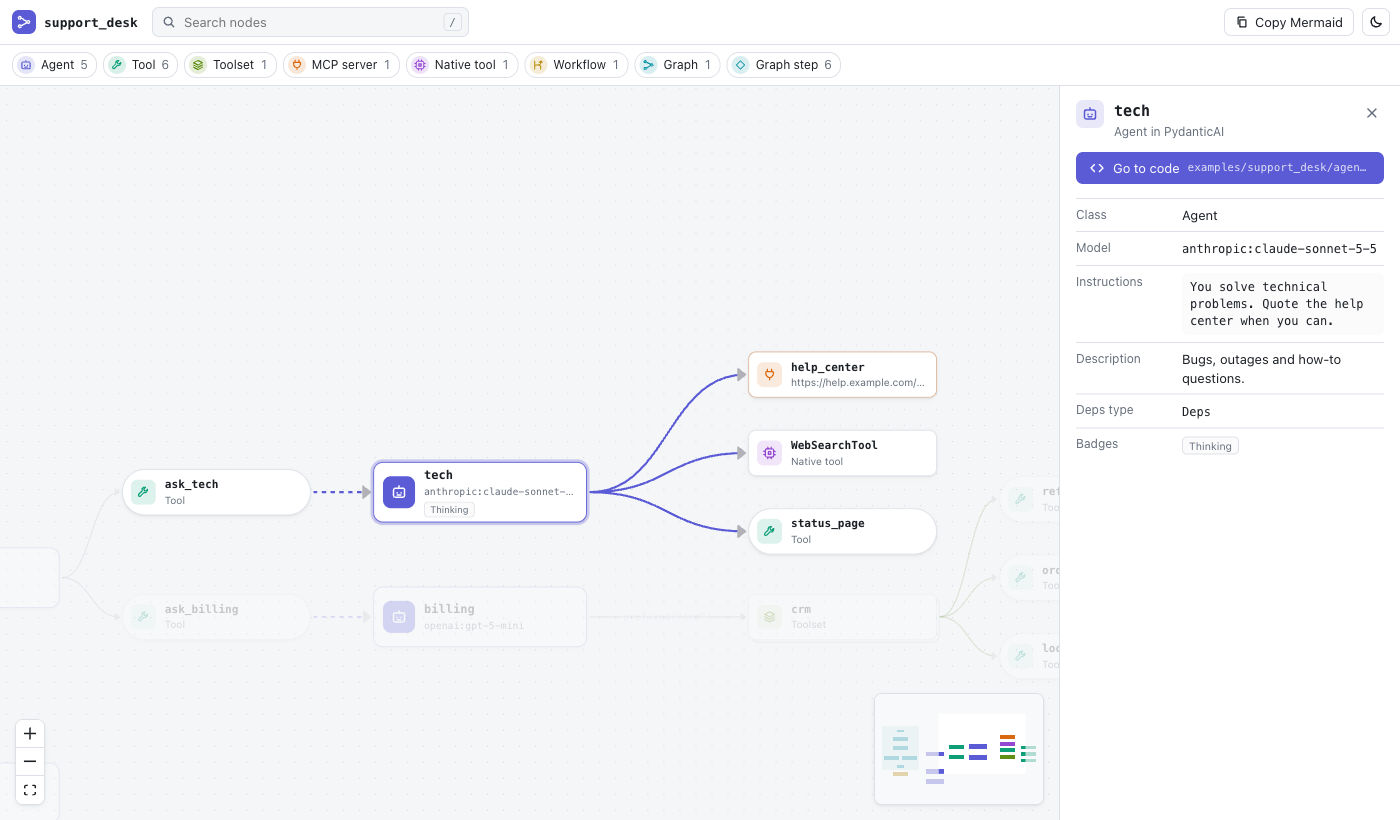
Live diagram of your PydanticAI and smolagents agents, tools, toolsets and MCP servers, straight from your code editor.
The analysis is static: it reads your Python source and never imports or runs it.
Features
Interactive diagram of agents, tools, toolsets, delegation and workflow edges, in your light
or dark theme.
Click a node to see its details and its neighbors; "Go to code" jumps to its source. Move the
cursor in a .py file and the diagram follows.
Search with /, filter node kinds from the legend, and open the Problems drawer from the
toolbar.
"Show in diagram" code lenses above agents and tools.
Diagnostics for things the analyzer cannot resolve statically.
Export to Mermaid: opens a Markdown document with a mermaid block ready for the built-in preview, or copy it from the diagram.
Requirements
One of:
uv installed. The extension runs uvx --from "agentsdiagram[lsp]==<version>" agentsdiagram lsp; the first start downloads the analyzer.
Your own server command in agentsdiagram.server.command, e.g. ["uv", "run", "agentsdiagram", "lsp"] (needs the agentsdiagram[lsp] extra).
No Python extension is required, so it works in Cursor, Windsurf and Positron too.
Commands
Command
What it does
Agents Diagram: Show Workspace Diagram
Opens the diagram for the whole workspace
Agents Diagram: Show Diagram of Current File
Scopes the diagram to the active file
Agents Diagram: Export as Mermaid
Opens a Markdown document with a Mermaid block
Agents Diagram: Restart Language Server
Restarts the analyzer
Agents Diagram: Show Output
Opens the "Agents Diagram" log
Settings
Setting
Description
agentsdiagram.server.command
Command that starts the server, used as is (machine scope, restricted in untrusted workspaces)
agentsdiagram.server.uvPath
Absolute path to uvx if it is not found automatically
agentsdiagram.include / agentsdiagram.exclude
Glob patterns passed to the analyzer
agentsdiagram.codeLens.enabled
Toggle the "Show in diagram" code lenses
Privacy
Everything runs locally. The analyzer reads your files without executing them and sends nothing over the network. The only network access is the one-time download of the agentsdiagram package by uvx (skipped if you use agentsdiagram.server.command).