⬛ Blackbox
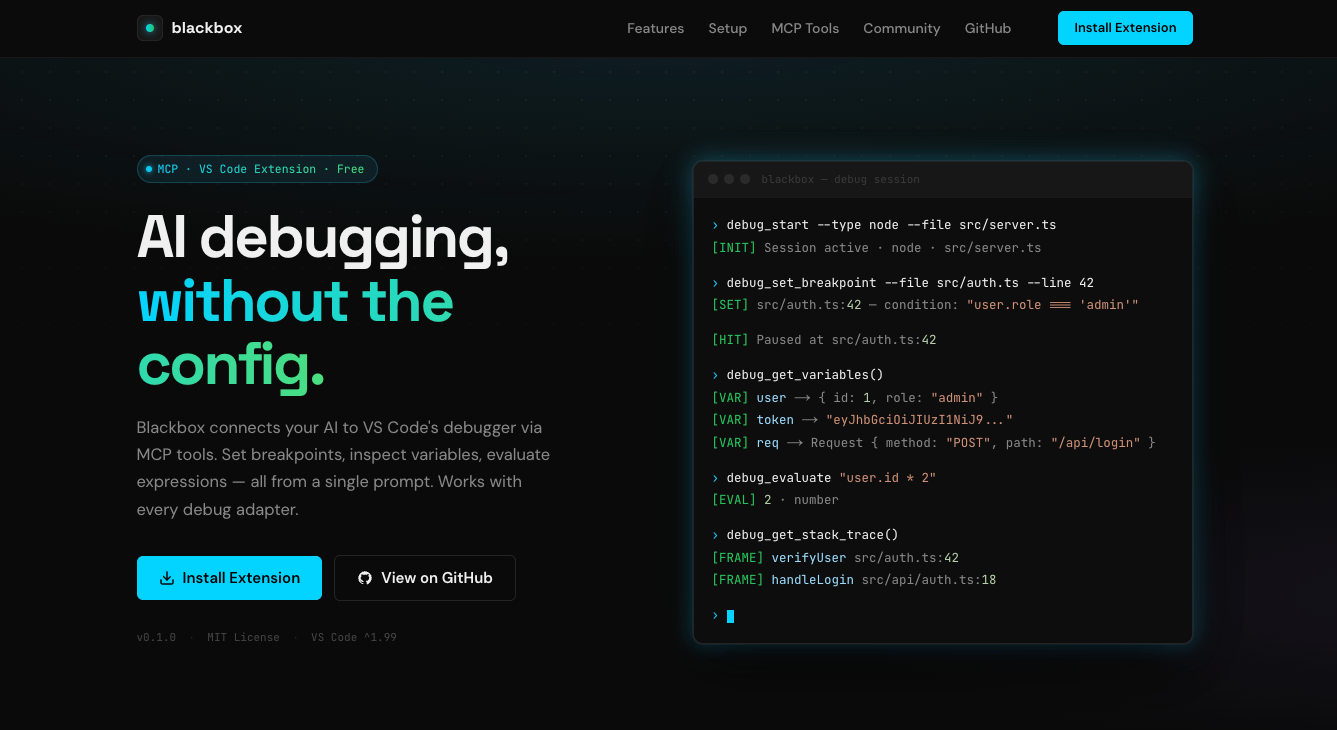
AI-driven debugging for any language — set breakpoints, start/stop debug sessions, inspect variables, and navigate code via MCP tools.



Overview
Blackbox works seamlessly with any Debug Adapter Protocol (DAP) compatible debugger, including PHP, Node.js, Python, Go, C/C++, Java, and more.
Works in VS Code and VS Code-based editors such as Cursor and Antigravity.
What's new in each version: CHANGELOG · GitHub Releases.
Made with ❤️ by Akash Aman
✨ Features
🛑 Breakpoint Management
- Set, remove, and list breakpoints with conditions, hit counts and log messages.
- Function breakpoints by name, no file or line needed.
- Enable and disable breakpoints without removing them.
- Batch operations for multiple breakpoints at once.
🐞 Debug Session Control
- Start debug sessions by launch configuration name, or from a type and request; stop and restart them.
- Wait for the debugger to pause (
debug_wait_for_stop), and step over, into and out with the new location reported.
- Run to a line (
debug_run_to_line) with a temporary breakpoint that is always cleaned up.
- Choose the thread (e.g. one of several concurrent PHP requests) with
debug_list_threads and threadId.
- Pause on exceptions (
debug_set_exception_breakpoints).
- Read program output and logpoint messages (
debug_get_output).
- Language-agnostic — works with any VS Code debug adapter.
🔍 Variable Inspection
- Get all variables in the current scope, or in any stack frame (
frameId).
- Deep inspect nested objects and arrays.
- Evaluate arbitrary expressions at breakpoints.
- Change variables while paused (
debug_set_variable).
- See the source around the current line (
debug_get_source_context).
- Persistent watch expressions across steps.
All tools are also available to VS Code's own chat (e.g. Copilot) as # tools, except the window-selection ones.
📁 Editor & Workspace
- Open files at specific lines.
- Find files by glob pattern.
- Get diagnostics (errors/warnings) from all language services.
⚙️ How It Works
Blackbox exposes debugging tools to AI models through two transport paths:
- VS Code Chat — Tools are available as
#tool_name references in Copilot Chat.
- MCP Server — A stdio-based MCP server for external AI clients (Cursor, Claude Desktop, etc.).
🛠️ MCP Server Configuration
Once the extension has run in any editor window, it keeps a launcher at ~/.blackbox/blackbox-mcp.js that always starts the newest installed Blackbox server. Point your MCP client at it, and the config keeps working when the extension updates. The command Blackbox: Copy MCP Server Configuration copies the entry with your path filled in.
Claude Code, Cursor, Antigravity and other clients using mcpServers:
{
  "mcpServers": {
    "blackbox": {
      "command": "node",
      "args": ["/Users/<user>/.blackbox/blackbox-mcp.js"]
    }
  }
}
VS Code (mcp.json):
{
  "servers": {
    "blackbox": {
      "type": "stdio",
      "command": "node",
      "args": ["/Users/<user>/.blackbox/blackbox-mcp.js"]
    }
  }
}
On Windows the launcher is C:\Users\<user>\.blackbox\blackbox-mcp.js. Older configs pointing at …/extensions/akash-cx.blackbox-debug-<version>/out/mcp/server.js still work until that version is removed.
Multiple windows and editors
Each window of VS Code or a VS Code-based editor (Cursor, Antigravity, …) runs its own Blackbox bridge, and each AI session (Claude CLI, Cursor, …) chooses which window to control:
- Automatically: if exactly one window has the folder you started the AI in (or a sub-folder of it) open, or only one window is running, calls go there.
- By where the AI was started: if the same project is open in several windows or editors, the window you started the AI from wins. That's the chat panel's window, or the window whose integrated terminal you ran
claude in (Blackbox sets BLACKBOX_WINDOW there; terminals opened before the extension started need restarting).
- Otherwise the AI chooses: calls fail with a list of windows and their editors. The AI then calls
ide_list_windows, which shows each window's editor, folders and debugger state, and ide_select_window (by folder name such as wpcore.wpx, path or id, plus app such as "Cursor" if needed). The choice lasts for that AI session and survives window reloads.
To fix the choice in configuration instead, set one of these in the server's env:
BLACKBOX_WORKSPACE: a folder to match instead of the working directory.BLACKBOX_SOCKET: a socket path to always use, e.g. /tmp/blackbox-501/<pid>.sock.
📋 Requirements
- VS Code 1.99.0 or later.
- A debug adapter extension for your language (e.g., PHP Debug, Node.js Debugger).
📝 License
This project is MIT licensed.

