Skip to content
| Marketplace
Sign in
Visual Studio Code>Themes>Drift BeaconNew to Visual Studio Code? Get it now.
Drift Beacon

Drift Beacon

André Zuanazzi Dornelles

|
3 installs
| (0) | Free
Deep charcoal theme with luminous teal accents to guide you through unpredictable currents.
Installation
Launch VS Code Quick Open (Ctrl+P), paste the following command, and press enter.
Copied to clipboard
More Info

Drift Beacon

Drift Beacon

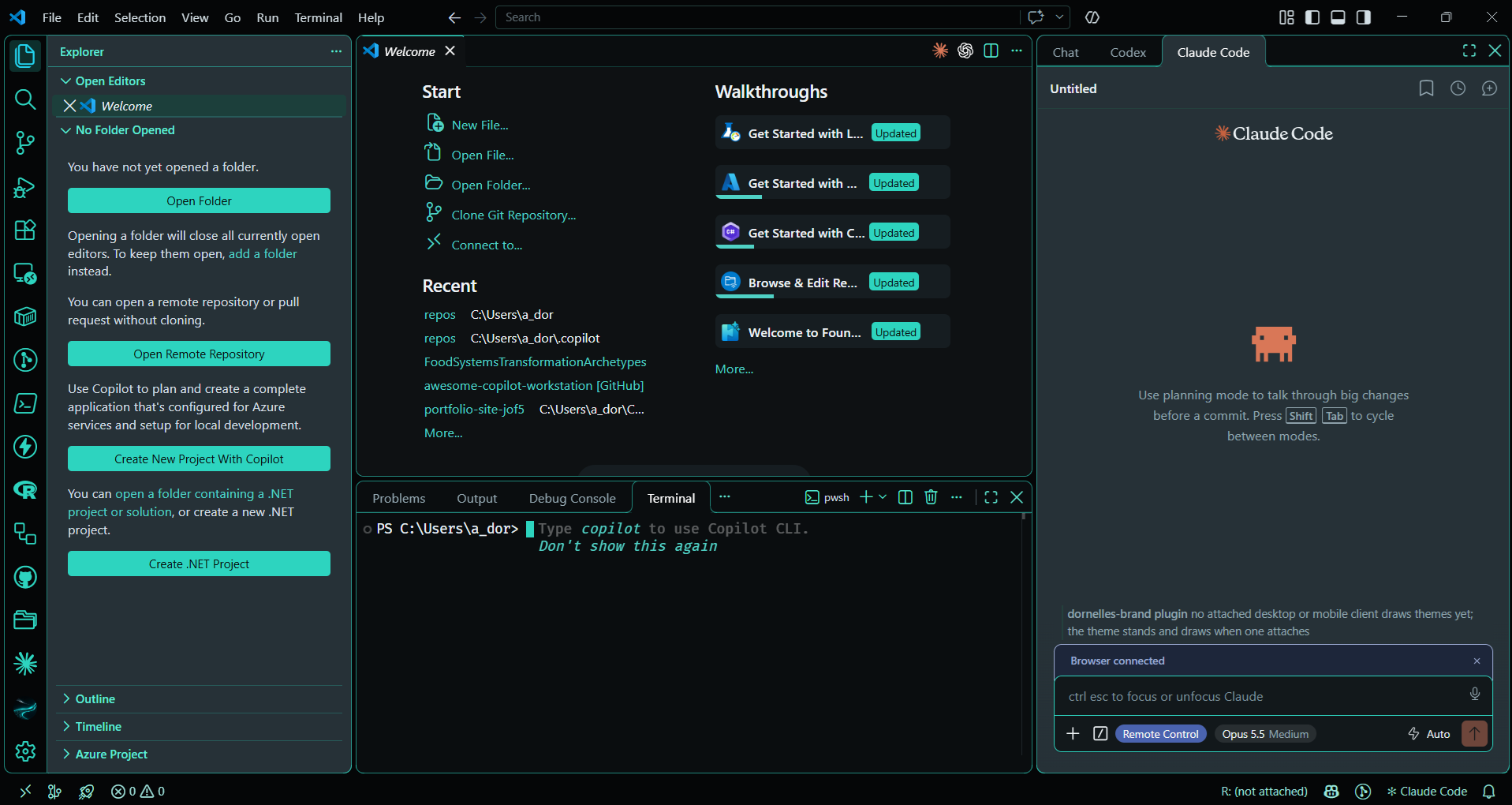
A deep charcoal dark theme with luminous teal and cyan accents, designed to reveal the right amount of subtle yet meaningful contrast often needed to guide you through unpredictable digression currents.

Drift Beacon in VS Code

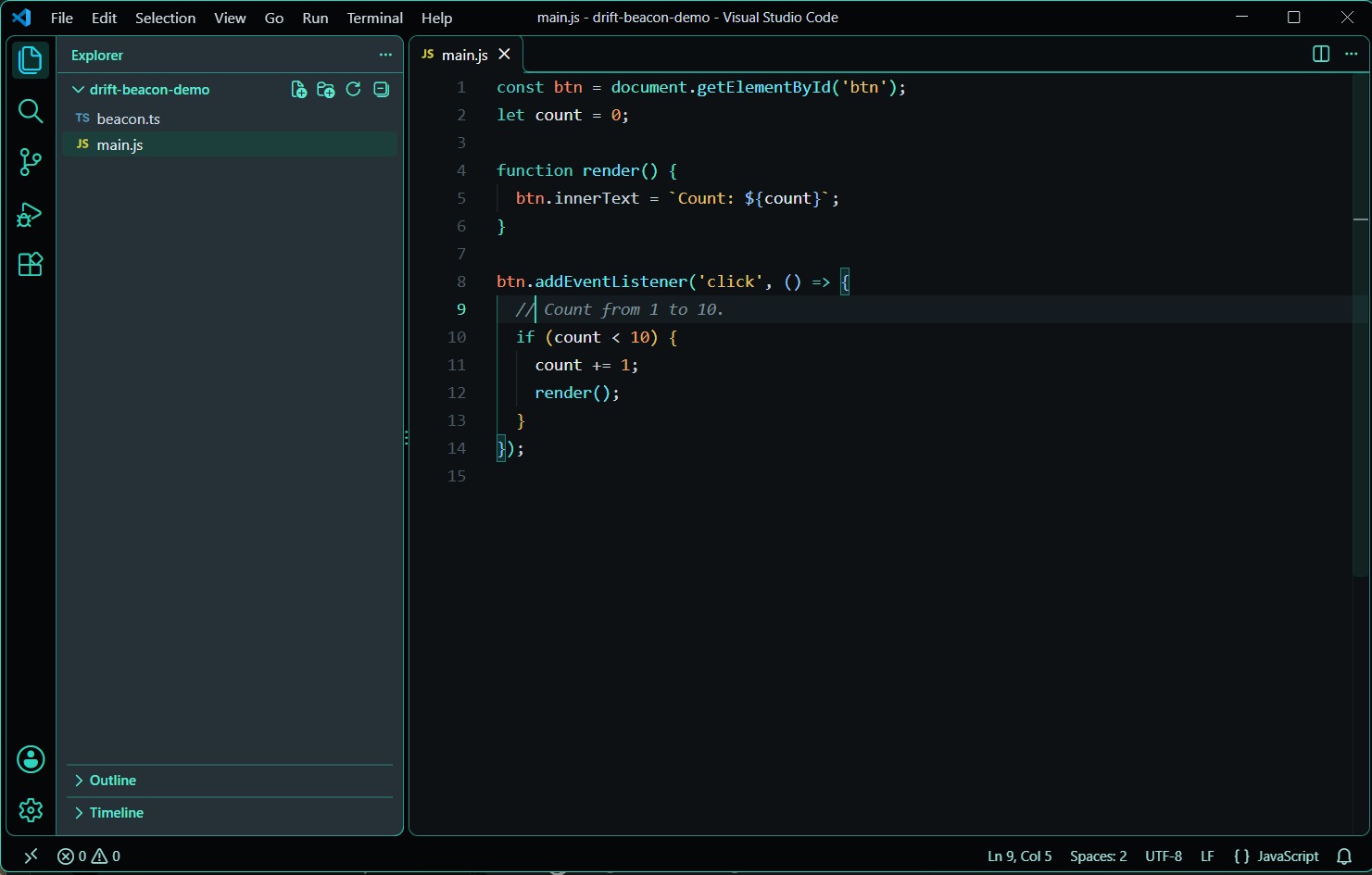
In the editor

Drift Beacon editor: JavaScript sample with the charcoal side panel, teal activity bar and status bar

Drift Beacon is a deep charcoal dark theme for Visual Studio Code, illuminated by crisp teal and cyan accents. Designed for long coding sessions, it minimizes eye strain while keeping active tabs, selections, and key syntax easy to spot—like a signal light cutting through dark water.

Features

  • Low-fatigue charcoal base: deep, balanced dark grays that reduce glare without harsh pure-black contrast.
  • Luminous teal & cyan highlights: high-visibility accents for active tabs, cursors, links, and UI focus states.
  • Clean semantic highlighting: clear visual hierarchy across terminals, sidebars, and editor panes.

Installation

  1. Open Extensions in VS Code (Ctrl+Shift+X / Cmd+Shift+X).
  2. Search for Drift Beacon.
  3. Click Install, then select Drift Beacon from your Color Theme picker (Ctrl+K Ctrl+T / Cmd+K Cmd+T).

Palette

Role Color
Window frame, title bar, activity bar, status bar #050607
Editor #0E1113
Side panels (Explorer, chat) #263137
Teal accent, panel outlines #2DD4BF
Cyan focus, active icon #22D3EE
UI text #EEF3F6
Editor text #E6EDF3
Syntax Color
Keyword #4FD1C5
Function #67E8F9
Type #93C5FD
String #E9C46A
Number #F4A261
Constant #F78C6C
Comment #7F939D italic

Drift Beacon also colors the newer VS Code "modern" layout (floating panels, surface.border, modernActivityBarItem.*), so panel outlines and the active activity bar icon pick up the teal accent on recent VS Code versions.

Feedback & Issues

Found a UI element that needs contrast tuning? Open an issue with a screenshot and language details.

License

MIT

  • Contact us
  • Jobs
  • Privacy
  • Manage cookies
  • Terms of use
  • Trademarks
  • Your Privacy Choices
  • Consumer Health Privacy
© 2026 Microsoft