Monty · Keep an eye on your AI
Tired of reading markdown? Me too 🥱
Monty watches sessions from Claude Code, Codex CLI, opencode, Cline, Roo Code and Copilot Chat, along with the plans in your repos, and reports progress in VS Code and the Mac menu bar. View your AI coding progress with nifty visual widgets and read markdown files like a human. Monty is 100% local and read only.
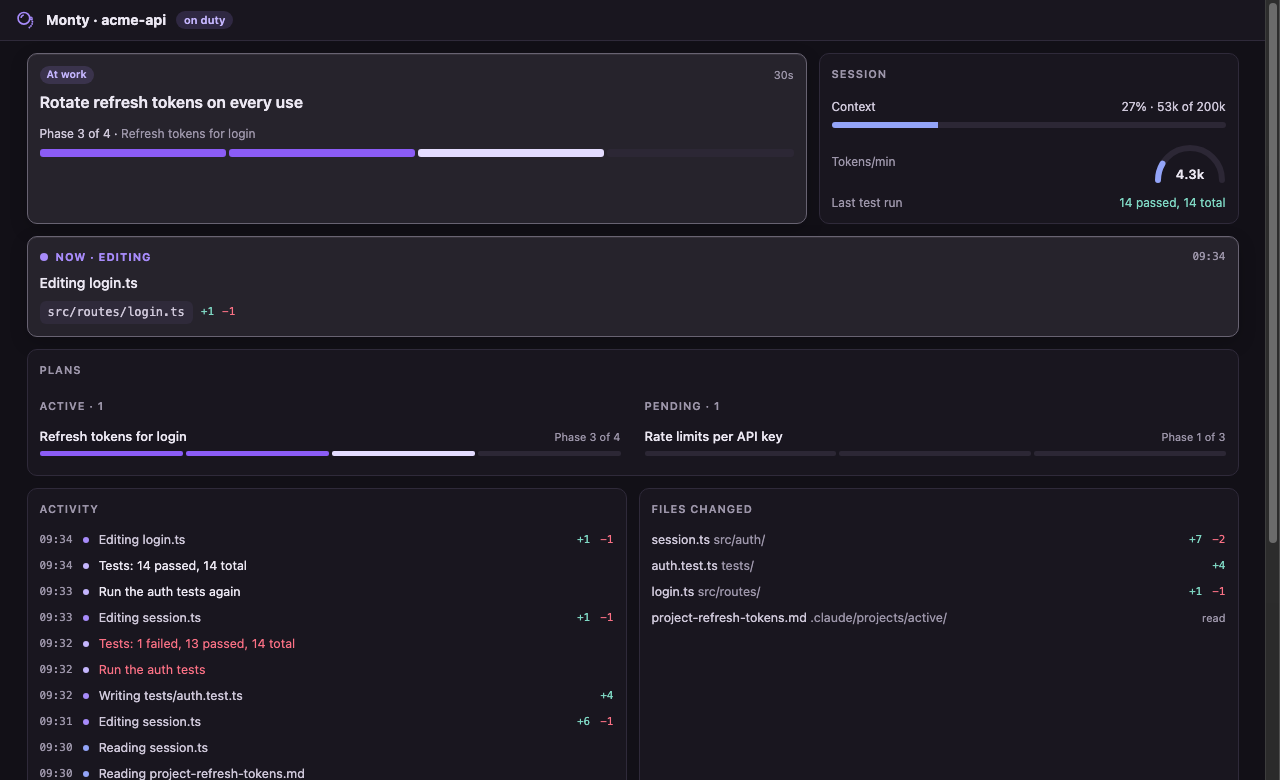
| The details view |
| Everything about the session in one tab: where it is in the plan, what it's doing right now, context and tokens, the last test run, activity and files changed. |
 |
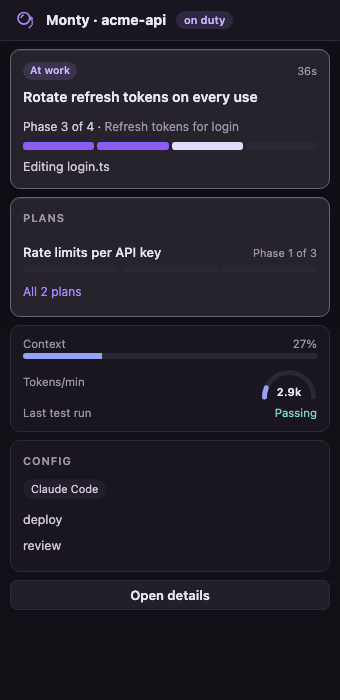
| In VS Code's sidebar |
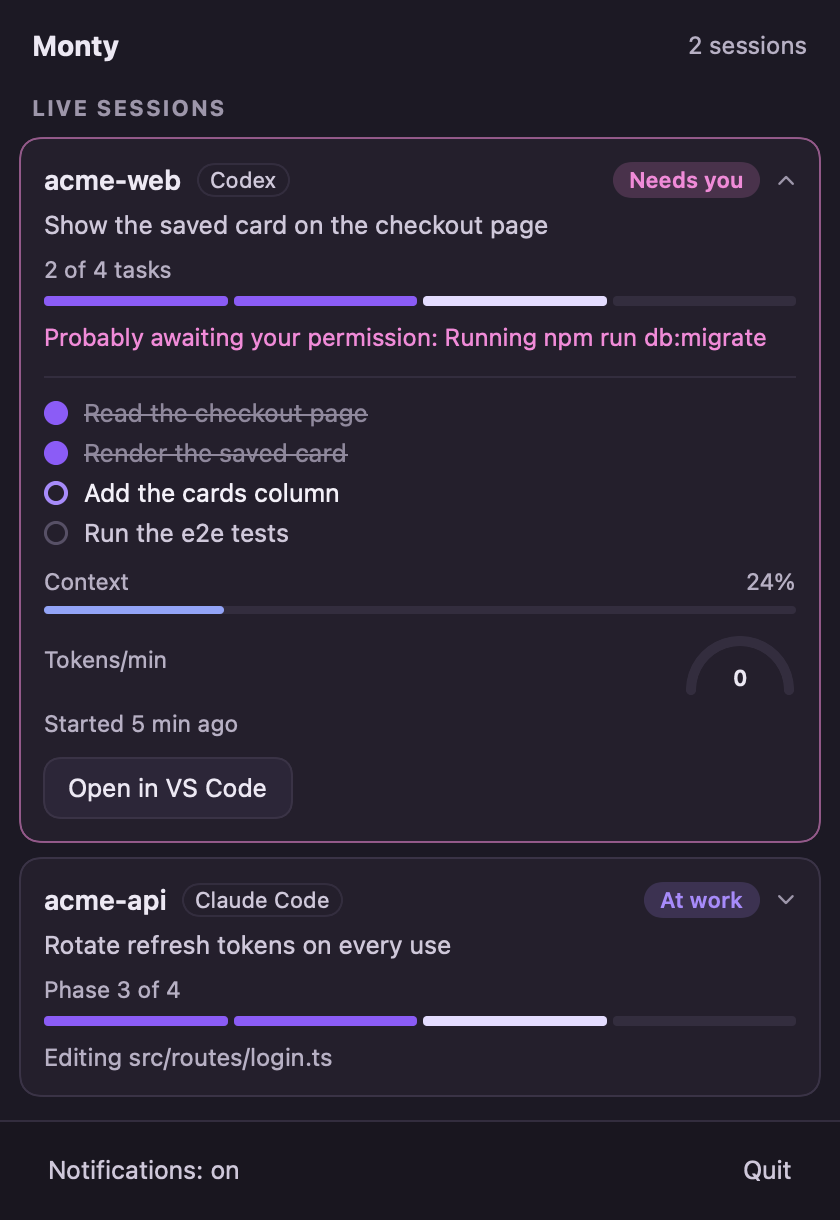
In the Mac menu bar |
| The short version for the open repo: state, progress, what it's doing, context. |
Every live session at a glance, from any app. The monocle taps the glass when one needs you. |
 |
 |
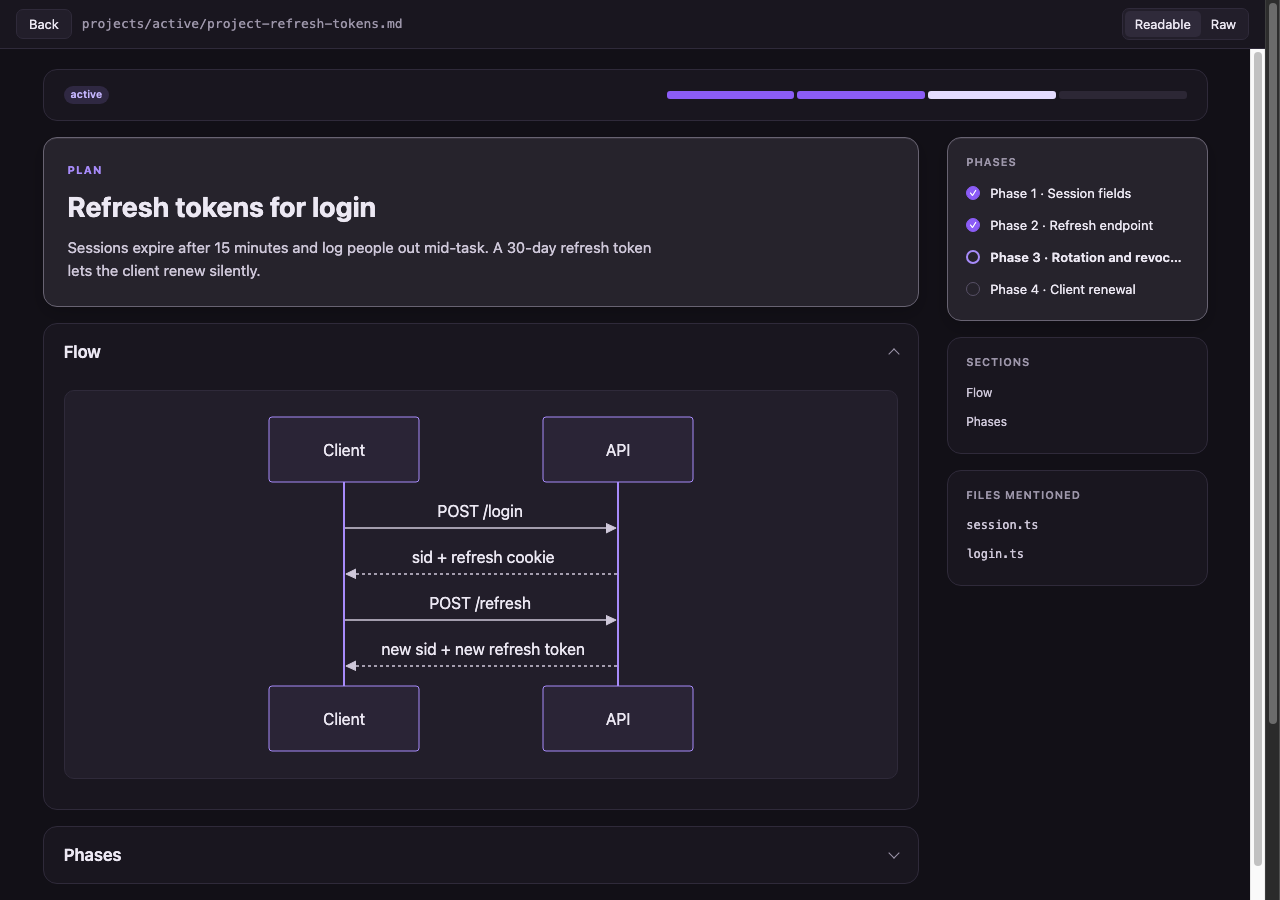
| Markdown in human format |
| Any markdown file opens as a page you can actually read: phases with progress, collapsible sections, diagrams, and file references that open in the editor. |
 |
What you get
- A sidebar for the open repo. The session's state (at work, needs you, your move, all done), the plan it's working through as a progress bar, what it's doing right now, context used, and whether the last test run passed.
- A details view with the lot: activity, files changed, every plan in the repo, and the repo's AI setup (instructions files, the rules in them, skills, commands, guardrails).
- Plans you can read. Every
.md opens in a readable view (search results and Go to Line still open the text at the line): collapsible sections, phases with progress, Mermaid diagrams, and file references that open in the editor. It updates live as the agent ticks off phases.
- Follow mode (off until you turn it on). Each file the agent changes opens beside your editor with the new lines highlighted for a moment.
- Explorer dots on files the session changed (●) or read (·).
- A Mac menu bar app (optional). The monocle's rim fills as the plan progresses, a dot appears when a session needs you, and a notification says so too. Monty offers to install it the first time you open VS Code on a Mac.
Which agents
| Agent |
Where Monty reads it |
Good to know |
| Claude Code |
~/.claude/projects |
The most complete: todo lists, skills in use, permission guesses. |
| Codex CLI |
~/.codex/sessions (or $CODEX_HOME) |
Codex doesn't record approval requests, so "needs you" is a timing guess and says "probably". |
| opencode |
~/.local/share/opencode (or $XDG_DATA_HOME) |
Both the database (1.2 and later) and the older JSON files. |
| Cline |
VS Code's extension storage, and ~/.cline/data |
Cline 4 keeps sessions in one place or the other depending on the build; both are read. |
| Roo Code |
VS Code's extension storage |
Roo asks before every step, so a step only counts as waiting after a few seconds. A custom storage path isn't followed. |
| Copilot Chat |
VS Code's workspace storage |
VS Code saves chats about once a minute, so Monty can trail the chat panel by up to a minute. |
Cursor, Windsurf and VSCodium are covered too, for the extensions above that run in them. When more than one agent is about, each session carries a small label saying which.
Privacy
Monty reads two things on your machine: your agents' session records (the folders above) and the plan and config files in your repos. It runs a small local server on 127.0.0.1:4747 for VS Code and the menu bar app to talk to. Nothing leaves your machine: no telemetry, no accounts, no cloud. It never opens the credential files that sit beside some of those records.
The one network request Monty ever makes is downloading the menu bar app from this repo's GitHub Releases, and only when you click Install. It checks Apple's signature on the download before installing it.
Monty never writes to your repos or to any agent's folders.
How progress works
When the agent keeps a task list (Claude Code's todos, Codex's plan, Cline's focus chain, Roo's todo list), that is the progress bar. Otherwise progress comes from your plans. Monty reads plan files in:
.claude/projects/{active,completed,parked,cancelled}/*.md, using ### Phase N headings and - DONE (date) markers- OpenSpec (
openspec/changes/*/tasks.md)
- Spec Kit (
specs/*/tasks.md)
- Kiro (
.kiro/specs/*/tasks.md)
Settings
| Setting |
Default |
What it does |
monty.projectRoots |
[] |
Folders whose repos are always watched, e.g. ~/Projects. Empty: just the repos open in VS Code. |
monty.appPath |
/Applications/Monty.app |
The menu bar app to start with VS Code. Empty never starts it. |
monty.port |
4747 |
Port of the local server. |
monty.readableMarkdown |
true |
Open .md files in the readable view. Opens that land on a line (a search result, Go to Line) stay as text so you can edit there. |
Commands: Monty: Open details, Monty: Toggle follow mode, Open readable view (on any .md).
Good to know
- None of these agents publish their log formats. Monty reads them defensively, built from each tool's source code, but an update can change what it sees. If something looks off after one, please open an issue.
- Guesses say so. "Probably awaiting your permission" is a guess from timing, and it reads as one. In Claude Code's auto mode Monty doesn't guess, because nothing asks.
- The menu bar app is macOS only. Everything else works on macOS, Windows and Linux.
License
MIT. Made by Adiv Maimon. Source and issues: github.com/adivmaimon/monty.
| |

