
QueryMesh
QueryMesh is a powerful, interactive visualizer for your SQL schemas right inside VS Code. It parses your CREATE TABLE and SELECT statements in real-time, bringing your database structure to life through an interactive ER diagram.
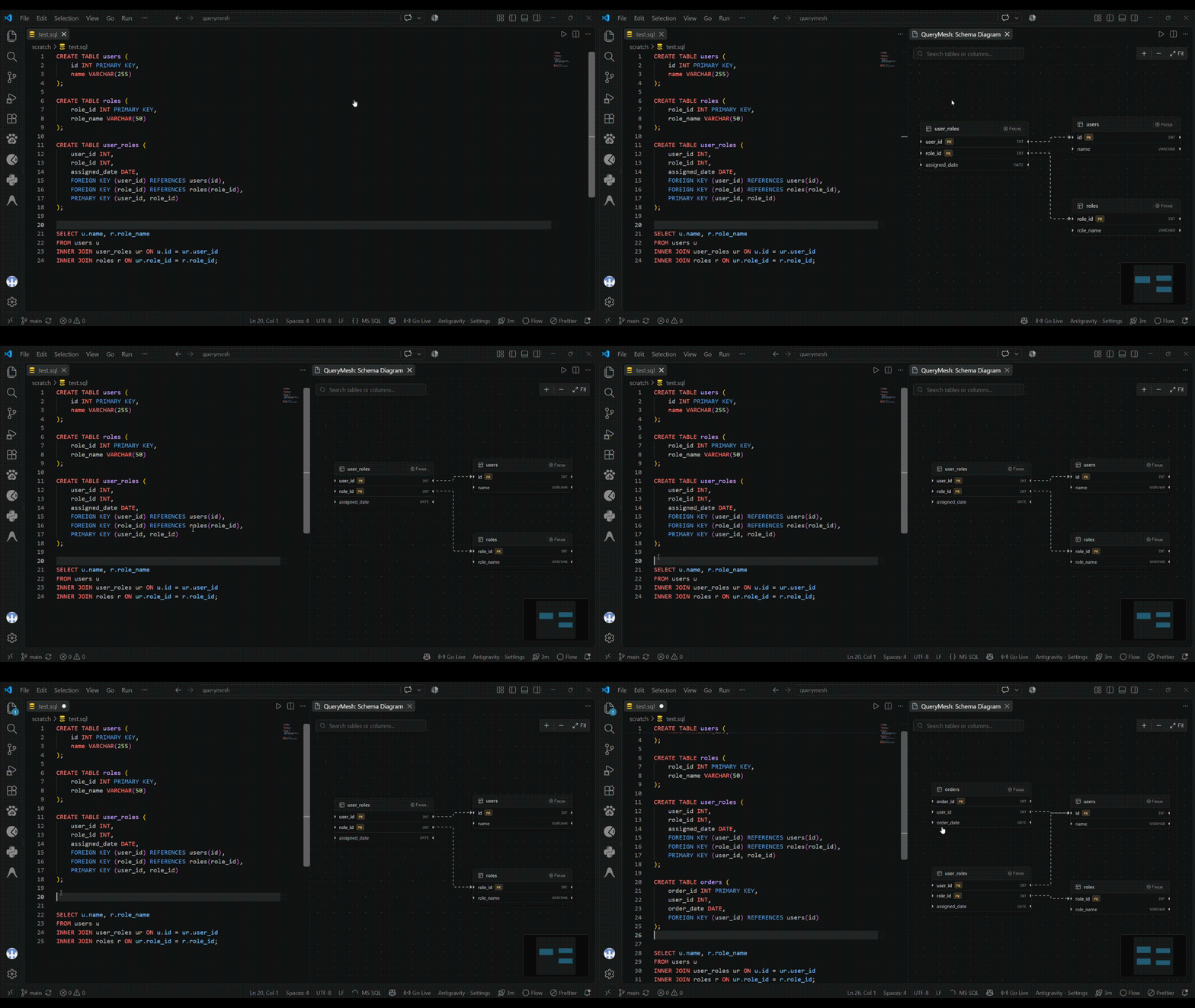
Features
- ⚡ Real-Time Visualization — Type your
CREATE TABLE statements and watch the ER diagram update instantly. No need to save or run commands; it builds as you type.
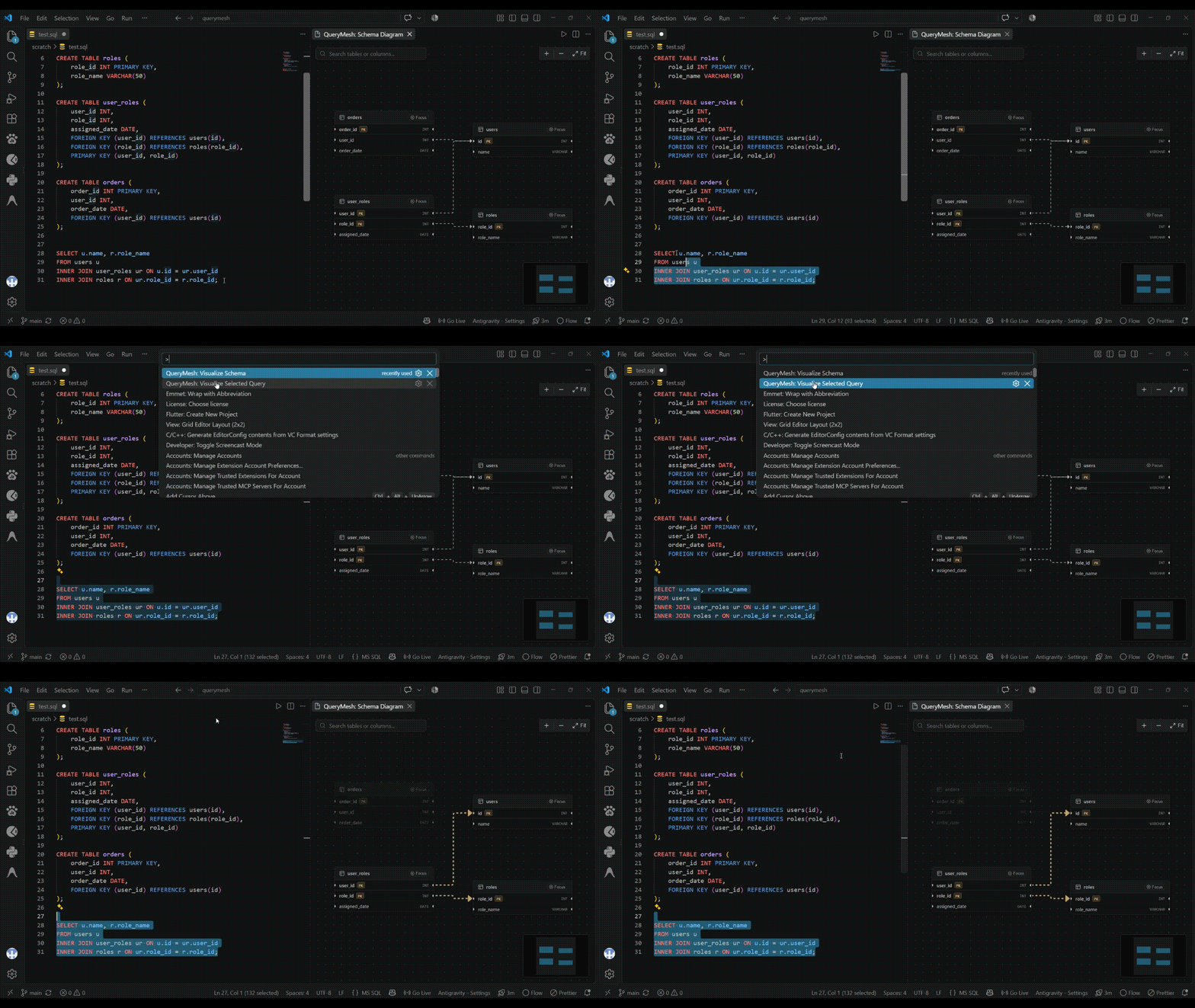
- 🔍 Intelligent Query Highlighting — Highlight any
SELECT statement in your editor and QueryMesh will trace the execution path. The exact tables and JOIN relationships used in your query will glow in gold, while the rest of the schema fades away.
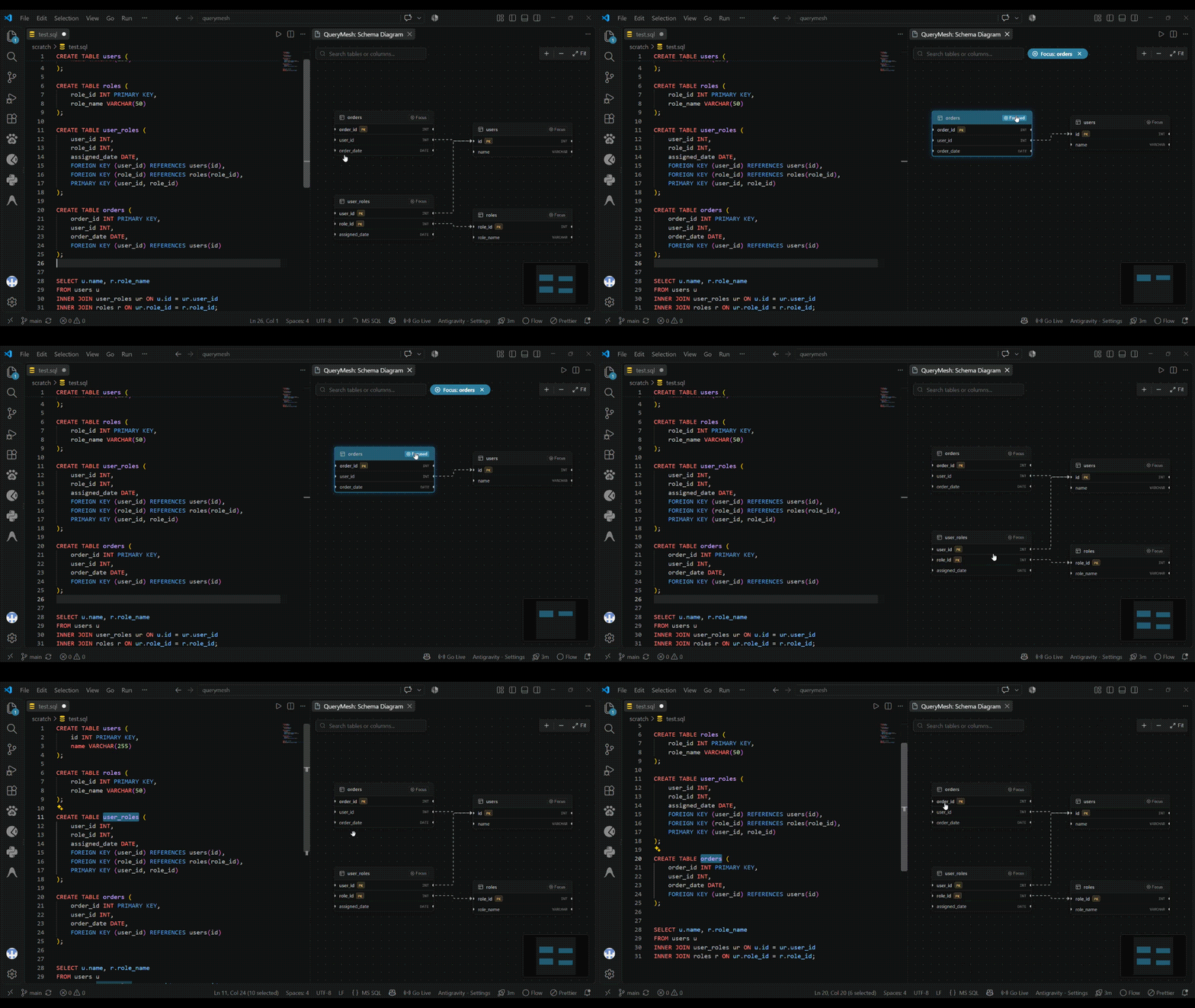
- 🧭 Bi-Directional Navigation — Click any table or column in the visual diagram and your VS Code cursor will instantly jump to its exact definition in the SQL file.
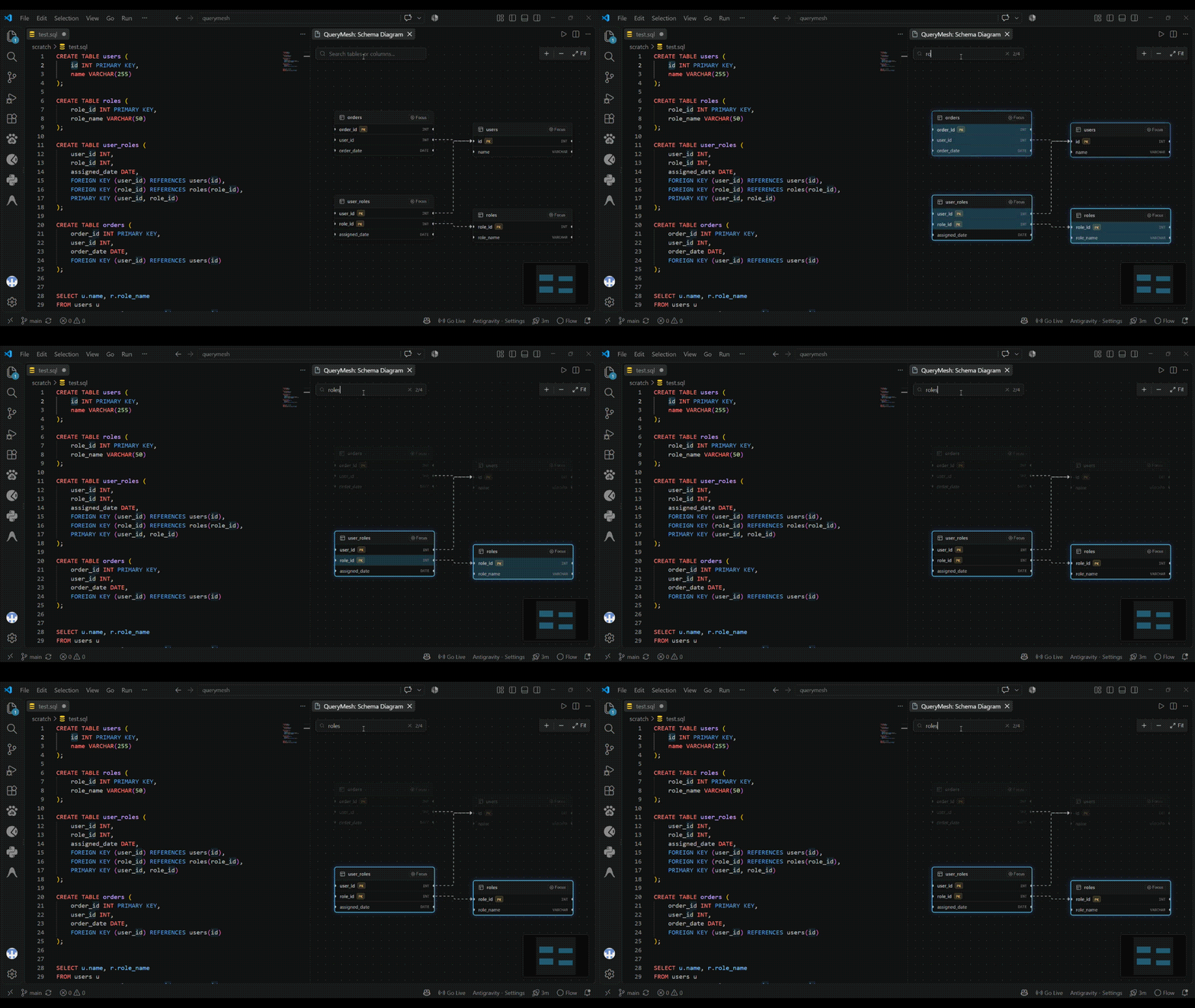
- 🎯 Focus Mode for Large Schemas — Working with a massive database? Click "Focus" on any table to isolate it and its immediate relationships, instantly hiding the noise of distant tables.
- 🔎 Smart Search & Filtering — Use the built-in search bar to instantly locate specific tables and columns across complex schemas.
- 🎨 Native VS Code Theming — Built to feel like a native part of your editor. The canvas, minimap, and nodes seamlessly adapt to your active VS Code theme (Dark, Light, or High Contrast).
Demo
Query Visualization
Select a SELECT statement and instantly see the execution path and JOIN relationships highlighted in gold while the rest of the schema dims.
Interactive Source Navigation
Click on any table or column in the diagram to instantly jump to its exact definition in your SQL file.
Focus Mode & Filtering
Easily navigate large schemas using Focus Mode to isolate a single table and its immediate relationships, or use the real-time search bar.
Installation
- Install from the VS Code Marketplace, or download the
.vsix file and install it manually.
- Open any
.sql file containing your database schema (CREATE TABLE statements).
Usage
QueryMesh provides two main commands, accessible via the Command Palette (Ctrl+Shift+P / Cmd+Shift+P):
QueryMesh: Visualize Schema
- Opens the interactive ER diagram panel next to your active editor.
- Watch the diagram update live as you edit your SQL.
QueryMesh: Visualize Selected Query
- Highlight a
SELECT query in your editor and run this command.
- The diagram will isolate and highlight the execution path of your query.
Upcoming Features
We are actively working to make QueryMesh the ultimate database visualization tool for VS Code. Here is a look at what is coming next:
- Advanced Query Visualization: Deeper insights into your queries including nested subqueries, WHERE filters, GROUP BY, and ORDER BY clauses, plus seamless two-way navigation between the diagram and query sources.
- Workspace Intelligence: Scan all SQL files across your entire workspace to build a comprehensive index. You'll be able to instantly find table/column references, view dependency graphs, and answer questions like "Where is this table used?" for full impact analysis.
- Live Database Connections: Connect directly to live databases (starting with PostgreSQL) for real-time schema introspection. Compare your local SQL files against the live database, view constraints, indexes, and securely store credentials.
- Schema Diff & Migrations: Visual schema comparisons and migration timelines. Easily spot added, removed, or changed columns and relationships, and analyze the impact of pending database migrations.
- Query Performance Analytics: Visualize
EXPLAIN and EXPLAIN ANALYZE execution plans. QueryMesh will highlight slow operations, visualize table scans vs. index scans, compare row estimates to actuals, and provide actionable index insights.
- Multi-Database Support: Dedicated parsing and adapters for SQLite, MySQL, and SQL Server, including database-specific data types and constraints.
- Enhanced Developer Experience: Save custom diagram layouts, export your schemas to SVG/PNG/PDF, use advanced filtering (by relationship or table), and navigate rapidly using new keyboard shortcuts and breadcrumbs.
- AI-Assisted Database Understanding: Leverage AI to explain complex schemas, queries, relationships, and execution plans in plain English. Automatically generate documentation, get index suggestions, and catch potential query issues before they hit production.
Known Issues
- The current SQL parser handles standard PostgreSQL/MySQL syntax. Highly dialect-specific extensions may be ignored or cause parsing errors, which are surfaced non-intrusively in a banner.
Release Notes
0.1.0
- Initial MVP Release!
- Features interactive ER diagrams via React Flow and ELK layout.
- Two-way cursor navigation and real-time query highlighting.
| |

