Draft Canvas for VS Code
Architecture diagrams that live next to your code.
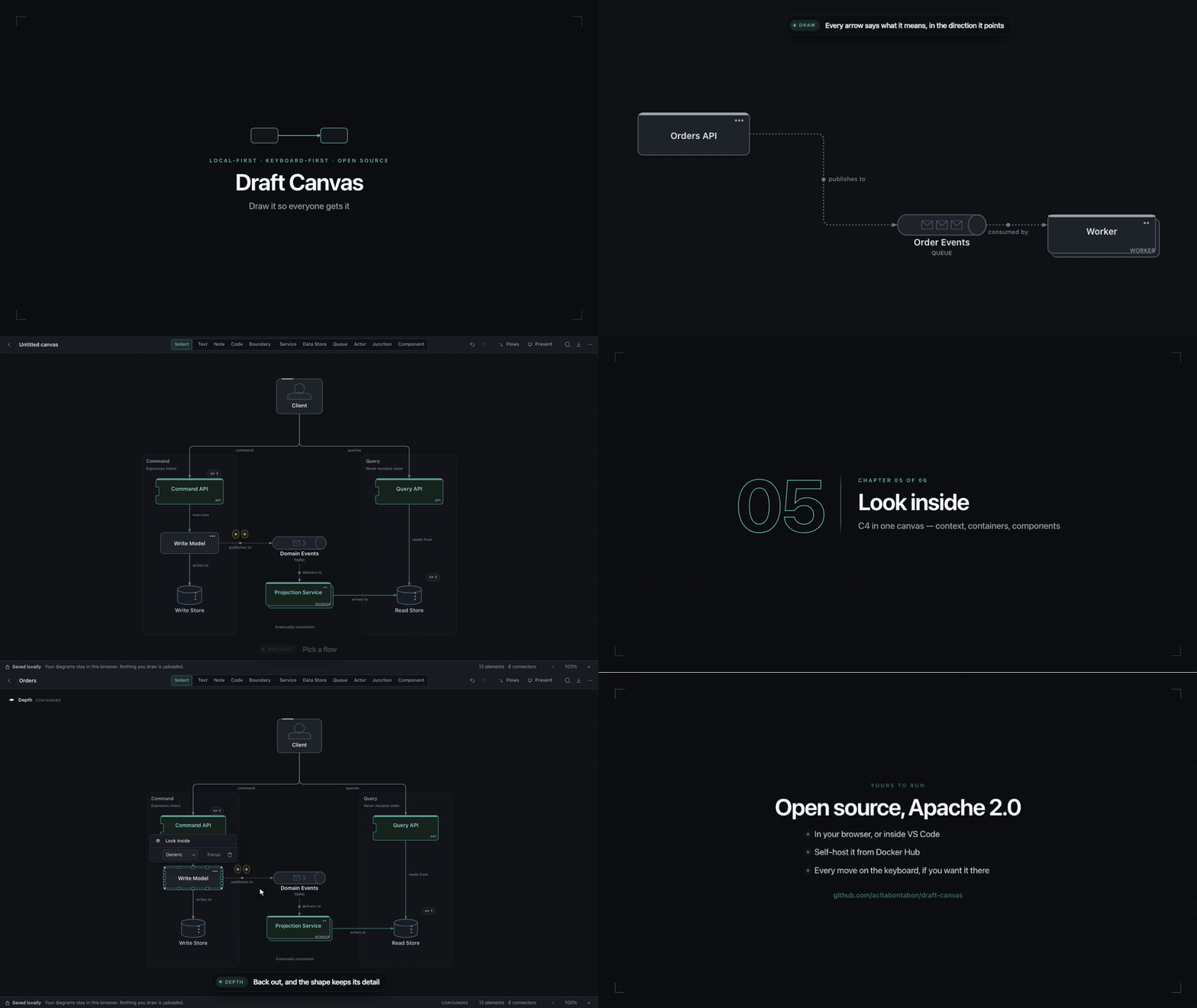
Open a .draftcanvas file and you're straight in the Draft Canvas
editor. Draw, hit ⌘S / Ctrl+S, and the diagram is saved back to that file: plain JSON you can diff,
review and commit.
Usage
- Open a diagram: click any
.draftcanvas file in the Explorer.
- Start a new one: run
Draft Canvas: New Diagram from the Command Palette, draw, then save it
wherever it belongs (docs/architecture/payments.draftcanvas, say).
- Save: ⌘S / Ctrl+S, from the canvas or anywhere else. The tab shows unsaved changes like any
other file, and closing it asks before throwing them away.
Got diagrams in the browser version? Export them there (Export → Document, editable) and drop the
.draftcanvas files into your repo.
To see a diagram's raw JSON, right-click its tab and choose Reopen Editor With… → Text Editor.
What this extension does
It opens .draftcanvas files in the Draft Canvas web app, inside an editor tab. VS Code reads and
writes the file; the app draws it. That's it.
Shapes you look inside (⌘↓) keep what you draw there in the same .draftcanvas file, so one file
still holds the whole picture, from the big one down to the detail.
- It doesn't scan your workspace, read your source code or upload anything. The only files it touches
are the diagram you open and, if you gave the canvas a background image, the image saved beside it.
- It collects no telemetry.
- The file is handed to the app inside VS Code and never sent anywhere. The app itself makes no
network requests with your diagram.
- Copy and Paste go through VS Code's clipboard: shapes between diagrams, and text in the canvas's
text fields. The app asks for the clipboard's text only when you paste.
The app is loaded from https://acltabontabon.com/draft-canvas/editor/, so the first open needs a network
connection. After that, the app's offline cache usually lets it open without one.
Known limits
- Only some VS Code shortcuts work while the canvas has focus. Keys pressed inside the canvas go
to Draft Canvas first. ⌘S, ⌘P, ⌘⇧P, ⌘W, ⌘⇧T, ⌘⇧F, ⌘J and ⌘, are passed on to VS Code (Ctrl on
Windows and Linux), with VS Code's default keys, not any you've changed. Any other VS Code
shortcut does nothing there: click the tab title or anywhere outside the canvas first. Where Draft
Canvas has its own shortcut, such as ⌘K, that one wins.
- A canvas with shapes drawn inside other shapes needs a current Draft Canvas. An older copy of
the app, such as one left in its offline cache, won't open it and says so, rather than dropping
what's inside.
- A canvas background image is a second file. When you save, it's written next to the diagram as
name.draftcanvas.background.png (or .jpg, .webp, .gif), not inside it. Keep the two together:
renaming the diagram in VS Code moves it along and Save As takes a copy, but moving or copying the
diagram anywhere else leaves the background behind, and the diagram then opens without one.
- Desktop VS Code only, for now. Not available on vscode.dev.
About Draft Canvas
A diagramming tool for developers, built for the moment in a meeting when someone needs to draw the
architecture instead of just describing it. Services, queues, databases, flows you can present step
by step, and sequence diagrams from those flows. Open source, no account.
Links
| |

