Pressmark for VS Code
A Markdown preview for VS Code that draws maths and Mermaid diagrams, follows
your VS Code theme, and saves your document as an HTML page or an EPUB e-book,
or copies it as rich text to paste into email, Google Docs, Word or Slack.
Features
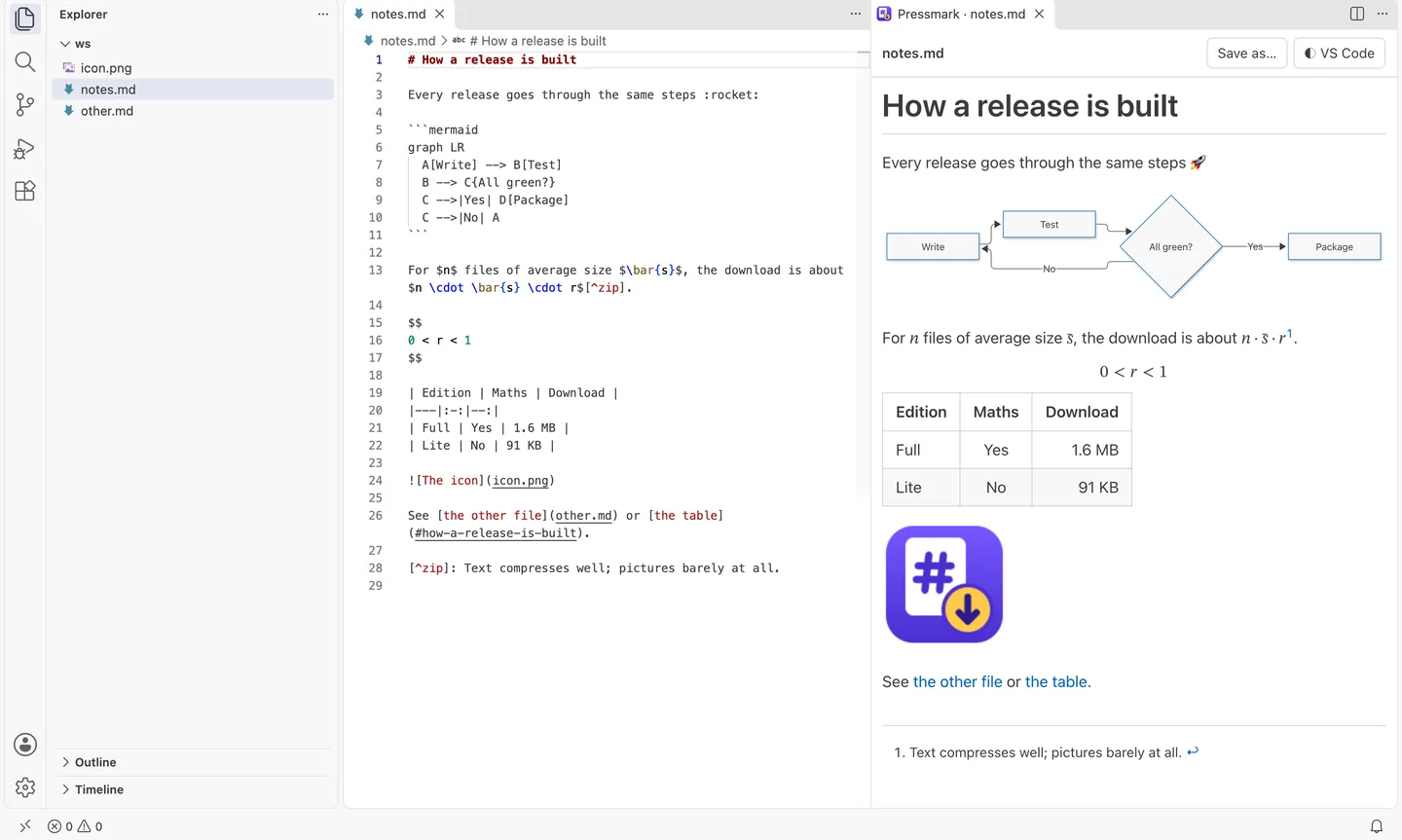
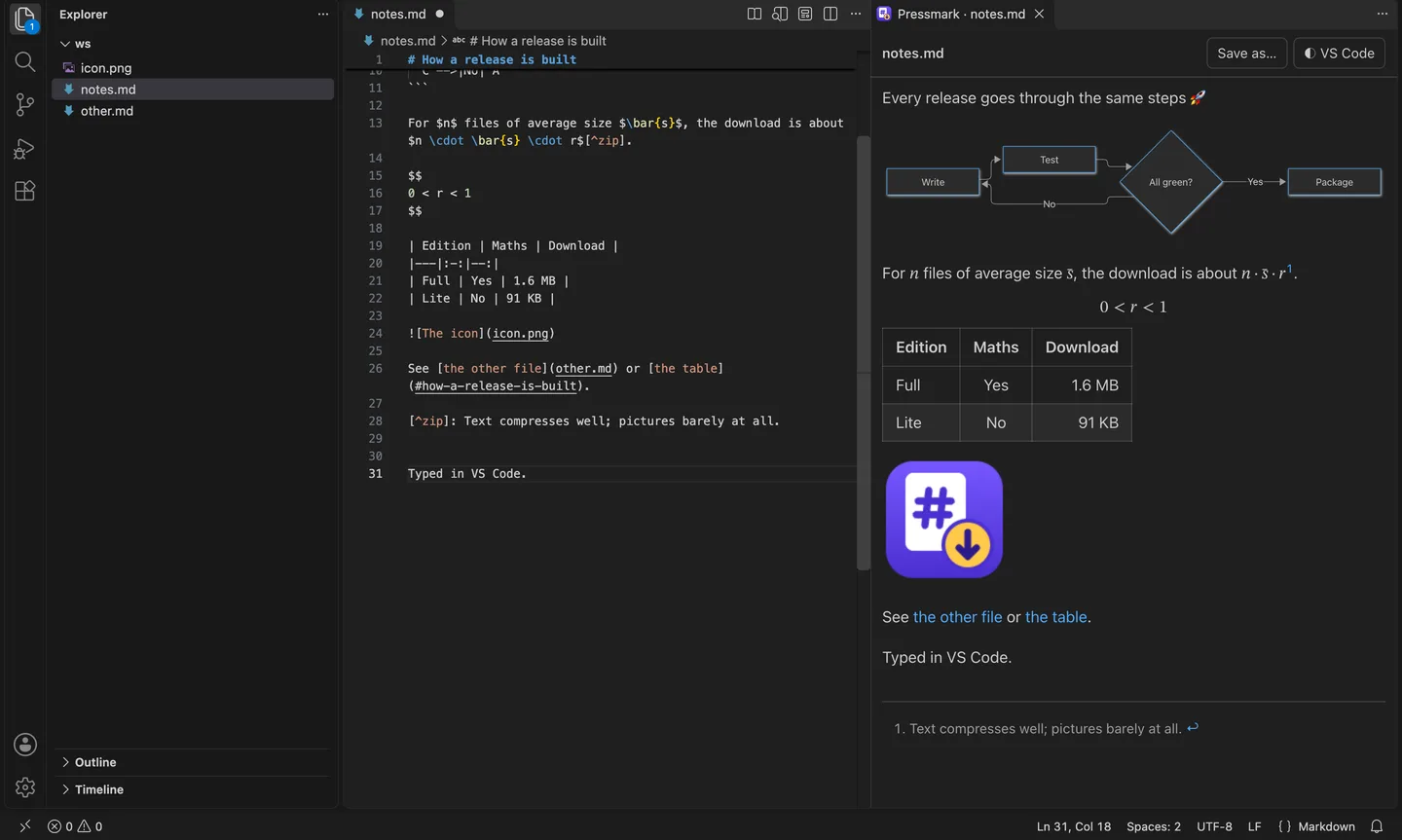
- A preview beside your file. It follows the Markdown file you're editing,
updates as you type, and scrolls with the editor. Double-click the preview to
jump to that line in the source.
- Maths and diagrams. Formulas between dollar signs are typeset, and Mermaid
flowcharts, sequence diagrams and charts are drawn in your theme's colours.
Save any diagram as an SVG or PNG picture.
- Everything GitHub Markdown has: tables, task lists, footnotes, alerts,
emoji shortcodes, code coloured for 23 languages, and pictures from the same
folder.
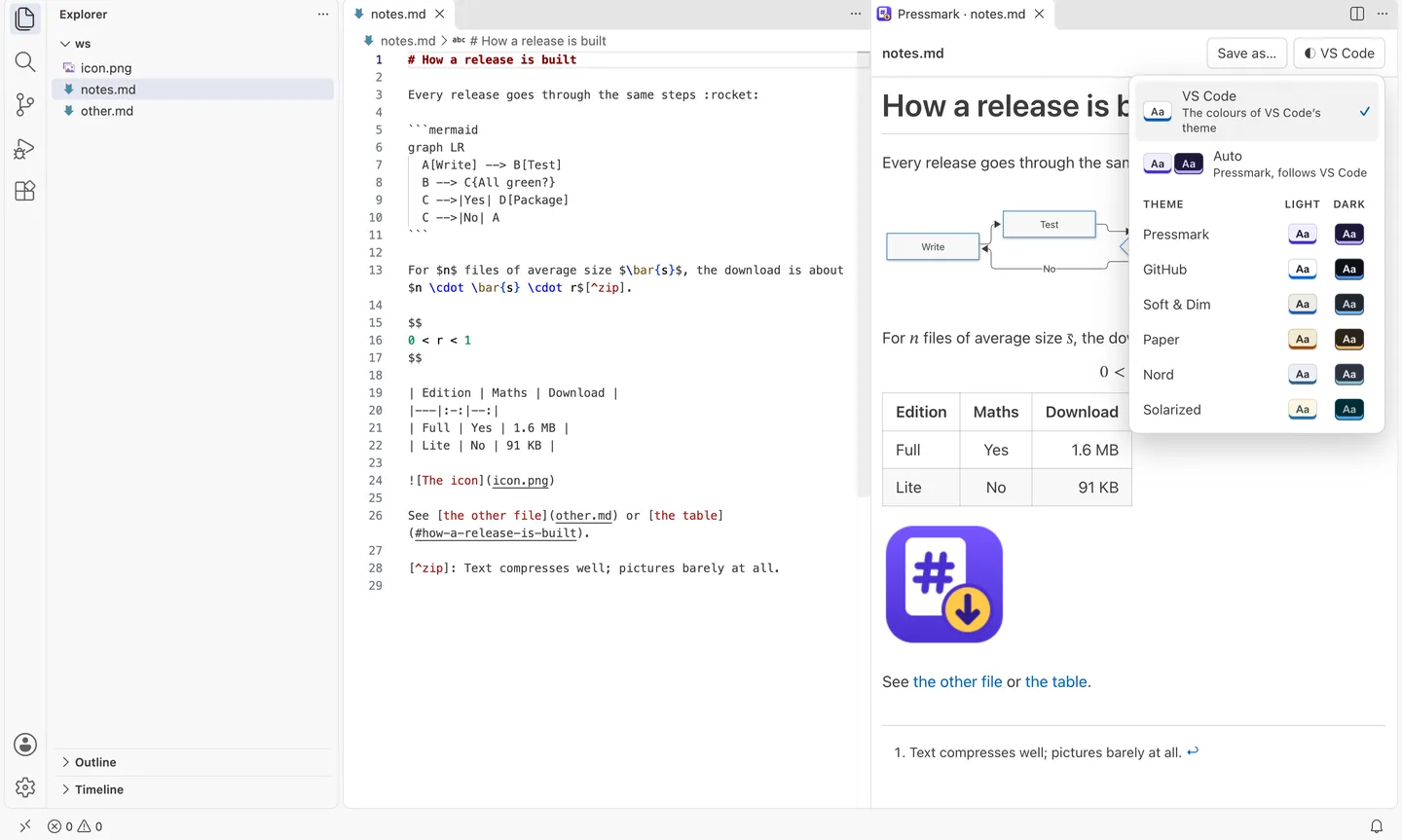
- Your VS Code theme. The preview takes its colours from the theme you
use, and follows it when you switch. Prefer a reading theme? Twelve
Pressmark themes, in six light and dark pairs, are one click away, and
Auto picks the light or dark one to match VS Code.
- Save as a self-contained HTML page, or an EPUB e-book with a chapter for
each top-level heading and your pictures inside.
- Copy as rich text, ready to paste formatted into email, Google Docs,
Word or Slack.
- Line Up Table Columns pads a Markdown table so its columns line up in
the source.
- Links to other Markdown files open them in the editor; web links open in
your browser.
Getting started
Open a Markdown file and click the book icon at the top right of the editor,
or run Pressmark: Open Preview to the Side from the Command Palette. The
preview's toolbar has the Save as… menu and the theme menu.
Commands
| Command |
What it does |
| Pressmark: Open Preview to the Side |
Opens the preview, or brings it forward |
| Pressmark: Save as HTML Page |
A single file with the theme's colours, maths and diagrams |
| Pressmark: Save as EPUB E-book |
For Apple Books, Kobo and other e-readers |
| Pressmark: Choose Colour Theme |
VS Code, Auto, or one of the twelve Pressmark themes |
| Pressmark: Line Up Table Columns |
Lines up the columns of the Markdown table at the cursor |
Settings
pressmark.theme: VS Code (the default) uses the colours of your VS
Code theme. Auto uses a Pressmark light and dark pair, matched to your VS
Code theme. Or choose one of the twelve Pressmark themes.pressmark.themeFamily: the pair Auto switches between.
An HTML page keeps the colours the preview had when you saved it.
Private by design
No account, no tracking, and nothing you write is sent anywhere. The preview
runs inside VS Code; the only things it fetches are pictures your document
links to on the web.
Also for Chrome
Pressmark for Chrome shows
Markdown files formatted right in the browser, edits them in place, and saves
copies as HTML, EPUB or PDF.
Licence
MIT. Pressmark includes Mermaid, KaTeX and gemoji, each under its own open-source
licence; see THIRD-PARTY-NOTICES.md.
Made by AccessNow.
| |

