Portrm - Stop guessing what's running on your machine.
portrm is a CLI + VS Code extension to see, fix, and control your dev environment ports in seconds.
No more lsof commands. No more EADDRINUSE errors.
Just a simple, reliable way to keep your dev stack running smoothly.
See every port, kill rogue processes, manage services, and fix conflicts -- all from the VS Code sidebar.
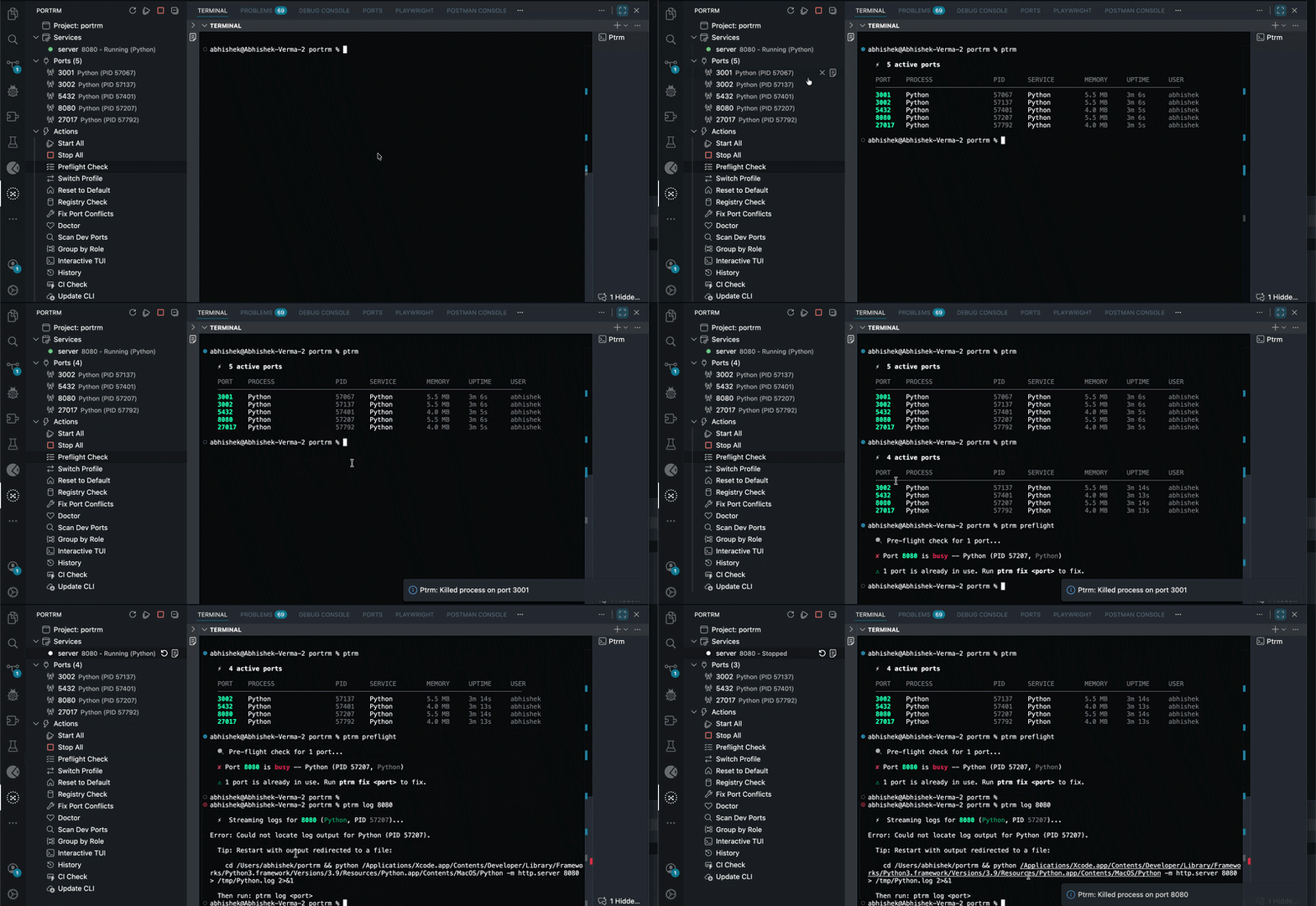
Features
Instantly see every listening port on your machine with process name, PID, and service status -- no terminal needed.
Project-Aware Service Management
Detects .ptrm.toml in your workspace and shows your services (frontend, backend, database) with live status indicators:
- Running -- green dot
- Stopped -- red dot
- Conflict -- yellow warning
One-Click Actions
| Action |
What it does |
| Start All |
Launch all services from .ptrm.toml |
| Stop All |
Gracefully stop all project services |
| Fix Port Conflicts |
Auto-detect and resolve port collisions |
| Switch Profile |
Switch between dev/staging/production port configs |
| Reset to Default |
Restore original port assignments |
| Preflight Check |
Verify all ports are free before starting |
| Doctor |
Diagnose common port and service issues |
| Scan Dev Ports |
Find all development server ports |
| Group by Role |
Organize ports by frontend/backend/database |
| Interactive TUI |
Full terminal UI for advanced management |
| History |
View port usage history |
| Registry Check |
Check ports against known service registry |
| CI Check |
Validate config for CI/CD pipelines |
| Update CLI |
Auto-update ptrm binary from GitHub |
Smart Terminal Integration
- Single shared terminal for all actions
- Automatic cleanup when switching between commands
- Interactive TUI support with graceful exit handling
Auto-Install & Update
Extension automatically detects if ptrm CLI is installed. If not, it prompts to download the correct binary for your platform (macOS/Linux/Windows, x64/ARM64) from GitHub releases.
Quick Start
- Install the extension from the VS Code Marketplace
- Open a project -- the Ptrm icon appears in the activity bar
- Click the icon to see all listening ports on your machine
- (Optional) Run
ptrm init to create a .ptrm.toml for service management
Example .ptrm.toml
[project]
name = "my-app"

[services.frontend]
port = 3000
run = "npm run dev"
cwd = "."

[services.api]
port = 8080
run = "cargo run"
cwd = "./api"

[profiles.staging]
frontend = { port = 3100 }
api = { port = 8180 }
Commands
All commands are available via the Command Palette (Cmd+Shift+P / Ctrl+Shift+P) under the Ptrm category:
Ptrm: Refresh -- Refresh port and service dataPtrm: Start All Services -- Start all services from configPtrm: Stop All Services -- Stop all running servicesPtrm: Kill Process on Port -- Kill a process by port numberPtrm: Restart Service -- Restart a specific servicePtrm: View Logs -- Show logs for a service or portPtrm: Fix Port Conflicts -- Auto-resolve port conflictsPtrm: Inspect Port -- Deep inspect a specific portPtrm: Watch Port -- Monitor a port for changesPtrm: Doctor -- Run diagnostic checksPtrm: Preflight Check -- Verify ports before launchPtrm: Switch Profile -- Switch port profile (staging, production)Ptrm: Reset to Default Profile -- Restore default port configPtrm: Initialize Project -- Create .ptrm.toml in workspacePtrm: Interactive TUI -- Open full terminal interfacePtrm: Group by Role -- Group ports by typePtrm: History -- View port usage historyPtrm: Scan Dev Ports -- Scan for development serversPtrm: Registry Check -- Check against known servicesPtrm: CI Check -- Validate for CI/CDPtrm: Update CLI -- Update ptrm to latest version
Settings
| Setting |
Default |
Description |
ptrm.binaryPath |
ptrm |
Path to the ptrm binary. Leave as ptrm to auto-detect. |
Requirements
- ptrm CLI -- automatically installed via the extension, or install manually:
# macOS (Homebrew)
brew install abhishekayu/tap/portrm

# npm (cross-platform)
npm install -g portrm

# pip (cross-platform)
pip install portrm

# From source
cargo install portrm
| Platform |
Architecture |
| macOS |
Apple Silicon (ARM64), Intel (x64) |
| Linux |
x64, ARM64 |
| Windows |
x64 |
Links
License
MIT

