RepoLenz for Visual Studio Code

Interactive Codebase Dependency Graphs & Change Impact Blast Radius Analysis
Explore module connections, detect circular dependencies, and prevent breaking changes directly inside VS Code.



📸 Screenshots
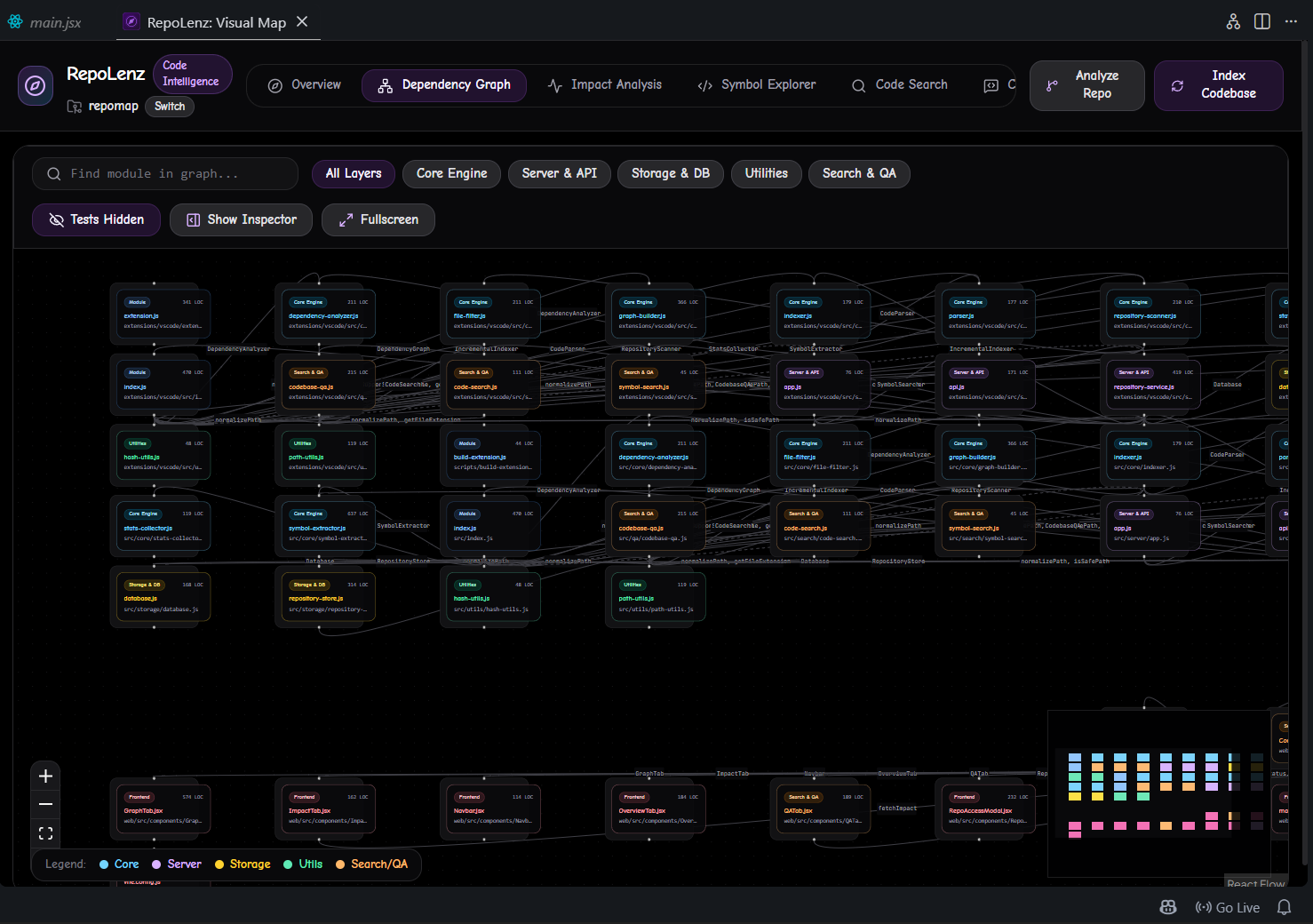
1. Interactive Dependency Graph in Editor Tab
Pan, zoom, and inspect full module architecture directly within your editor.
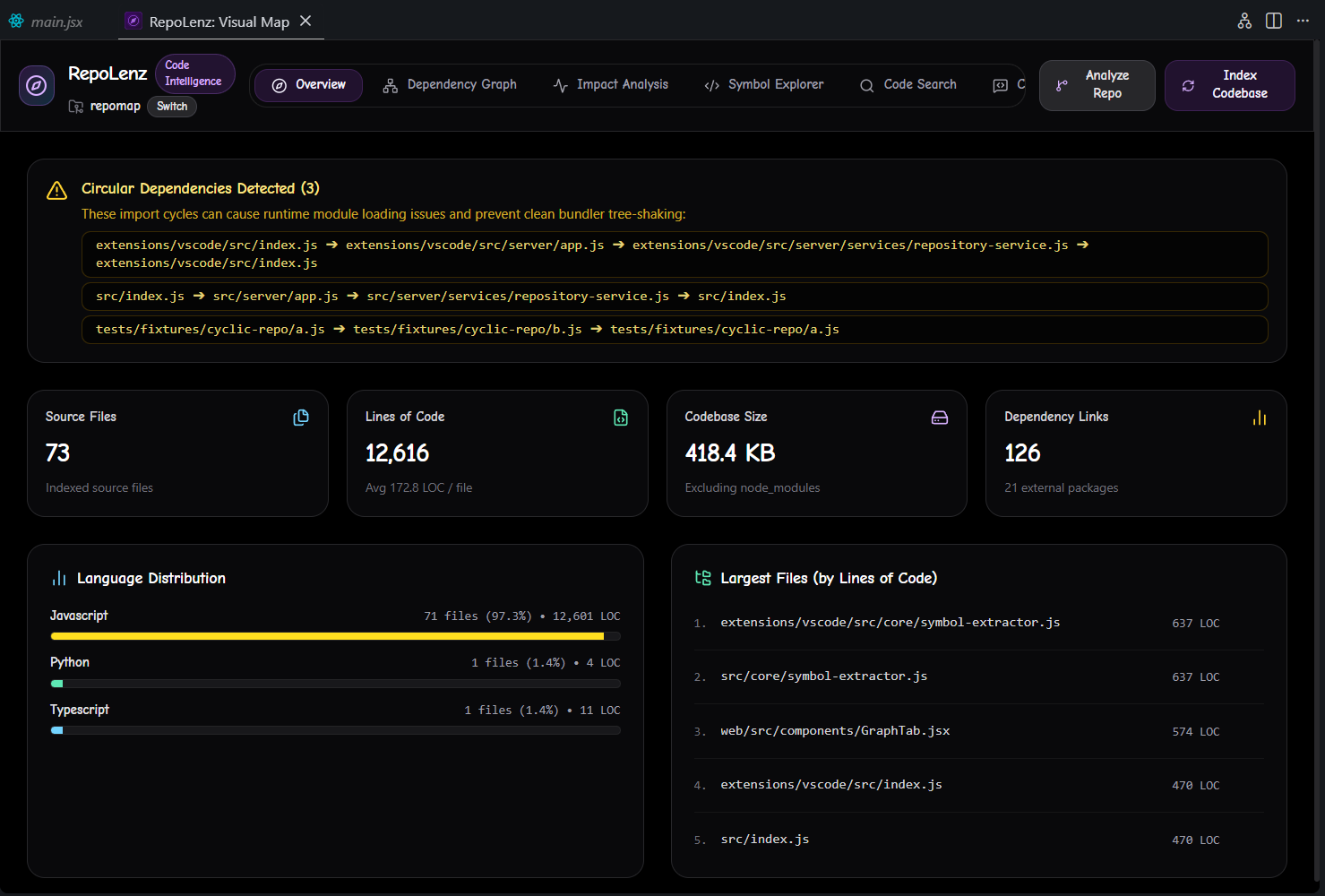
2. Architecture Overview & Circular Dependency Check
Detect problematic import cycles before they break bundling, and review lines-of-code and file metrics.
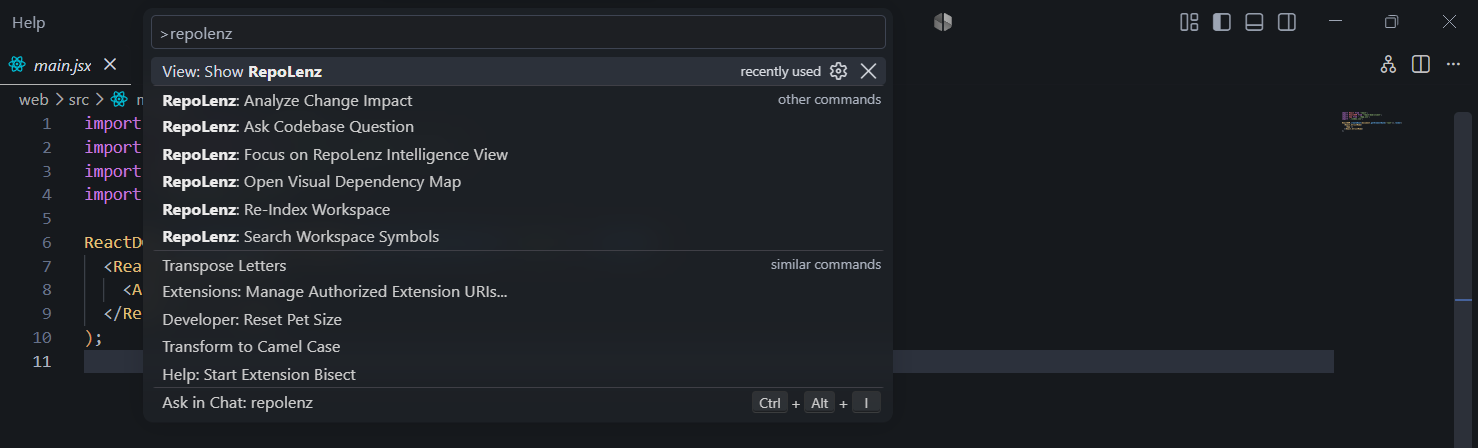
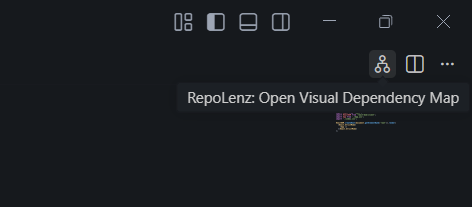
3. Quick Access via Editor Title Bar & Command Palette
Launch the map in one click using the editor header button or execute dedicated commands from the Command Palette (Ctrl+Shift+P / Cmd+Shift+P).
⚡ Key Features
- 🗺️ Interactive Visual Graph: Powered by React Flow with custom AST-derived layers (Core Engine, Server, Storage, Utilities, Search).
- ⚡ Change Impact Analysis (Blast Radius): Right-click any file to see exactly which downstream modules and imports depend on it.
- 🔗 Bidirectional Navigation: Click any module node or file in RepoLenz to jump directly to that file and line in an adjacent editor tab.
- 🔁 Circular Dependency Detection: Identifies import cycles (DAG validation) to prevent runtime initialization loops and bundler bloat.
- 🔍 Symbol Explorer: Search functions, classes, and exported interfaces across your entire workspace.
- 💬 Codebase Q&A: Get deterministic answers with direct file and line citations.
- 🛡️ 100% Offline & Private: Runs entirely on your local machine using an in-process ephemeral loopback server. Zero data or telemetry ever leaves your computer.
🚀 How to Use
1. Launch the Visual Dependency Map
- Editor Title Button: Click the
$(type-hierarchy) icon in the top-right corner of any open code file.
- Activity Bar: Click the RepoLenz compass icon in the left Activity Bar and select Open Visual Dependency Map.
- Command Palette: Press
Ctrl+Shift+P (or Cmd+Shift+P on macOS) → type RepoLenz: Open Visual Dependency Map.
2. Analyze Change Impact for a Specific File
- In File Explorer: Right-click any file in your project tree → click "RepoLenz: Analyze Change Impact".
- In Editor: Right-click inside your active code editor → click "RepoLenz: Analyze Change Impact".
- RepoLenz opens directly on the Impact Analysis tab with that file selected!
3. Search Symbols & Architecture
- Run
RepoLenz: Search Workspace Symbols to jump to the Symbol Explorer.
- Run
RepoLenz: Ask Codebase Question to ask questions grounded in your repository's AST.
- Run
RepoLenz: Re-Index Workspace to refresh dependencies after creating new files or branches.
⌨️ Contributed Commands
| Command |
Title |
Description |
repolenz.open |
RepoLenz: Open Visual Dependency Map |
Opens the interactive graph dashboard |
repolenz.analyzeActiveFile |
RepoLenz: Analyze Change Impact |
Traces downstream blast radius of active file |
repolenz.searchSymbols |
RepoLenz: Search Workspace Symbols |
Navigates symbols, functions, and classes |
repolenz.askQA |
RepoLenz: Ask Codebase Question |
Architecture Q&A grounded in source files |
repolenz.reindex |
RepoLenz: Re-Index Workspace |
Manually refreshes the SQLite AST cache |
📦 Packaging & Local Installation
To build and package this extension manually from source:
# From repository root:
npm run build:extension

# Package extension:
cd extensions/vscode
npm install --omit=dev
npx @vscode/vsce package
To install the resulting .vsix:
code --install-extension repolenz-0.1.0.vsix
🌐 Publishing to VS Code Marketplace
- Generate a Personal Access Token (PAT) at dev.azure.com with Marketplace (Acquire, Manage, Publish) scope.
- Register your publisher at marketplace.visualstudio.com/manage.
- Publish from terminal:
cd extensions/vscode
npx @vscode/vsce publish
Or upload repolenz-0.1.0.vsix directly through the web portal.
📄 License
MIT © RepoLenz

