Shield·Code
Find secrets, Indian PII, unsafe code, risky config and sensitive images or documents in your workspace. Review every fix before it is applied. Detection runs on your machine.
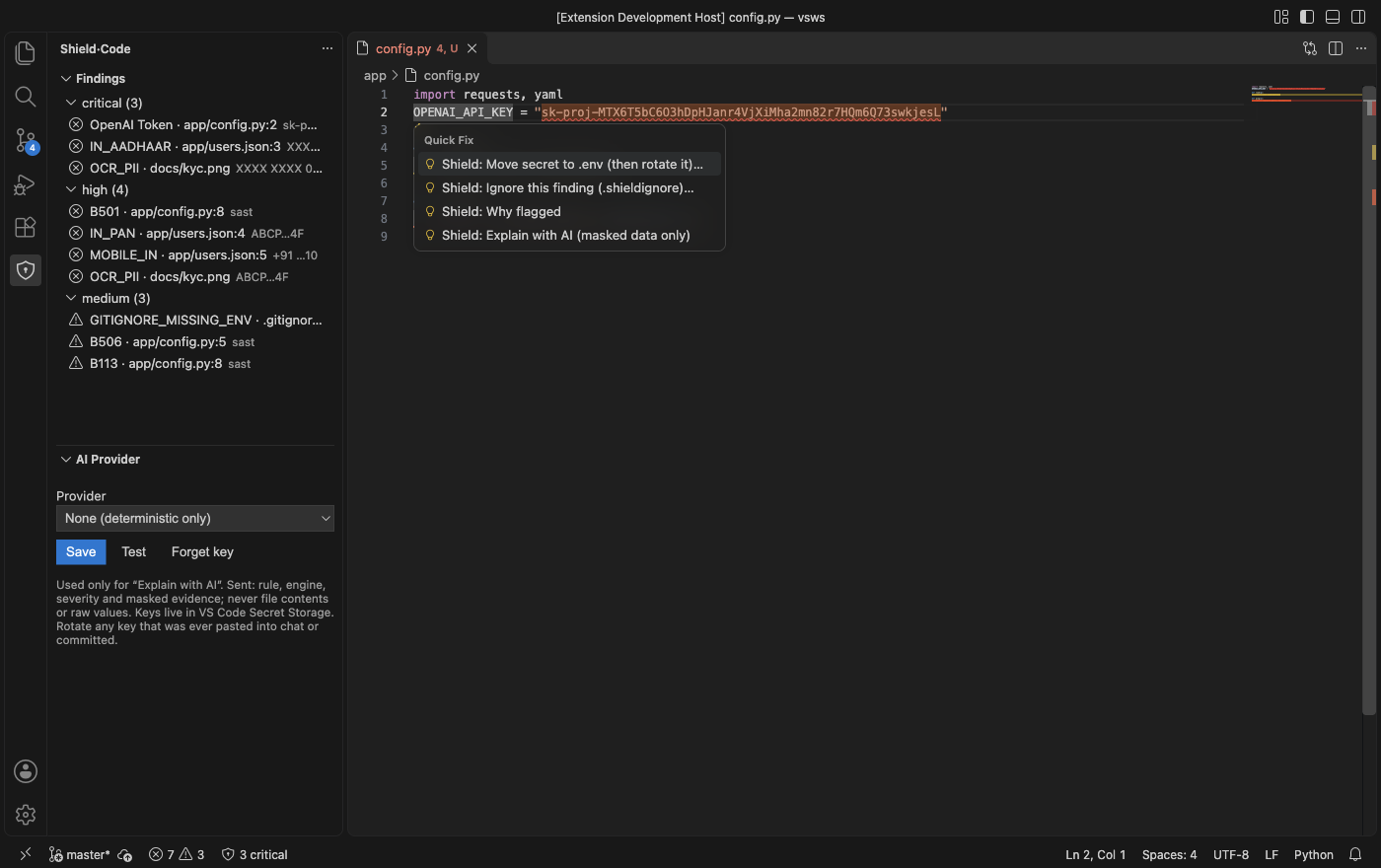
What it finds
| Engine |
Examples |
| Secrets |
API keys and tokens, in code and in git history |
| PII |
Aadhaar (Verhoeff checked), PAN, UPI, bank accounts, phone, email, voter ID |
| Code |
Unsafe calls found by Bandit, such as yaml.load or verify=False |
| Config |
Tracked .env files, missing .gitignore rules |
| Images and documents |
Keys and IDs visible in screenshots (OCR), faces, EXIF GPS, every layer of PDF, DOCX and XLSX |
Values are masked in every view. A value that is labelled as an ID but fails its checks is still reported, as unverified.
Review, then apply
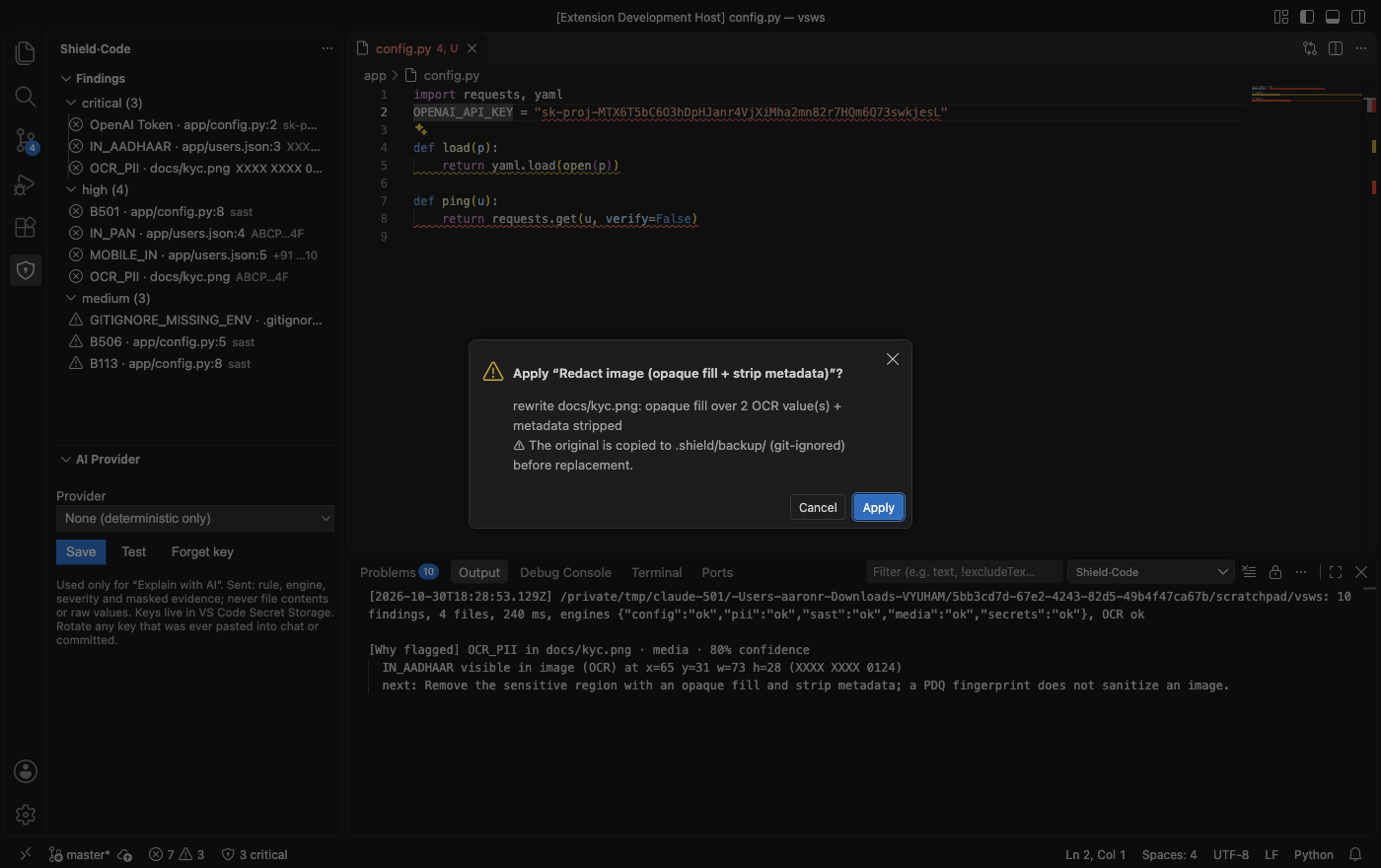
Every fix opens a preview and changes nothing until you press Apply. Redacting an image replaces the text with an opaque fill, strips metadata, and keeps the original in .shield/backup/.
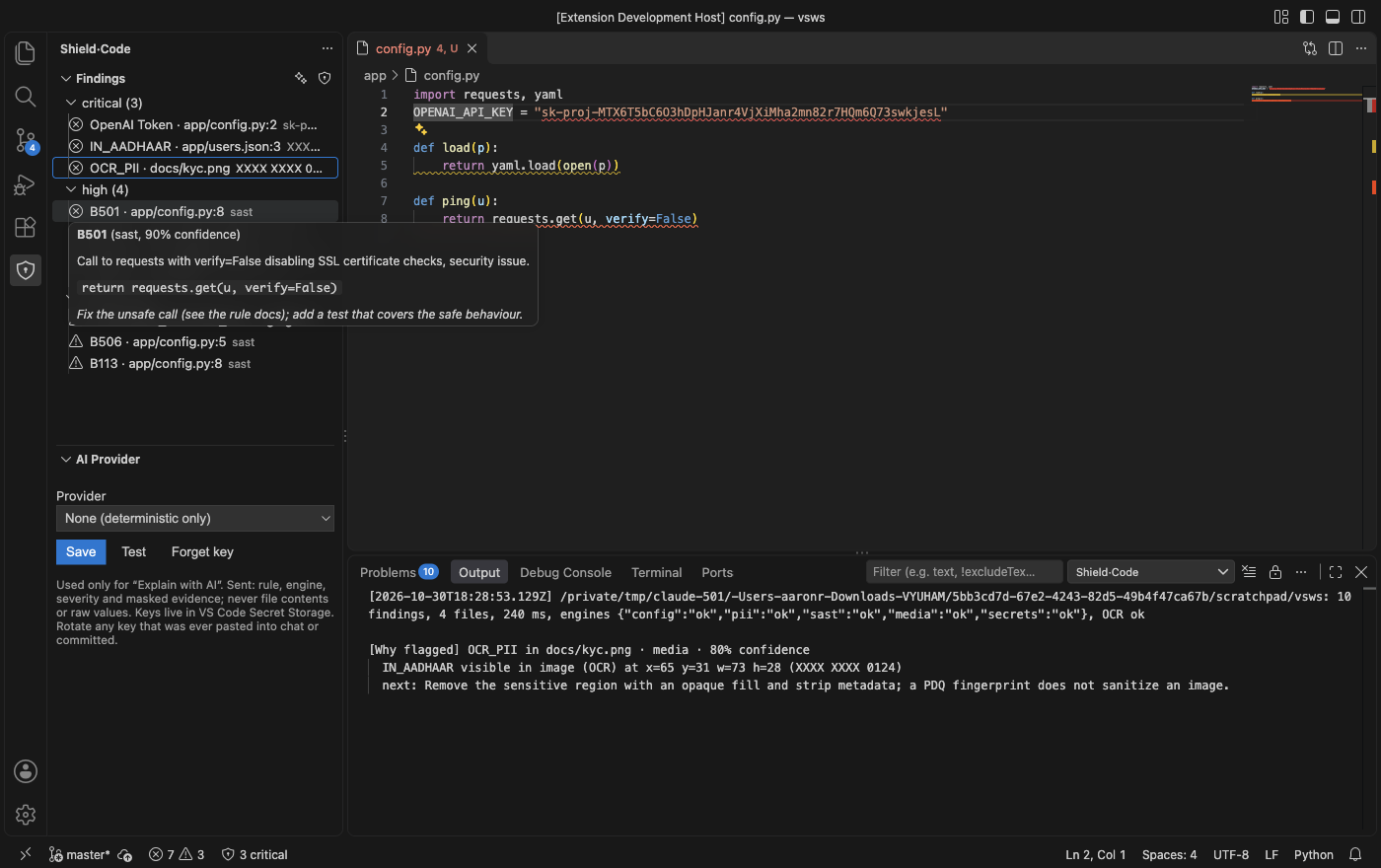
Right-click a finding for Fix… and Why flagged.
Optional AI (Groq or Claude)
Bring your own key in the AI Provider panel. Keys stay in VS Code Secret Storage.
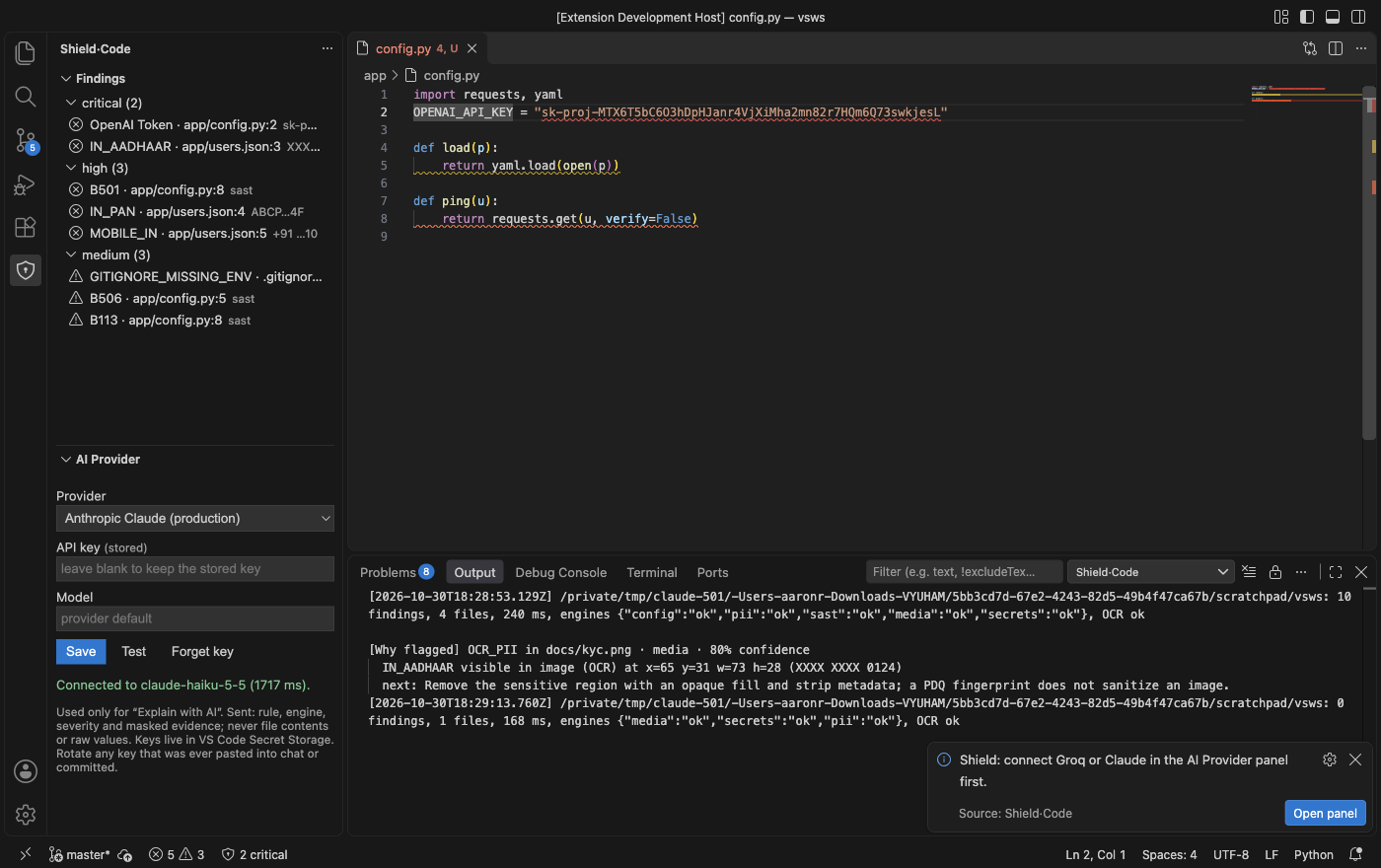
Shield: AI Deep Scan (✨) finds what no rule covers, such as a diagnosis or a home address. It asks every time, and it is the one feature that sends file text out of your machine:
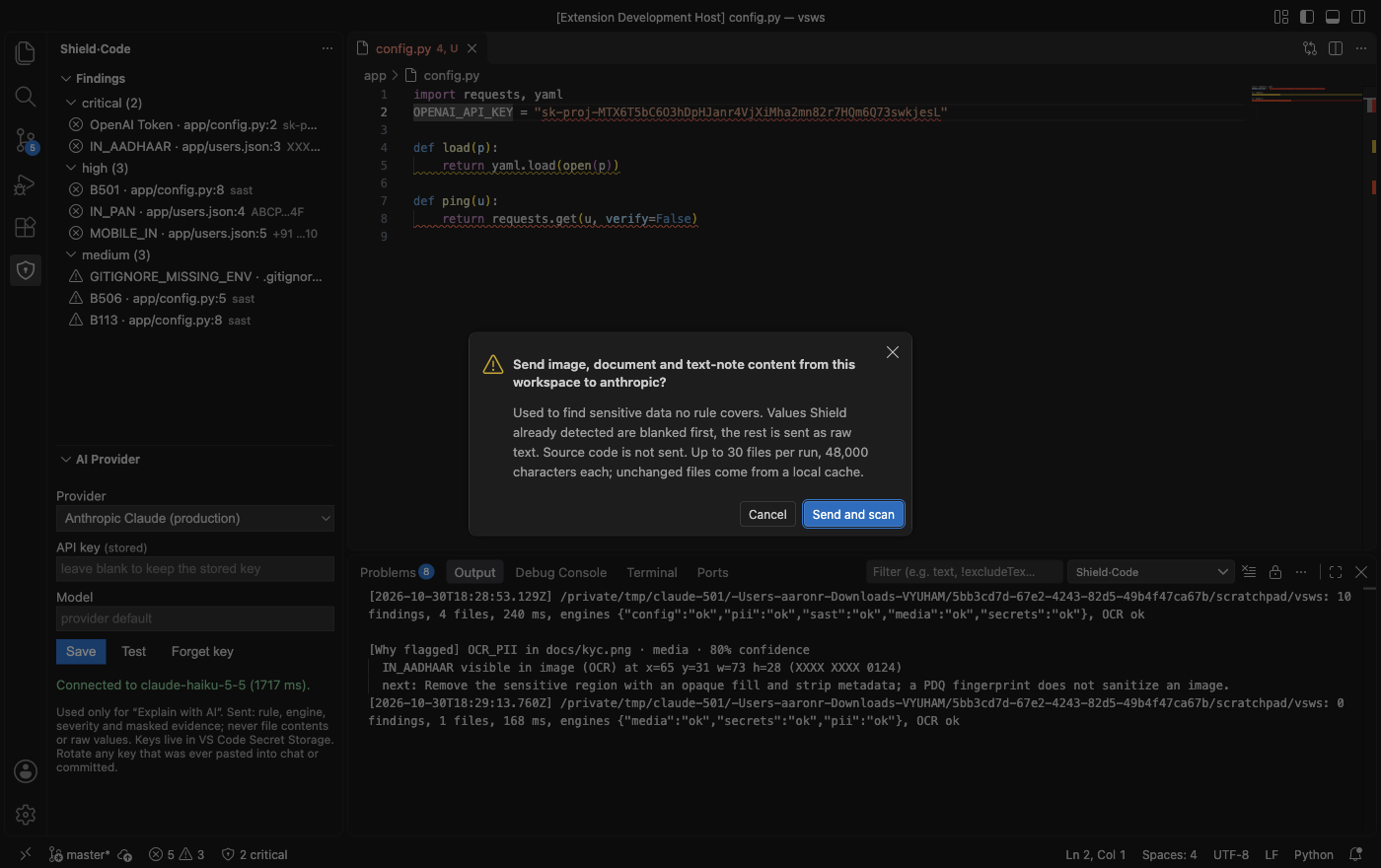
AI results are opinions, not verified matches. They can miss things, so they only add to the rule-based findings.
Install (no Python needed)
Search Shield·Code in the Extensions view of VSCodium, Cursor or Antigravity (Open VSX), or get the build for your OS from the GitHub Releases and run Extensions: Install from VSIX…. The build bundles the scanner engine, so nobody needs Python. OCR needs Tesseract: the Windows build includes it; on macOS/Linux install it (brew install tesseract / apt install tesseract-ocr), or OCR is reported as unavailable while everything else works.
Developers (no bundled engine): set shieldCode.pythonPath to a Python 3.11 with requirements.txt, and shieldCode.enginePath to the shield_scout folder. On Windows, leaving pythonPath empty uses the py -3 launcher.
Use
- Shield: Scan Workspace (also the shield icon in the view title, or the status bar). Shows progress and can be cancelled; files are found dynamically (git-tracked + untracked-not-ignored, or a directory walk), honouring
shieldCode.exclude, size limits and always-skipped folders (node_modules, .git, venvs, dist…).
- Analyzers run in parallel up to
shieldCode.concurrency, bounded by shieldCode.timeoutSeconds. Engines that time out or fail, OCR availability and per-file errors appear under Scan problems and in Shield: Show Log.
- After a first scan, saving a file re-scans just that file (secrets/PII/media/document engines).
- Quick fixes (lightbulb on a diagnostic): each opens a diff preview, then a modal listing every file change and note; nothing changes until you press Apply. Text edits are applied by the engine on disk and can be undone with git. Binary changes (image redaction) keep the original in
.shield/backup/ (git-ignored). Secret fixes always say rotate the key: moving a committed secret does not un-leak it.
- Image findings show the OCR bounding box (
x y w h). A PDQ fingerprint/near-duplicate finding is for matching only; it does not sanitize anything.
- AI Provider panel: choose None / Groq / Anthropic Claude, paste a key (stored in VS Code Secret Storage, never in settings), Test. "Explain with AI" sends only rule, engine, severity and masked evidence.
- Shield: AI Deep Scan (✨ in the Findings title bar): asks every time before sending image, document and text-note content to the connected provider, with values Shield already detected blanked first. Source code is not sent. It finds what no rule covers, such as a diagnosis or a home address. Images get a box you can redact, text notes get a redact fix. Up to 30 files per run: run it again for the next batch.
- Right-click a finding in the tree for Fix… and Why flagged (also a lightbulb action). Why flagged shows the AI's reason in the log. Image and document findings have no lightbulb, so use the tree.
- Shield: Export SARIF Report for CI / code-scanning upload.
Development
npm run typecheck, npm test (pure helpers, node --test), npm run build, npm run package. The extension was not exercised inside a live VS Code instance by the automated checks; see the main README for what is tested.
License
AGPL-3.0. The bundled engine includes PyMuPDF, which is AGPL-3.0 licensed, so the whole package uses that license. Source: GitHub.

