中文 | English
中文
简介
沉浸编码工具集合,帮助你更专注地组织代码结构、管理常用操作并扩展编辑器能力。
官网说明页:
https://zeroanon.com/others/z-code-tools-help
安装后,你可以直接获得:
- 区块模板快速插入
S / E 与 #region / #endregion 双格式支持- 编辑器圆点提示、文本高亮、概览标尺定位
- 区块异常提示与折叠
- JSON / JS 转
type / interface
- 活动栏设置面板与状态栏入口
- 常用区块 snippets
演示预览
代码片段演示
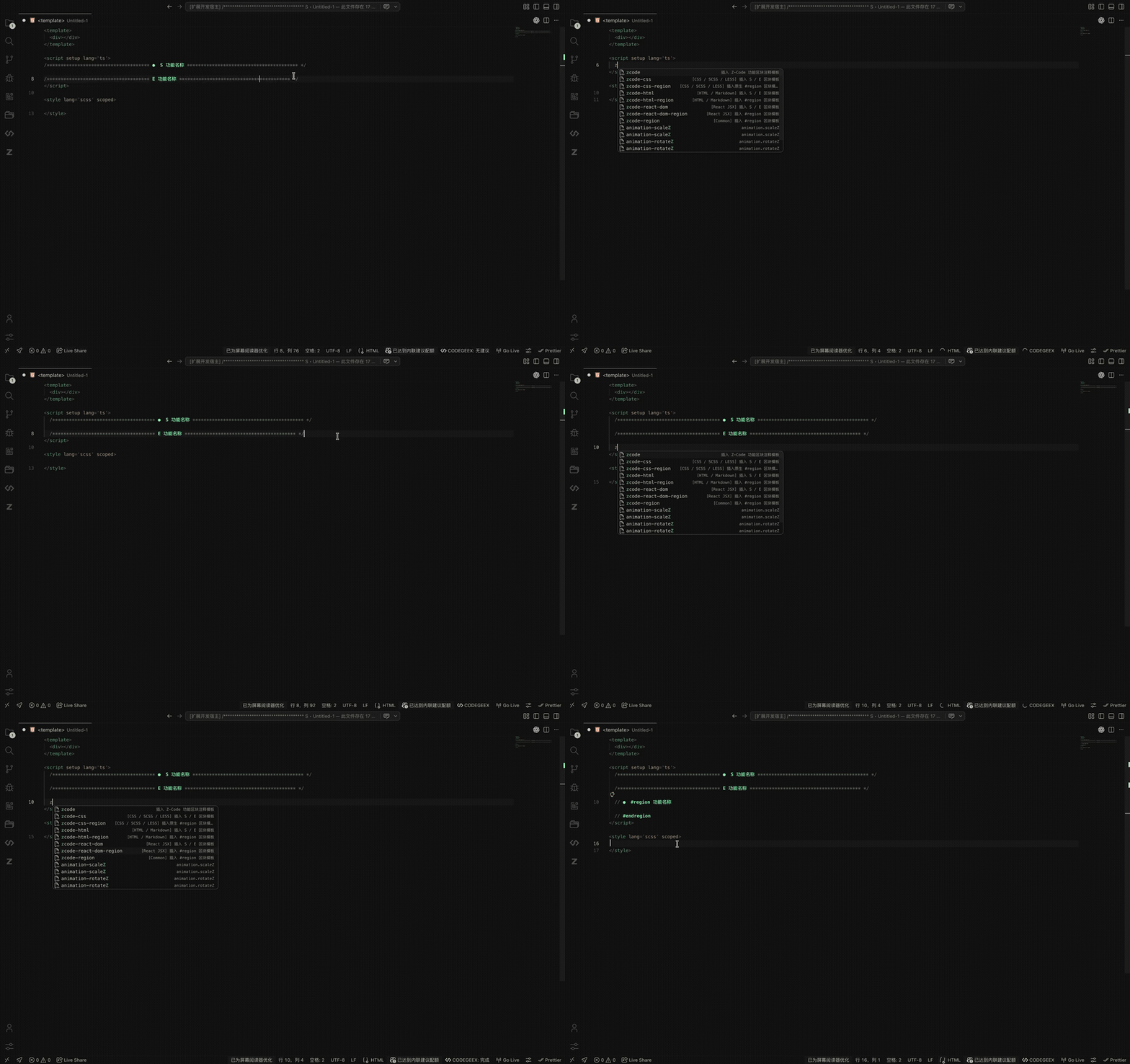
演示内容:通过代码片段快速插入区块模板,支持通用、HTML、CSS、React JSX,以及 S / E 和 #region / #endregion 两种区块风格。
完整视频:YouTube - 代码片段演示
快捷键生成演示
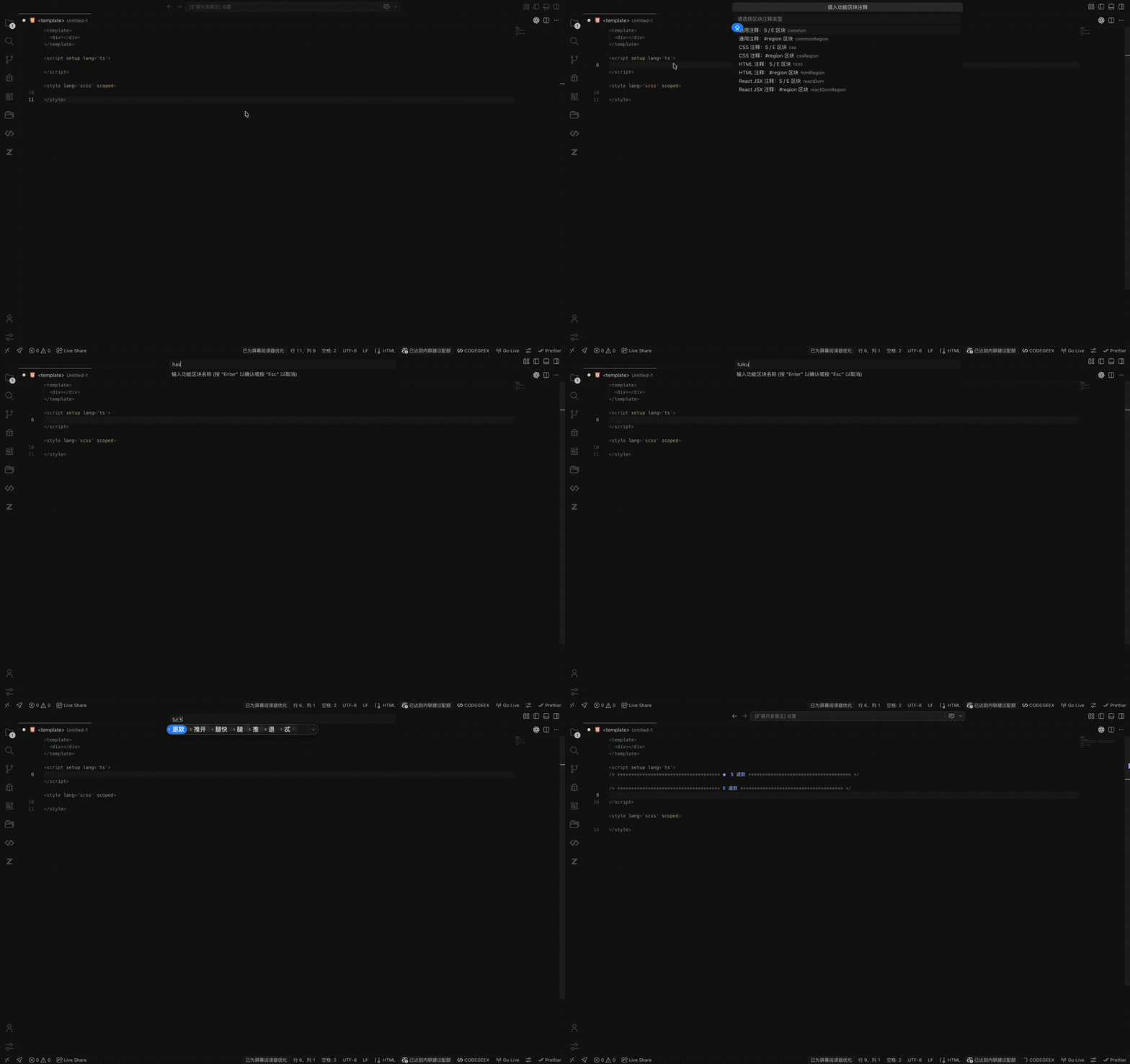
演示内容:通过快捷键快速选择区块类型、输入区块名称,并自动生成对应注释模板。
完整视频:YouTube - 快捷键生成演示
JSON 转 TS 演示
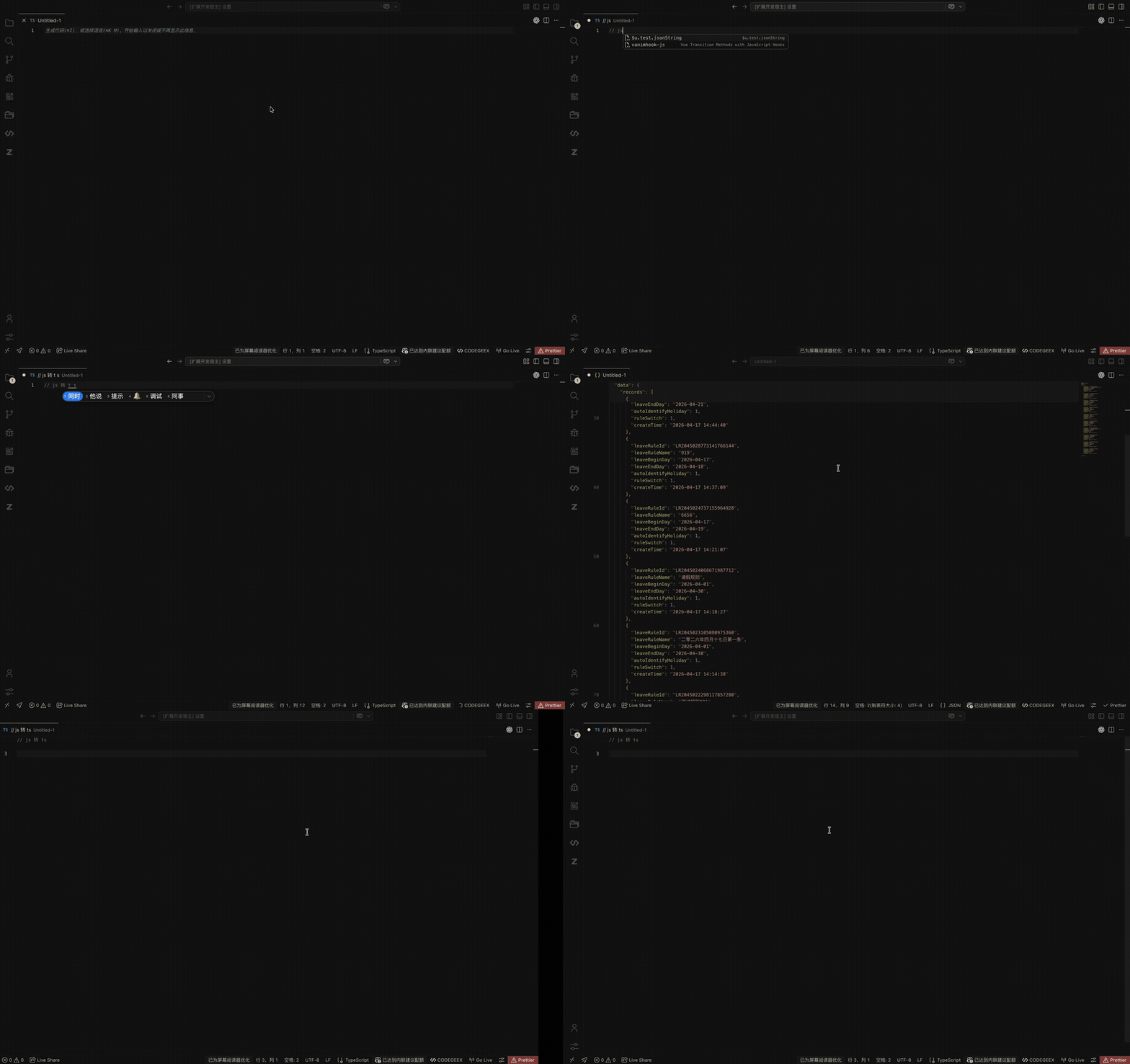
演示内容:将 JSON 或 JavaScript 对象代码快速转换为 TypeScript 的 type 或 interface。
完整视频:YouTube - JSON 转 TS 演示
当一个文件逐渐变大,问题往往不是“写不下去”,而是:
- 找不到逻辑边界
- 折叠之后仍然难定位
- 团队区块风格不一致
- 临时对象想转成类型时还得手工改
z-code-tools 把这些高频动作收成统一工作流,让结构整理和类型生成都更直接。
功能一览
| 功能 |
说明 |
| 区块模板插入 |
一键插入成对区块注释并包裹选中内容 |
| 双格式区块支持 |
同时支持 S / E 和 #region / #endregion |
| 原生折叠 |
区块自动注册为可折叠区域 |
| 装饰显示 |
圆点、文字高亮、概览标尺同步显示 |
| 异常提示 |
缺失开始或结束标记时给出高亮与 hover 反馈 |
| JSON / JS 转 TS |
将对象字面量快速转为 type 或 interface |
| 设置面板 |
在活动栏统一管理开关、主题色与常用操作 |
| 状态栏入口 |
右下角快速打开设置面板 |
| Snippets |
常用区块模板可直接通过片段前缀插入 |
快速上手
插入区块
- 执行命令
z-code-tools: 插入功能区块注释
- 选择区块类型
- 输入区块名称
扩展会自动生成对应注释模板,并将当前选中内容包裹进去。
生成 TypeScript 类型
- 执行命令
z-code-tools: json转ts类型
- 选择生成
type 或 interface
- 粘贴 JSON 或 JavaScript 对象代码
扩展会自动规范化输入内容并插入生成结果。
区块类型
当前支持以下区块类型:
通用注释:S / E 区块通用注释:#region 区块CSS 注释:S / E 区块CSS 注释:#region 区块HTML 注释:S / E 区块HTML 注释:#region 区块React JSX 注释:S / E 区块React JSX 注释:#region 区块
编辑器体验
开启装饰后,扩展会在编辑器中显示:
- 区块起始位置的圆点标识
S 名称 / E 名称 / #region 名称 文本高亮- 概览标尺中的区块定位提示
- 区块异常的错误高亮与悬停说明
当前支持识别:
- 块注释形式的区块标记
- 行注释形式的
#region 区块
- HTML 注释形式的区块标记
- React JSX 注释形式的区块标记
- 带装饰星号或不带装饰星号的区块标记
JSON / JavaScript 转 TypeScript
支持两种输出形式:
支持的输入示例:
const data = {
  id: 1,
  name: "Tom",
};
let payload = {
  list: [{ id: 1, title: "A" }],
};
export default {
  user: {
    id: 1,
    nickname: "Tom",
  },
};
{
  "success": true,
  "items": [
    {
      "id": 1
    }
  ]
}
处理流程:
- 选择
type 或 interface
- 粘贴 JSON 或 JavaScript 对象代码
- 自动解析并规范化为标准 JSON
- 推导嵌套对象、数组、联合类型和命名子类型
- 将结果插入当前编辑器
命令
| 命令 ID |
显示名称 |
说明 |
z-code-tools.insertRegionBlock |
z-code-tools: 插入功能区块注释 |
交互式插入区块模板 |
z-code-tools.openSettingsPanel |
z-code-tools: 打开设置页 |
打开活动栏设置面板 |
z-code-tools.insertTransType |
z-code-tools: json转ts类型 |
将 JSON / JS 对象转换为 TypeScript 类型 |
默认快捷键
| 功能 |
Windows / Linux |
macOS |
| 插入功能区块注释 |
Ctrl+Alt+Z |
Cmd+Alt+Z |
| 打开设置页 |
Ctrl+Alt+O |
Cmd+Alt+O |
| JSON 转 TS 类型 |
Ctrl+Alt+T |
Cmd+Alt+T |
Snippets
| 片段前缀 |
说明 |
zcode |
通用 S / E 区块注释模板 |
zcode-region |
通用 #region 区块注释模板 |
zcode-html |
HTML S / E 区块注释模板 |
zcode-html-region |
HTML #region 区块注释模板 |
zcode-css |
CSS S / E 区块注释模板 |
zcode-css-region |
CSS #region 区块注释模板 |
zcode-react-dom |
React JSX S / E 区块注释模板 |
zcode-react-dom-region |
React JSX #region 区块注释模板 |
扩展设置
| 配置项 |
类型 |
默认值 |
说明 |
z-code-tools.enableDecorations |
boolean |
true |
是否启用区块装饰高亮 |
z-code-tools.accentTheme |
string |
primary |
区块圆点与开始/结束标记使用的主题色 |
z-code-tools.showRightBadge |
boolean |
true |
是否显示区块圆点标识与概览标尺定位 |
z-code-tools.autoRevealSettings |
boolean |
true |
扩展激活后是否自动打开设置页 |
可选主题色:
primarysecondarytertiarywarmskymintcoralpeachroselilac
适用场景
z-code-tools 适合这些工作流:
- 大型单文件组件整理
- 组件模板区块拆分
- JavaScript / TypeScript 长文件结构维护
- CSS / SCSS / LESS 样式区域划分
- 接口返回结构快速生成 TypeScript 类型
- 团队统一代码区块风格
更多工具与网站
个人网站
如果你想继续看看我正在做的其他项目、文章和工具,可以访问我的个人网站:
https://zeroanon.com/
Horizon-Hop 浏览器插件
如果你希望把一些高频小工具留在浏览器里完成,也可以看看我做的另一款浏览器插件 Horizon-Hop。
它是一套轻量但很实用的浏览器工具工作台,主要覆盖这些场景:
- 当前网页二维码生成
- 二维码工坊与分享海报
- JSON 工具箱
- 图片压缩
- 变量命名助手
- 表格结构整理
- 书签搜索与功能面板
详细介绍可以查看:
Horizon-Hop 使用帮助
安装 Horizon-Hop
问题反馈
如果你在使用过程中遇到问题,或者有好的建议,欢迎提交到下方评论区 z-code-tools-help 或 私人微信。
License
MIT
English
Overview
z-code-tools is a VS Code extension for structured coding workflows. It helps you organize large files with clearer regions and quickly convert JSON / JavaScript objects into TypeScript types.
Official guide:
https://zeroanon.com/others/z-code-tools-help
With z-code-tools, you get:
- Fast region template insertion
- Dual support for
S / E and #region / #endregion
- Editor dots, text highlighting, and overview ruler markers
- Region diagnostics and folding
- JSON / JS to
type / interface
- Activity bar settings panel and status bar entry
- Built-in region snippets
Demo Preview
Snippet Demo
Shows how snippets quickly insert region templates for common files, HTML, CSS, and React JSX, with both S / E and #region / #endregion styles.
Full video: YouTube - Snippet Demo
Shortcut Demo
Shows how keyboard shortcuts let you choose a region type, enter a label, and generate the final template directly.
Full video: YouTube - Shortcut Demo
JSON to TS Demo
Shows how JSON or JavaScript object code is converted into TypeScript type or interface.
Full video: YouTube - JSON to TS Demo
As files get bigger, the real problem is usually not writing code, but:
- losing logical boundaries
- folding without clear visual structure
- inconsistent region styles across a team
- wasting time manually turning sample objects into types
z-code-tools turns these repetitive tasks into a compact and consistent workflow.
Feature Summary
| Feature |
Description |
| Region template insertion |
Insert paired region comments around selected content |
| Dual region styles |
Supports both S / E and #region / #endregion |
| Native folding |
Registers regions as foldable ranges |
| Visual decorations |
Dots, highlighted labels, and overview ruler markers |
| Diagnostics |
Highlights unmatched or broken regions |
| JSON / JS to TS |
Converts object literals into type or interface |
| Settings panel |
Manage toggles, accent color, and shortcuts in one place |
| Status bar entry |
Open the panel quickly from the status bar |
| Snippets |
Insert common region templates with snippet prefixes |
Quick Start
Insert a region
- Select a block of code in the editor
- Run
z-code-tools: 插入功能区块注释
- Choose a region type
- Enter a region name
The extension generates the matching template and wraps the current selection.
Generate a TypeScript type
- Run
z-code-tools: json转ts类型
- Choose
type or interface
- Paste JSON or JavaScript object code
The extension normalizes the input and inserts the generated result.
Region Types
Supported region styles:
Common comment: S / E regionCommon comment: #region regionCSS comment: S / E regionCSS comment: #region regionHTML comment: S / E regionHTML comment: #region regionReact JSX comment: S / E regionReact JSX comment: #region region
Editor Experience
When decorations are enabled, the editor can display:
- leading dots for region starts
- highlighted
S name, E name, and #region name
- overview ruler markers
- error highlighting and hover hints for invalid regions
Recognized inputs include:
- block comment regions
- line-comment
#region regions
- HTML comment regions
- React JSX comment regions
- decorative-star and plain region markers
JSON / JavaScript to TypeScript
Output styles:
Supported inputs:
const data = {
  id: 1,
  name: "Tom",
};
let payload = {
  list: [{ id: 1, title: "A" }],
};
export default {
  user: {
    id: 1,
    nickname: "Tom",
  },
};
{
  "success": true,
  "items": [
    {
      "id": 1
    }
  ]
}
Workflow:
- Choose
type or interface
- Paste JSON or JavaScript object code
- Normalize it into valid JSON
- Infer nested objects, arrays, unions, and named child types
- Insert the result into the active editor
Commands
| Command ID |
Title |
Description |
z-code-tools.insertRegionBlock |
z-code-tools: 插入功能区块注释 |
Insert a region template interactively |
z-code-tools.openSettingsPanel |
z-code-tools: 打开设置页 |
Open the activity bar settings panel |
z-code-tools.insertTransType |
z-code-tools: json转ts类型 |
Convert JSON / JS into TypeScript types |
Default Shortcuts
| Action |
Windows / Linux |
macOS |
| Insert region |
Ctrl+Alt+Z |
Cmd+Alt+Z |
| Open settings |
Ctrl+Alt+O |
Cmd+Alt+O |
| JSON to TS |
Ctrl+Alt+T |
Cmd+Alt+T |
Snippets
| Prefix |
Description |
zcode |
Common S / E region template |
zcode-region |
Common #region region template |
zcode-html |
HTML S / E region template |
zcode-html-region |
HTML #region region template |
zcode-css |
CSS S / E region template |
zcode-css-region |
CSS #region region template |
zcode-react-dom |
React JSX S / E region template |
zcode-react-dom-region |
React JSX #region region template |
Extension Settings
| Setting |
Type |
Default |
Description |
z-code-tools.enableDecorations |
boolean |
true |
Enable region decorations |
z-code-tools.accentTheme |
string |
primary |
Accent color for dots and labels |
z-code-tools.showRightBadge |
boolean |
true |
Show region dots and overview ruler markers |
z-code-tools.autoRevealSettings |
boolean |
true |
Open the settings panel automatically on activation |
Available accent themes:
primarysecondarytertiarywarmskymintcoralpeachroselilac
Best For
z-code-tools works especially well for:
- large Vue single-file components
- React component template organization
- long JavaScript / TypeScript files
- CSS / SCSS / LESS region structuring
- turning API samples into TypeScript types quickly
- keeping region styles consistent across a team
Personal Website
If you want to explore my other tools, articles, and projects:
https://zeroanon.com/
Horizon-Hop Browser Extension
If you prefer to keep high-frequency utilities inside your browser, you may also like Horizon-Hop.
It is a lightweight browser toolkit focused on:
- current page QR code generation
- QR workshop and sharing posters
- JSON toolbox
- image compression
- variable naming assistance
- table structure conversion
- bookmark search and quick action panel
Learn more here:
Horizon-Hop Guide
Install Horizon-Hop
Feedback
If you run into issues or have ideas, you can leave feedback on z-code-tools-help or contact me on WeChat.
License
MIT

