
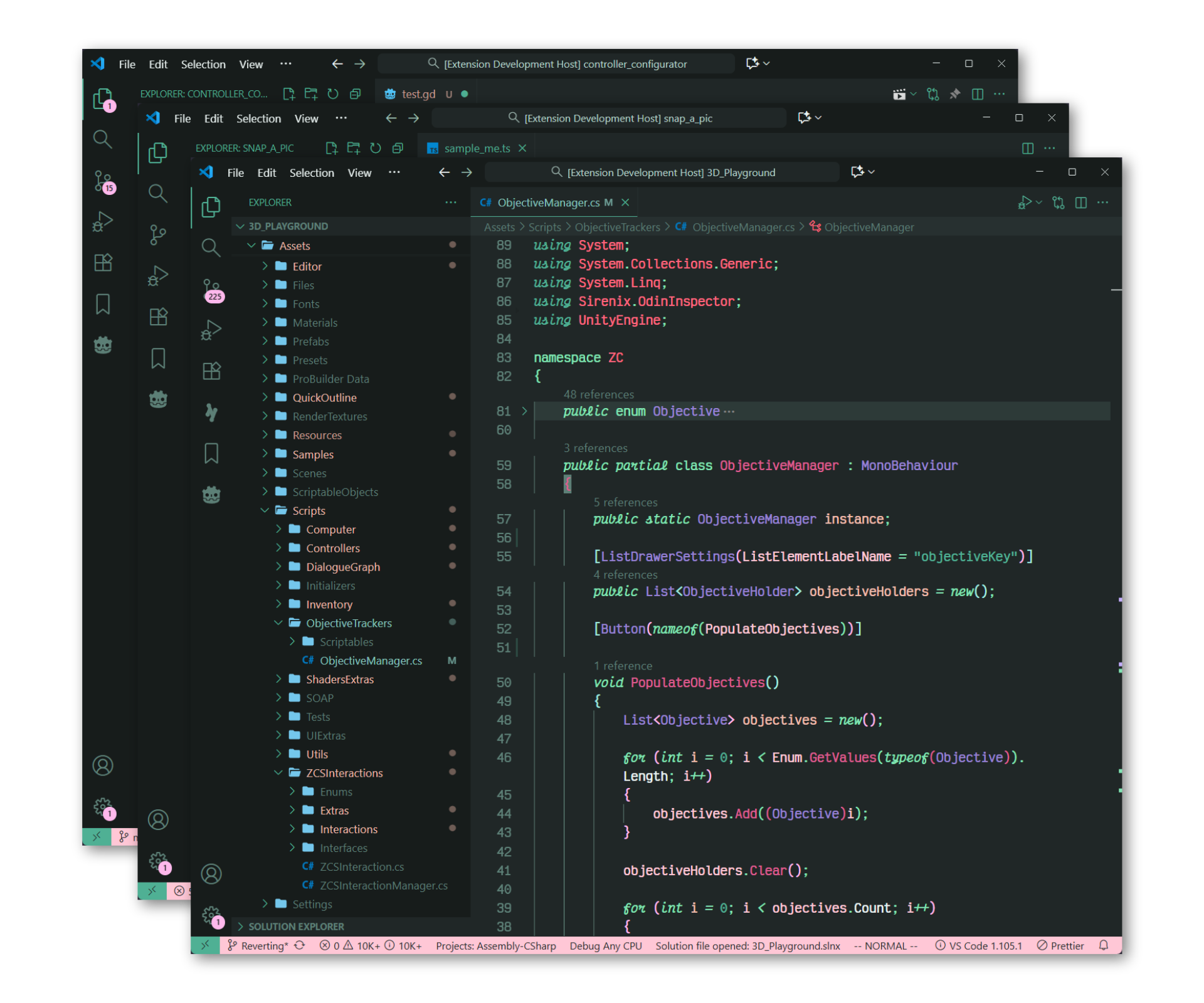
Gruvvy WatermelonColor theme inspired by gruvbox and Watermelons (and maybe some grapes). Installation Launch VS Code Quick Open ( Ctrl+P), paste the following command, and press enter.Copied to clipboard |

|
Color Name |
Color |
|---|---|
Peachpuff |
 #f1bcac #f1bcac |
Peach |
 #eea48d #eea48d |
Azalea |
 #ffc7d6 #ffc7d6 |
Cherry |
 #ff647d #ff647d |
Bubblegum |
 #ffb8ec #ffb8ec |
Raspberry |
 #dd5a8e #dd5a8e |
Mint |
 #80e5b3 #80e5b3 |
Watermelon |
 #4fb094 #4fb094 |
Sky |
 #a1ede0 #a1ede0 |
Cornflower |
 #71ccbf #71ccbf |
Blueberry |
 #479e9e #479e9e |
Lavender |
 #c3adff #c3adff |
Plum |
 #9781d5 #9781d5 |
Text |
 #e9f2f1 #e9f2f1 |
Subtext 1 |
 #b6d2ca #b6d2ca |
Subtext 0 |
 #a2c4ba #a2c4ba |
Overlay 2 |
 #8eb5aa #8eb5aa |
Overlay 1 |
 #7ba59a
|
Overlay 0 |
 #689589
|
Surface 2 |
 #5c7f76
|
Surface 1 |
 #4e6a62
|
Surface 0 |
 #415550
|
Base |
 #273030
|
Mantle
|
 #202727
|
Crust
|
 #171c1b
|
Customization
Gruvvy Watermelon settings
The Gruvvy Watermelon theme comes with two toggleable integration settings shown here in there default states.
Todo Tree
A really helpful plugin for keeping track of todos in your code with tons of customization. The Gruvvy Watermelon comes with the setting shown below which overrides these settings.
Setting Property
{
// Use Gruvvy Watermelon colors for the Todo Tree extension
"gruvvy-watermelon.integrateTodoTree": false
}
Changed Todo Tree Settings
Changed Settings
{
"todo-tree.general.tags": [
"// TODO",
"// Todo",
"# TODO",
"// Note",
"<!-- note",
       "// NOTE",
       "# NOTE",
       "// FIXME",
       "<!-- fixme",
       "# FIXME"
 ],
 "todo-tree.general.tagGroups": {
   "TODO": [
       "// TODO",
       "// Todo",
       "# TODO"
     ],
     "NOTE": [
       "// Note",
       "<!-- note",
       "// NOTE",
       "# NOTE"
     ],
     "FIXME": [
       "// FIXME",
       "<!-- fixme",
       "# FIXME"
     ],
     "IMPORTANT": [
       "// IMPORTANT",
       "# IMPORTANT",
       "<!-- IMPORTANT"
   ]
 },
 "todo-tree.highlights.customHighlight": {
	"TODO":
	{
		"background": palette.bright_aqua,
		"icon": "info",
	},
	"NOTE": {
		"background": palette.bright_purple,
		"icon": "note",
	},
	"FIXME": {
		"background": palette.red_pink,
		"icon": "flame",
	},
	"IMPORTANT": {
		"background": palette.bright_red_pink,
		"icon": "star",
	},
 },
 "todo-tree.highlights.defaultHighlight": {
   "background": palette.bright_purple,
   "borderRadius": "0",
   "fontWeight": "bold",
   "foreground": palette.black,
   "icon": "alert",
   "iconColour": palette.bright_purple_pink,
   "type": "text"
 }
}
Preview
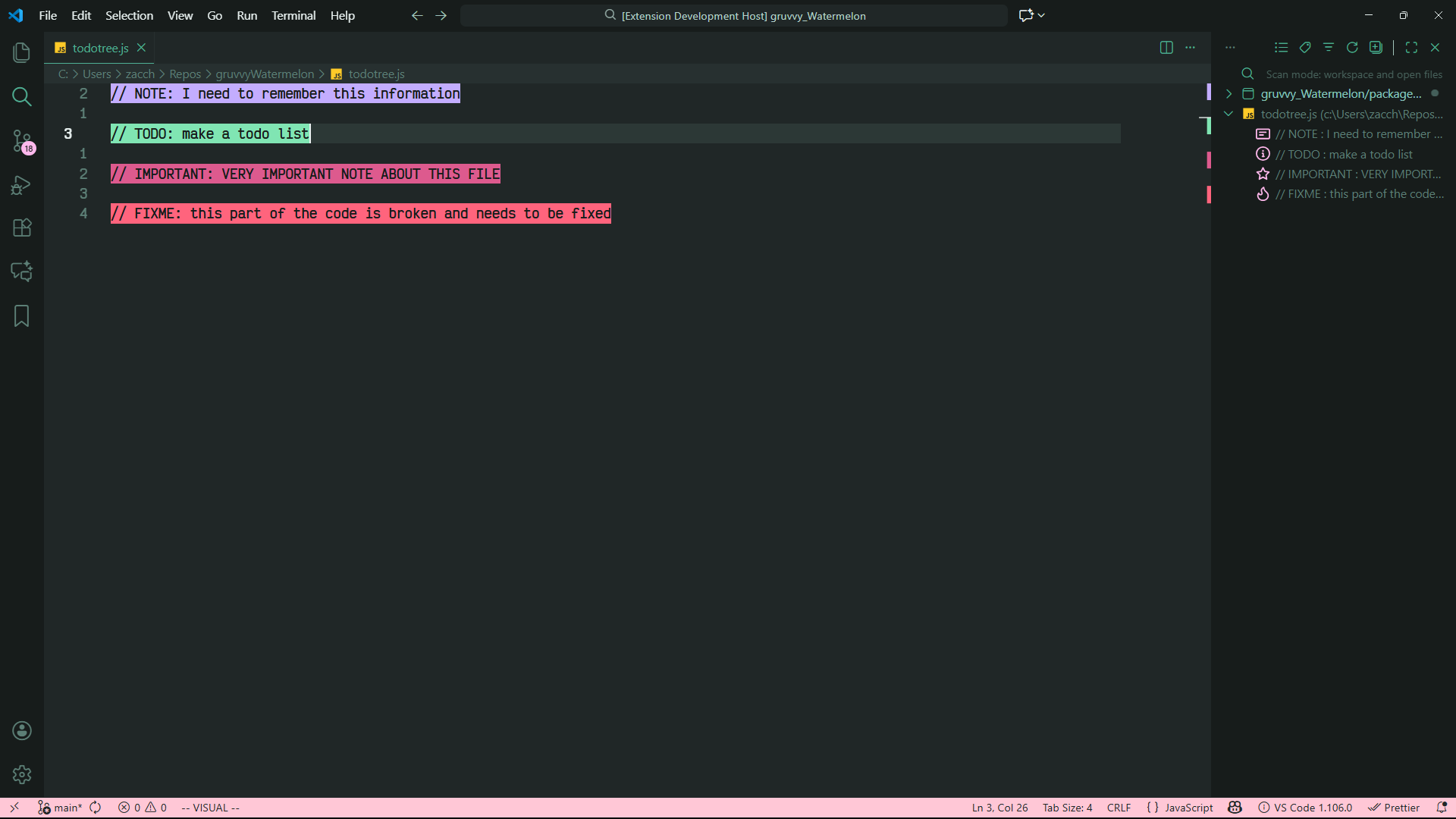
[!Note] Find Todo Tree here 🌲 HERE 🌲
Error Lens
A gorgeous error/warning/info viewer for linting errors and syntax errors. The Gruvvy Watermelon comes with the setting shown below which overrides these settings.
Setting Property
{
	// Sets the hint gutter icon colors based on severity
	"integrateErrorLensGutter": false
}
Recommended Settings For Error Lens
{
	// Makes messages italic
	"errorLens.fontStyleItalic": true,
	// My personal preference, basically the regular & or medium weight
	"errorLens.fontWeight": "500",
	// makes icon colors work
	"errorLens.gutterIconsEnabled": true,
	// these options change the icon style and can be colored
	"errorLens.gutterIconSet": "square" | "squareRounded" | "circle" | "letter,
	// if you choose emojis like these -> 🍏 ⚠️ ❌ <- it won't
}
Changed Error Lens Settings
Changed Settings
{
	"errorGutterIconColor": errorColor,
	"warningGutterIconColor": warnColor,
	"infoGutterIconColor": infoColor,
	"hintGutterIconColor": hintColor,
}
Preview
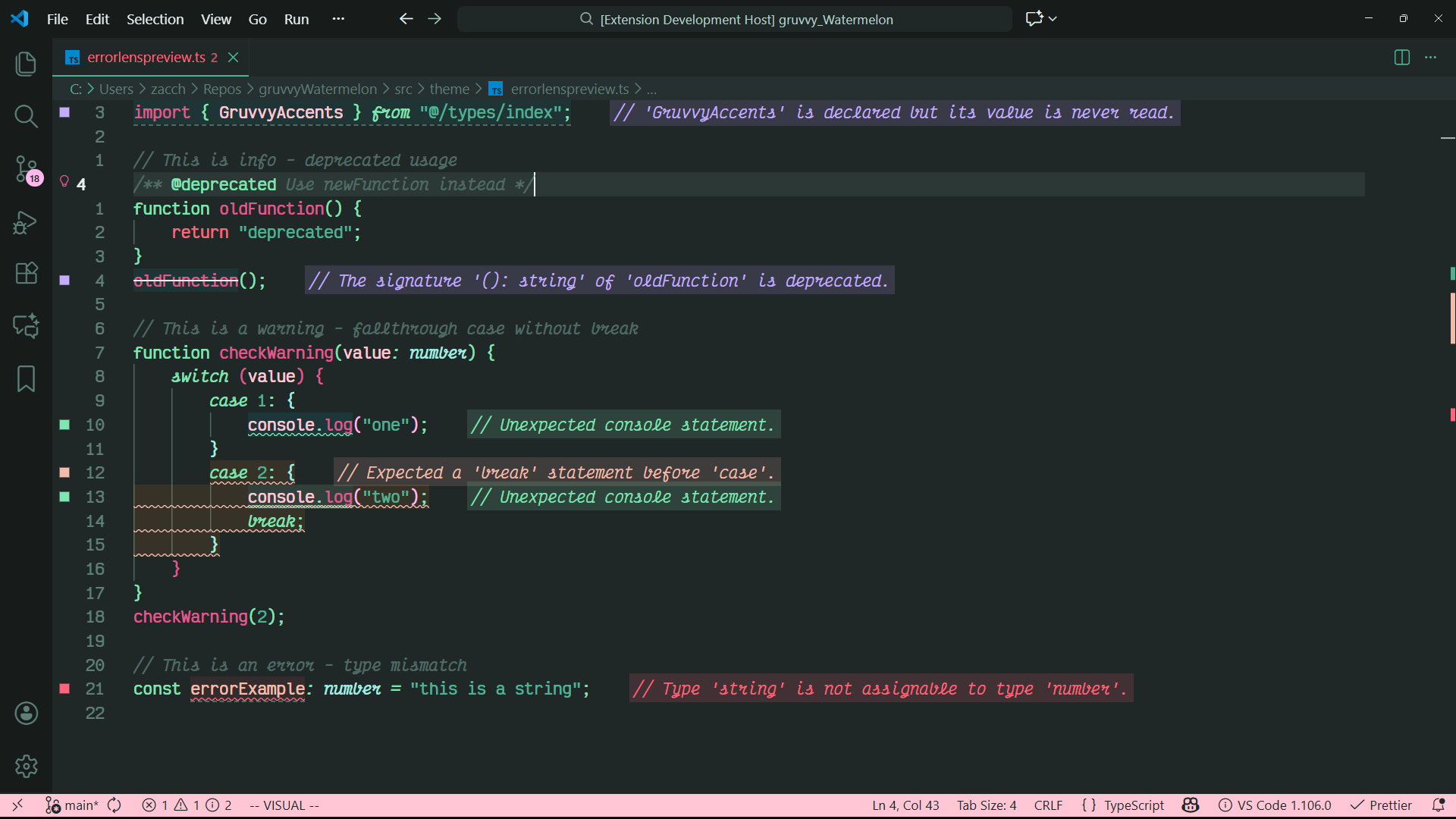
[!Note] Find Error Lens ⚠️ HERE ⚠️
Support
If you have any questions regarding this theme, feel free to open an issue