BPMN Visual Diff
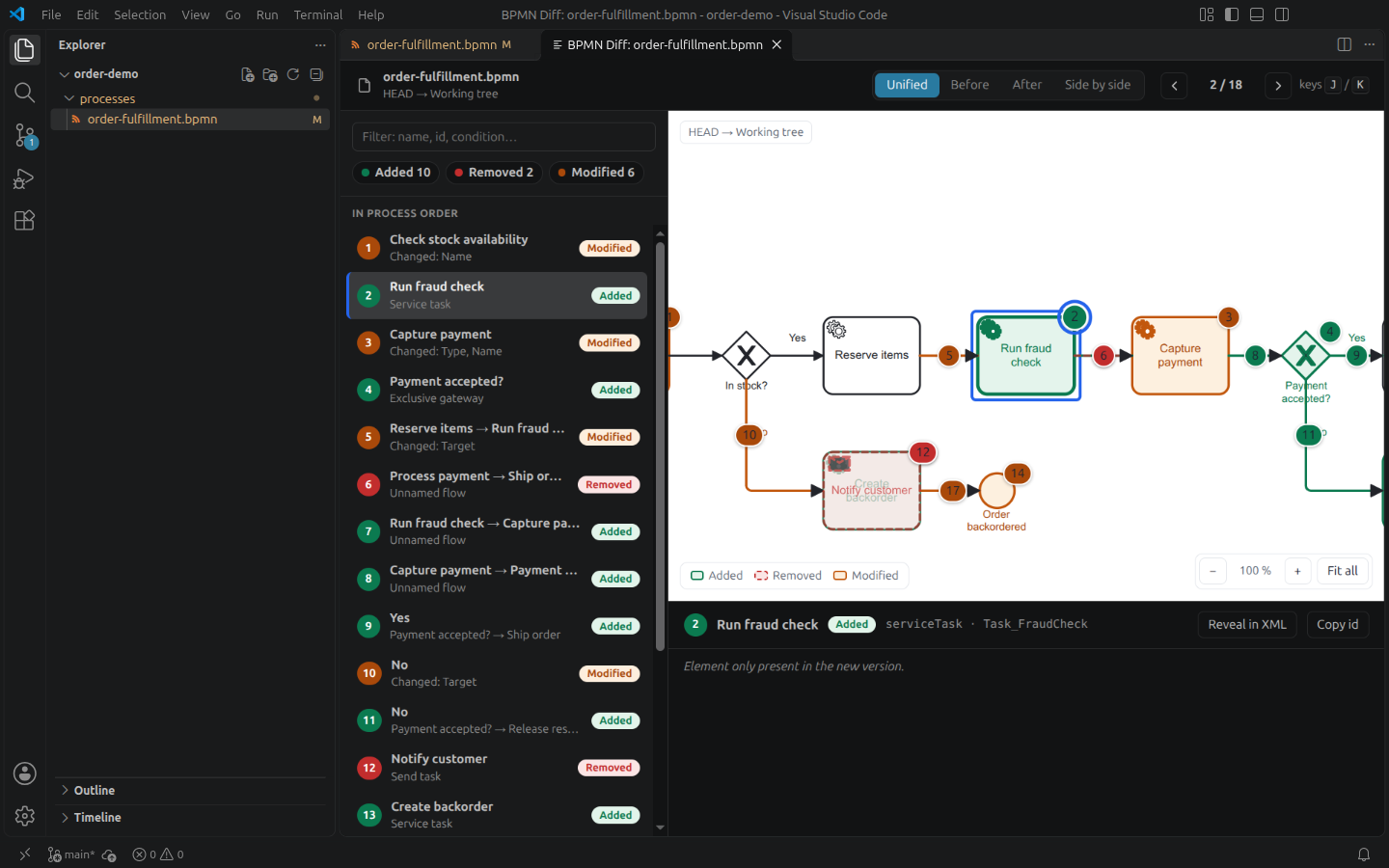
See what really changed in a BPMN process: added, removed and modified elements, numbered in process order and highlighted on the diagram, right inside VS Code.
🎯 Features
- 📊 Review View: Every change is numbered in process order, listed on the left and pinned on the diagram — stays readable with dozens of changes
- 🔀 Four Views: Unified (removed elements overlaid on the new version), Before, After, Side by side
- 🎨 Change Highlighting: Clear distinction between added, removed, and modified elements
- 🔗 Git aware: Compare with HEAD or any previous revision, straight from the Explorer
- ⚡ Fast Processing: Handles large BPMN files efficiently
- 🎯 Element Tracking: Precise matching of BPMN elements across versions
📖 Usage
Basic Usage
- Open a BPMN file in VS Code
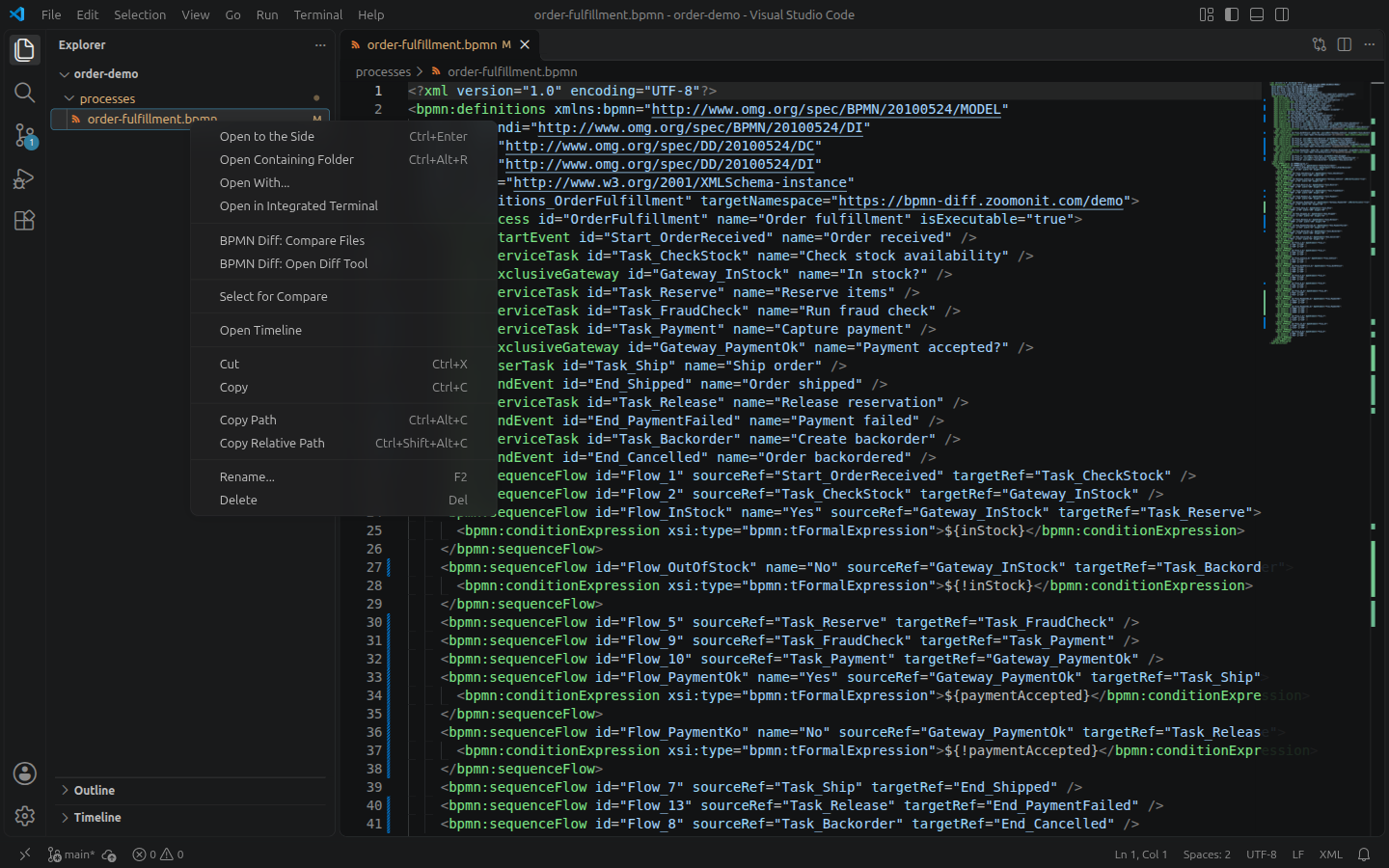
- Right-click on the file in Explorer
- Select "BPMN Diff: Open Diff Tool"
- Choose your comparison mode from the interactive menu
Available Comparison Modes
- Compare with HEAD: See changes in your working file vs git HEAD
- Compare with Previous Version: Pick a specific git revision to compare against
- Compare Two Files: Select any two BPMN files to compare them
- Compare Active File with Selection: Compare your current editor with another file
Supported BPMN Elements
- ✅ Process & SubProcess
- ✅ Tasks (Service, User, Script, Manual, etc.)
- ✅ Call Activities
- ✅ Gateways (Exclusive, Parallel, Inclusive, Event-based)
- ✅ Events (Start, End, Intermediate)
- ✅ Flows (Sequence, Message)
- ✅ Pools & Lanes
- ✅ Data Objects & Artifacts
🚀 Capabilities
Change Detection
The extension automatically detects:
- ADD: New elements in the updated diagram
- REMOVE: Deleted elements from the original diagram
- MODIFY: Changed attributes or positions
- MOVE: Elements that changed location or parent
Visualization
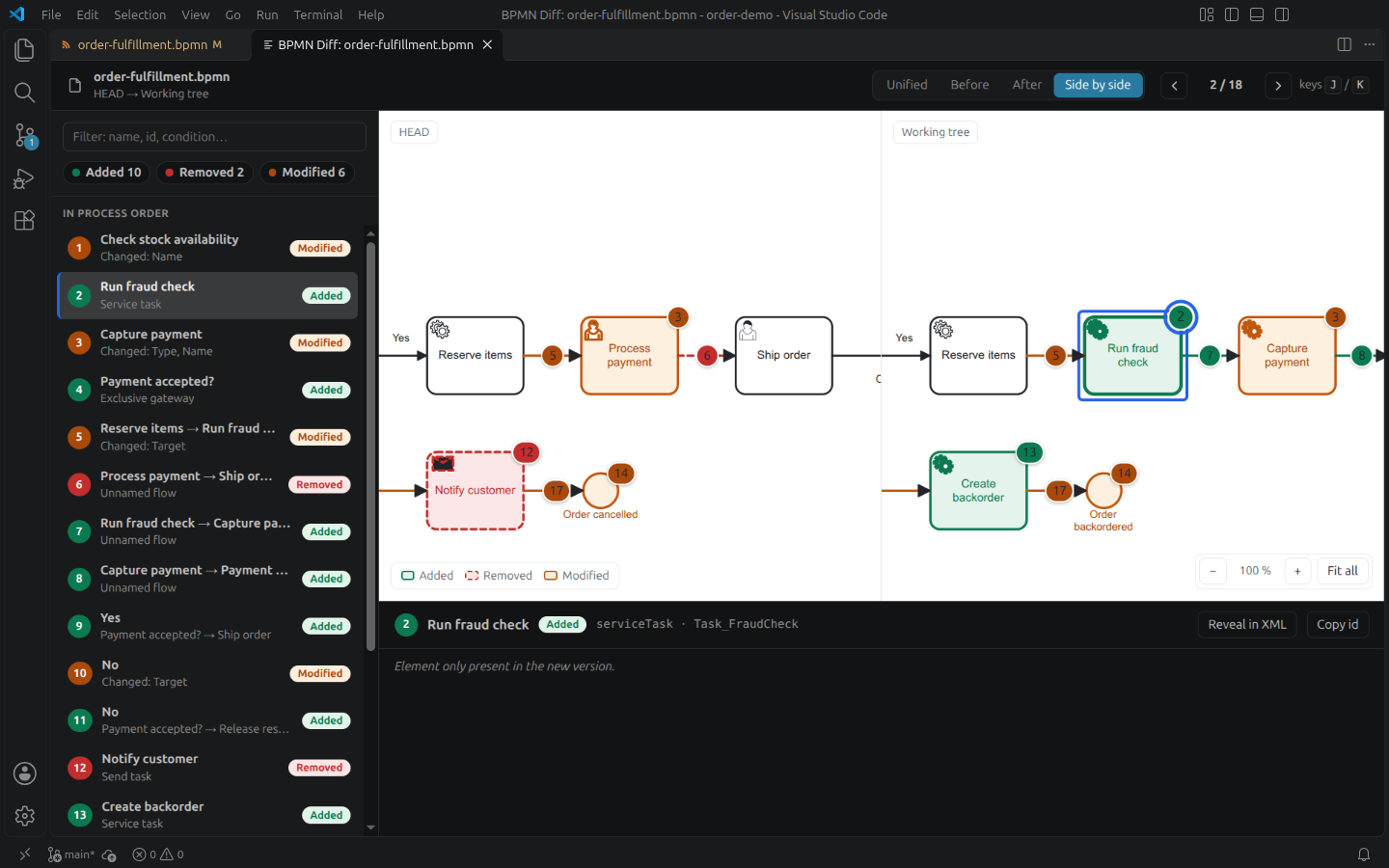
- Color-coded changes (green=add, dashed red=remove, orange=modify, grey=move)
- Click a change in the list or its numbered badge on the diagram to zoom to it
- Filter by kind of change, search by name, id or condition
- Word-level diff of changed names, conditions, scripts, delegates and fields
- Keyboard navigation:
J / N / ↓ next change, K / P / ↑ previous change
- Reveal in XML opens the file (or the revision content) on the element's declaration; Copy id copies the element id
- Follows the VS Code color theme and display language (English and French)
📋 Requirements
- VS Code: Version 1.85 or higher
- BPMN File:
.bpmn or .xml file format
🐛 Troubleshooting
Extension not loading?
- Reload VS Code window (F1 → "Developer: Reload Window")
- Check if BPMN file extension is
.bpmn
- Verify XML is valid
Can't see the diff?
- Ensure file is committed to git (for git-based comparisons)
- File must have changes compared to selected version
- File must be a valid BPMN XML diagram
Git not available?
- Ensure VS Code's git integration is enabled
- You can still use "Compare Two Files" without git
📄 License
Proprietary software, free to use. Copying, modification, reverse engineering and
redistribution are not permitted. The full terms are in the LICENSE file shipped with the extension.
💬 Support
Questions and feedback: use the Q & A tab of this extension's Marketplace page, or write to
contact@zoomonit.com. More on bpmn-diff.zoomonit.com.
Reviewing BPMN in GitLab merge requests? The Chrome extension
shows the same visual diff right in the merge request and commit pages.
☕ Support the project
BPMN Visual Diff is free. If it saves you time, you can support me on PayPal. Thank you!
🎓 About BPMN
BPMN (Business Process Model and Notation) is a standard for modeling business processes. Learn more at bpmn.org
Created by: Zoom On IT
Version: 1.0.2
Last Updated: November 15, 2026
| |

