Pintos Test Explorer
Languages: English | 한국어
Pintos Test Explorer adds a dedicated VS Code sidebar for Pintos tests and ships a matching CLI through pt and pintos-tests. The sidebar and CLI share the same bundled helper, so discovery, run/debug behavior, artifact handling, and root detection stay aligned.
Demo
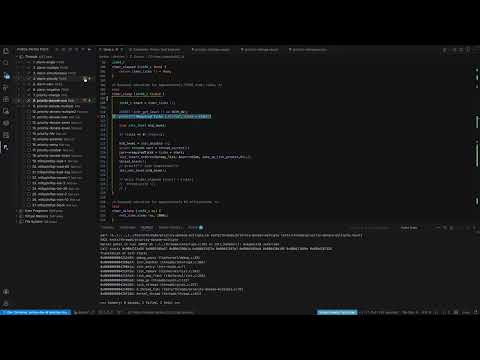
Watch the walkthrough: YouTube demo video
Quick Summary
1. Match the active build directory's project-owned TESTS list when a build Makefile exists.
2. Keep optional nested Make.tests suites such as userprog/dup2 visible without adding them to project-level all runs unless the build TESTS selected them.
3. Prefer the Pintos root implied by the terminal's current directory before falling back to pinned PINTOS_ROOT variables, so moving between build trees reads the right artifacts.
4. Run, debug, reset, and inspect artifacts from VS Code or the terminal.
5. Work from direct Pintos roots or wrapper layouts such as pintos_22.04_lab_docker.
6. Toggle `User Programs for VM` inside Virtual Memory when VM work should run userprog tests from `vm/build`.
The Pintos view and the pt / pintos-tests terminal commands share the same bundled helper. Both paths prefer the build Makefile's final TESTS list when it exists, keep only tests owned by the current sidebar project, supplement/fall back with that project's nested Make.tests registrations, run project-level all actions from the build TESTS subset, and inspect the same output, result, and errors artifacts.
Supported Layouts
The extension looks for a real Pintos root and supports:
- the Pintos root itself
- a wrapper repository that contains
pintos/
- a
src/ root
- nested lab layouts such as
pintos_22.04_lab_docker
The terminal CLI first uses the Pintos root implied by your current directory. If the current directory is outside a Pintos tree, you can still point the CLI at the real root:
PINTOS_ROOT=/path/to/pintos pt list threads
After Installation
- Reload the window once.
- Open the
Pintos activity-bar view.
- For VM project work, expand Virtual Memory and enable
User Programs for VM once.
- Expand a project and use the row actions to open the real test source, run, or debug a test.
- Check folders or tests and use
Run Checked Tests.
- Open
output, result, or errors artifacts directly from the tree.
After activation, a new integrated terminal should recognize:
pt --help
pintos-tests --help
If you want shell-wide wrappers outside VS Code, run Pintos: Install CLI Wrappers to Shell.
Debug sessions additionally need gdb and Microsoft C/C++ (ms-vscode.cpptools). Running tests, listing tests, resetting artifacts, and using the CLI do not require C/C++; if it is missing, Pintos Test Explorer asks for it only when you start Debug.
Terminal Workflow
pt projects
pt list threads
pt run threads alarm-zero
pt debug vm 4 --server-only
pt reset threads alarm-*
pt reset-all
pt artifacts threads alarm-zero
Selector Rules
11-20 means an inclusive numeric range.alarm-zero selects by exact short name.tests/threads/alarm-zero also works.alarm-* works as a wildcard pattern.all is supported by run and project-scoped reset; when a build Makefile exists, it follows that build's TESTS subset.debug and artifacts must resolve to exactly one test.--recent-first reorders the list from local usage history.
Troubleshooting
A stale custom entry keeps breaking builds
If a run on something unrelated such as priority-change still fails while compiling tests/threads/custom/..., the workspace likely has an old custom registration left behind:
pt custom delete threads custom/new-test
If the error mentions a missing dependency file such as tests/threads/custom/new-test.d, reload the latest VSIX and rerun once so the extension can recreate the matching build subdirectory before the next build.
Alarm Clock still shows up as New Group
Old files such as .vscode/pintos-test-explorer/groups/threads/new-group.json are ignored by default in the current release. If you still see the old label, reload onto the latest VSIX. Deleting that stale JSON file is also safe.
Debug restart still feels stuck
The current release routes VS Code Restart through the same debug-preparation path as the first launch. If old behavior persists, reload the window and confirm you are actually on the newest VSIX.

