SynapTree
Visualize your workspace like a neural network.
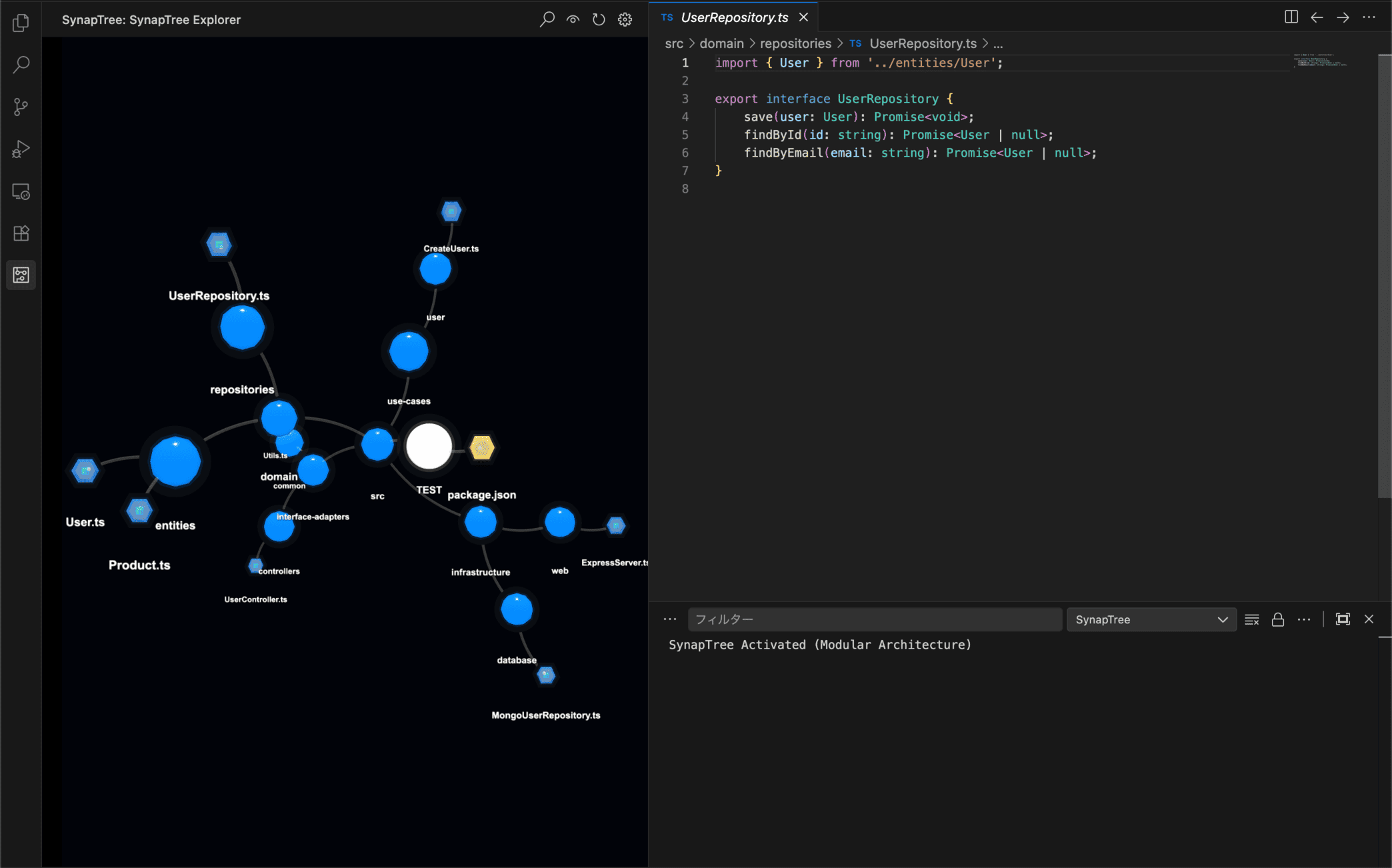
SynapTree transforms your project's file structure into a stunning, interactive 3D Force-Directed Graph.
✨ Features
🌌 Interactive 3D Visualization
- Node Icons: Files display vivid, identifiable icons (JS, TS, CSS, Images, etc.) directly on the node.
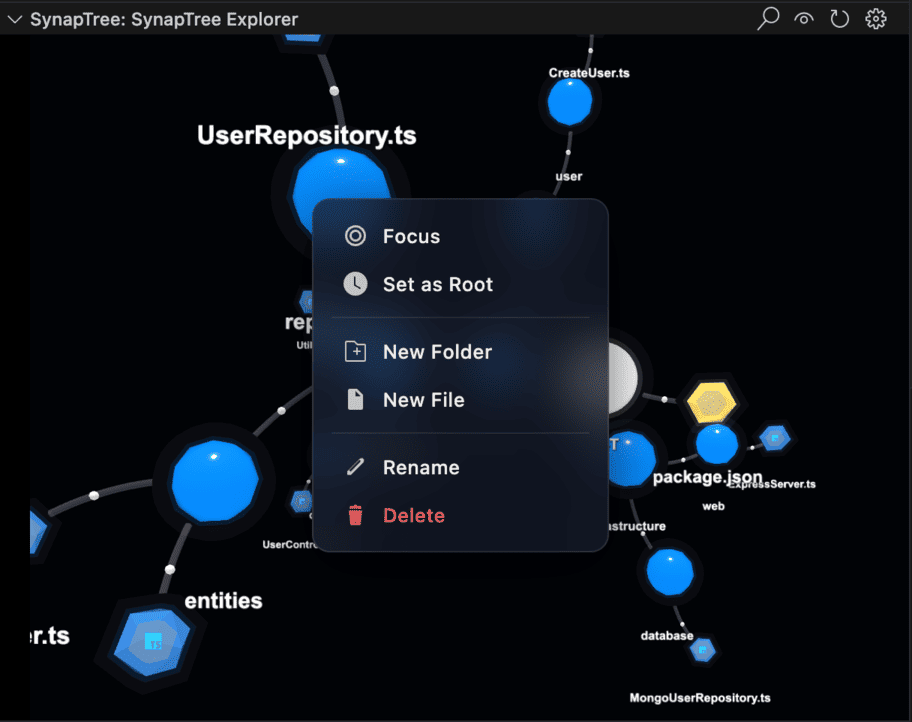
- Context Menu: Right-click any node to access a full menu:
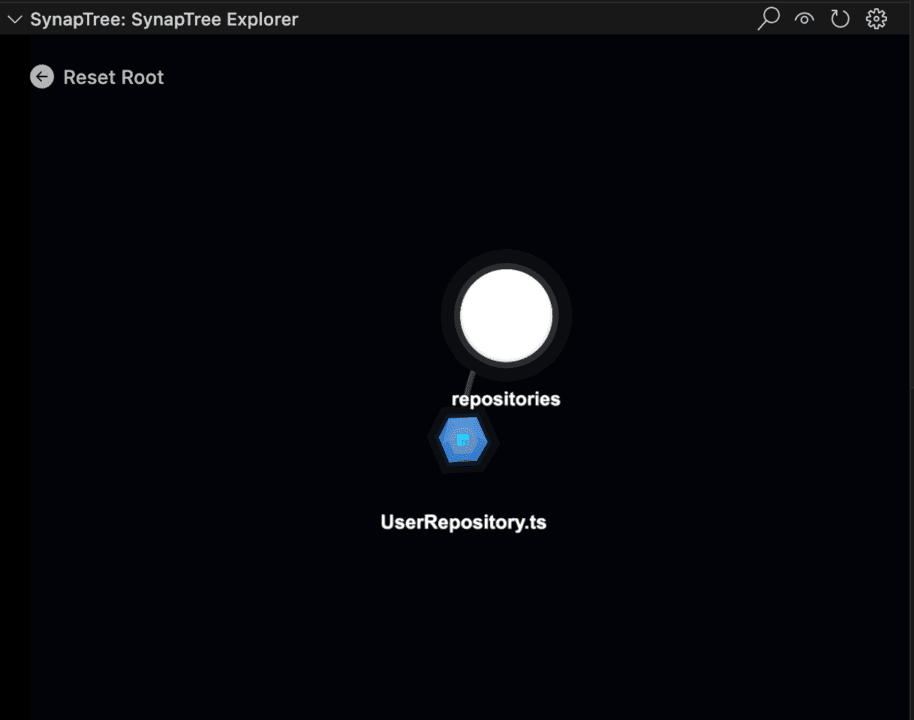
- Set as Root (Sidebar): Focus the graph on a specific directory.
- Open in Editor: Quickly open and focus the file.
- Create: Add new files or folders directly from the 3D view.
- Rename/Delete: Manage your files without leaving the graph.
- Auto-Focus: Opening a file in the editor automatically centers the camera on the corresponding node (Sync).
- Navigation: Click nodes to open files. Use the HUD Reset button to return to the root.
📐 Flexible Layout
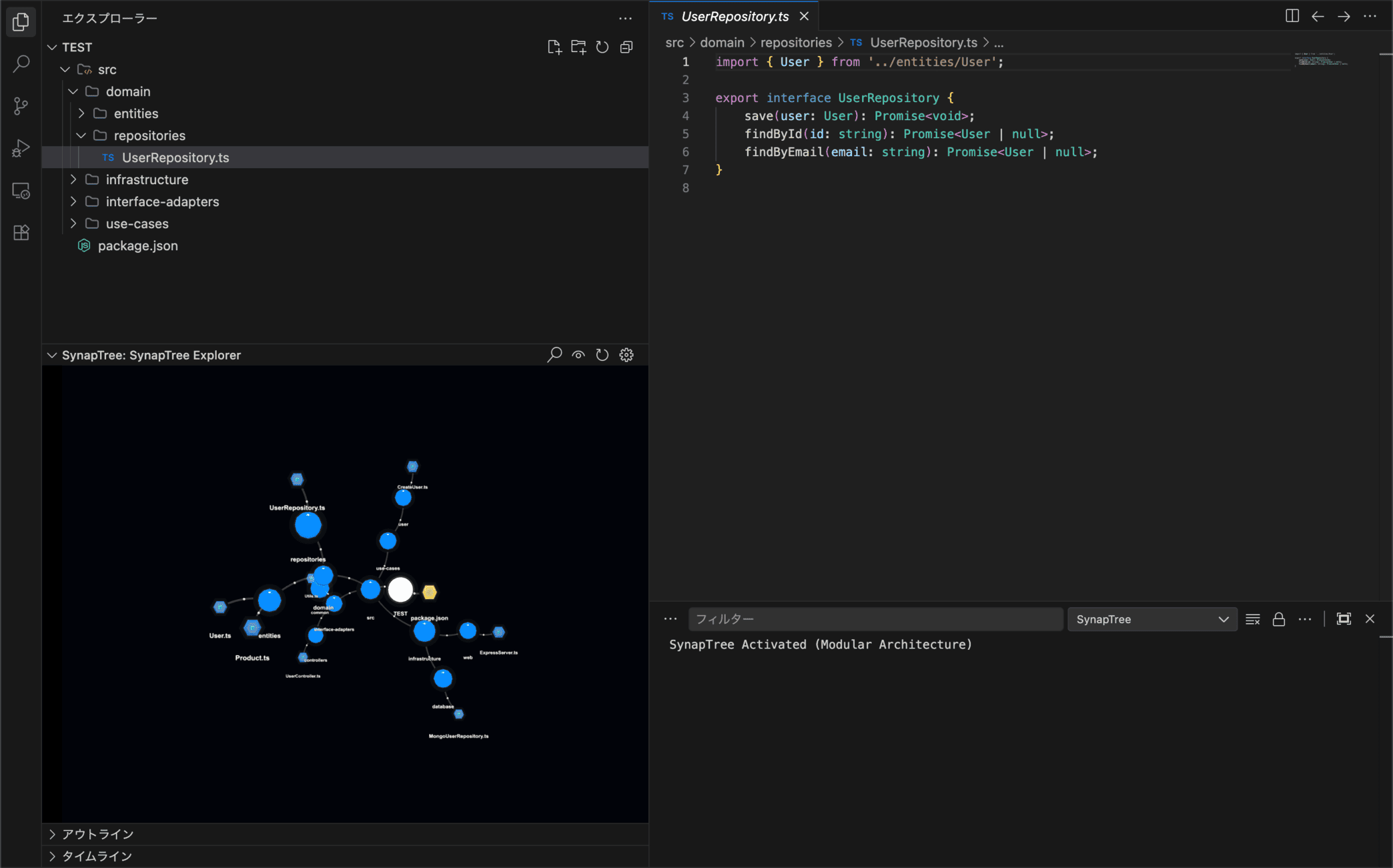
SynapTree isn't limited to the sidebar. Open it in a panel (e.g., below the Explorer) for a widescreen view of your architecture.
🧬 Real-time Git Integration
See your project's pulse at a glance. Nodes react to Git status with dynamic spectral auras:
- Modified: glowing Gold/Orange aura.
- Untracked: glowing Green aura.
- Staged: glowing Bright Green aura.
- Ignored: dimmed or excluded based on settings.
Updates are processed in efficient batches to ensure smooth performance even in large repositories.
⚡️ Live File System Sync
The graph naturally evolves as you work.
- Incremental Updates: Adding, removing, or renaming files instantly updates the graph structure without a full reload.
- Label Sync: Toggle file labels on/off with perfect synchronization.
🎯 Focus & Filter
Right-click any folder to Set as Root. Isolate specific modules or layers (e.g., src/domain) to focus on what matters.
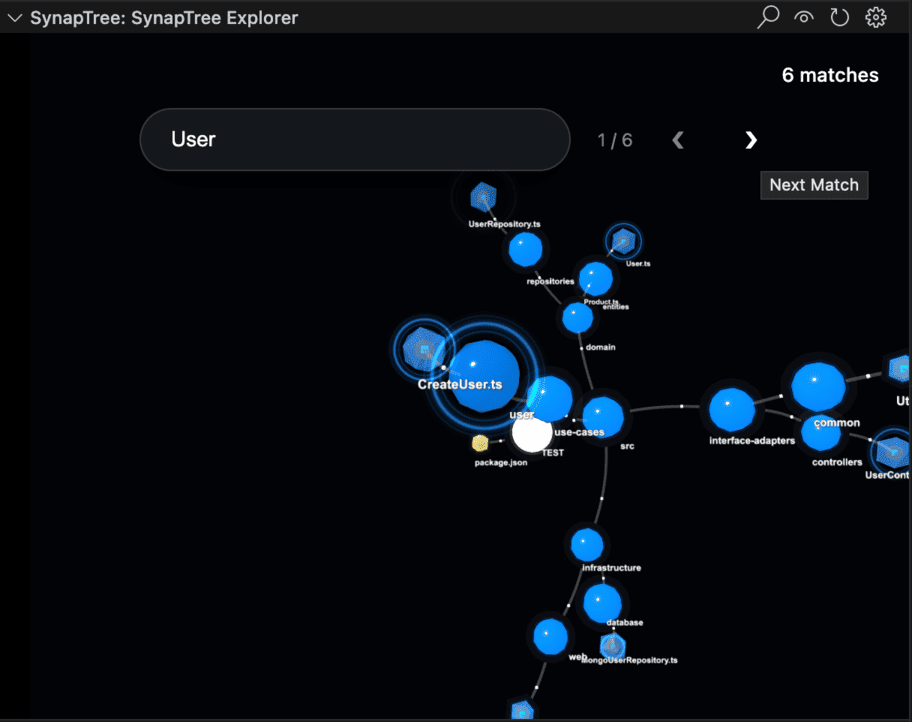
🔍 Deep Search & Navigation
- Search: Press
Ctrl+F (or Cmd+F) inside the graph to toggle the search bar.
- Ripple Effect: Matches emit a distinctive expanding ripple for easy location.
- Cycle: Use
< and > buttons to jump between multiple search results.
- Breadcrumbs: Track your current location with an interactive path bar at the bottom.
🎨 Customization
- Colors: Customize directory and file colors via VS Code Settings.
- Extension Maps: Assign specific colors to file extensions (e.g.,
.ts, .rs).
- Particles: Adjust the speed and density of signal particles flowing through links.
🕹️ Controls (Mouse Operation)
| Action |
Control |
Description |
| Rotate |
Left Click + Drag |
Rotate the camera around the current center. |
| Pan |
Right Click + Drag |
Move the camera horizontally or vertically (Pan). |
| Zoom |
Scroll Wheel |
Zoom in and out. |
| Select |
Left Click (Node) |
Focus on the node and open the file. |
| Menu |
Right Click (Node) |
Open the context menu for the node. |
| Reset |
Left Click (Background) |
Clear current selection and highlighting. |
🚀 What's New in 0.1.2
- Live FS Sync: Implemented a true real-time file system watcher. The graph now updates incrementally (node-by-node) for file creation/deletion, eliminating full reloads.
- Bug Fix: Fixed label visibility synchronization issues.
- Node Icons: Files display their respective file type icons directly on the node.
Settings
synaptree.general.autoFocus: Enable/Disable editor-to-graph synchronization.synaptree.colors.directory: Color for directory nodes.synaptree.visuals.particleSpeed: Flow speed of dependency links.synaptree.config.general.ignorePatterns: Configure files/folders to exclude from the graph.
📦 Installation
Install via the VS Code Marketplace:
ext install yoru.synaptree
Credits
This extension uses icons from Material Icon Theme, licensed under the MIT License.
License
MIT License. See LICENSE for details.
Created with ❤️ by Yoru & Antigravity (Google DeepMind)

