🚀 FixFleet — AI Bug Fixer for GitHub, GitLab, Jira, Linear, Bitbucket & Azure DevOps
Auto-fix bugs from any issue tracker — or straight from an Excel / Word / PDF bug list, no tracker or token needed — with AI agents, directly inside VSCode.
Chat with FixFleet, load a bug file, say "fix all" — it fixes every real bug, implements suggestions, keeps only solid fixes (anything uncertain is undone), and tells you when something isn't actually a bug or doesn't belong to your project.
Premium UI on top of the FixFleet Python CLI.
📸 Screenshots
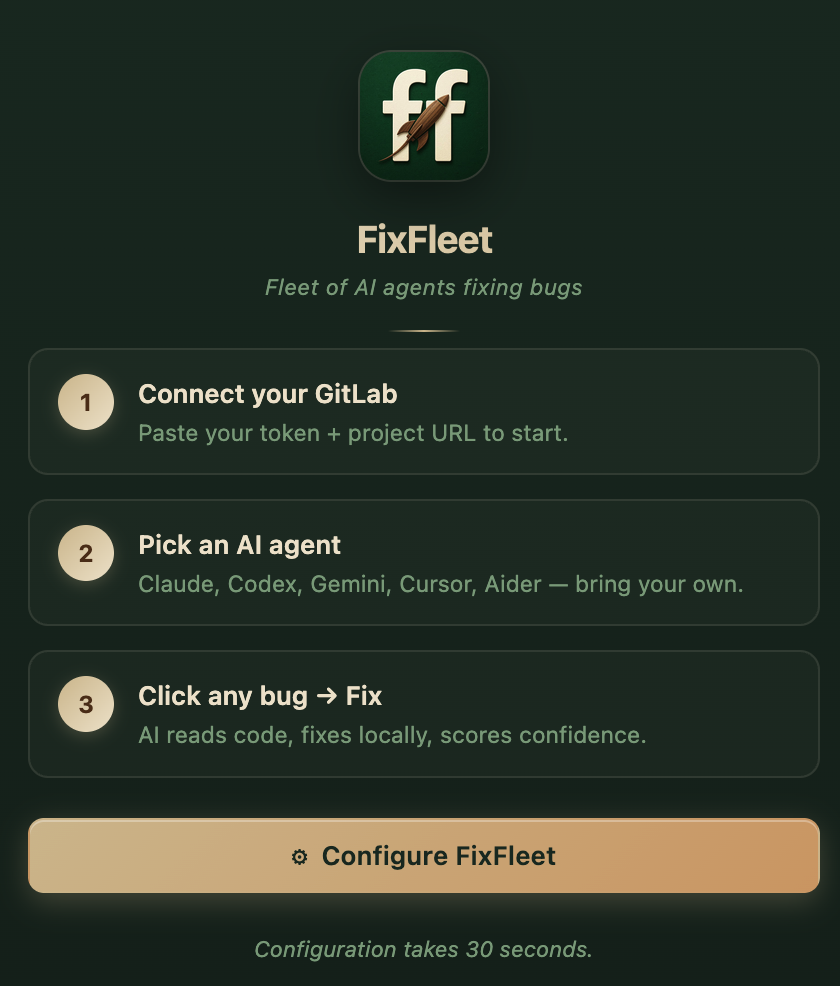
Welcome — start with a tracker or just a bug file
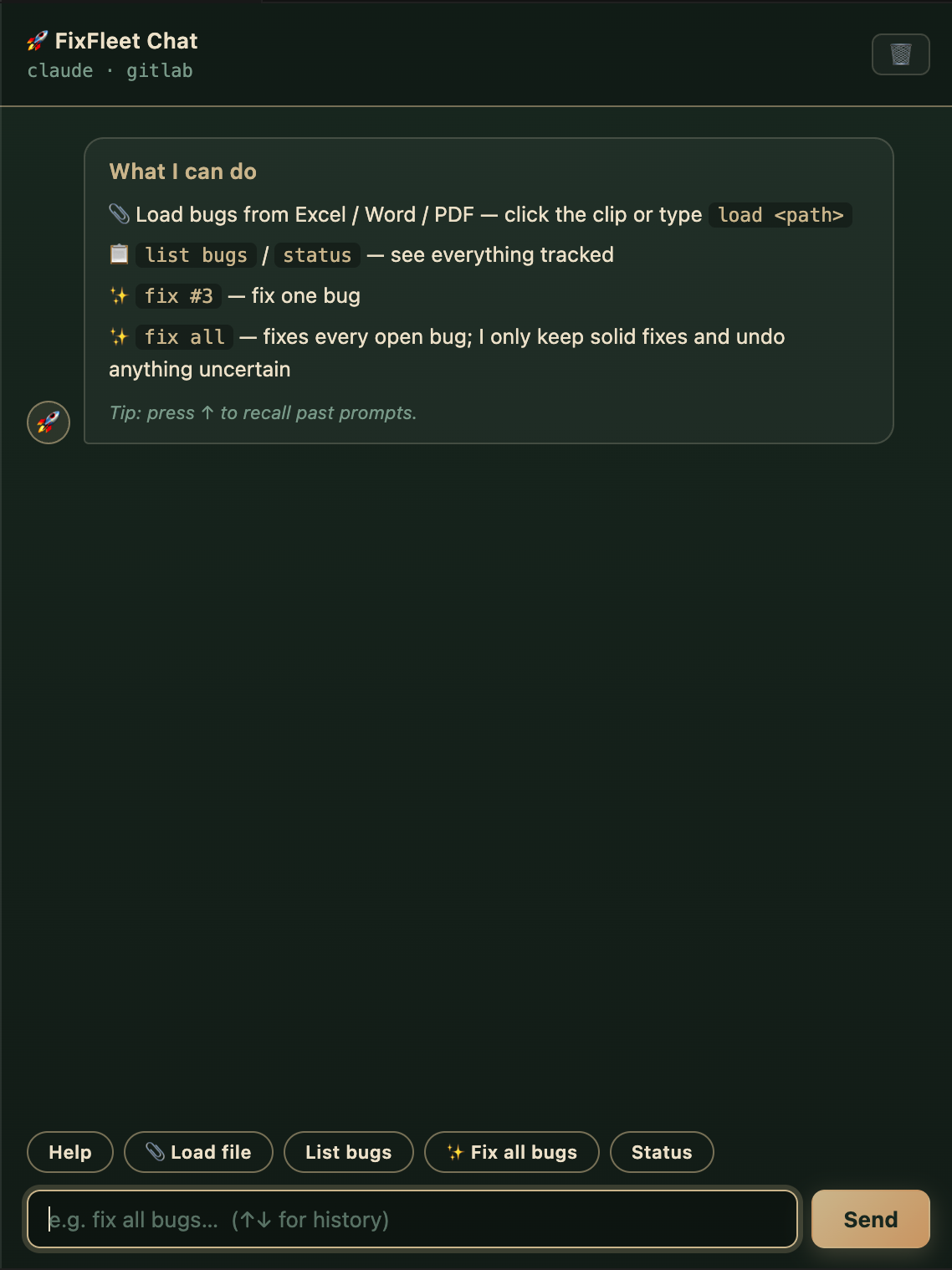
Chat — load a bug file, say "fix all", review the results
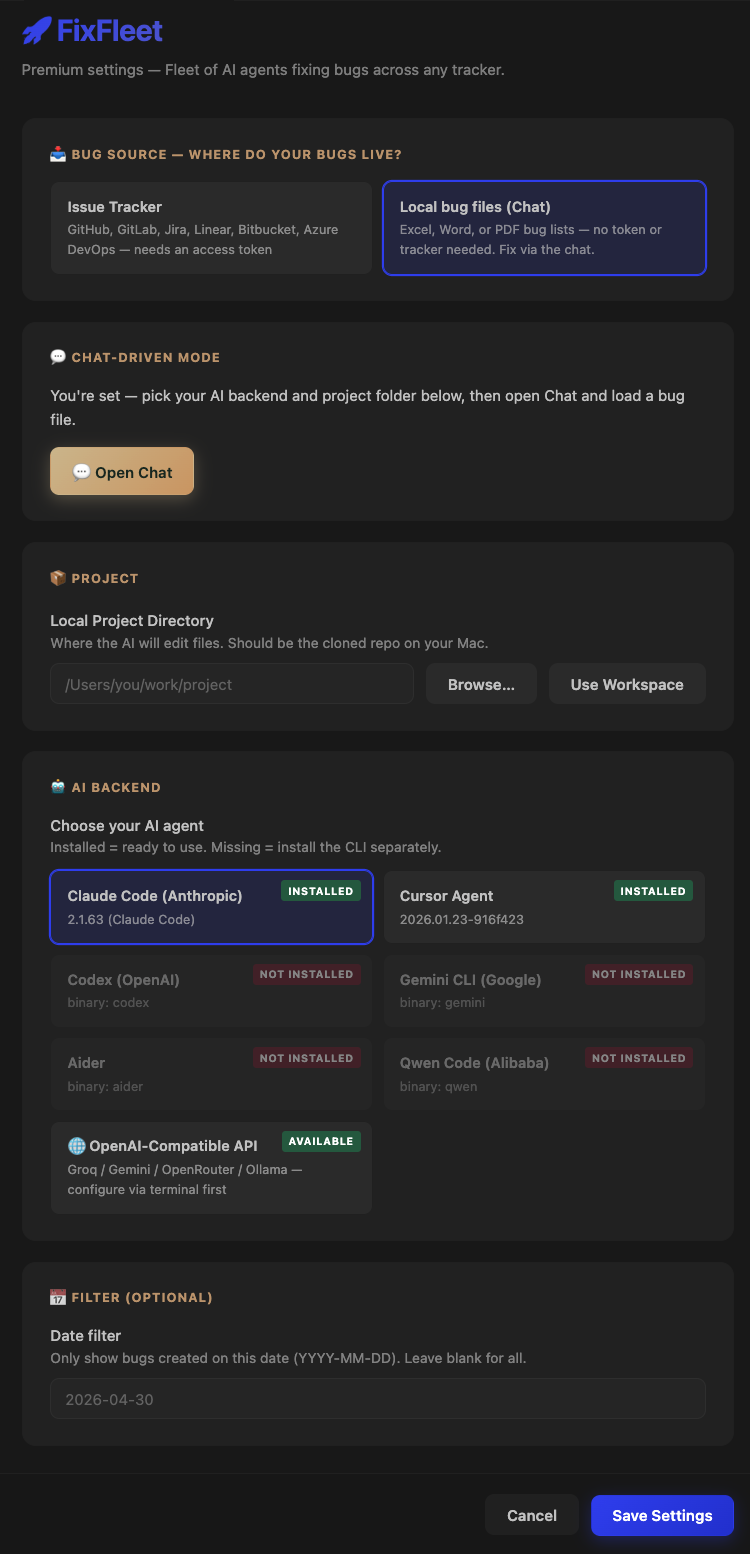
Chat-driven mode — no token or tracker needed
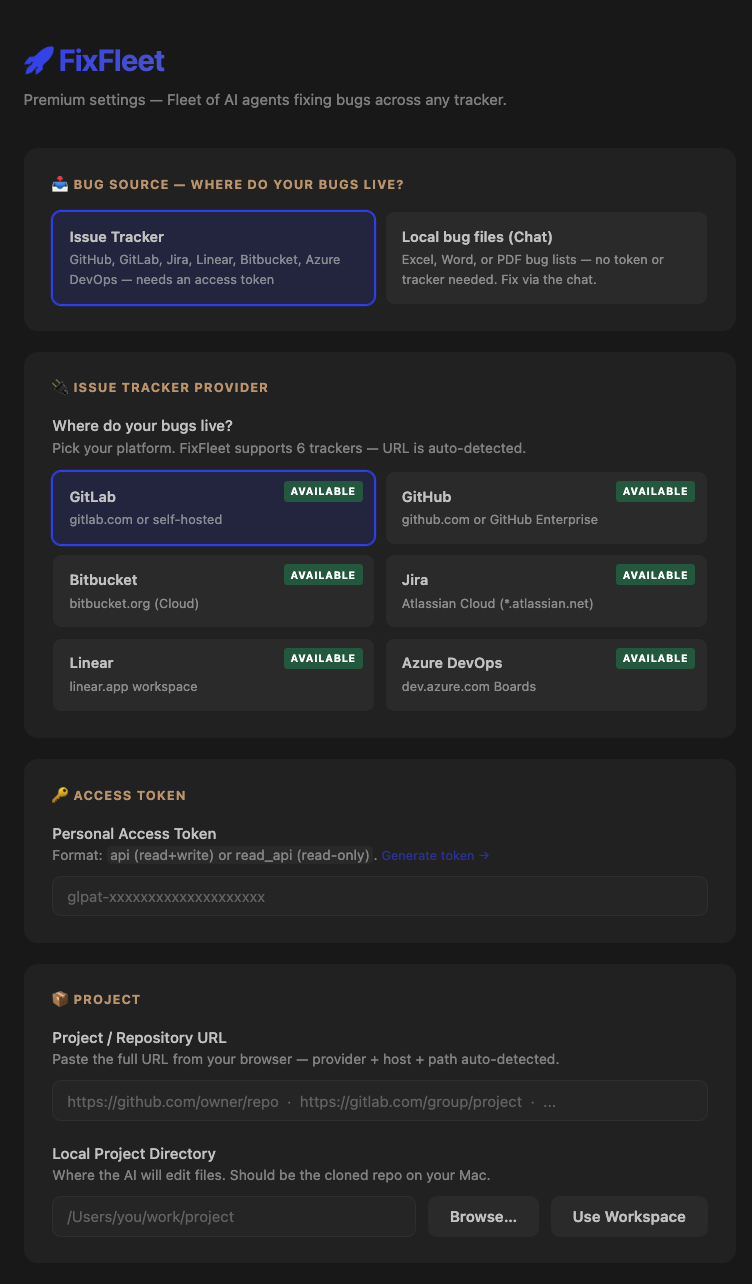
Tracker mode — 6 issue trackers, URL auto-detected
🔌 Supported Issue Trackers
| Tracker |
Bug filter |
Token format |
| 🟧 GitLab |
label Bug |
glpat-... |
| ⬛ GitHub |
label bug |
ghp_... |
| 🟦 Jira |
Issue Type = Bug |
email:api-token |
| 🟪 Linear |
label Bug |
lin_api_... |
| 🟫 Bitbucket |
kind = bug |
username:app-password |
| 🟦 Azure DevOps |
Type = Bug |
PAT alone |
Paste any project URL — provider is auto-detected. Full step-by-step token guides in the repository README.
✨ Features
- 💬 FixFleet Chat — animated chat panel that runs the whole flow: load bugs, fix, review. Persistent history, ↑/↓ prompt recall, quick-command chips
- 📂 Bug files as a source — import bugs from Excel (.xlsx), Word (.docx), or PDF — any column layout, AI maps it. Embedded screenshots are extracted and shown to the AI while fixing. No tracker or token needed
- 🛡️ Fix all, safely — say
fix all: real bugs get fixed, suggestions get implemented, and only solid fixes are kept — anything uncertain is automatically undone for your review
- 🔍 Built-in QA check — items that aren't actually bugs ("checked the code — it already handles this") or don't belong to your project are reported instead of blindly "fixed"
- 📒 Bug ledger — every bug tracked across sources with status (Open / Fixing / Fixed / Needs review), duplicates detected, nothing fixed twice
- 🔌 6 issue trackers — GitHub, GitLab, Jira, Linear, Bitbucket, Azure DevOps — URL auto-detected
- 🐛 Sidebar bug list with priority badges, date range filter, multi-select batch fix with live progress
- 🎨 Premium webview per bug — description, steps, expected/actual, logs parsed automatically
- 🎯 Multi-backend AI — Claude Code, Codex, Gemini, Cursor, Aider, Qwen, or any OpenAI-compatible API (Groq / Ollama / OpenRouter)
- 🔐 Structured error states — token rejected · project not found · network error · CLI missing — each with one-click recovery
- 🚫 Never commits, never pushes — every change stays local for your review
📦 Install
From VSCode Marketplace
Search FixFleet in the Extensions panel.
Manual
code --install-extension fixfleet-<version>.vsix
🛠 Setup
- Install the FixFleet CLI (Python):
pip3 install --user fixfleet
Add user-bin to PATH (one-time):
echo 'export PATH="$(python3 -m site --user-base)/bin:$PATH"' >> ~/.zshrc
source ~/.zshrc
- Open VSCode → click the 🚀 FixFleet icon in the activity bar
- Pick your path:
Fastest — no tracker, no token:
- Click 💬 Start with a bug file — no token needed
- In Chat, click 📎 Load bug file → pick your Excel / Word / PDF bug list
- Say
fix all → review the diffs when it's done
With your issue tracker:
- Click Configure FixFleet → Bug Source: Issue Tracker
- Pick your provider (GitHub / GitLab / Jira / Linear / Bitbucket / Azure DevOps)
- Paste your access token + project URL → save (token guides)
- Click any bug in the sidebar → Fix This Bug — or select several and batch-fix
🎨 Design
Premium natural palette extracted from the FixFleet icon:
- Forest green + cream ivory + walnut brown + champagne gold
- Glassmorphism cards adapting to light + dark themes
- Confidence gradient bars
- Per-card status badges with pulsing animation during fix
🔒 Privacy
- No FixFleet servers — your token + code go directly from your machine to your tracker + AI provider
- Never commits, never pushes — leaves changes for your review
- Anonymous usage analytics only (event names + coarse metadata — never your code, tokens, URLs, or issue content). Disable via the
fixfleet.telemetry setting; the global VS Code telemetry setting is respected too
📝 License
GNU General Public License v3.0 or later (GPL-3.0-or-later) — see LICENSE.
Derivative works must also be open-source under GPL-3. No closed-source forks.
Built by Yash Koladiya. © 2026.
| |

