LaCoN Syntax Highlight
Visual Studio Code extension providing syntax highlighting for LaCoN.
LaCoN, or “Layout Configuration Notation,” is a data representation language with a flexible syntax, created by me mostly as an experimental project.
Расширение для Visual Studio Code, подсвечивающее LaCoN.
LaCoN или «Layout Configuration Notation» — язык представления данных с вариативным синтаксисом, придуманный мной скорее как эксперимент.
Repository with lacon files examples: [GitHub] LaCoN Examples
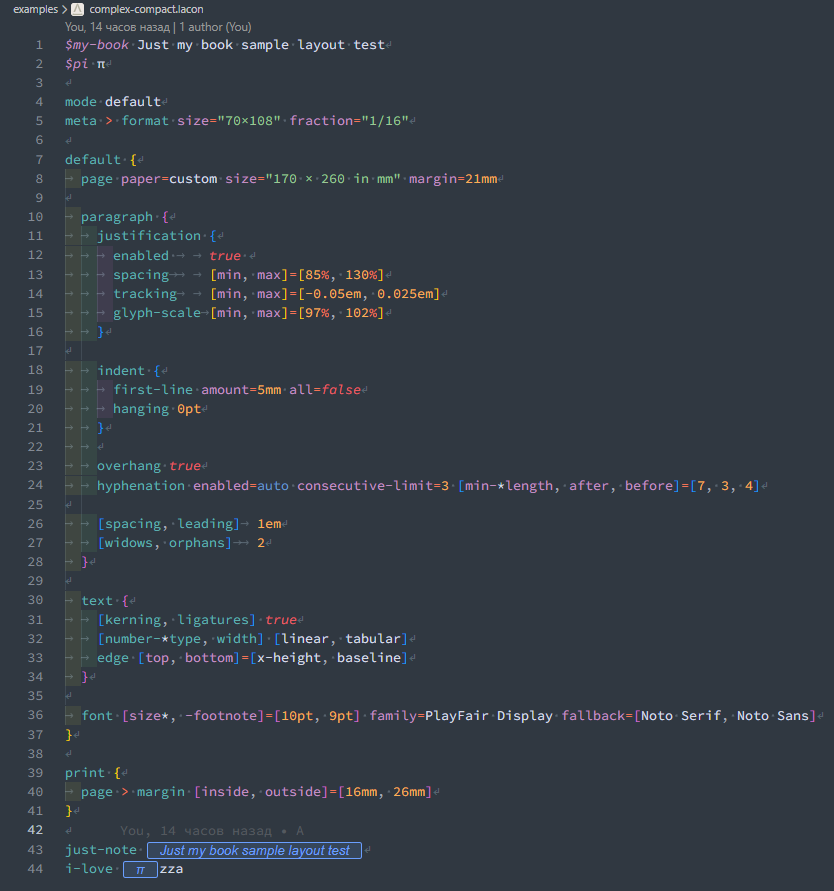
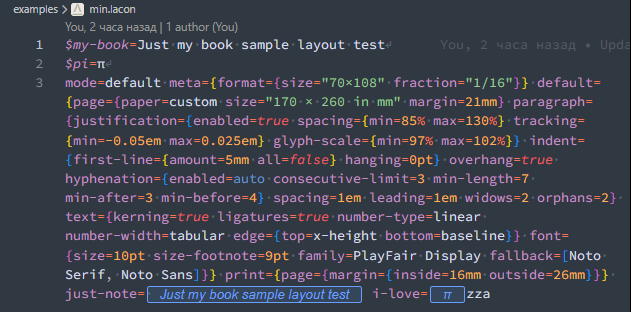
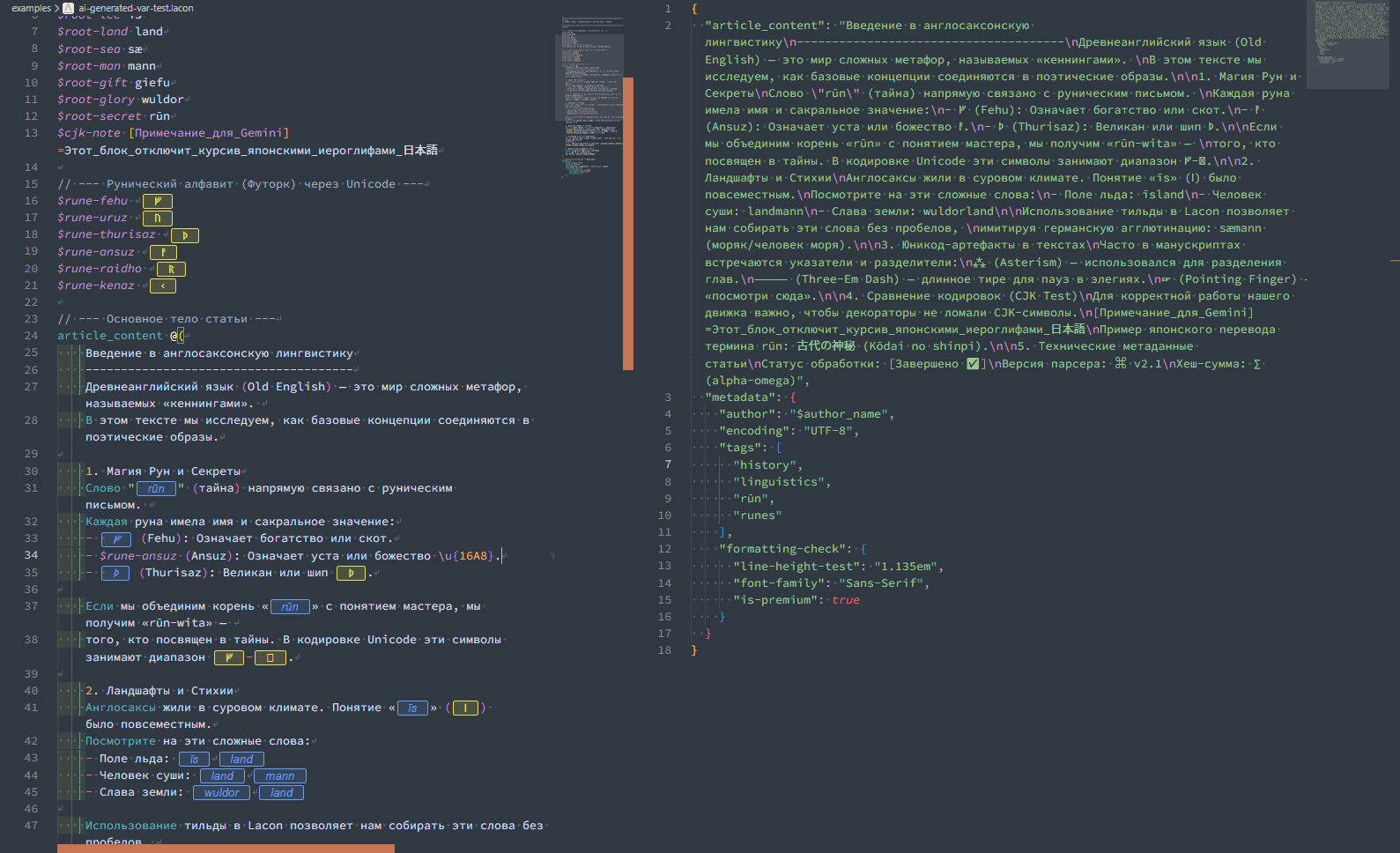
LaCoN → JSON Preview | (AI generated test file)
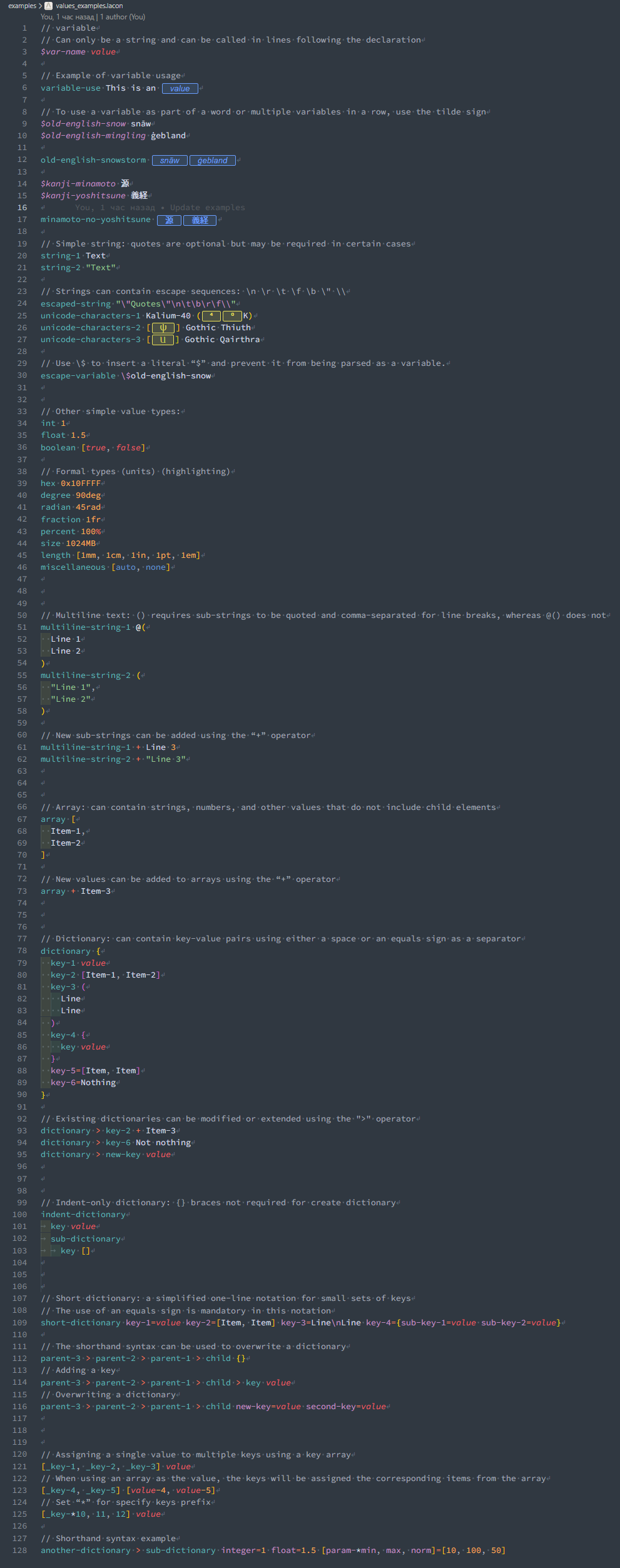
// variable
// Can only be a string and can be called in lines following the declaration
$var-name value

// Example of variable usage
variable-use This is an $var-name

// To use a variable as part of a word or multiple variables in a row, use the tilde sign
$old-english-snow snāw
$old-english-mingling ġebland

old-english-snowstorm $old-english-snow~$old-english-mingling

$kanji-minamoto 源
$kanji-yoshitsune 義経

minamoto-no-yoshitsune $kanji-minamoto~$kanji-yoshitsune

// Simple string: quotes are optional but may be required in certain cases
string-1 Text
string-2 "Text"

// Strings can contain escape sequences: \n \r \t \f \b \" \\
escaped-string "\"Quotes\"\n\t\b\r\f\\"
unicode-characters-1 Kalium-40 (\u{2074}\u{2070}K)
unicode-characters-2 [\u{10338}] Gothic Thiuth
unicode-characters-3 [\u{10335}] Gothic Qairthra

// Use \$ to insert a literal “$” and prevent it from being parsed as a variable.
escape-variable \$old-english-snow


// Other simple value types:
int 1
float 1.5
boolean [true, false]

// Formal types (units) (highlighting)
hex 0x10FFFF
degree 90deg
radian 45rad
fraction 1fr
percent 100%
size 1024MB
length [1mm, 1cm, 1in, 1pt, 1em]
miscellaneous [auto, none]


// Multiline text: () requires sub-strings to be quoted and comma-separated for line breaks, whereas @() does not
multiline-string-1 @(
  Line 1
  Line 2
)
multiline-string-2 (
  "Line 1",
  "Line 2"
)

// New sub-strings can be added using the “+” operator
multiline-string-1 + Line 3
multiline-string-2 + "Line 3"


// Array: can contain strings, numbers, and other values that do not include child elements
array [
  Item-1,
  Item-2
]

// New values can be added to arrays using the “+” operator
array + Item-3


// Dictionary: can contain key-value pairs using either a space or an equals sign as a separator
dictionary {
  key-1 value
  key-2 [Item-1, Item-2]
  key-3 (
    Line
    Line
  )
  key-4 {
    key value
  }
  key-5=[Item, Item]
  key-6=Nothing
}

// Existing dictionaries can be modified or extended using the ">" operator
dictionary > key-2 + Item-3
dictionary > key-6 Not nothing
dictionary > new-key value


// Indent-only dictionary: {} braces not required for create dictionary
indent-dictionary
	key value
	sub-dictionary
		key []


// Short dictionary: a simplified one-line notation for small sets of keys
// The use of an equals sign is mandatory in this notation
short-dictionary key-1=value key-2=[Item, Item] key-3=Line\nLine key-4={sub-key-1=value sub-key-2=value}

// The shorthand syntax can be used to overwrite a dictionary
parent-3 > parent-2 > parent-1 > child {}
// Adding a key
parent-3 > parent-2 > parent-1 > child > key value
// Overwriting a dictionary
parent-3 > parent-2 > parent-1 > child new-key=value second-key=value


// Assigning a single value to multiple keys using a key array
[_key-1, _key-2, _key-3] value
// When using an array as the value, the keys will be assigned the corresponding items from the array
[_key-4, _key-5] [value-4, value-5]
// Set “*” for specify keys prefix
[_key-*10, 11, 12] value

// Shorthand syntax example
another-dictionary > sub-dictionary integer=1 float=1.5 [param-*min, max, norm]=[10, 100, 50]

