Codex Usage Monitor
A VS Code extension that shows your real-time OpenAI Codex usage directly in the status bar using the Codex usage API.
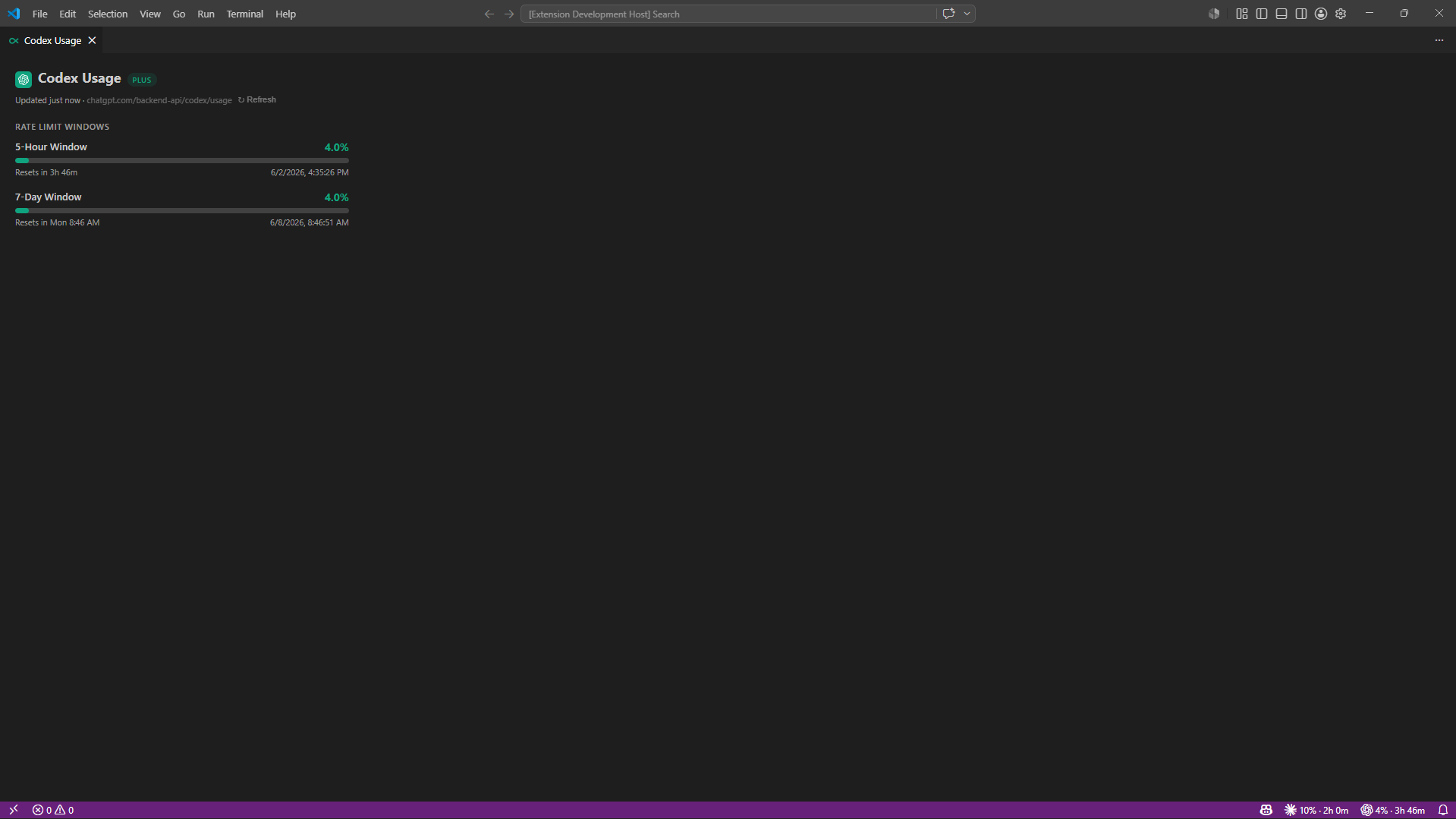
How It Works
The extension reads the Codex access token that the Codex CLI stores locally in ~/.codex/auth.json, then polls GET https://chatgpt.com/backend-api/codex/usage every 2 minutes while the VS Code window is focused. It reuses your existing Codex login, so there is no separate sign-in flow.
Features
- Status bar - shows your primary rate-limit window utilization and time until reset
- Usage panel - click the status bar item to open a full panel with active quota windows
- 5-hour and 7-day windows - displays both windows when the API returns them
- Credits - shows Codex credit balance when credits are enabled on your account
- Zero config - reads your existing Codex CLI credentials automatically
Status Bar

Example:
CX 69% | 2h 14m
- 69% - percentage of the selected quota window used
- 2h 14m - time until the primary window resets
- Hover for a tooltip with all active rate-limit windows
Colors:
- Default - less than 60%
- Yellow - 60% or higher
- Red - 80% or higher
You can configure the status bar to show the 5-hour window, the 7-day window, or both.
Usage Panel
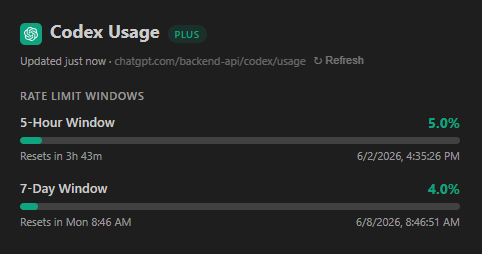
Click the status bar item, or run Codex: Show Usage from the Command Palette, to open a panel showing:
- Plan type - the plan reported by the Codex usage API
- 5-Hour Window - primary rolling quota with a progress bar and reset time
- 7-Day Window - weekly quota utilization when returned by the API
- Credits - credit balance and unlimited status when returned by the API
- Limit state - a warning when the API reports that the usage limit has been reached
Commands
| Command |
Description |
Codex: Show Usage |
Open the usage panel |
Codex: Refresh Usage |
Force an immediate API poll |
Settings
| Setting |
Values |
Description |
codex-usage-monitor.statusBar |
5h, 7d, both |
Which quota windows to display in the status bar |
codex-usage-monitor.statusBarColorFrom |
5h, 7d, max |
Which window controls the status bar warning/error color |
codex-usage-monitor.clockFormat |
auto, 12h, 24h |
Clock format for reset times in the usage panel |
Requirements
- VS Code 1.104.0 or higher
- Codex CLI installed and logged in
- Internet connection to reach
chatgpt.com
If the extension cannot find an access token, run codex in your terminal and complete the login flow, then run Codex: Refresh Usage in VS Code.
Data Source
All usage data comes from:
GET https://chatgpt.com/backend-api/codex/usage
The extension reads tokens.access_token from:
$CODEX_HOME/.codex/auth.json when CODEX_HOME is set~/.codex/auth.json otherwise
Privacy
- No telemetry
- No local usage-file parsing or file watching
- The Codex access token is read from disk and sent only to
chatgpt.com for the usage API request
License
MIT

