
Dark Modern+A dark theme based on VS Code's built-in Dark Modern, redesigned to give every distinct syntax element its own color — making code structure visible at a glance. Optimized especially for C#, with dedicated colors for classes, structs, interfaces, enums, methods, properties, modifiers, and more. Installation Launch VS Code Quick Open ( Ctrl+P), paste the following command, and press enter.Copied to clipboard |

Dark Modern+A dark theme based on VS Code's built-in Dark Modern, redesigned to give every distinct syntax element its own color — making code structure visible at a glance. Optimized especially for C#, with dedicated colors for classes, structs, interfaces, enums, methods, properties, modifiers, and more. Color DesignEach syntactic role has a dedicated color. In C#, for example: 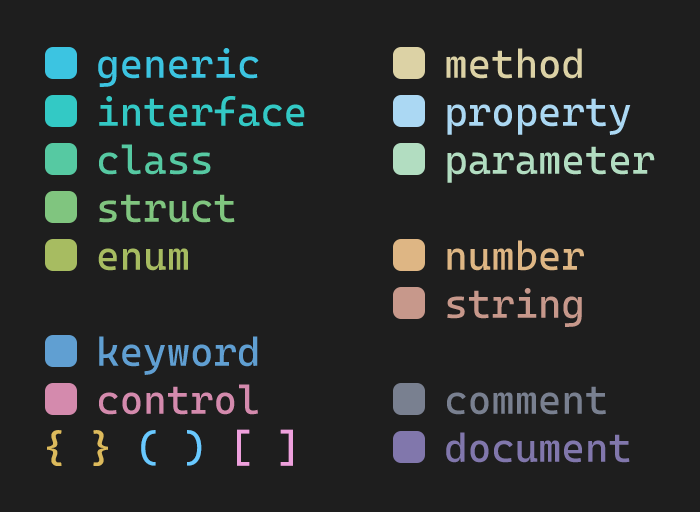
Note on Semantic HighlightingThis theme relies on semantic highlighting provided by the language server. When you first open a project, colors may appear incomplete for a moment — wait a few seconds for the language analysis to finish and the final colors will be applied. 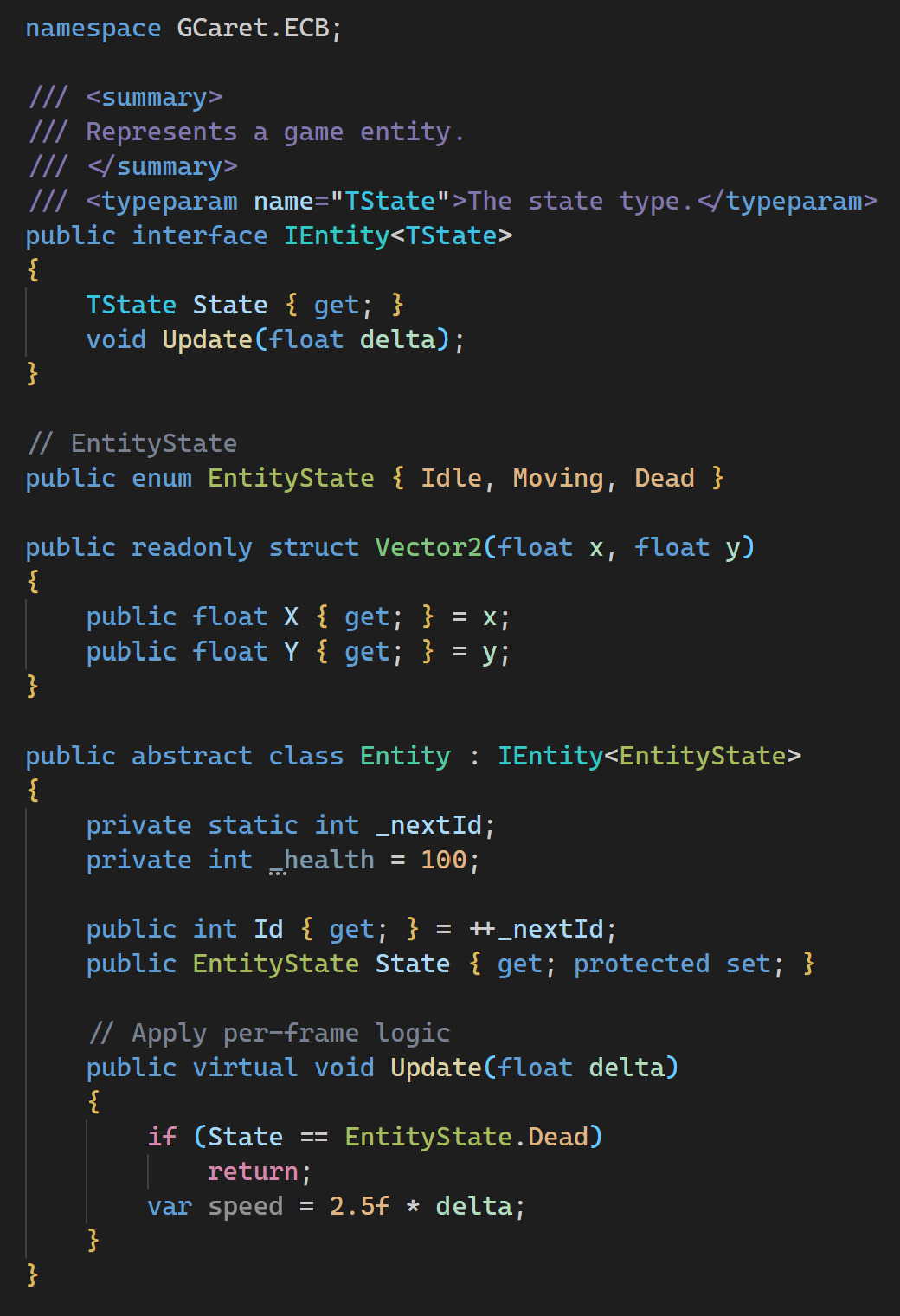
|