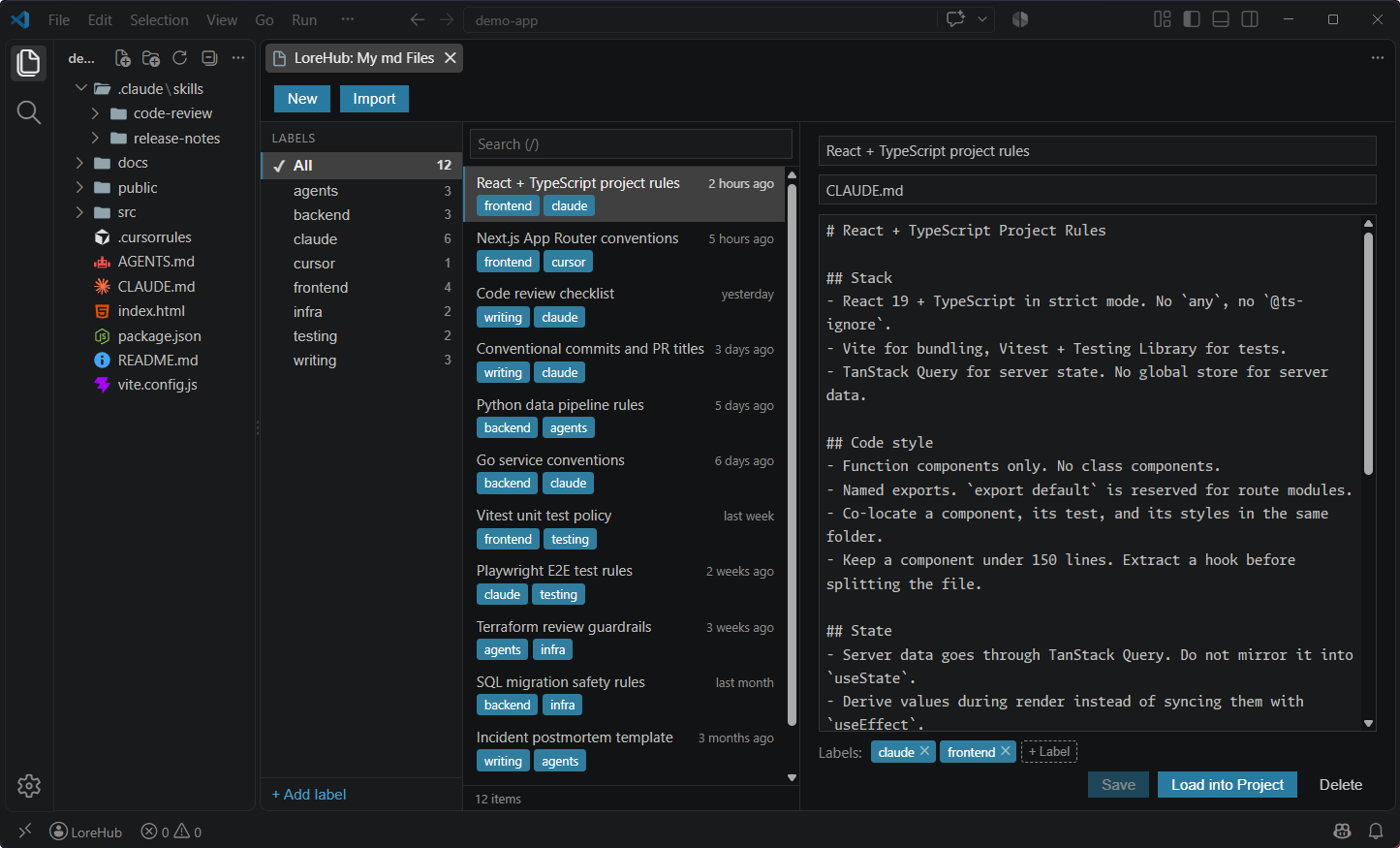
Keep your CLAUDE.md, SKILL.md, .cursorrules and AGENTS.md files in one cloud-synced library, organize them with labels, and write them to any local folder without leaving VS Code.
Installation
Launch VS Code Quick Open (Ctrl+P), paste the following command, and press enter.
Manage your ever-growing pile of AI md files in one place
Sign in with GitHub on a new machine and your library is already there, so you never have to collect the files again.
Early release — LoreHub is still young, so features and behavior may change.
Main features
Create a new md file
Save an existing local file to LoreHub
Save a local skill folder (SKILL.md and its other files) to LoreHub as one item
Duplicate an md file
Mark an md file as a favorite (pinned to the top of the list)
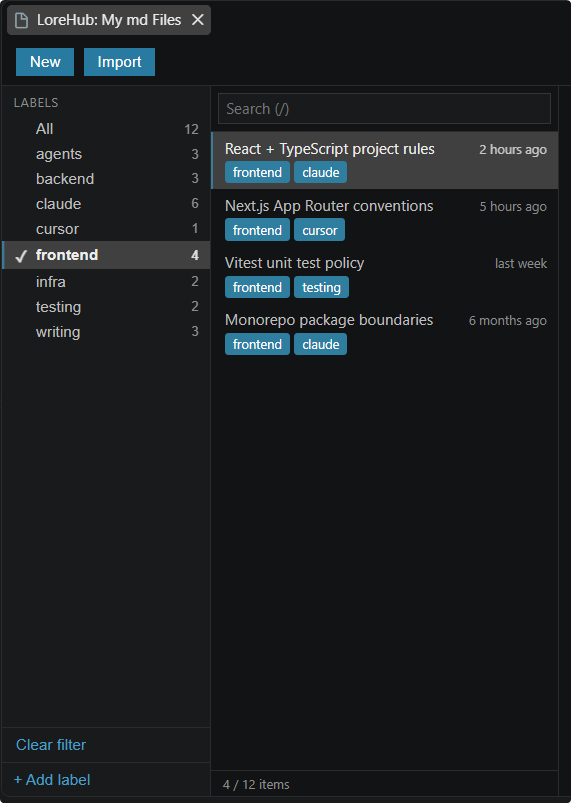
Create labels (choose from 8 colors)
Attach labels to md files
Write an md file from LoreHub to a local folder
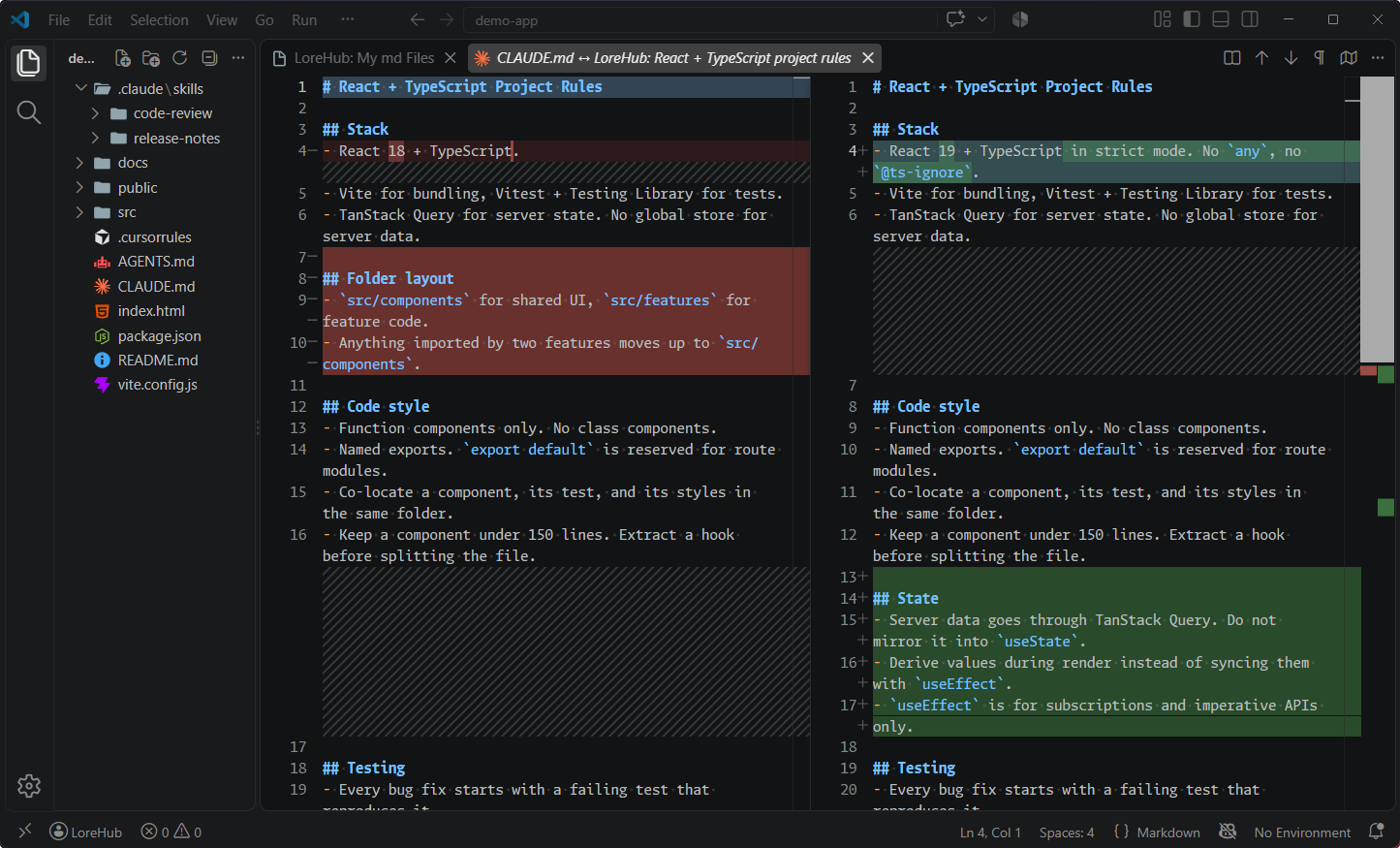
If a file with the same name already exists, the diff is shown before it is overwritten
The last-used time is recorded, and the list is sorted by favorite, then most recently used
Cloud storage, so you can manage the same library from several machines
Requirements
VS Code 1.104.0 or later
Basic usage
Install the extension
Run LoreHub: Open My Library from the Command Palette (Ctrl/Cmd + Shift + P)
Sign in with GitHub
Create an md file (or save a local one to LoreHub)
Add labels if you need them
Write the md file to a local folder
If a file with the same name exists, you can check the diff before overwriting it.
Keyboard
Shortcut
Action
Ctrl/Cmd + S
Save the md file you are editing
/
Focus the search box
↑ ↓
Move through the list
Esc
Close the popover, then clear the search
Commands
Type lorehub in the Command Palette (Ctrl/Cmd + Shift + P) to see the list.
Command
Command ID
Description
LoreHub: Open My Library
lorehub.openMdPanel
Opens the panel where you browse, edit and label your md files
LoreHub: Write to local
lorehub.loadToProject
Picks an md file from your library and writes it to a local folder
LoreHub: Login with GitHub
lorehub.login
Signs you in with your GitHub account
LoreHub: Logout
lorehub.logout
Signs you out
Note: Login with GitHub appears in the Command Palette only when you are signed out, and Logout only when you are signed in.
You can also run them from outside the Command Palette.
Button in the editor title bar: when a CLAUDE.md / AGENTS.md / SKILL.md / .cursorrules file is open, the book icon at the top right runs Open My Library.
Explorer context menu: right-click a folder and Write to local appears, so you can write an md file straight into that folder.
Settings
Go to Settings → Extensions → LoreHub to change them. You can also edit settings.json directly.
Setting
Type
Default
Description
lorehub.statusBar.enabled
boolean
false
Shows whether you are signed in to LoreHub in the status bar