Ran i18n Lens
Offline i18n assistant for front-end developers. See translations in source, and find missing locales, references, and consistency issues. No API keys.
- Sidebar: browse locale files and language keys
- Highlight / Hover / Completion: inspect and complete translation calls
- Language matrix: compare keys across locales; filter and edit
- Diagnostics & health check: Problems plus a summary report
Works with common stacks such as i18next / react-i18next, vue-i18n, react-intl, WeChat miniprogram, Taro, and uni-app.
Quick start
- Install from the Extensions marketplace
- Open a project that has locale files
- Open Ran i18n Lens in the activity bar; if the sidebar is empty, add
ran-i18n.config.json at the project root (see below), then run Rebuild index
Features
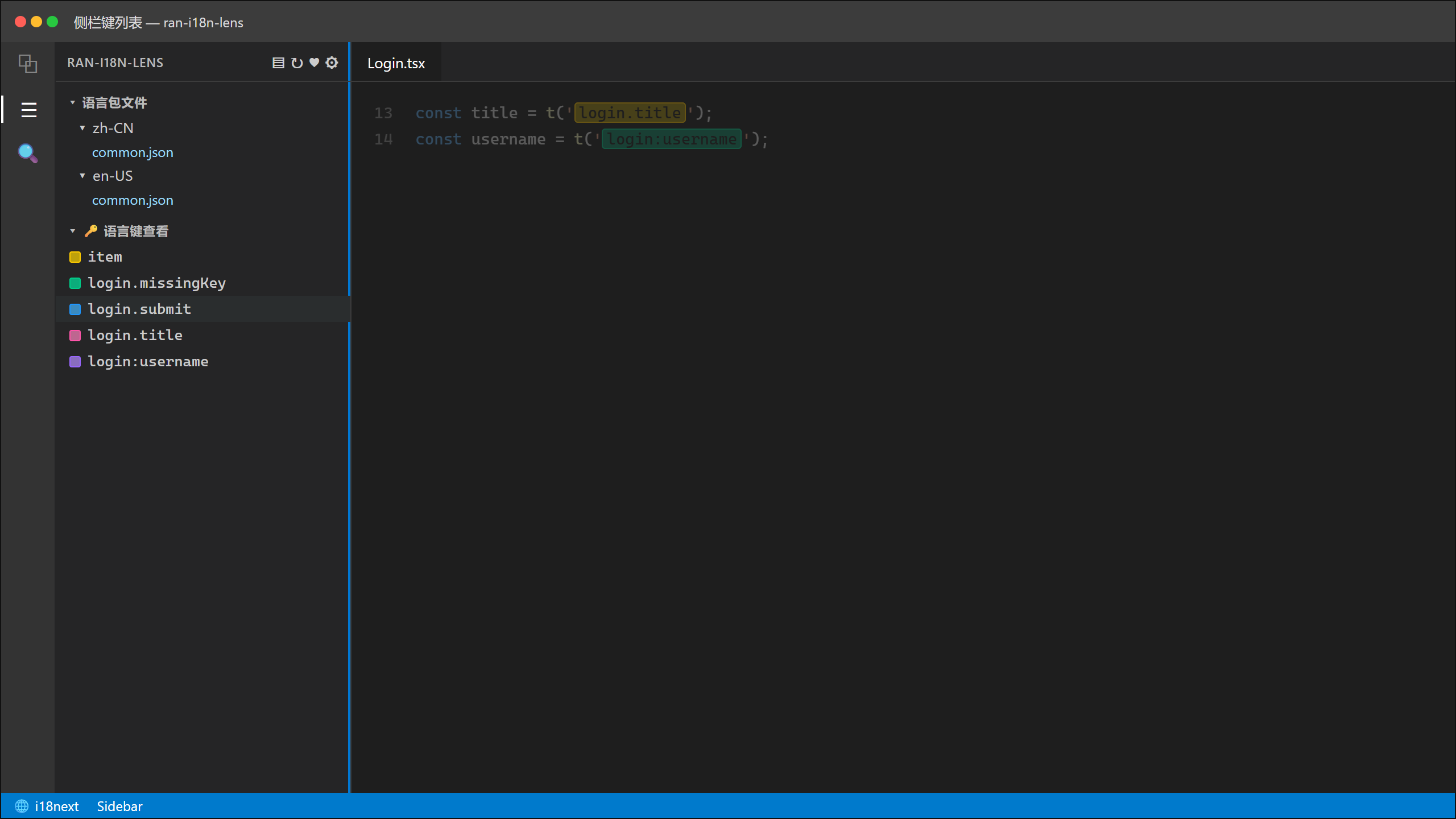
Browse locale files and all language keys. The title bar opens the language matrix, rebuild index, health check, and settings.
Key highlight
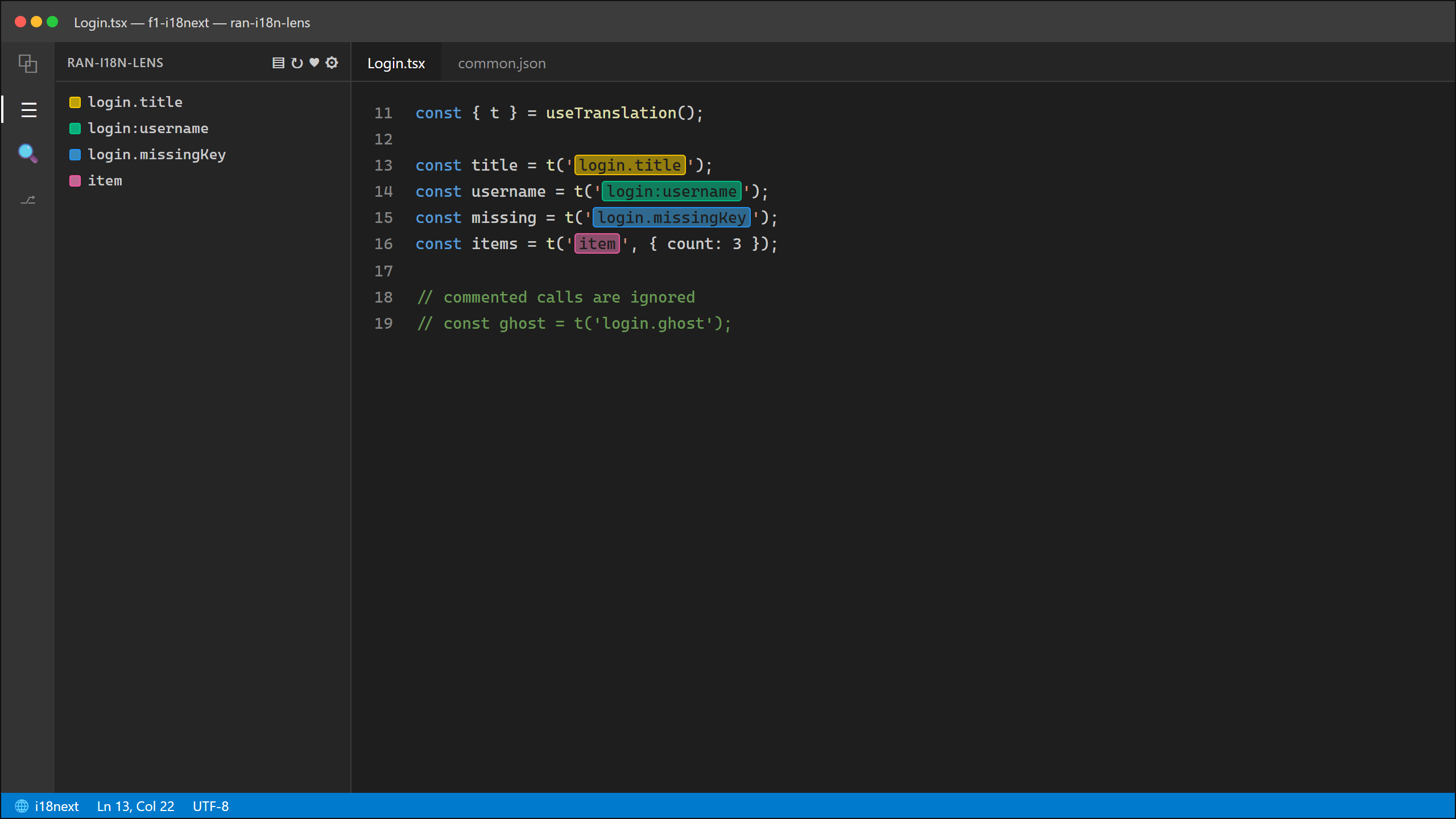
In recognised translation calls (such as t('…') or $t('…')), the key is coloured; calls inside comments are ignored.
Hover
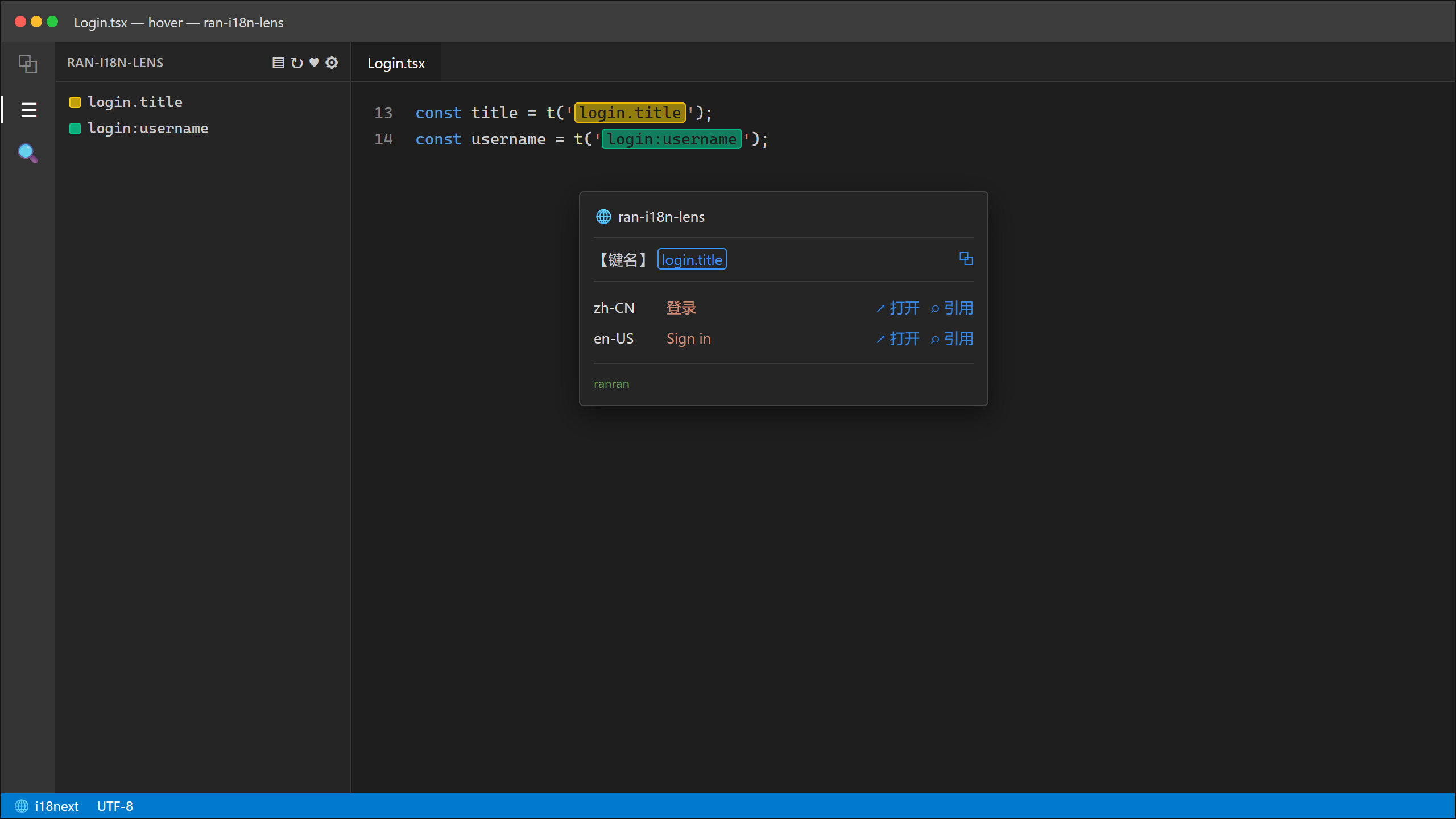
Hover a key to see every locale. Copy the key, open the locale entry, or find references. Missing locales show in red as missing.
Key completion
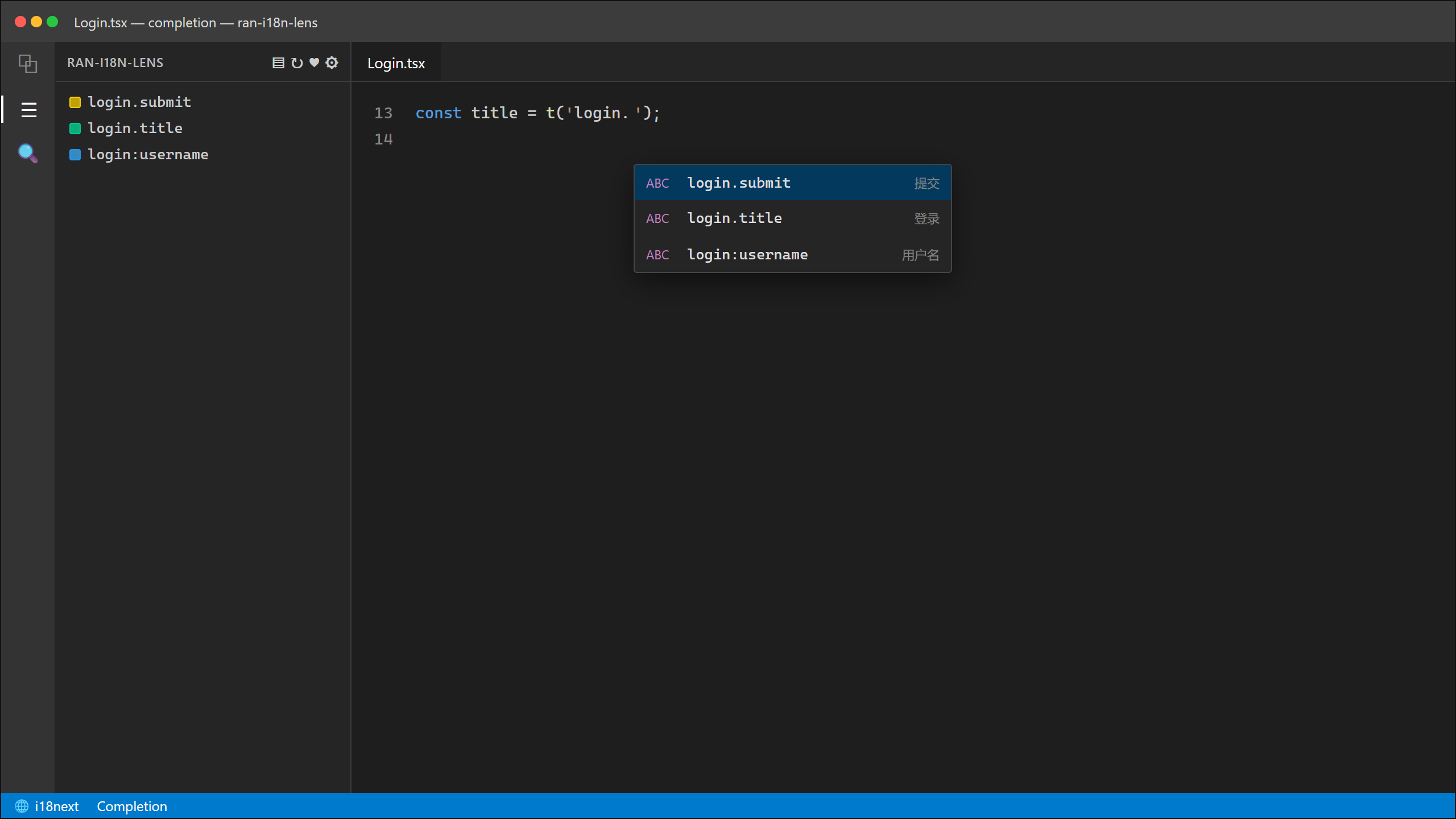
Inside a translation call’s string argument, complete existing keys and see a sample translation.
Language matrix
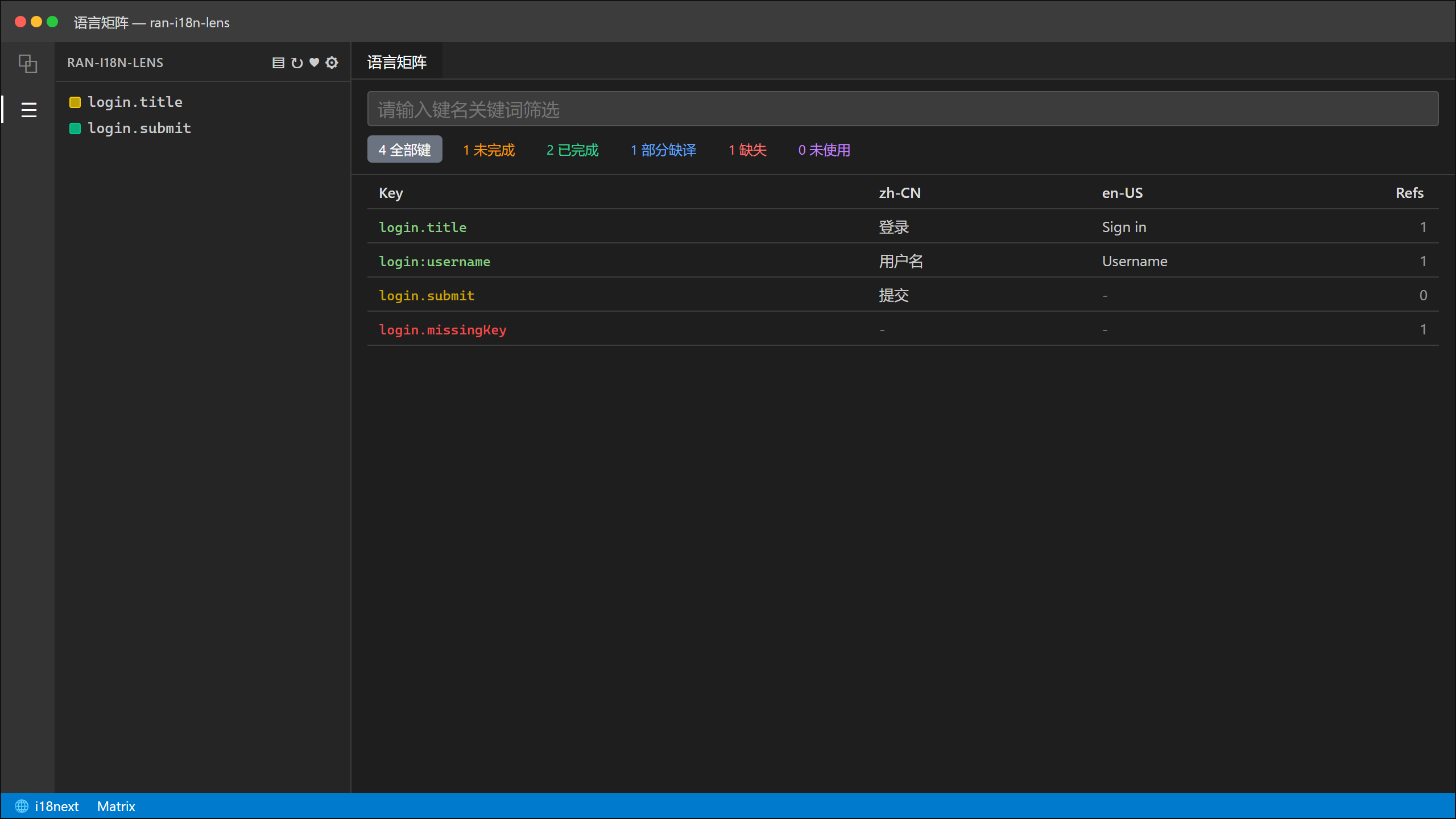
One row per key, one column per locale; filter by status.
- Cells come from locale files; JSON / JSONC / JSON5 are editable on double-click; empty cells show
-
- Reference counts and Unused reflect use in source
Diagnostics & health check
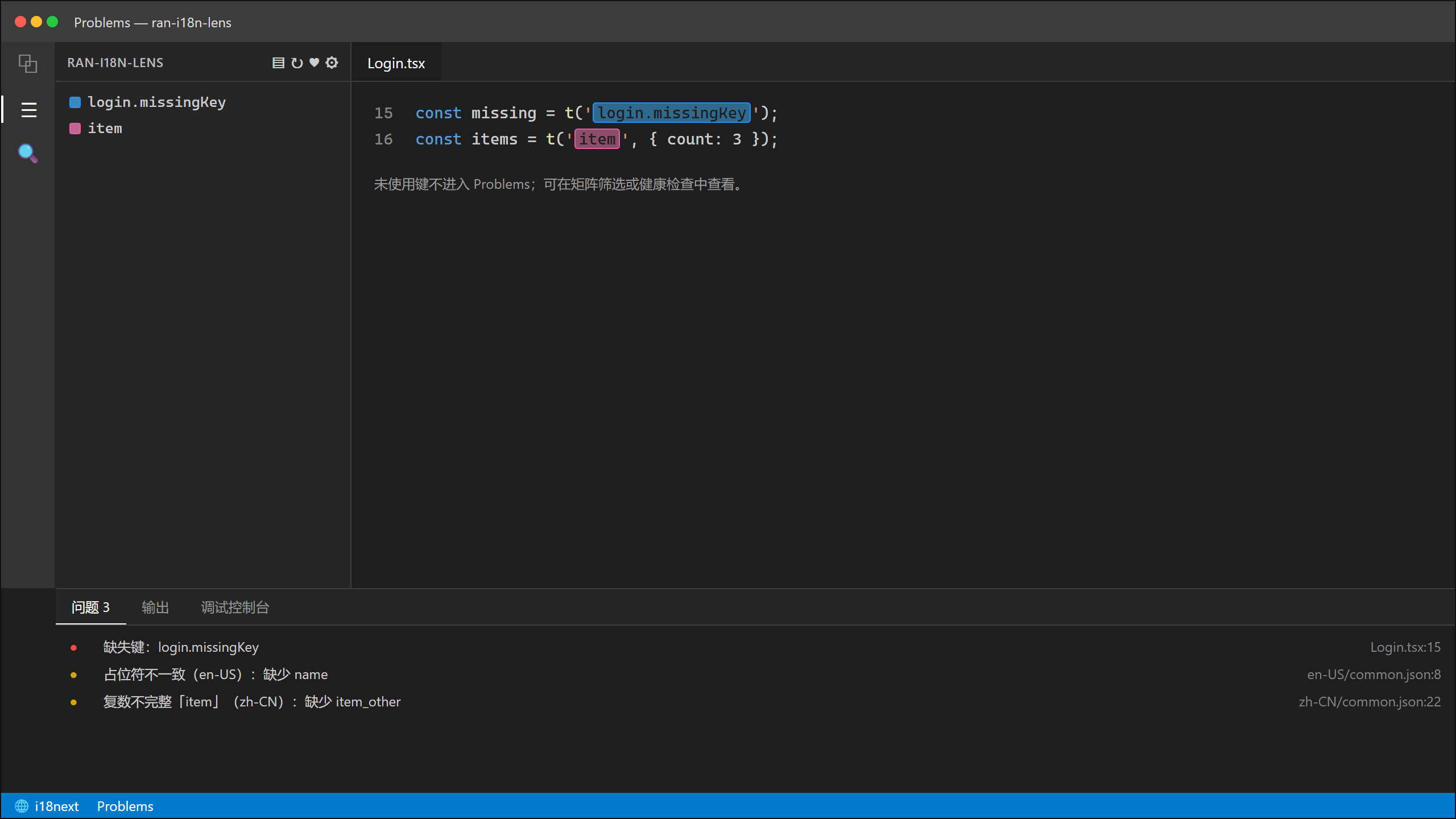
- Problems: missing keys, placeholder mismatches, incomplete plurals, and similar
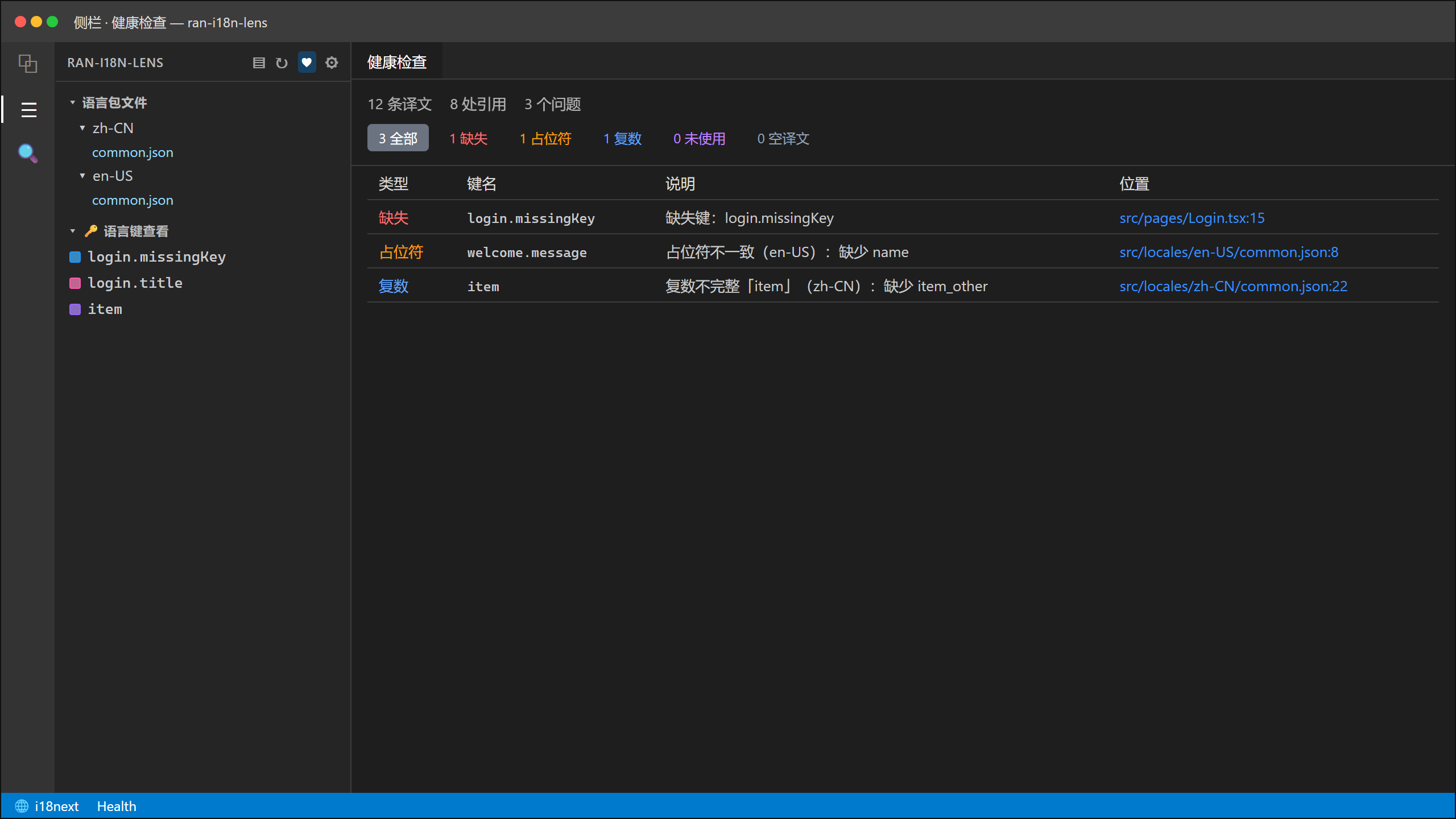
- Health check: summary report with kind filters and jump-to-location; Unused stays out of Problems — use the matrix or health check
Scope
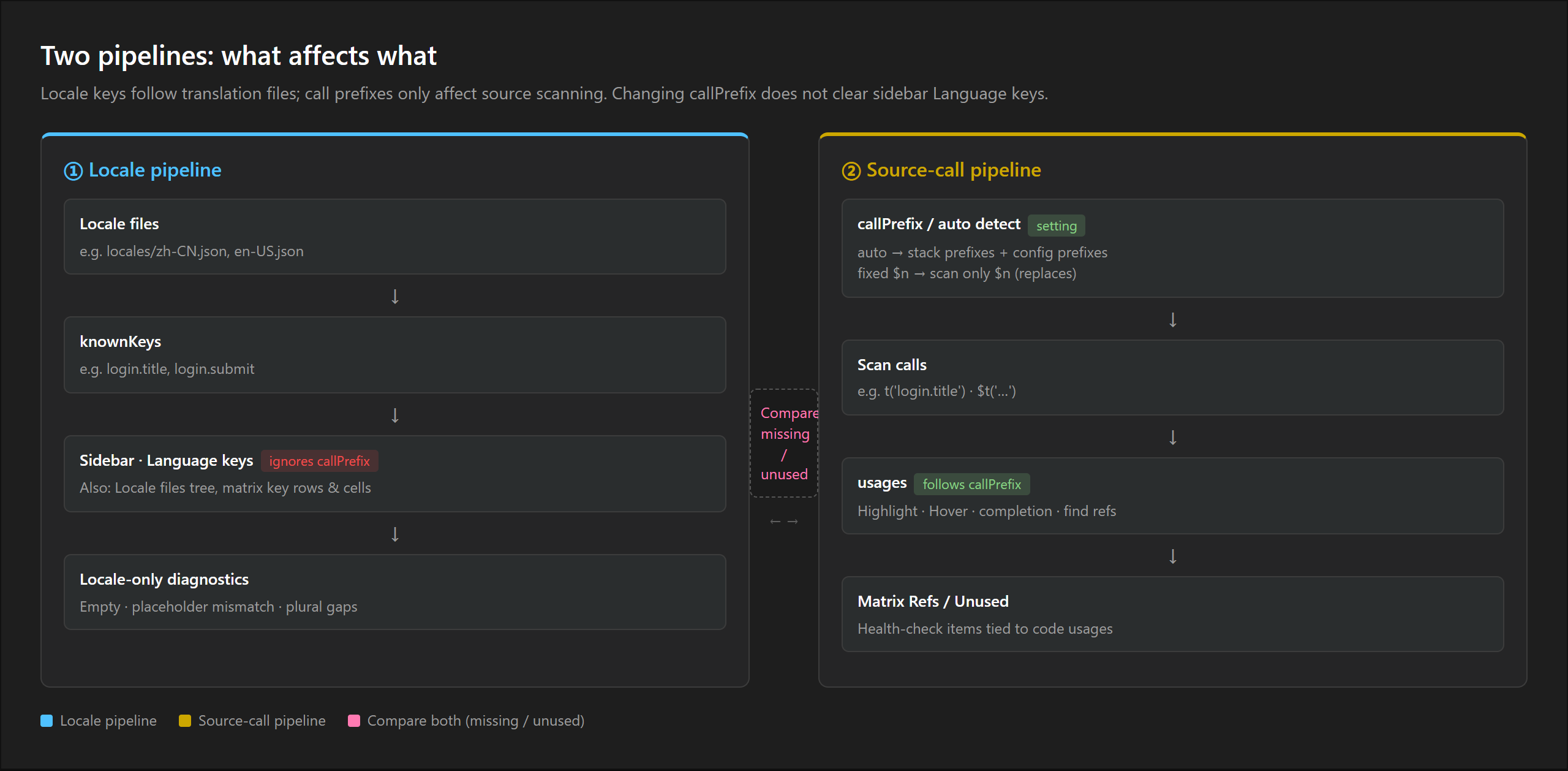
|
Sidebar / matrix translations |
Highlight · Hover · Completion · Refs · Unused |
| Based on |
Locale files |
Translation calls in source |
| Affected by Call prefix |
No |
Yes |
Example: if Call prefix accepts only $n, t('login.title') in source is no longer highlighted; the sidebar still lists that key (it remains in the locale file).
Commands & shortcuts
Search Ran i18n Lens in the Command Palette:
| Command |
Default shortcut |
| Language matrix |
Ctrl+Alt+I (macOS: Ctrl+Option+I) |
| Rebuild index |
Ctrl+Alt+R (macOS: Ctrl+Option+R) |
| Health check |
Ctrl+Alt+H (macOS: Ctrl+Option+H) |
Rebind under Keyboard Shortcuts (Ctrl+K Ctrl+S).
Settings
| Setting |
Default |
Meaning |
Call prefix (callPrefix) |
auto |
Which source forms count as translation calls; auto follows the project, or set fixed prefix(es), comma-separated |
Case mode (caseMode) |
sensitive |
Whether key names are case-sensitive |
Strictness (strictness) |
balanced |
How strictly calls are matched |
Common forms under auto: t, $t, i18n.t, formatMessage, and similar. For a custom wrapper such as tKey, use the config file below or set Call prefix to that value.
Config file
Path: ran-i18n.config.json at the project root (same level as package.json). Create if missing; run Rebuild index after changes. Paths are relative to the project root.
| Field |
Meaning |
files |
Locale paths and locales; used when auto-discovery fails |
prefixes |
Extra call names (e.g. tKey); applied only when callPrefix is auto |
scanRoots |
Source scan scope (relative folders); omit to scan the whole workspace |
scanExclude |
Extra source-scan excludes (globs) |
scanConcurrency |
Scan concurrency; default 4 |
scanRoots / scanExclude affect refs and Unused only — not sidebar language keys.
{
  "prefixes": ["tKey", "translate"],
  "scanRoots": ["apps/web", "packages/ui"],
  "scanExclude": ["**/e2e-mocks/**"],
  "scanConcurrency": 4,
  "files": [
    { "path": "locales/zh-CN.json", "locale": "zh-CN" },
    { "path": "locales/en-US.json", "locale": "en-US" }
  ]
}
Feedback
Privacy
- runs locally
- no login or telemetry
- no upload of source or locale files

