WrenLift for Visual Studio Code
Wren language support powered by the
WrenLift runtime and its
companion language server.
Features
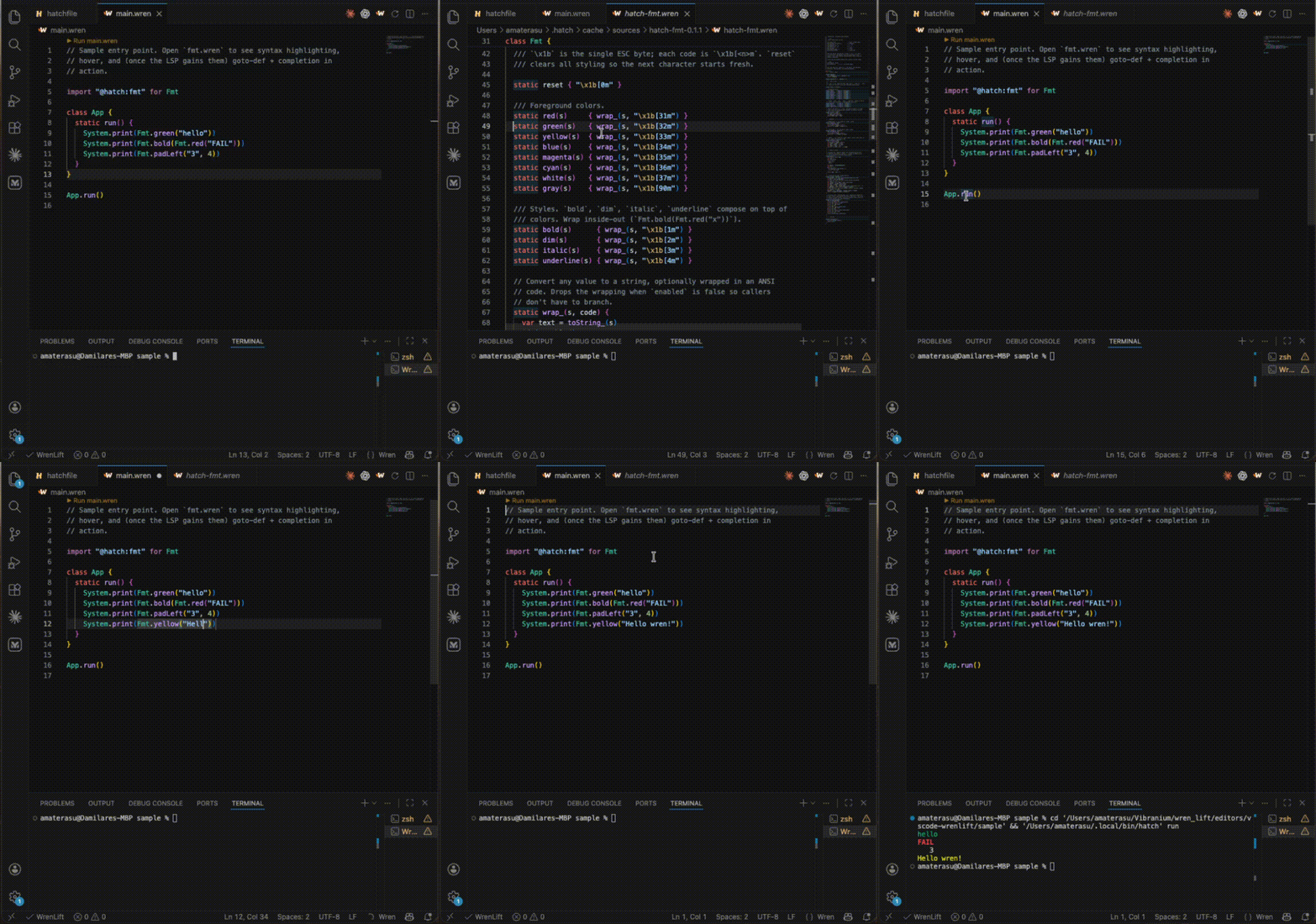
- Syntax highlighting for
.wren files and hatchfile
manifests: keywords, classes, fields (_name instance,
__name static), strings with %(…) interpolation, doc
comments (///, //!), and Hatch cross-target attributes
(#!native, #!wasm).
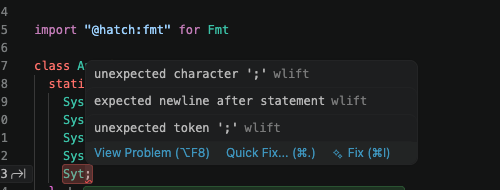
- Diagnostics as you type: parse errors with the same
messages the CLI emits.
- Hover for identifiers: signature + rendered Markdown
from
/// doc comments. Walks the local module, every
cached [dependencies] package, and the runtime prelude.
- Goto-definition across the workspace and into bundled
@hatch:* dependency source. F12 on a class or member
jumps straight to its declaration.
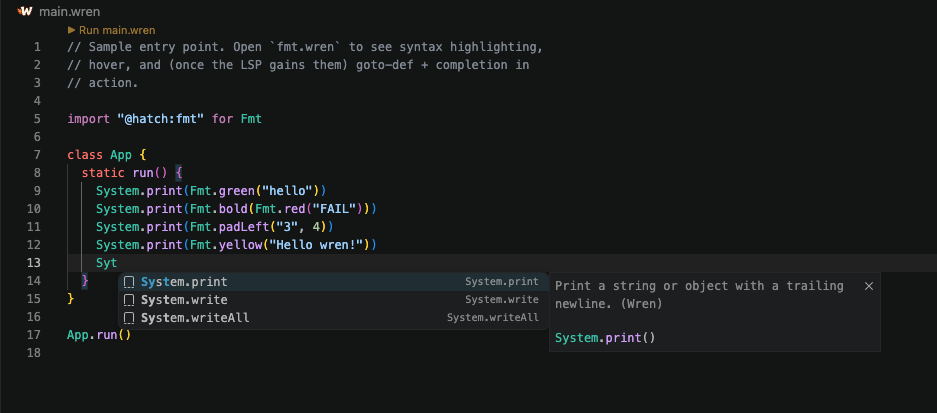
- Member completion after
. — class members from local
classes, imported @hatch:* packages, workspace files, or
the prelude.
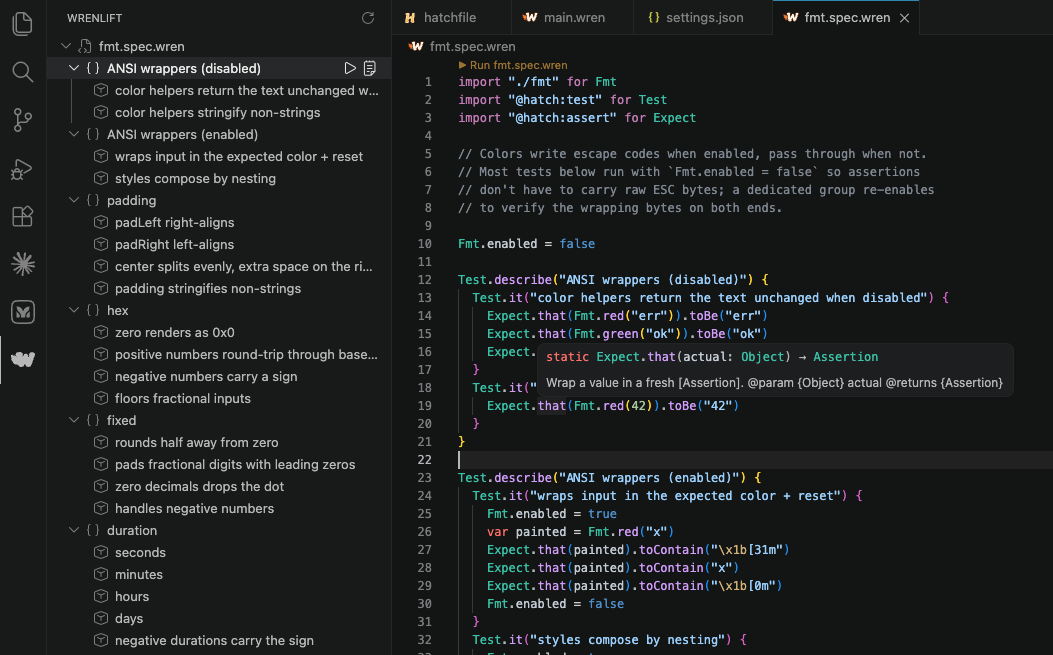
- Run code lens above
main.wren and *.spec.wren —
click to execute through hatch run (when a hatchfile is
in scope) or wlift <path> directly. Spec files get an
extra ▶ Run lens above each Test.describe(...) and
Test.it(...) block.
- Sidebar (Activity Bar) with two contextual panels:
- Project scaffolder when the workspace is empty —
one-click "Create new project" runs
hatch init against
a folder you pick, drops a hatchfile + main.wren +
sample test.spec.wren (with @hatch:test and
@hatch:assert pre-wired), and opens the new folder.
- Spec runner when a
*.spec.wren is open — lists every
Test.describe / Test.it block with inline run / output
buttons. Clicking a node jumps the editor to the case.
- Status bar + editor toolbar for the language server's
start / stop / restart and a one-shot
Show Toolchain Versions command.
Requirements
The extension expects wlift-lsp on $PATH. The standard install
script ships it alongside wlift and hatch:
curl -fsSL https://raw.githubusercontent.com/wrenlift/WrenLift/main/install.sh | bash
If you've built from source, point
wrenlift.serverPath at your target/release/wlift-lsp
binary in VS Code settings.
Settings
| Setting |
Default |
Description |
wrenlift.serverPath |
wlift-lsp |
Path to the language-server binary. |
wrenlift.wliftPath |
wlift |
Path to the wlift runtime. Used by the file runner when no hatchfile is in scope. |
wrenlift.hatchPath |
hatch |
Path to the hatch CLI. Used by the project scaffolder + the file runner when a hatchfile is in scope. |
wrenlift.trace.server |
off |
Trace LSP messages in the Output panel. |
Commands
| Command |
Description |
WrenLift: New Project… |
Scaffold a fresh Hatch project (folder picker + hatch init). |
WrenLift: Run Wren File |
Run the active .wren file. Routes through hatch run for main.wren inside a hatch project, otherwise wlift <file>. |
WrenLift: Run Spec Case |
Run the spec case associated with the selected sidebar tree node. |
WrenLift: View Spec Output |
Focus the run-output terminal. |
WrenLift: Refresh Specs |
Re-parse the active spec file and rebuild the tree. |
WrenLift: Start / Stop / Restart Language Server |
LSP lifecycle. |
WrenLift: Show Toolchain Versions |
Probes wlift, hatch, wlift-lsp for --version. |
Releasing
Tagged push to vscode-v<X.Y.Z> triggers
.github/workflows/publish-vscode-extension.yml, which
runs vsce publish against the Visual Studio Marketplace.
Version is independent from the runtime's v0.1.X tag
namespace.
Cut a release:
# Bump the version in package.json first, then:
git tag vscode-v0.1.0
git push origin vscode-v0.1.0
The workflow asserts package.json version matches the
tag suffix. Required GitHub secret: VSCE_PAT (a
Marketplace PAT) with
Marketplace > Manage scope.
Repository
Source lives at
wrenlift/WrenLift under
editors/vscode-wrenlift/. Bug reports and pull requests welcome.
Local development
cd editors/vscode-wrenlift
npm install
npm run compile
Open the folder in VS Code and press F5. A second VS Code
window opens with the sample workspace under sample/
(hatchfile, main.wren, a copy of @hatch:fmt's source).
Diagnostics + hover should fire on the real .wren files.
The sample window picks up wlift-lsp from $PATH. To test
against a local debug build, set wrenlift.serverPath in the
sample window's settings.json to your build output, e.g.
/Users/you/.../wren_lift/target/release/wlift-lsp.
npm run watch keeps the TS compiler running in the
background; the Extension Development Host picks up the
recompiled bundle on the next Developer: Reload Window.

