Ctrl+P
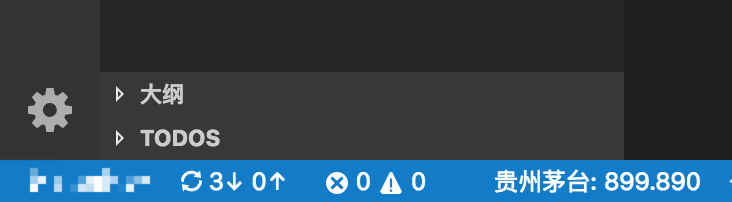
实时获取当天股票行情,并显示在vscode下方状态栏左侧。你可以边搬砖边关注股票
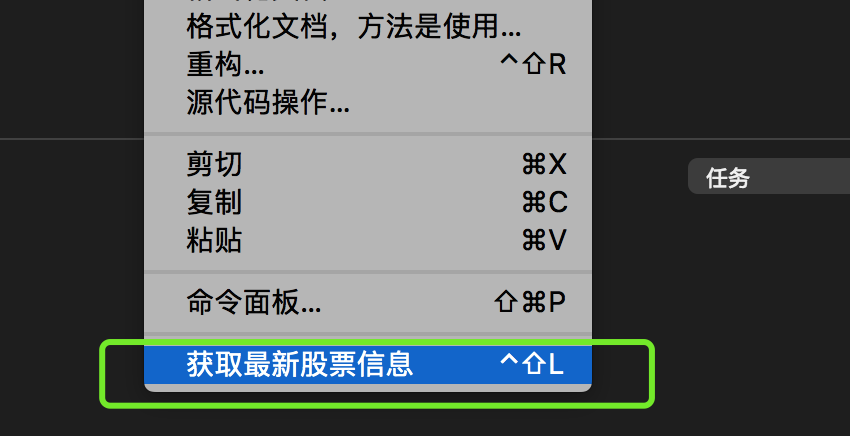
工作区右击鼠标,点击 获取最新股票信息 即可激活插件
获取最新股票信息
快捷键 ctrl+shift+s
点击状态栏左侧的股票信息,即可退出插件
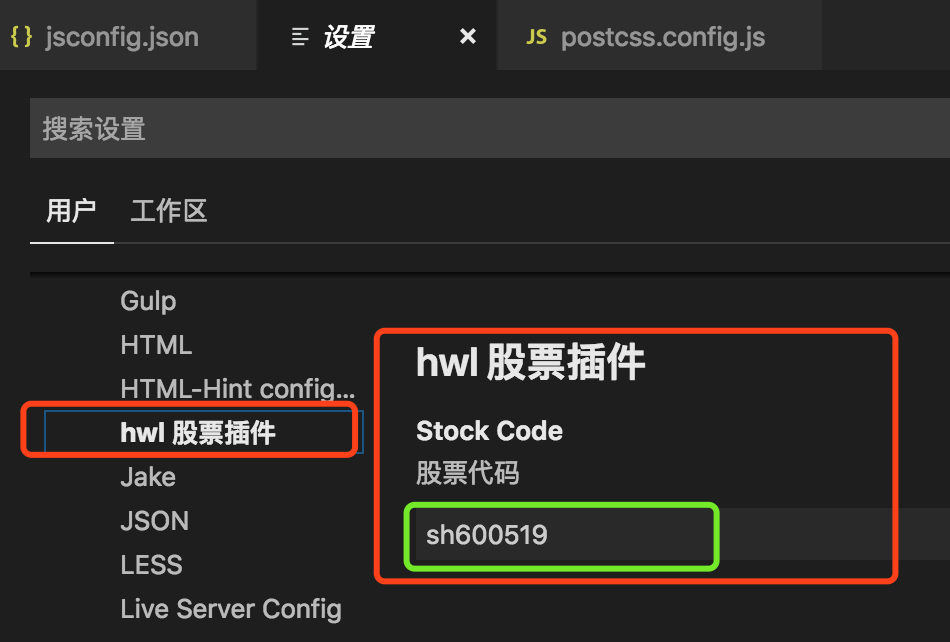
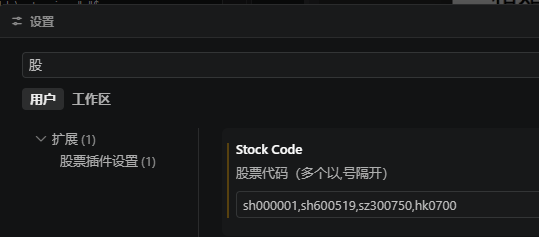
文件(Code) -- > 首选项 -- > 设置 -- > 扩展 -- > 股票插件设置 修改股票代码: 上证为 sh 开头,深证和创业板为 sz 开头,港股为 hk 开头 例:贵州茅台 为: sh600519 博彦科技 为: sz002649 支持多支股票以(,)隔开 如:sh600519,sz002649
文件(Code) -- > 首选项 -- > 设置 -- > 扩展 -- > 股票插件设置
修改股票代码: 上证为 sh 开头,深证和创业板为 sz 开头,港股为 hk 开头
例:贵州茅台 为: sh600519
博彦科技 为: sz002649
支持多支股票以(,)隔开 如:sh600519,sz002649
插件借鉴 hwl-stock股票行情 插件,感谢指导。