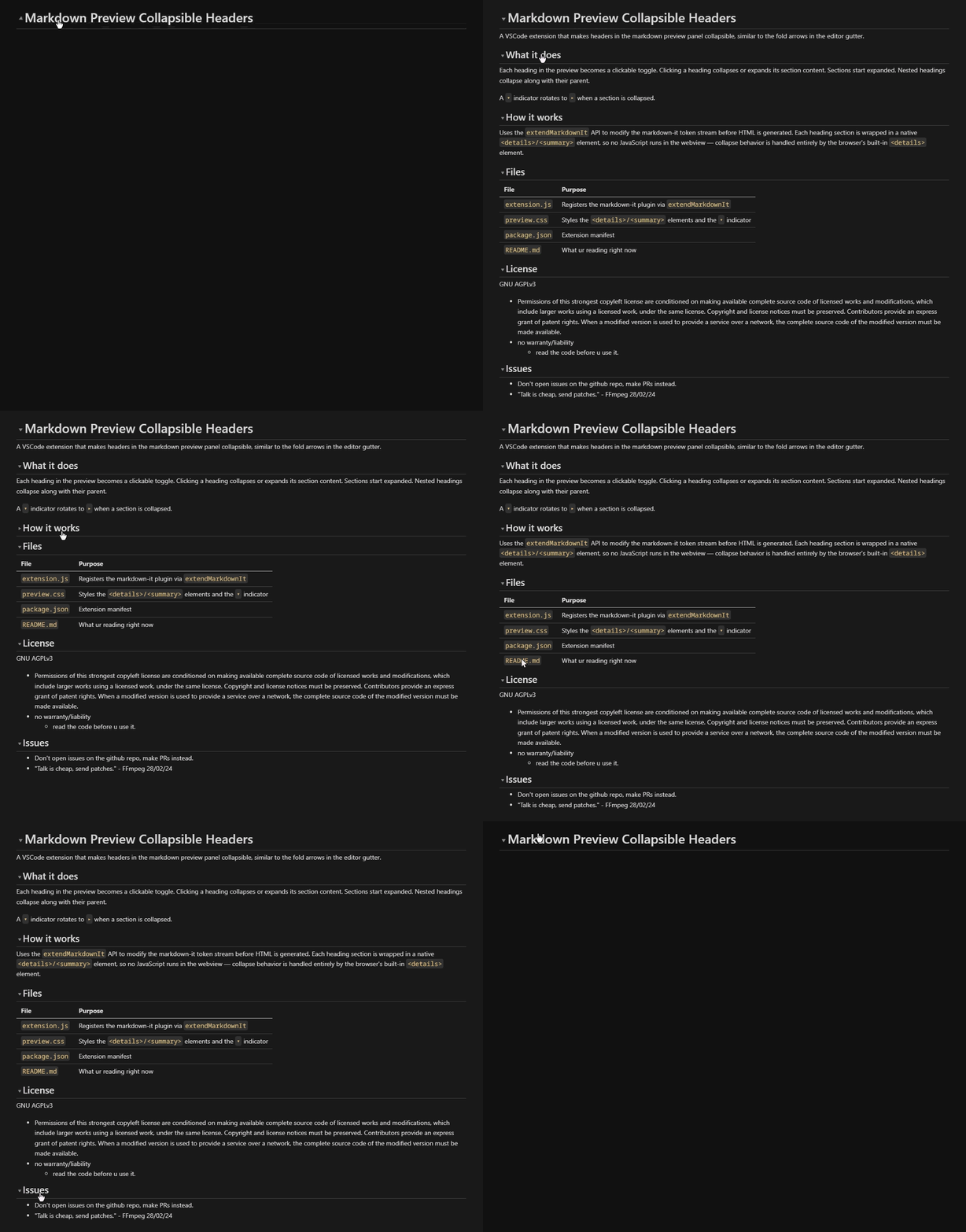
A VSCode extension that makes headers in the markdown preview panel collapsible, similar to the fold arrows in the editor gutter.
What it does
Each heading in the preview becomes a clickable toggle. Clicking a heading collapses or expands its section content. Sections start expanded. Nested headings collapse along with their parent.
A ▾ indicator rotates to ▸ when a section is collapsed.
How it works
Uses the extendMarkdownIt API to modify the markdown-it token stream before HTML is generated. Each heading section is wrapped in a native <details>/<summary> element, so no JavaScript runs in the webview — collapse behavior is handled entirely by the browser's built-in <details> element.
Files
File
Purpose
extension.js
Registers the markdown-it plugin via extendMarkdownIt
preview.css
Styles the <details>/<summary> elements and the ▾ indicator
package.json
Extension manifest
README.md
What ur reading right now
License
GNU AGPLv3
Permissions of this strongest copyleft license are conditioned on making available complete source code of licensed works and modifications, which include larger works using a licensed work, under the same license. Copyright and license notices must be preserved. Contributors provide an express grant of patent rights. When a modified version is used to provide a service over a network, the complete source code of the modified version must be made available.
no warranty/liability
read the code before u use it.
Issues
Don't open issues on the github repo, make PRs instead.