clangd Enhanced Navigation
clangd Enhanced Navigation 是 vscode-clangd 的上游友好 Fork。它保留原有 Language
Client,并增加独立、带证据的 C++ 调用关系导航层。项目只使用一个 clangd 进程,
关系证据保存在增强模型中,代码导航继续使用 VS Code 原生界面。
当前验证基线为 /usr/bin/clangd 22.1.6 和 VS Code 1.129.1。增强能力包括原生
Incoming/Outgoing Call Hierarchy、包含可能虚派发目标的原生 Definition Peek、
标准库隐式构造关系、无 YAML 的项目模板工厂推断,以及受 Workspace Trust 约束的
声明式项目工厂规则。模板推断覆盖直接构造、标准库构造 helper、模板体内构造和最多
四层直接返回的项目模板工厂链;没有显式 <T> 的调用从 clangd Hover 读取实际特化
参数;类模板工厂方法从限定类型读取模板实参。全部能力使用公开的 VS Code Extension
API。
官方 llvm-vs-code-extensions.vscode-clangd 与本扩展会处理相同的 C/C++ 文档。每个
VS Code Profile 只启用其中一个。本扩展在启动 clangd 前检查冲突,并在需要处理时
打开 Extensions 视图。
完整实施计划位于 clangd-enhanced/docs/plan/plan1.md,逐项验收记录位于
clangd-enhanced/docs/plan/plan1-acceptance.md。架构、关系语义、测试、能力审计和
上游同步说明位于 clangd-enhanced/docs/。
所有新增内容按职责归档在 clangd-enhanced/。其中生产代码位于
clangd-enhanced/src/,完整目录说明和必要的上游接入文件清单位于
clangd-enhanced/README.md 与 clangd-enhanced/docs/upstream-sync.md。仓库不包含
GitHub Actions workflow,验证和打包通过本地命令执行。
上游 clangd 功能
clangd helps developers write, understand and
improve C/C++ code by providing:
- code completion
- compile errors and warnings
- go-to-definition and cross references
- hover information and inlay hints
- include management
- code formatting
- simple refactorings
Full documentation for clangd is at clangd.llvm.org.
Setup
clangd server
The extension requires the clangd language server.
You will be prompted to download it if it's not found on your PATH.
(Automatic installation is possible on x86-64 Linux, Windows, and Mac).
If you have an old version of clangd installed on your system already, you can
run "Check for clangd language server update" from the command palette.
Project setup
clangd is based on the clang C++ compiler, and understands even complex C++
code. However, you must tell clangd how your project is built (compile flags).
A compile_commands.json file
can usually be generated by your build system
(e.g. with CMake, by setting -DCMAKE_EXPORT_COMPILE_COMMANDS=1).
See Project Setup
in the clangd documentation for details and alternatives.
The clangd server also supports a number of feature customizations using its
config file.
Features
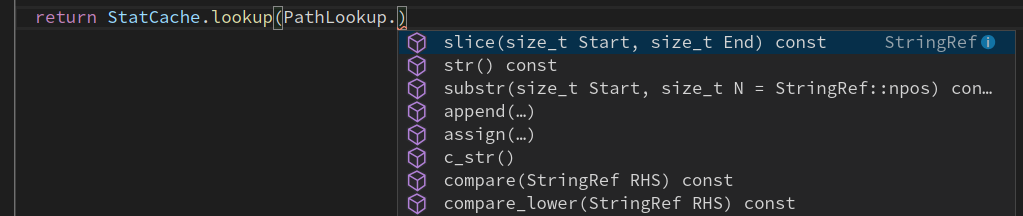
Code completion
Suggestions will appear as you type names, or after . or ->.
Because clangd uses a full C++ parser, code completion has access to precise
type information.
Errors, warnings, and clang-tidy
Code errors are shown as you type (both as red squiggle underlines, and in the
"Problems" panel). These are the same as produced by the clang compiler, and
suggested fixes can automatically be applied.

Most clang-tidy checks are supported (these can be enabled using a .clang-tidy
file).
Cross-references
Go-to-definition and find-references work across your code, using a project-wide
index.
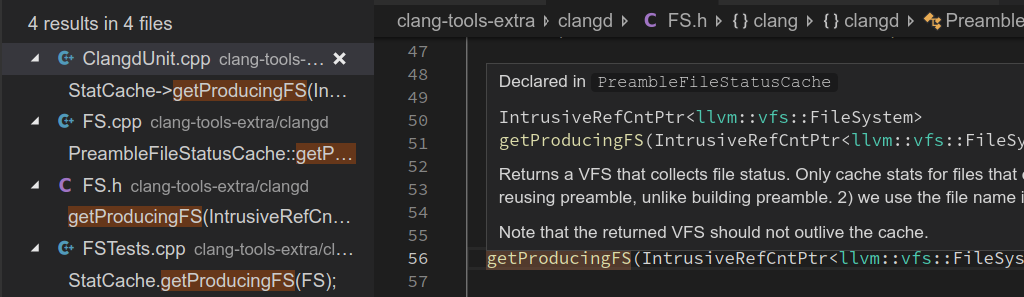
Press Ctrl-P # to quickly navigate to a symbol by name.
Hover and inlay hints
Clangd can describe almost any entity if you hover the mouse (or press Ctrl-KI).
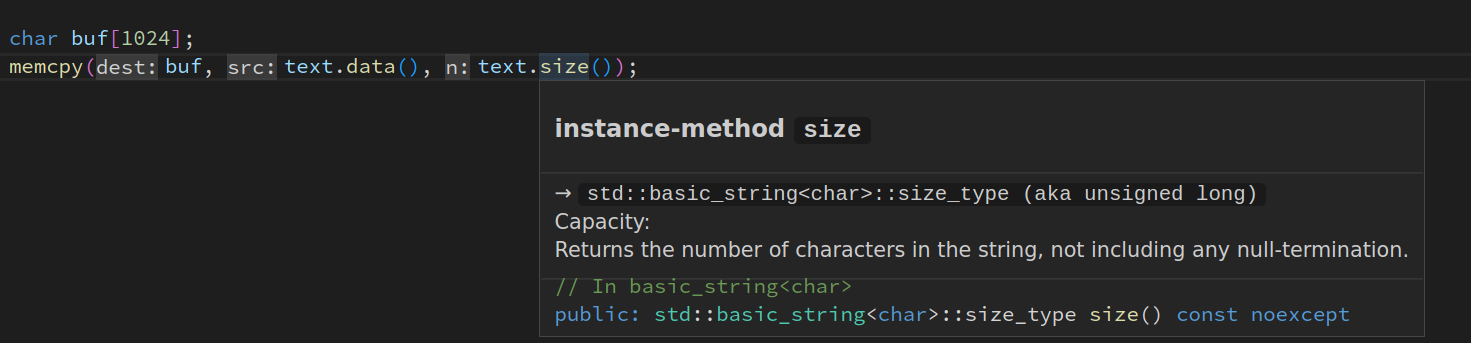
Inlay hints for parameters and deduced types can be shown temporarily or
permanently (the editor.inlayHints.enabled setting controls this).
Include management
Code completion works across your codebase and adds #include directives where
needed. The • shows includes that will be inserted.
clangd can suggest inserting missing #includes, where they cause errors.
It can warn on unused includes.

clangd uses the clang-format engine. You can format a file or the selection.
When "Format on Type" is enabled in the settings, pressing enter will cause
clangd to format the old line and semantically reindent.
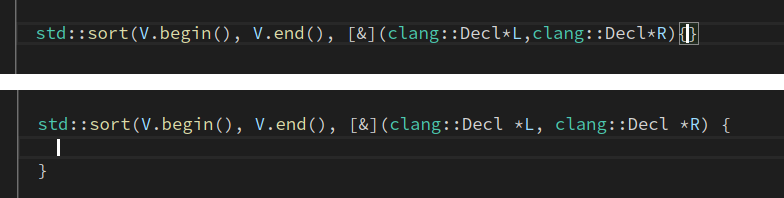
The style used for formatting (and certain other operations) is controlled by the project's
.clang-format file.
Note that if you prefer to use something other than clangd for formatting, you can
choose a different formatter with the "editor.defaultFormatter" setting.
Refactoring
clangd supports some local refactorings. When you select an expression or
declaration, the lightbulb menu appears and you can choose a code action.

Current refactorings include:
- extract variable/function
- expand
auto types and macros
- use raw strings
- rename (bound to
<F2>, rather than a contextual code action)
Bugs/contributing
clangd is part of the LLVM project.
If you'd like to help out, reach out to clangd-dev@lists.llvm.org.
If you've found a bug in this extension, please file it at https://github.com/VonSdite/vscode-clangd-enhance/issues.
If you've found a bug in clangd, please file at https://github.com/clangd/clangd/issues.

