TXT Color
A beautiful color highlighting extension for plain text and configuration-style files, compatible with VS Code, Kiro, and other VS Code-based IDEs.
Features
- Highlights headings, uppercase titles and
[section] blocks.
- Highlights comments, list-style lines and key/value pairs.
- Highlights URLs, emails, numbers, dates, timestamps and boolean values.
- Highlights log severity lines (
ERROR, WARN, SUCCESS, etc.) with distinct colors for the whole line.
- Highlights inline keywords:
TODO, FIXME, NOTE, INFO, DEBUG.
- Highlights boolean constants:
true, false, yes, no, on, off (case-insensitive).
- Adds basic folding support — see Folding section below.
- Adds basic auto-closing pairs for brackets, quotes, backticks, angle brackets and guillemets.
Supported file extensions
.txt, .log, .ini, .conf, .cfg, .env, .properties, .toml, .editorconfig, .gitconfig
Folding
Sections can be folded using explicit markers:
Section My Section Title
  press the tab ...
  add your content ...
  and keep going ...
  closing the last line with `---`
---
[section] headers also act as folding start markers. A --- line closes the fold.
Testing
A sample file is available in the test/ folder.
Screenshots
Light+ theme
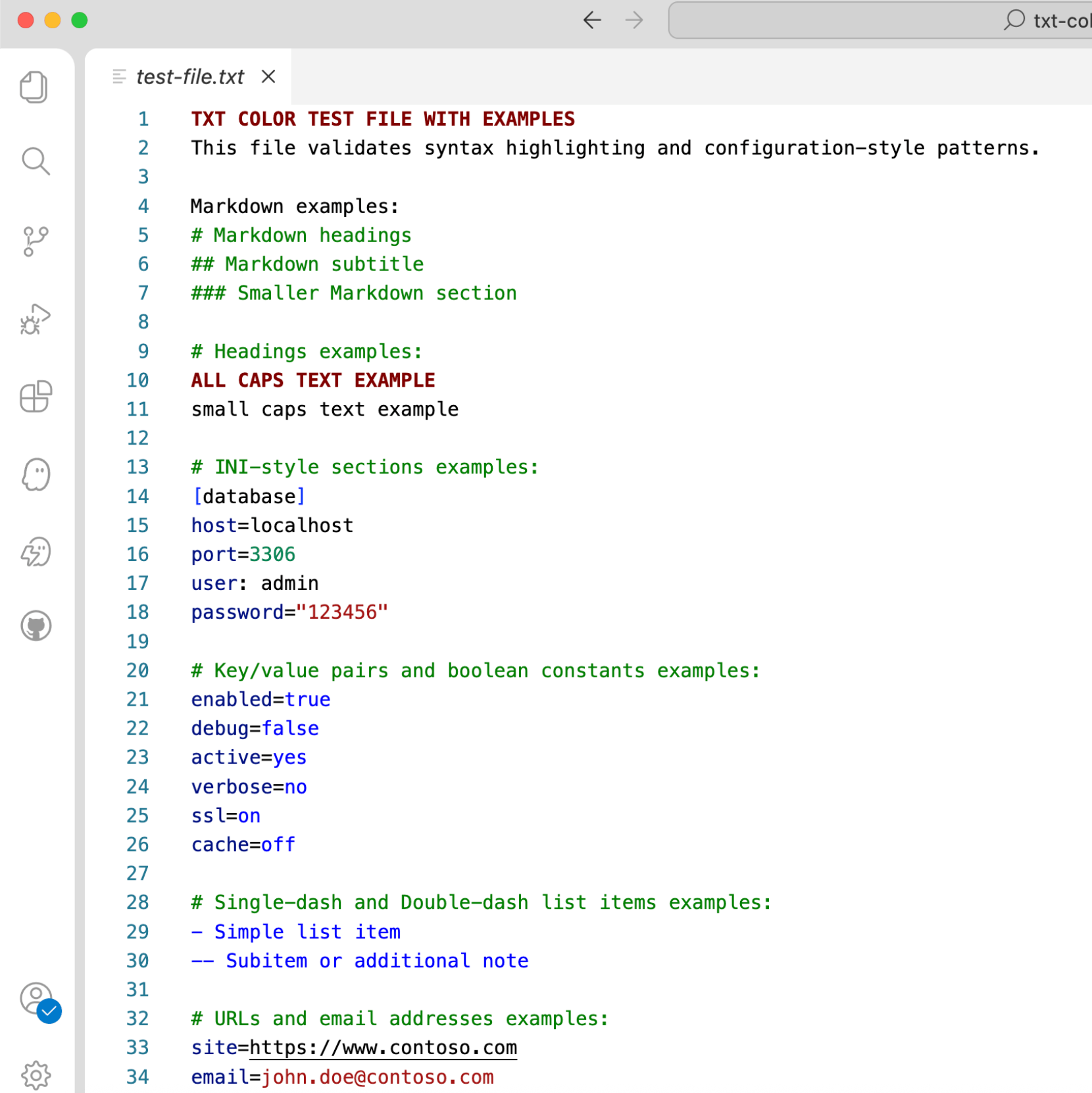
TXT Color applied to a .txt file using the Light+ IDE theme.
Dark+ theme
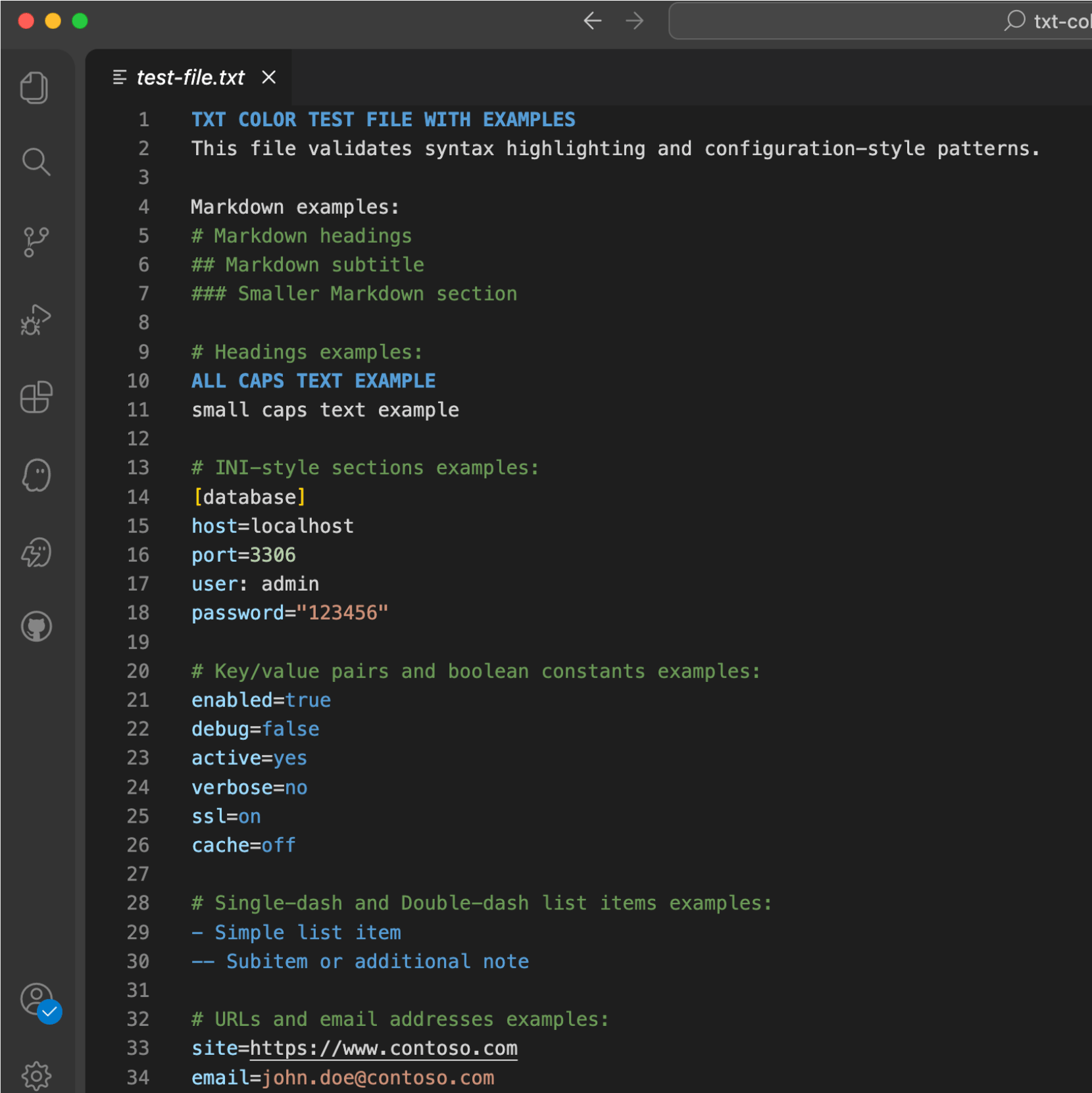
TXT Color applied to a .txt file using the Dark+ IDE theme.