Build Power Apps, Flows, and Dataverse schemas faster with AI — right inside VS Code.




Stop switching between maker portals, CLI tools, and your IDE. Power Platform Studio brings AI-powered generation, visual designers, and operational tasks into a single VS Code workflow.
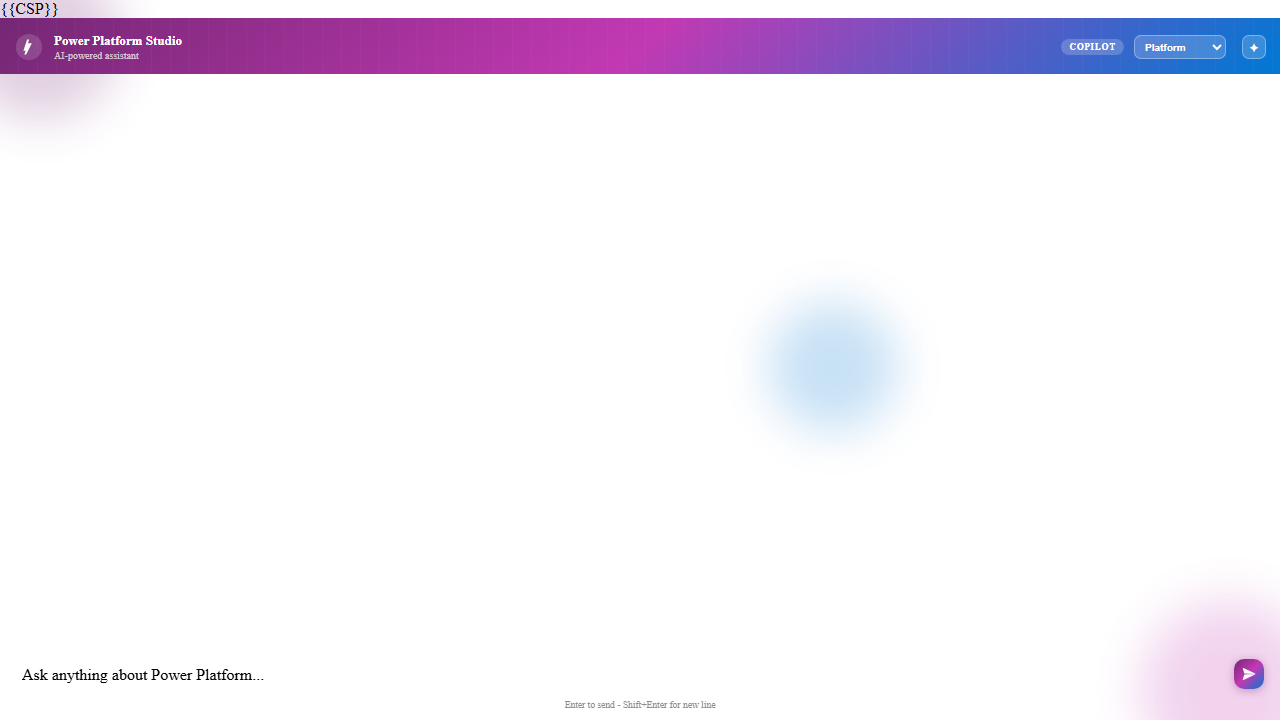
| AI Generation |
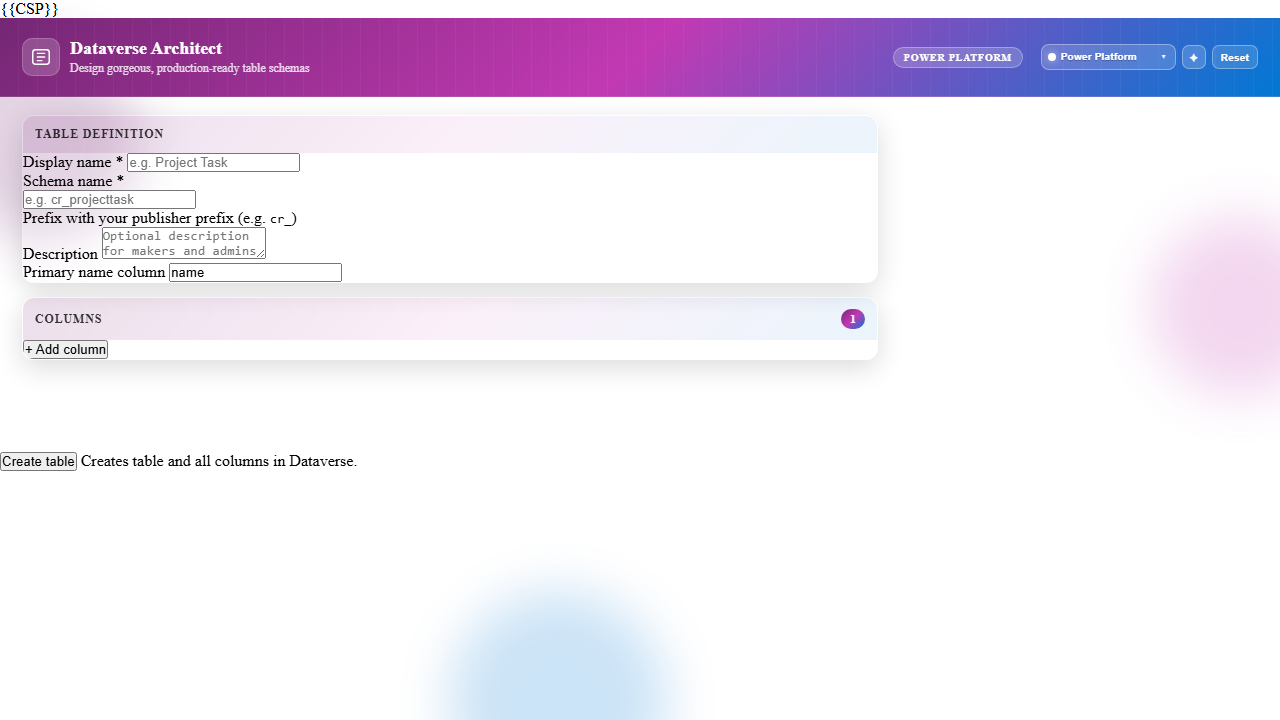
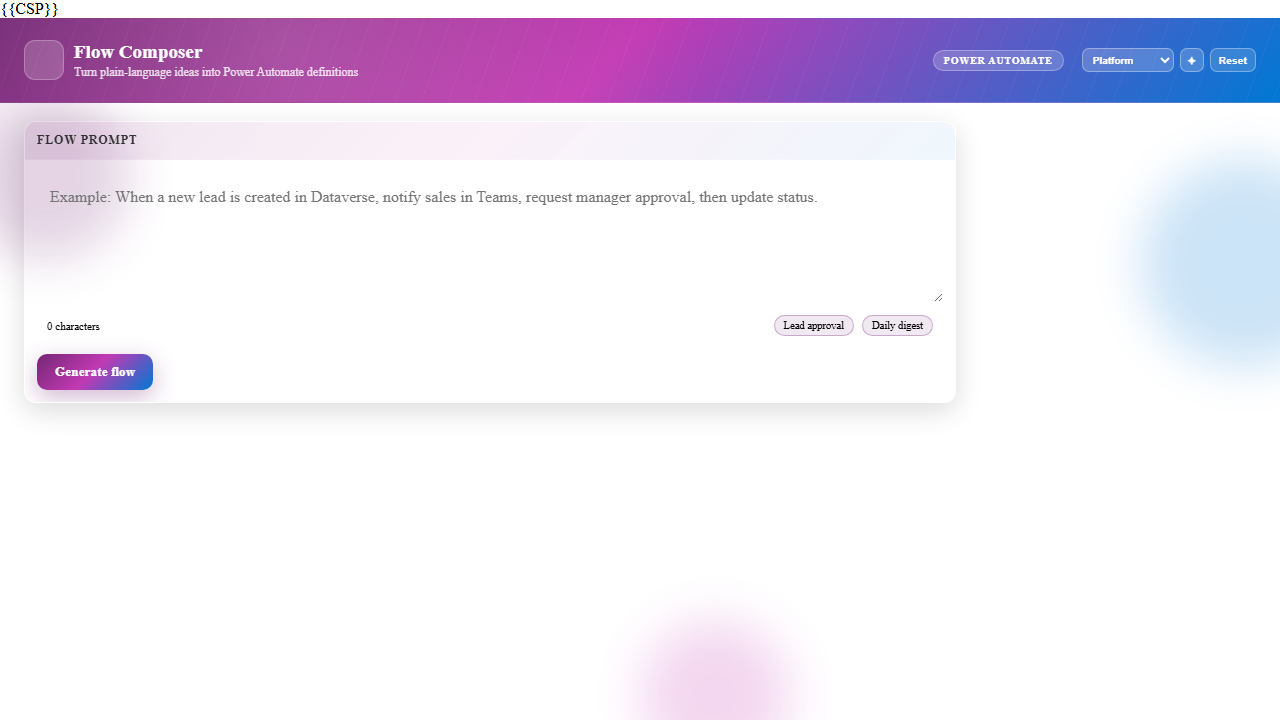
Visual Designers |
Explorer Views |
 |
 |
 |
| Generate apps, flows, and schemas from natural language |
Design Dataverse tables and flows visually |
Browse environments, solutions, and artifacts |
Features
🧠 AI-Powered Generation
Transform natural language descriptions into working Power Platform artifacts:
- Canvas Apps — Describe your app and get YAML output ready for Power Apps
- Flow Definitions — Generate Power Automate flows from business requirements
- Dataverse Schemas — Create complete table definitions from domain descriptions
- Document & Mockup Input — Upload docs or UI images to generate artifacts
🎨 Visual Designers
Rich webview panels for designing without leaving VS Code:
- Dataverse Architect — Design tables, columns, and relationships with a form UI
- Flow Composer — Build automation flows with guided inputs
- Copilot Chat — Interactive AI assistant for PowerFX help, debugging, and generation
🗂️ Explorer Views
Unified tree views for your entire Power Platform tenant:
- Environments — Browse and switch between environments
- Solutions — List, export, and import solutions
- Apps — View Canvas and Model-driven apps
- Flows — Inspect cloud flows and their status
- Dataverse Tables — Explore tables, columns, and metadata
📦 Solution Management
Full ALM support from the command palette:
- Export solutions to ZIP for deployment
- Import solutions into target environments
- Manage authentication via PAC CLI profiles
Architecture
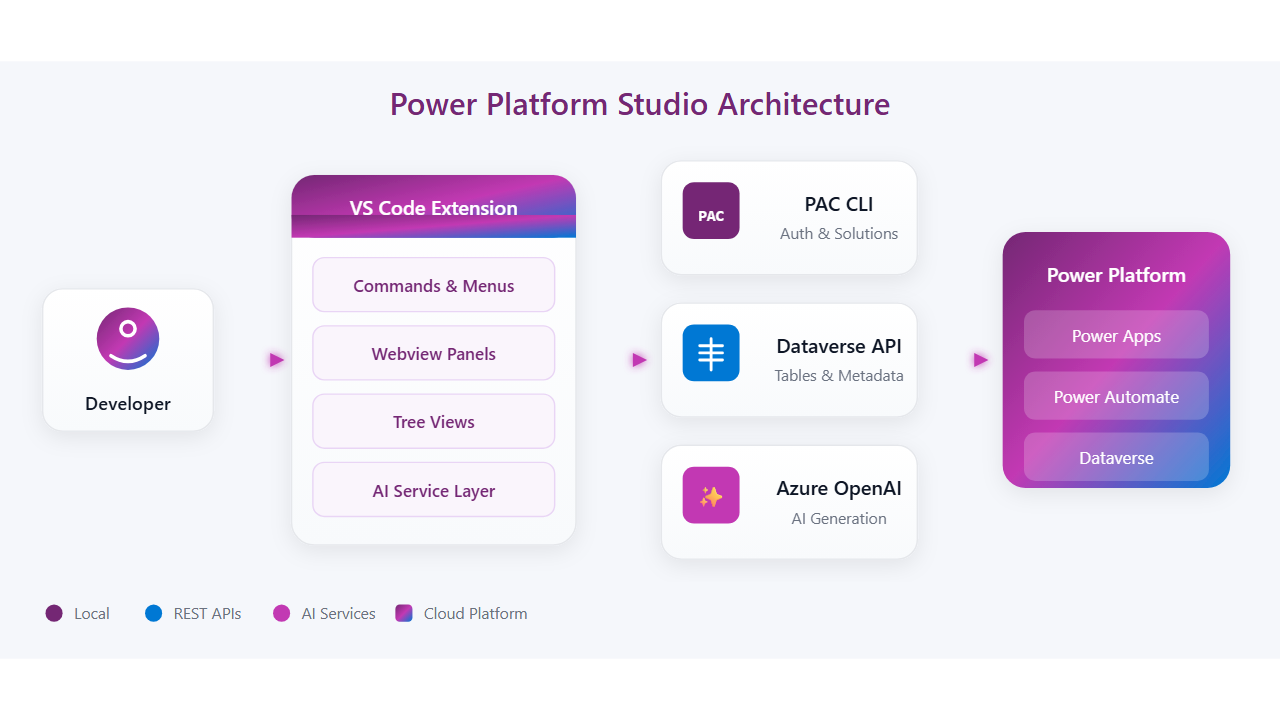
Commands
Access all features from the Command Palette (Ctrl+Shift+P):
| Command |
Description |
Power Platform: Open Copilot Chat |
Open the AI chat panel |
Power Platform: Open Dataverse Architect |
Launch the table designer |
Power Platform: Open Flow Designer |
Open the Flow Composer |
Power Platform: Generate App from Prompt |
Create Canvas App from text |
Power Platform: Generate from Document |
Generate from uploaded doc |
Power Platform: Generate from Mockup |
Generate from UI image |
Power Platform: Refresh Environments |
Reload environment list |
Power Platform: Export Solution |
Export solution ZIP |
Power Platform: Import Solution |
Import solution ZIP |
Power Platform: Authenticate |
Authenticate with PAC CLI |
Power Platform: Set Azure OpenAI API Key |
Store API key securely |
Requirements
| Requirement |
Details |
| VS Code |
Version 1.85 or later |
| Power Platform CLI |
Install via npm i -g @microsoft/pac |
| Azure OpenAI |
Endpoint URL and API key for AI features |
| Power Platform License |
Access to a Dataverse environment |
Configuration
Configure via VS Code settings (prefix powerPlatformStudio.*):
| Setting |
Description |
pacCliPath |
Path to PAC CLI executable (default: pac) |
azureOpenAi.endpoint |
Azure OpenAI endpoint URL |
azureOpenAi.deploymentName |
Deployment/model name |
dataverseUrl |
Dataverse environment URL |
Tip: Use the Power Platform: Set Azure OpenAI API Key command to store your API key securely.
Getting Started
- Install — Search "Power Platform Studio" in the VS Code Marketplace
- Authenticate — Run
Power Platform: Authenticate to sign in via PAC CLI
- Configure AI — Set your Azure OpenAI endpoint and API key
- Start Building — Open Copilot Chat and describe what you want to create
License
MIT
Built with ❤️ for the Power Platform community

