NEAR AI for VS Code
Private AI coding that you can see, steer, and afford.
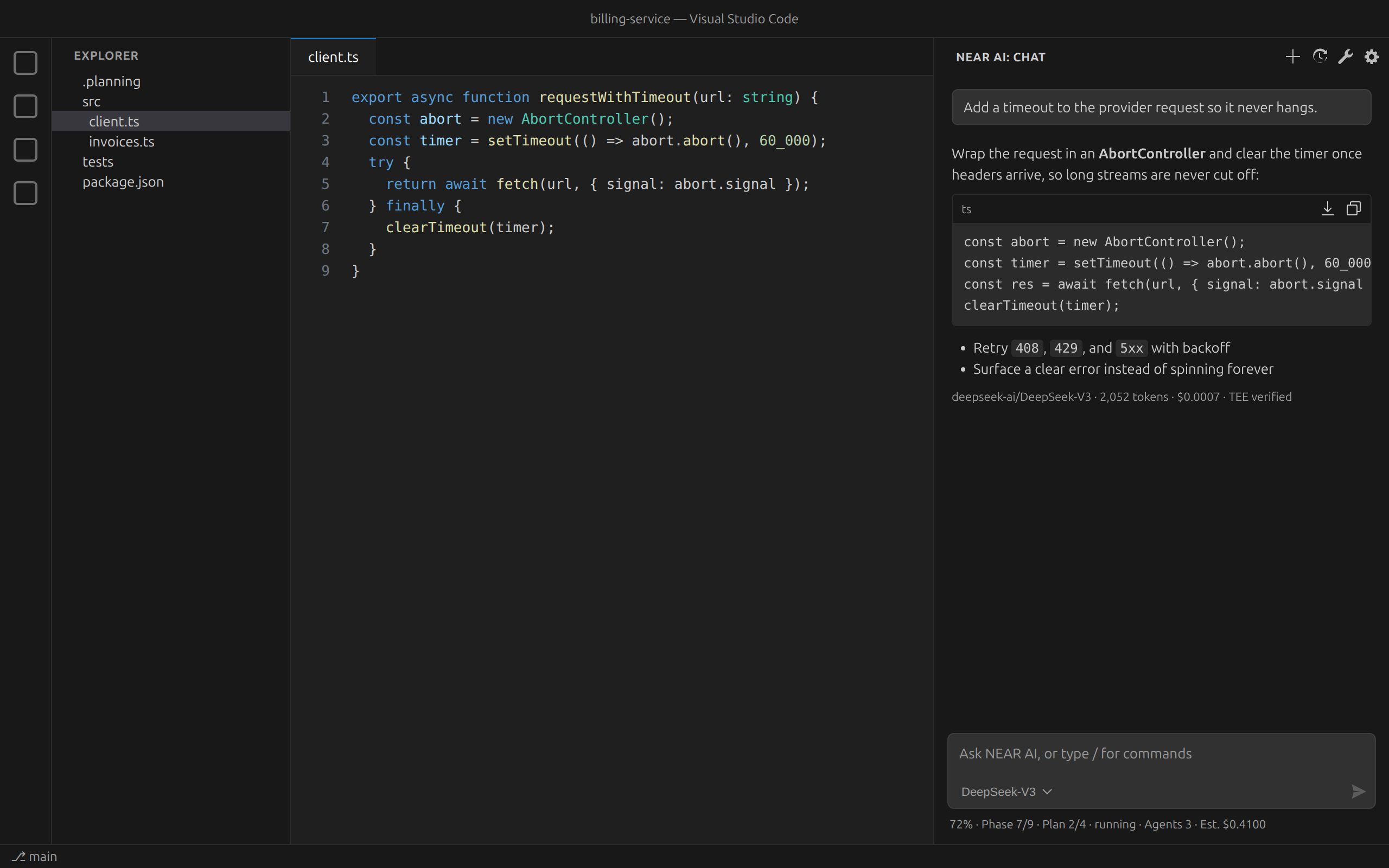
Chat with open models running in NEAR AI Cloud's confidential (TEE-backed)
inference. Plan and ship whole projects with built-in Open-GSD workflows. See
the model, tokens, and cost of every answer. And your code never passes
through a tool that quietly writes to your repo or pushes your keys around.
Why developers choose NEAR AI
- Your code stays private. Requests go to NEAR AI Cloud, where models run
inside trusted execution environments. When the provider confirms a
verified enclave, the answer is marked TEE verified, so you know where
your code was processed.
- It feels like part of VS Code. A compact chat in the secondary side bar
uses your theme and fonts. Prefer the built-in Chat view? Type
@nearai there instead.
- You always know the cost. Every response shows the model, token count,
and cost: estimated up front, then the actual amount when NEAR AI reports it.
The status line under the chat shows project progress, active agents, and
estimated spend.
- From idea to shipped, not just autocomplete. Open-GSD turns a goal into
requirements, phases, plans, and verified work, with agents doing the legwork
and you making the calls.
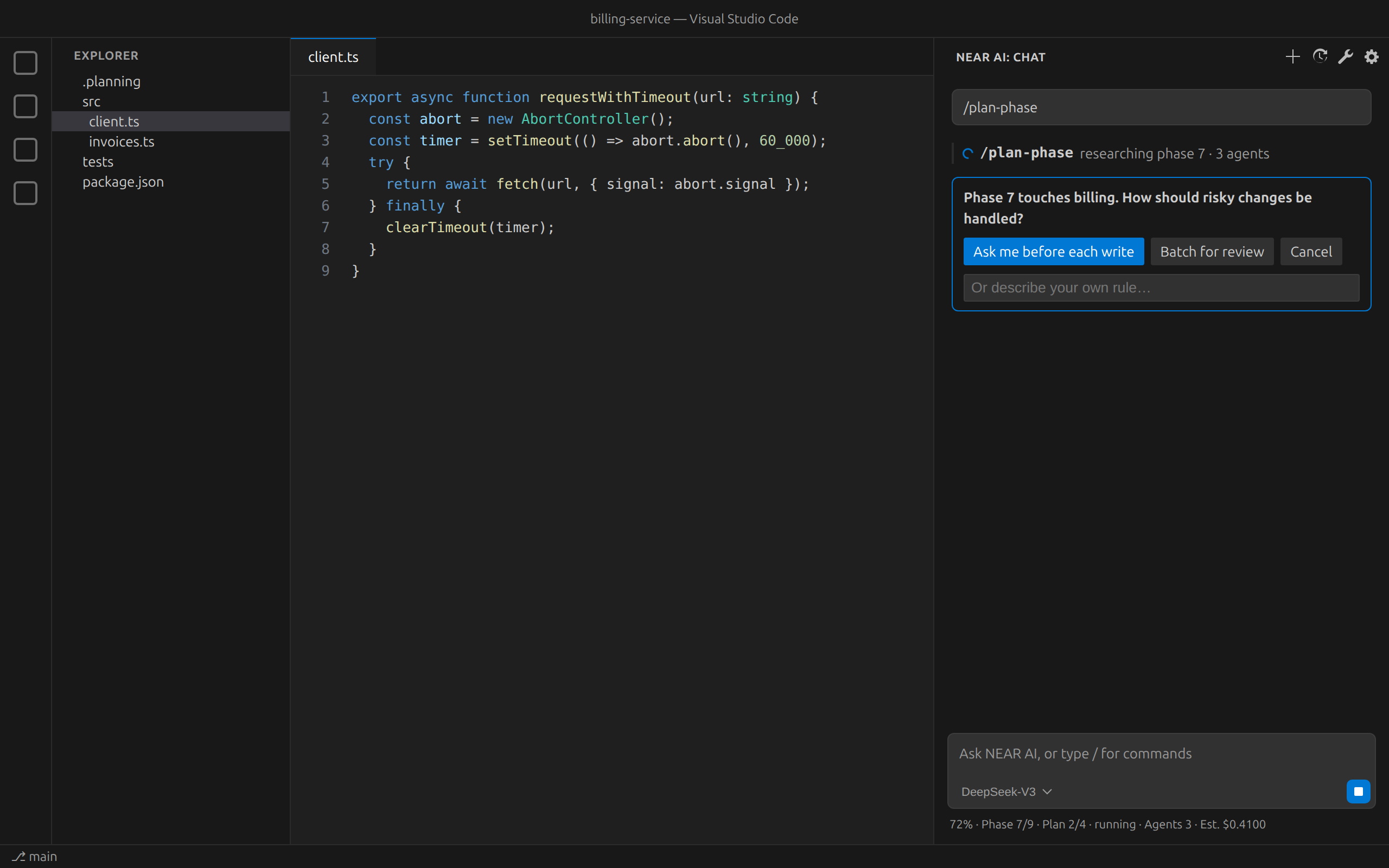
- Nothing happens behind your back. Planning and reading run freely. File
writes, shell commands, network calls, and git changes wait for your approval
unless you choose otherwise.
Features
Chat that fits in your editor
- Streaming answers with formatted code, plus Copy and Insert at cursor
on every code block.
- Pick any model NEAR AI offers from the input box, with pricing shown.
- New Chat, History, Tools, and Set Up live in the view's title
bar, just like other VS Code views.
- Keyboard-first, with screen-reader labels and reduced-motion support.
Open-GSD workflows, one slash away
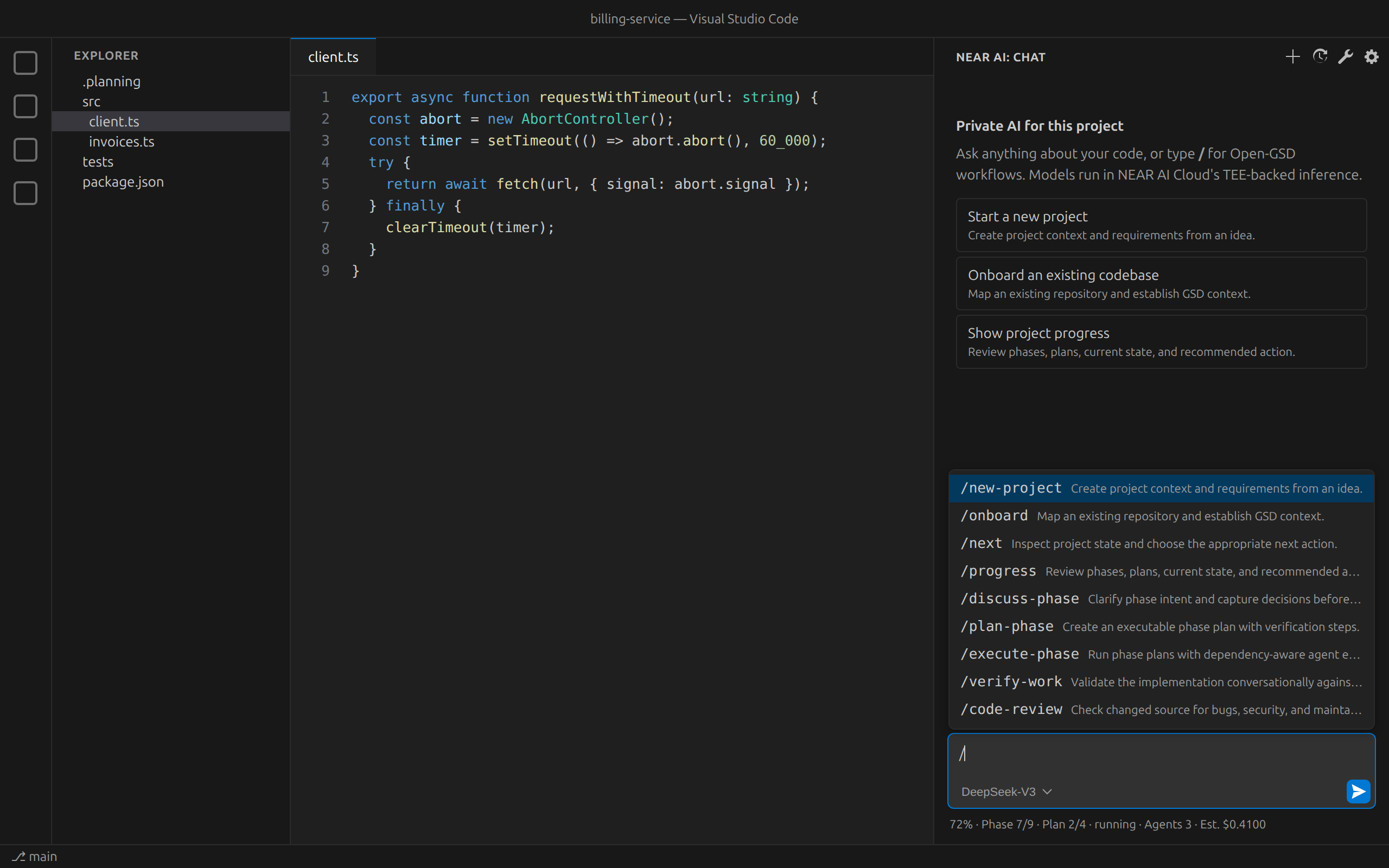
Type / to run any of 16 workflows: start a project, onboard an existing
codebase, discuss, plan, and execute phases, verify work, review code, map the
codebase, and more. Runs appear as collapsible activity rows, and when a
workflow needs a decision, it asks you right in the chat.
Built for teams and bigger projects
Open NEAR AI Tools from the title bar for:
- Team studio: reusable, versioned agent teams you can bind to a project.
- Context memory: scoped private and shared project knowledge, with
approval before anything is changed.
- Image and video generation: with cost and approval before each run.
- Attachments: images, audio, video, PDFs, and documents, kept local until
you approve an operation.
- Analytics: sessions, agents, models, and spend by organization and
project, exportable.
Respects your projects
The extension only acts in projects you set up with it. Opening a folder,
the sidebar, or a status view never adds files. Open-GSD is installed only
when you run a workflow and it's missing, and the extension never adds its own
copy of Open-GSD to a project that doesn't already have one.
Get started in two minutes
- Install NEAR AI for VS Code and open a project folder.
- Run NEAR AI: Set Up from the Command Palette.
- Create a NEAR AI Cloud API key at cloud.near.ai,
or paste the one you have, and give the project a name.
- Open the NEAR AI view in the secondary side bar and start chatting, or
type
/new-project to plan something new.
Security and privacy
- API keys live in VS Code's encrypted SecretStorage, scoped to each
project. They are never written to settings, workspace files, logs, history,
or exports.
- Keys are only sent over HTTPS. Plain HTTP is allowed only for a model
runtime on your own machine (
localhost).
- A privacy check runs before each request. It blocks secrets and private
files by default, and a local-only mode keeps everything off the cloud.
- The chat view only receives display data; credentials and raw context stay
in the extension host.
- The extension never reads
~/.near-credentials or other local wallet files.
Read the full security and trust report.
Requirements
- VS Code 1.90 or newer.
- A NEAR AI Cloud API key.
- For Open-GSD workflows: the Codex CLI (
codex) on your PATH and npm access
(Open-GSD installs itself the first time you run a workflow).
Settings
| Setting |
Default |
What it does |
nearAi.defaultModel |
provider default |
Model used for new chats. |
nearAi.actionPolicy |
approve-risky |
How much agents may do without asking. |
nearAi.baseUrl |
NEAR AI Cloud |
OpenAI-compatible endpoint (HTTPS, or HTTP on localhost). |
nearAi.autoInstallGsd |
true |
Install Open-GSD when a workflow needs it and keep it current in NEAR AI projects. |
Good to know
- TEE status is reported by the provider. NEAR AI marks verified
responses; the extension shows that signal but does not attest hardware
itself.
- Staking and NEAR account sign-in are coming. Wallet entitlement and
staking stay switched off until NEAR AI publishes a verified configuration,
and API keys are used for sign-in until then.
Troubleshooting
- Chat asks you to set up: run NEAR AI: Set Up, then select and
validate a profile for this project.
- No models or costs shown: check your API key and endpoint; prices appear
when the provider publishes them.
- A workflow won't start: make sure
codex is on your PATH and npm can
reach the registry, then run any command, such as /progress, to install
Open-GSD.
- Endpoint rejected: use an
https:// URL, or http://localhost for a
local runtime.
Build from source
npm ci
npm run check            # type check and tests
npm run verify:release   # package and verify the VSIX
Issues and contributions: github.com/VitalPointAI/near-ai-vscode.
License
MIT. See LICENSE.
| |

