Scrutin Runner
Fast, watch-mode test runner for R and Python, integrated into VS Code and Positron.
Scrutin discovers your tests, linters, and data validators automatically. It watches files for any edit you make, uses dependency mapping to re-run only the checks that relate to your changes, and streams results live into a panel inside the editor.
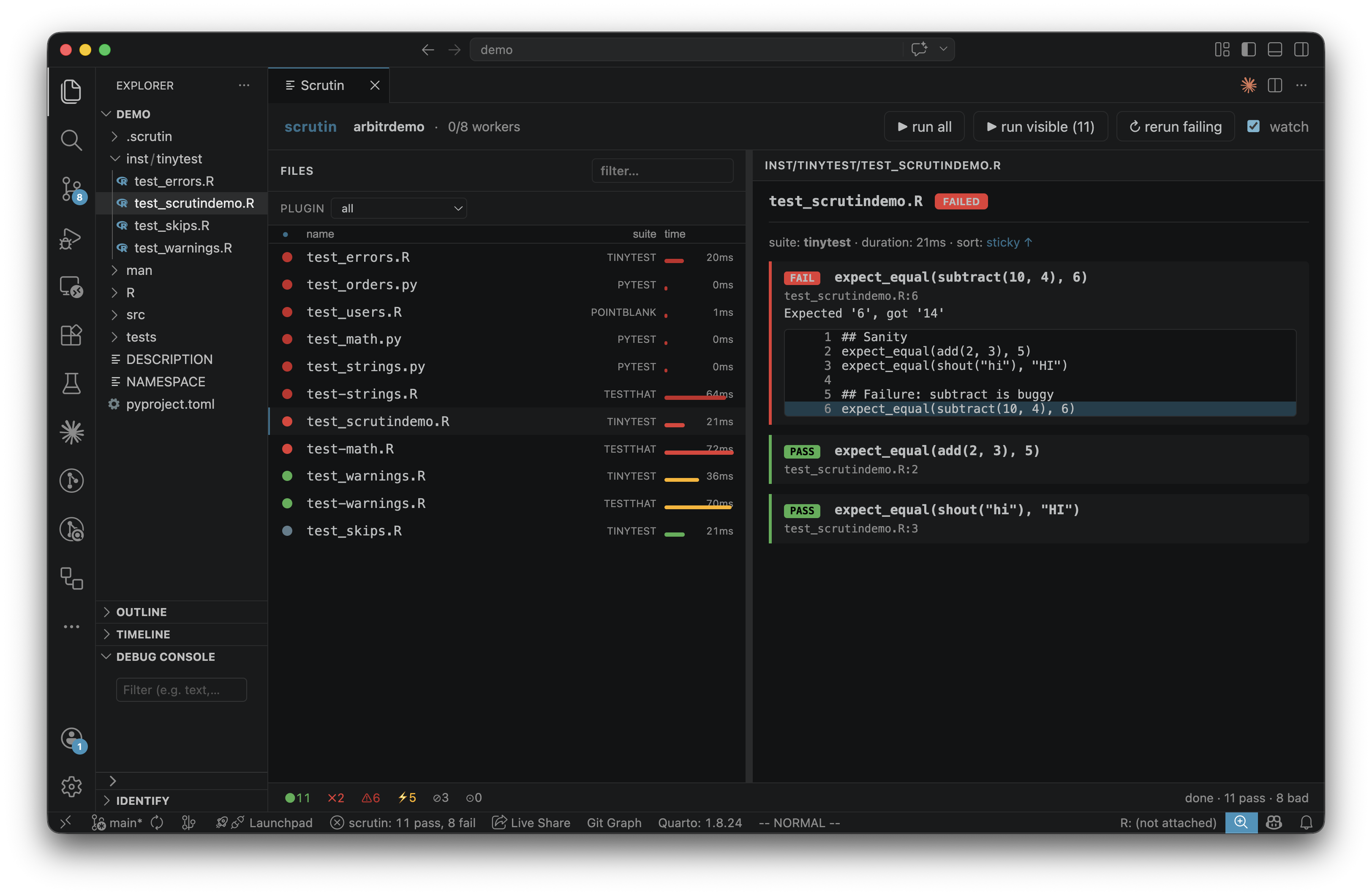
Features
- Live dashboard in an editor panel: pass / fail / error / skip / xfail / warn for every file.
- Native Test Explorer integration: results show up in the standard VS Code Testing view.
- Watch mode with dependency-aware reruns: only the affected tests run when you save.
- Multi-tool, multi-language in one project: testthat, tinytest, pointblank, validate, jarl (R), pytest, ruff, Great Expectations (Python). All discovered tools run concurrently.
- Status bar summary: spinner while running, pass/fail counts when done.
- Bundled binary on supported platforms; falls back to
scrutin on $PATH otherwise.
Requirements
The extension shells out to the scrutin binary. On most platforms the binary is bundled in the VSIX. Otherwise install it separately:
cargo install --git https://github.com/vincentarelbundock/scrutin scrutin
and either put it on $PATH or set scrutin.binaryPath in settings.
Commands
| Command |
Description |
Scrutin: Start |
Start the runner against the current workspace folder. |
Scrutin: Stop |
Stop the runner. |
Scrutin: Restart |
Stop and start again. |
Scrutin: Show Panel |
Reveal the dashboard panel. |
Settings
| Setting |
Default |
Description |
scrutin.binaryPath |
"" |
Absolute path to the scrutin binary. Empty means use the bundled binary, then $PATH. |
scrutin.autoStart |
false |
Start scrutin automatically when a workspace with R or Python markers opens. |
Project layout
Scrutin auto-detects supported tools by looking for marker files (DESCRIPTION, pyproject.toml, tests/testthat/, inst/tinytest/, tests/test_*.py, ...). Configuration, when needed, lives in .scrutin/config.toml at the project root. See the project discovery docs for the full list.
Documentation
Full documentation, including reporters, watch mode, filtering, and per-tool configuration, lives at vincentarelbundock.github.io/scrutin.
License
MIT.

