Spirit Gallery — VS Code Theme
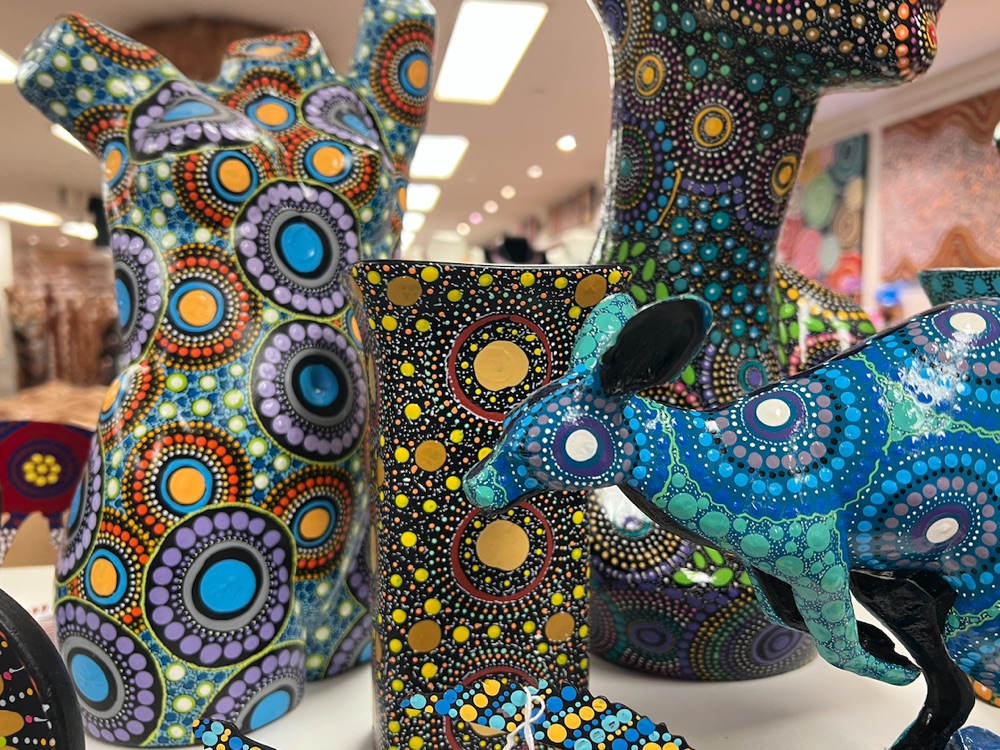
A family of themes inspired by Aboriginal art, as featured at the Spirit
Gallery Store in the Argyle Centre, The Rocks, Sydney:
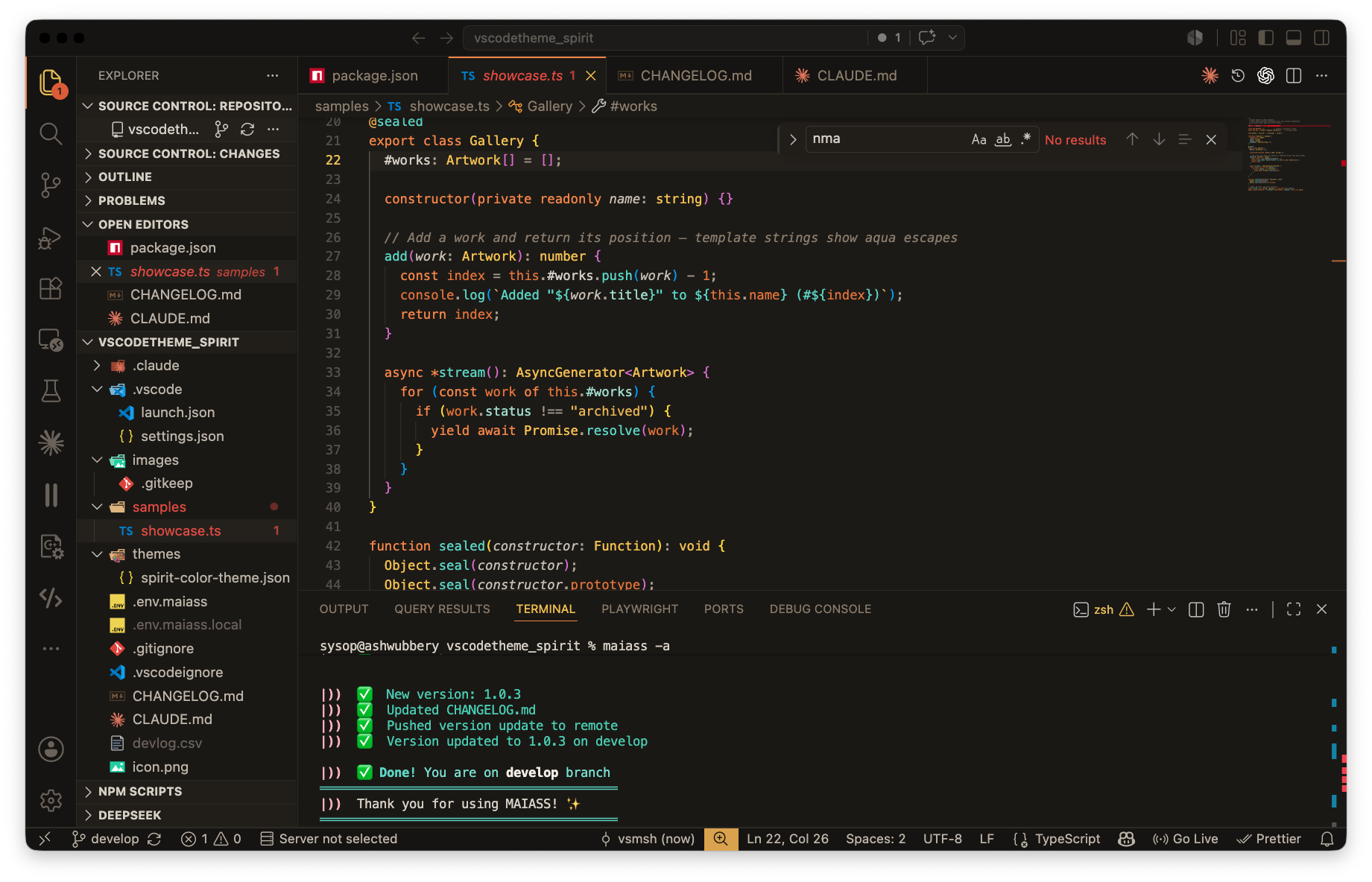
- Spirit Gallery — warm charcoal backgrounds with orange, gold, aqua and silver accents.
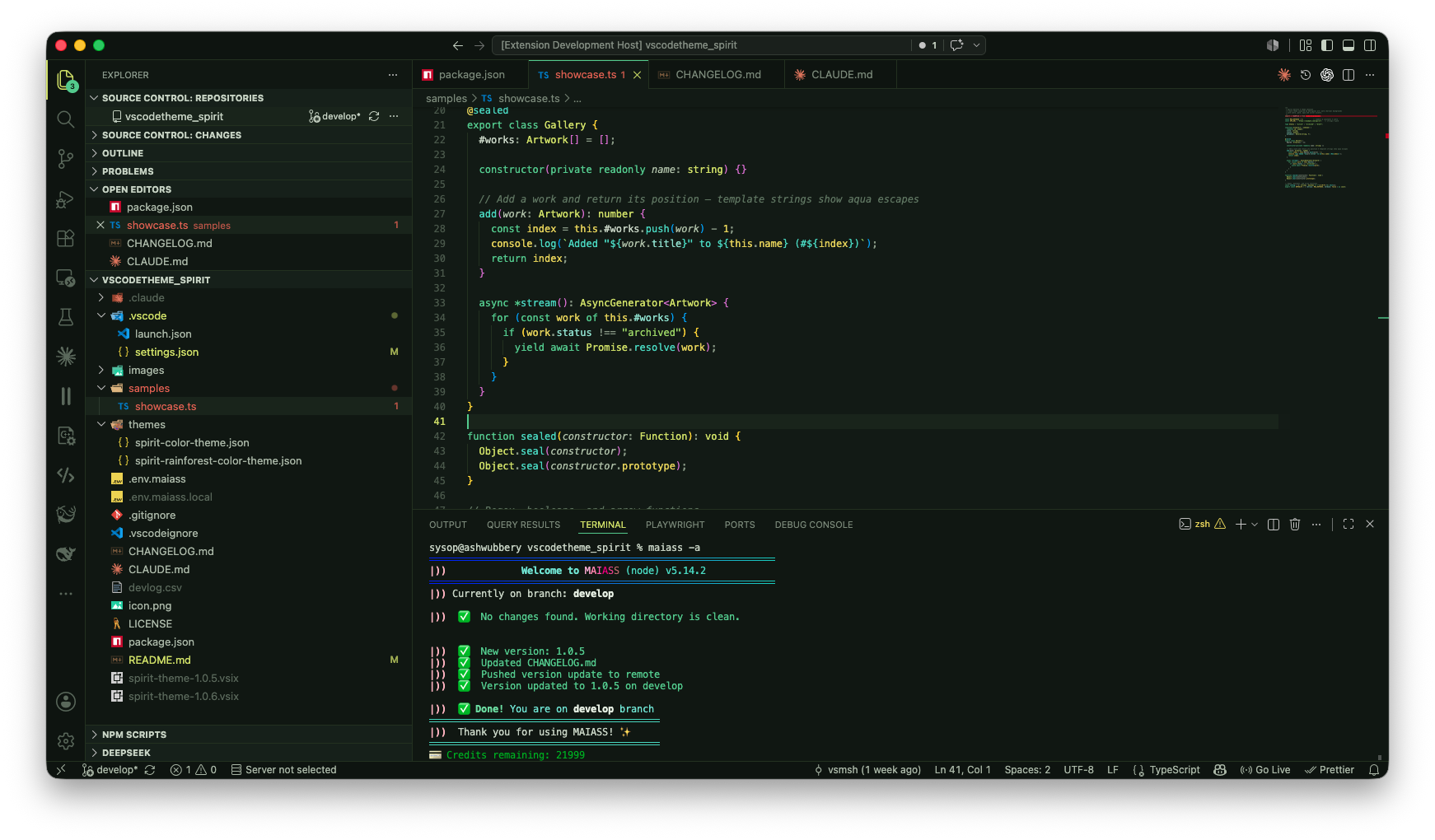
- Spirit Gallery Rainforest — deep green backgrounds dominated by green, highlighted with aqua, lime and yellow.
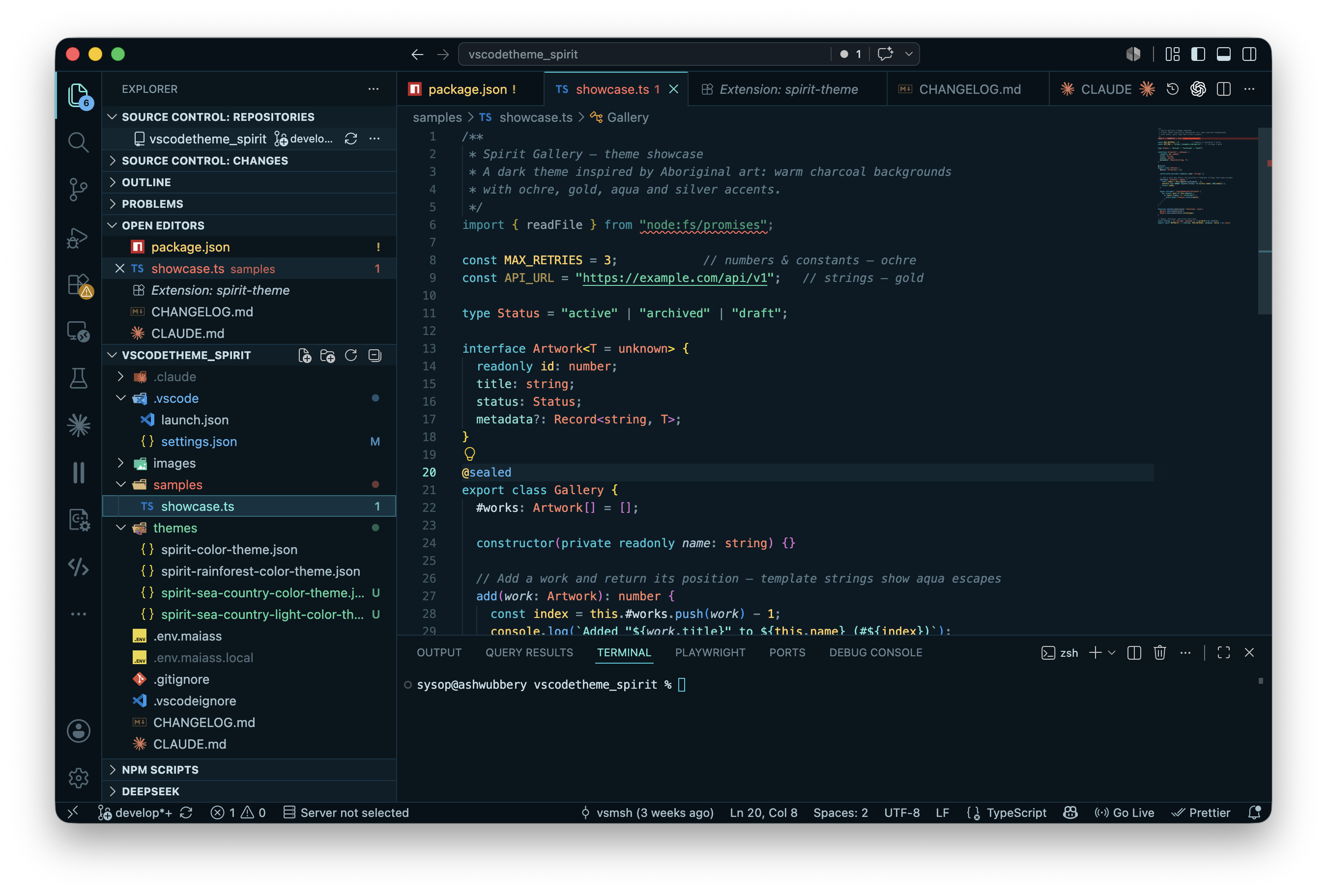
- Spirit Gallery Sea Country — deep-ocean backgrounds with a turquoise signature, plus ocean-blue, seagrass green and coral reef pops.
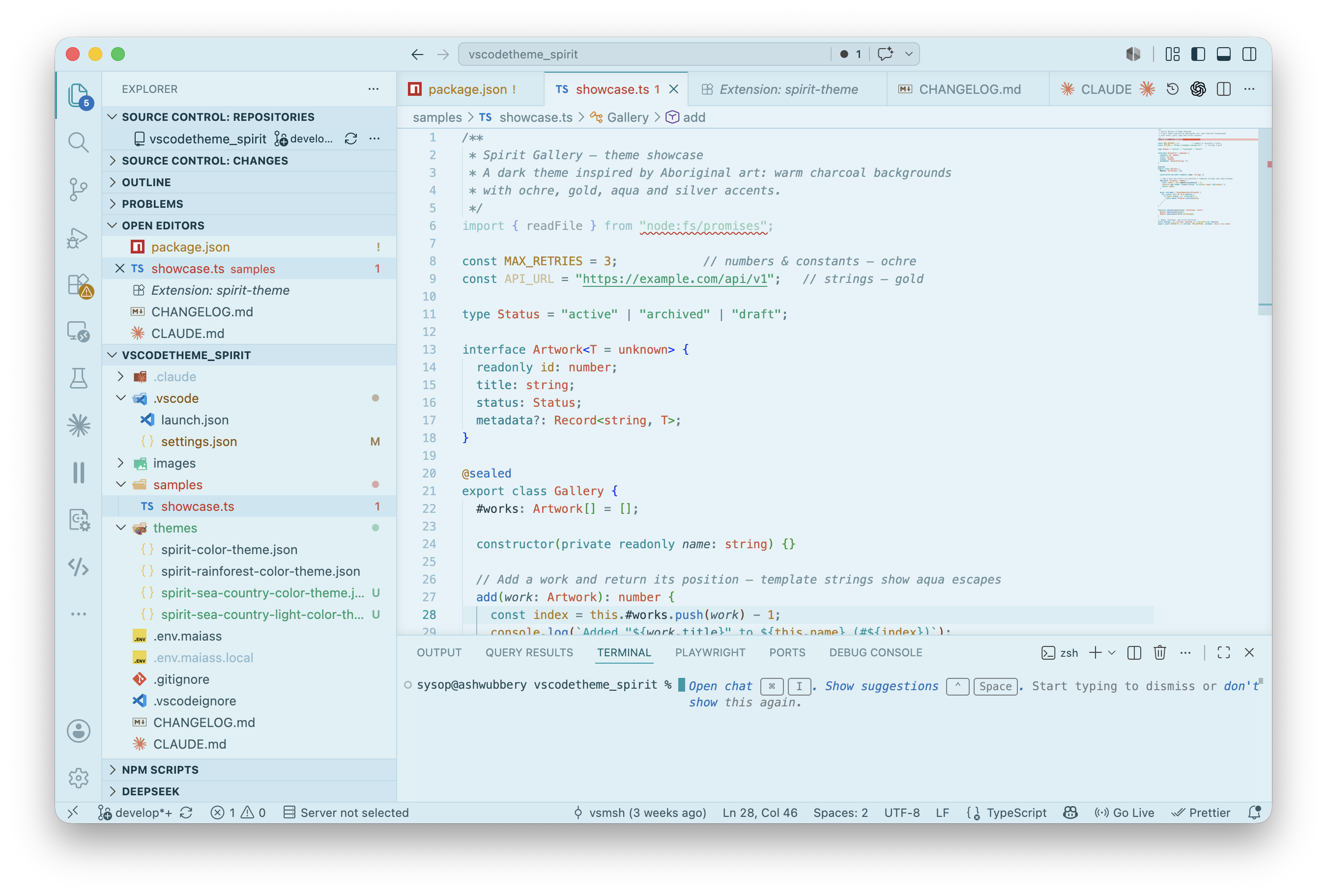
- Spirit Gallery Sea Country Light — the same reef palette on a pale aqua-blue canvas (the extension's first light theme).



Spirit Gallery
Spirit Gallery Rainforest
Spirit Gallery Sea Country
Spirit Gallery Sea Country Light
Install
In VS Code: open Quick Open (Cmd/Ctrl+P), paste and run:
ext install velvary.spirit-theme
Or search "Spirit Gallery" in the Extensions panel. Then pick a variant with
Cmd/Ctrl+K Cmd/Ctrl+T → Spirit Gallery, Spirit Gallery Rainforest, Spirit Gallery Sea Country or Spirit Gallery Sea Country Light.
Also available on Open VSX
for VSCodium, Cursor, Windsurf and Gitpod.
Palettes
Spirit Gallery
| Role |
Colour |
Hex |
| Background (editor) |
warm charcoal |
#1c1a17 |
| Background (chrome) |
near-black |
#161412 |
| Foreground |
silver |
#d6cfc4 |
| Keywords / tags / cursor |
orange |
#f0883e |
| Burnt orange (accent) |
rust |
#d9622e |
| Strings / attributes |
gold |
#e3b44a / #e8c14a |
| Types / classes |
bright yellow |
#f0c040 |
| Functions / escapes / links |
aqua |
#5fd3c4 |
| Properties |
soft aqua |
#9fd9c9 |
| Error |
gallery red |
#e0533d |
Spirit Gallery Rainforest
| Role |
Colour |
Hex |
| Background (editor) |
deep green |
#121a15 |
| Background (chrome) |
near-black green |
#0e1410 |
| Foreground |
pale sage |
#c6d2c2 |
| Keywords / tags / cursor |
green |
#57c98a |
| Functions / escapes / links |
aqua |
#4fd6c0 |
| Strings |
lime |
#9bd35a |
| Types / attributes / active |
bright lime |
#cfe05a |
| Numbers / constants / decorators |
yellow |
#e3d24a |
| Properties |
soft aqua |
#8fdccb |
| Error |
warm red |
#e0664d |
Spirit Gallery Sea Country
| Role |
Colour |
Hex |
| Background (editor) |
deep ocean |
#0a1a24 |
| Background (chrome) |
abyss |
#071219 |
| Foreground |
sea foam |
#c8dfe8 |
| Keywords / tags / cursor |
turquoise |
#2ec6d8 |
| Functions |
ocean blue |
#55b3f2 |
| Strings |
seagrass |
#4fd6a0 |
| Escapes / links / active |
foam cyan |
#6fe8dc |
| Types / attributes |
coral |
#ff8266 |
| Numbers / constants / decorators |
sunlit gold |
#ffce5c |
| Properties |
soft aqua |
#7fdcd0 |
| Error |
reef red |
#ff6b5c |
Spirit Gallery Sea Country Light
| Role |
Colour |
Hex |
| Background (editor) |
pale aqua-blue |
#e4f3f9 |
| Background (chrome) |
shallows |
#d3ebf3 |
| Foreground |
deep sea ink |
#133b47 |
| Keywords / tags |
deep turquoise |
#0d8f9c |
| Functions / links |
ocean blue |
#2072c0 |
| Strings |
reef green |
#1f9d6b |
| Escapes |
teal |
#0aa0a8 |
| Types / attributes |
coral |
#cf5236 |
| Numbers / constants |
amber |
#b07a12 |
| Properties |
teal |
#0b8290 |
| Error |
red |
#c8382a |
The gallery
These themes take their colours from the Aboriginal art at the
Spirit Gallery in the Argyle Centre,
The Rocks, Sydney.
Contributing / local development
Open this folder in VS Code and press F5 to launch an Extension Development
Host, then pick a theme there. To build a .vsix:
npx @vscode/vsce package
License
MIT

