Skir
Protobuf reimagined for today
skir.build
Skir is a modern declarative schema language for data models and APIs.
Write once in a .skir file - instantly generate clean, idiomatic, and fully type-safe code in TypeScript, Python, Java, Go, C++, and more languages.
Quick demo
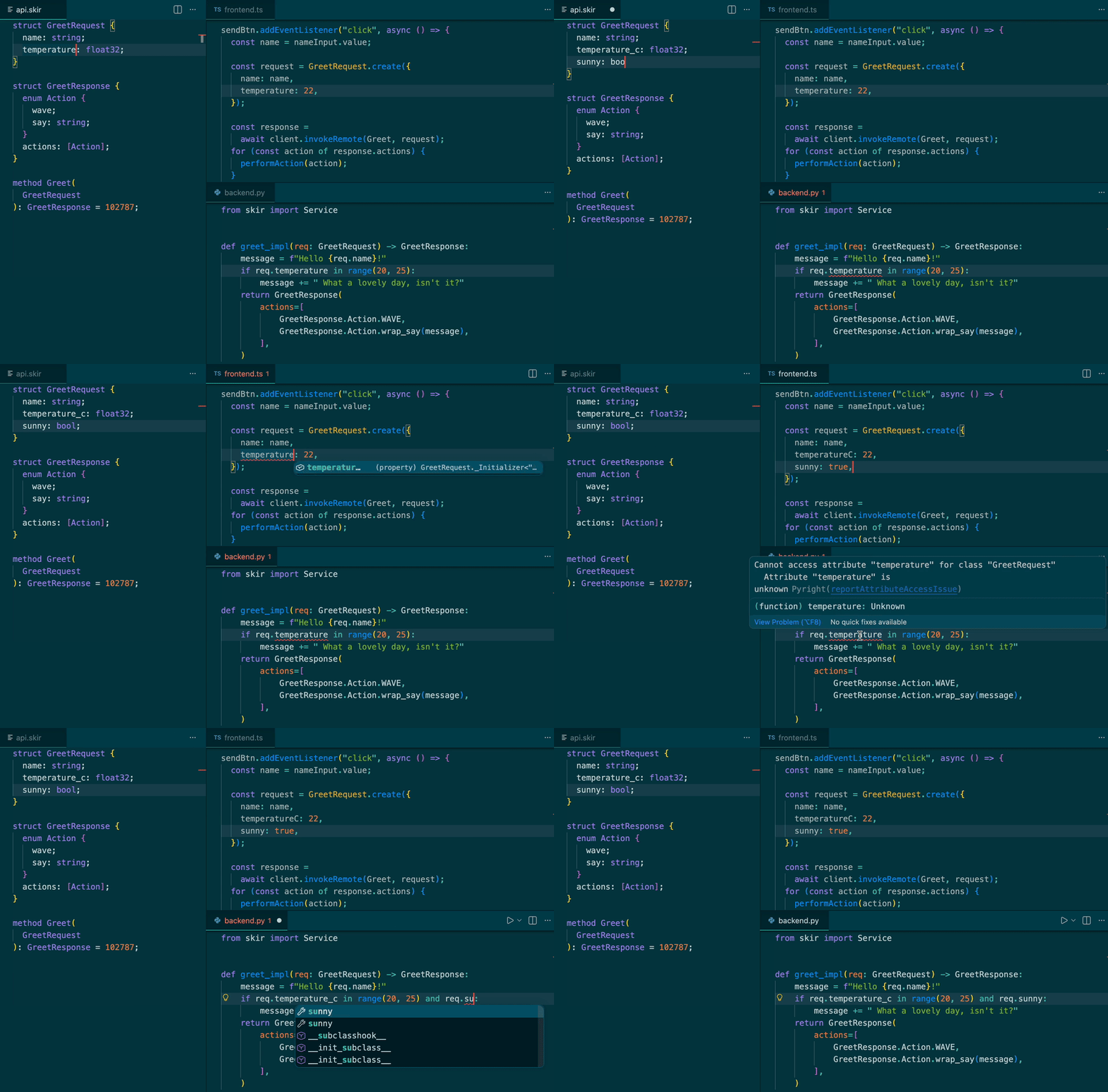
Features
- 🧩 One schema, 10+ languages, zero headaches - One YAML config, one command, and watch mode that refreshes generated code on every change.
- 🛡️ End-to-end type safety - Shared method and type definitions keep client/server contracts aligned before runtime.
- ⚡ SkirRPC + Studio - Lightweight HTTP RPC with a built-in Studio app for browsing and testing methods.
- 📦 GitHub imports - Import types directly from GitHub repositories to share data structures across projects.
- 🔁 Serialization modes - Dense JSON for APIs/DBs, readable JSON for debugging, and binary for raw performance.
- 🧬 Polymorphism done right - Sum types let variants be constants or carry typed payloads for clean, explicit polymorphism.
- 🕰️ Safe schema evolution - Built-in checks and clear rules so old and new data remain deserializable.
- 🔒 Prioritizes immutability - Skir generates deeply immutable types with all fields required at construction time.
- 🗂️ Key-indexed arrays - Declare arrays like
[User|user_id] and get fast key-based lookup APIs.
- 🛠️ First-class tooling - VS Code extension + LSP with validation, completion, and auto-formatting.
- 🧱 Easy to extend - Generators are regular NPM modules, so custom generators plug in cleanly.
Syntax example
// robot.skir

enum RobotAction {
  wave;
  say: string;
  move: Point;
}

struct Point {
  x: int32;
  y: int32;
}

const GREET_ACTIONS: [RobotAction] = [
  "wave",
  {
    kind: "say",
    value: "Hi!",
  },
];

method PerformAction(RobotAction): bool = 12345;
Skir compiles these definitions into native, type-safe code you can use in your project:
# my_project.py

from skirout.robot_skir import Point, RobotAction

wave = RobotAction.WAVE
say_hi = RobotAction.wrap_say("Hi!")
move_origin = RobotAction.wrap_move(Point(x=0, y=0))

# Round-trip serialization to JSON
action_json = RobotAction.serializer.to_json(say_hi)
restored = RobotAction.serializer.from_json(action_json)

assert restored == say_hi
assert move_origin.union.kind == "move"
Documentation
Supported languages
VS Code extension specifics
- Syntax highlighting for
.skir
- Inline diagnostics (lexical, parse, type, and compatibility warnings)
- Go to Definition / Find All References / Rename Symbol
- Hover documentation from Skir doc comments
- Auto-completion with automatic import insertion
- Format on save and Format Document
- Import updates when
.skir files are renamed or moved
- Explorer actions on
skir.yml:
Skir: Generate (watch)Skir: SnapshotSkir: Snapshot (dry run)Skir: Snapshot (view)

