Skip to content
| Marketplace
Sign in
Visual Studio Code>Other>Claude Add To ChatNew to Visual Studio Code? Get it now.
Claude Add To Chat

Claude Add To Chat

Tuya-JinLu

|
6 installs
| (1) | Free
Right-click files/folders in the explorer to add them to Claude Code Chat
Installation
Launch VS Code Quick Open (Ctrl+P), paste the following command, and press enter.
Copied to clipboard
More Info

Add to Claude Chat

A small VS Code / Cursor extension that adds a right-click context menu item to send files, folders, or selected code to your Claude Code chat session.

Demo

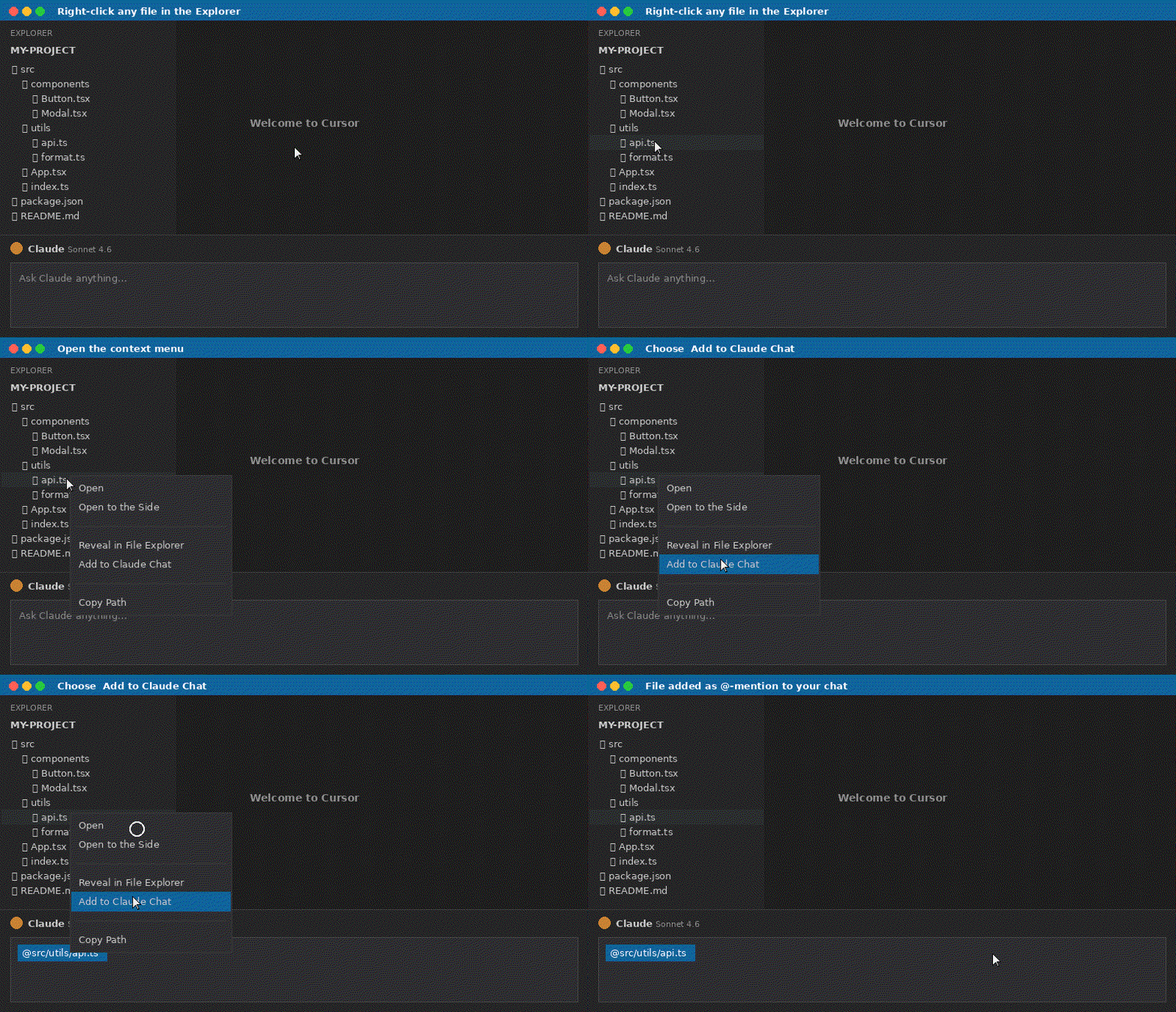
Right-click in the Explorer:

explorer demo

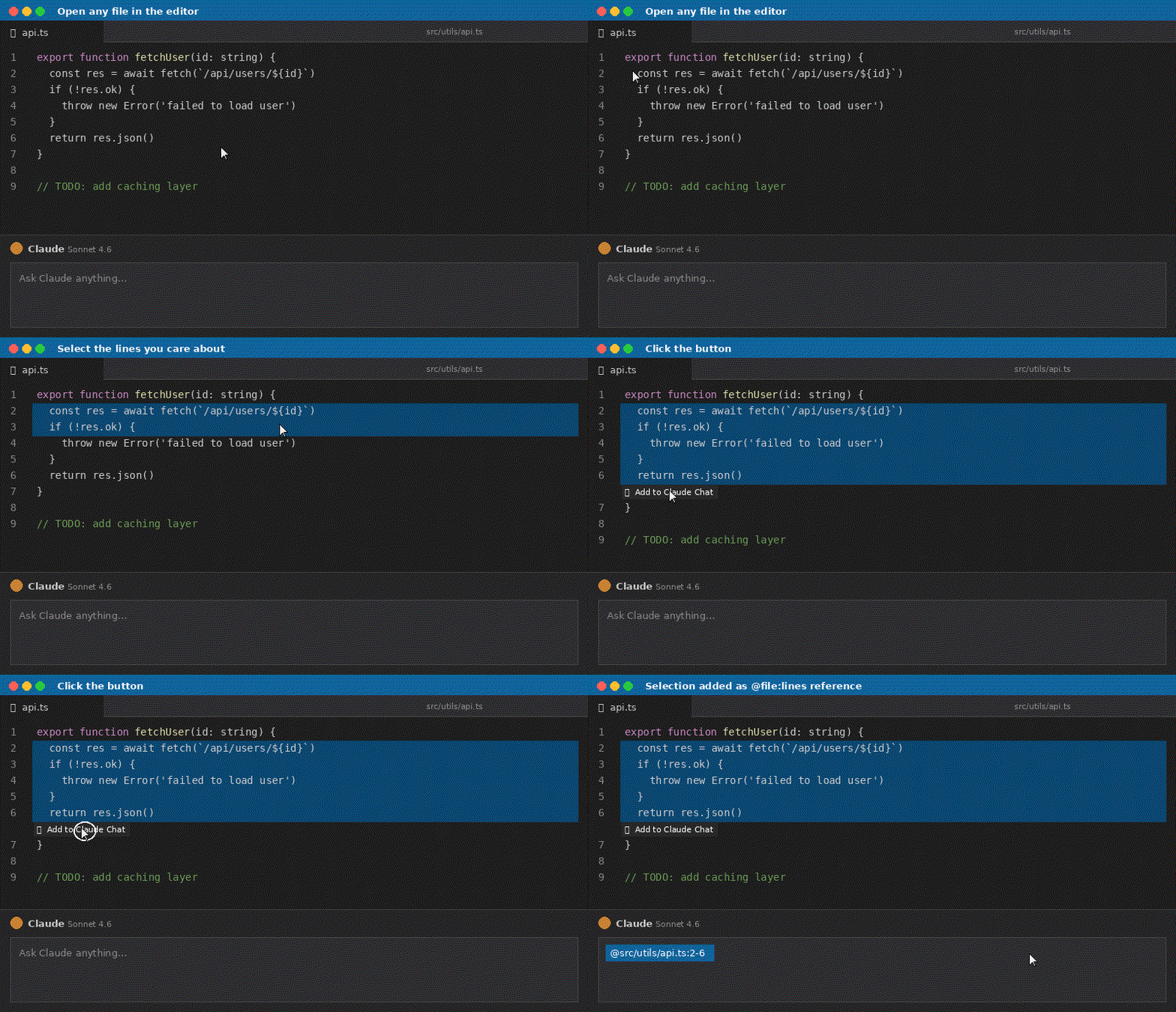
Select code in the editor — a button appears, just click it:

editor demo

Features

  • Right-click any file or folder in the Explorer → Add to Claude Chat
  • Select code in an editor → click the floating Add to Claude Chat button

Requirements

  • Claude Code installed and running
  • VS Code 1.80+ or Cursor

License

MIT

  • Contact us
  • Jobs
  • Privacy
  • Manage cookies
  • Terms of use
  • Trademarks
© 2026 Microsoft