WP Block Highlighting for VS Code
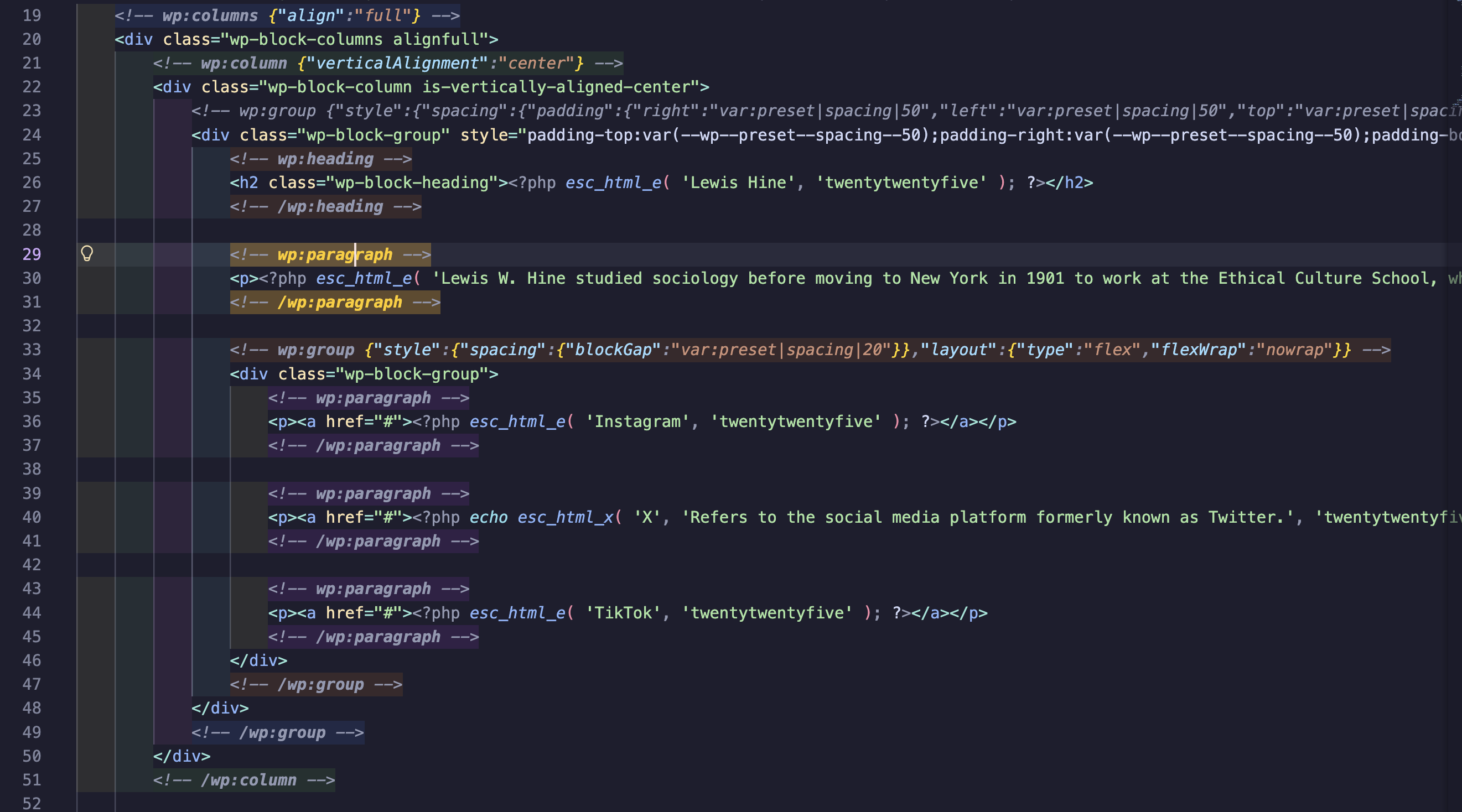
Improves readability of WordPress Gutenberg block markup in HTML and PHP files.
Installation
Install from VS Code Marketplace
Or search for "WP Block Highlighting" in the VS Code Extensions view (Cmd+Shift+X).
From Source
git clone https://github.com/tomjn/vscode-wpblock-highlighting
cd vscode-wpblock-highlighting
npm install
npm run compile
Then press F5 in VS Code to test, or package with vsce package.
Features
- Depth-based highlighting - Different background colors for each nesting level
- Pair matching - Opening and closing block comments highlight when cursor is on either
- JSON syntax highlighting - Block attributes display with proper JSON colors (keys, strings, numbers, brackets)
- Block folding - Collapse/expand WordPress block regions
- Jump to matching pair -
Cmd+Shift+M (Mac) / Ctrl+Shift+M (Windows/Linux)
- Breadcrumb navigation - Shows block hierarchy in VS Code's breadcrumb bar and Outline view
- Status bar path - Shows current block path in status bar (e.g.,
group > columns > column)
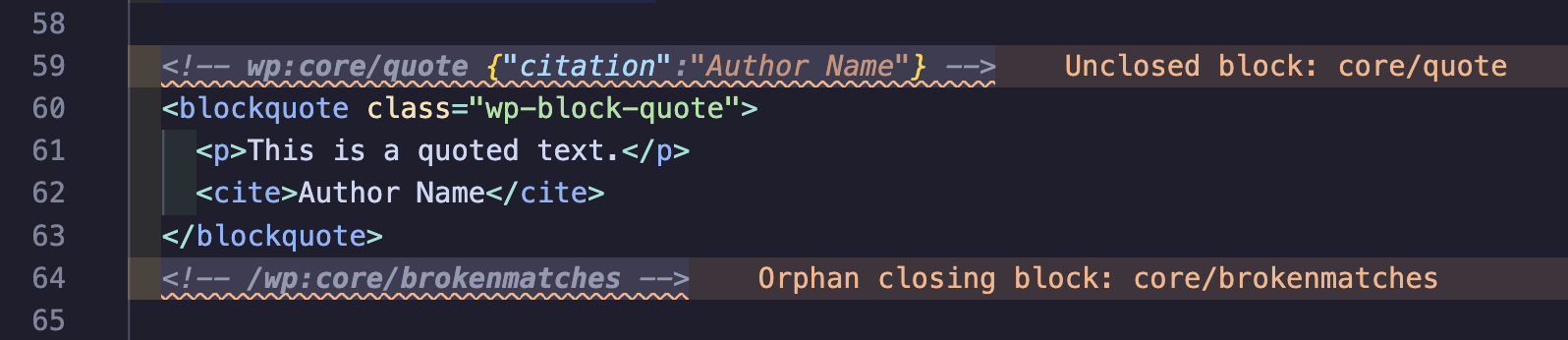
- Block diagnostics - Warning squiggles for unclosed or orphan blocks
- Hover information - Hover over blocks to see name, depth, and attributes
Configuration
| Setting |
Default |
Description |
wpBlockHighlighting.enabled |
true |
Enable/disable the extension |
wpBlockHighlighting.depthColors |
[blue, green, orange, purple, pink, teal] |
Background colors per nesting depth |
wpBlockHighlighting.matchHighlightColor |
rgba(255, 204, 0, 0.2) |
Background for matched pairs |
wpBlockHighlighting.matchNameHighlightColor |
#ffcc00 |
Text color for wp:block-name in matched pairs |
wpBlockHighlighting.jsonKeyColor |
#9cdcfe |
JSON property key color |
wpBlockHighlighting.jsonStringColor |
#ce9178 |
JSON string value color |
wpBlockHighlighting.jsonNumberColor |
#b5cea8 |
JSON number/boolean color |
wpBlockHighlighting.jsonBracketColor |
#ffd700 |
JSON bracket color |
wpBlockHighlighting.languages |
["html", "php"] |
Languages to activate for |
License
GPL-2.0
| |

