KFP DAG Preview
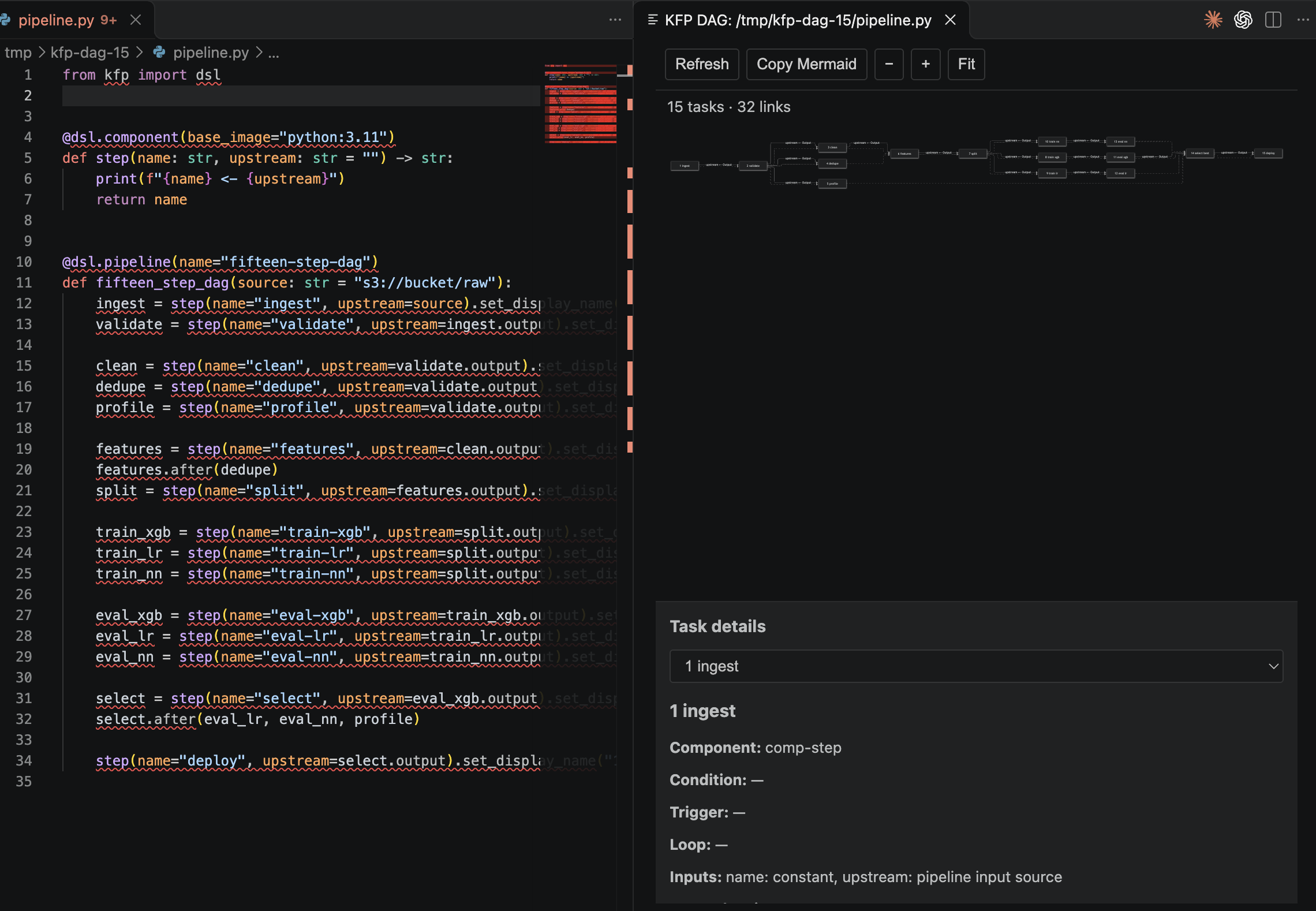
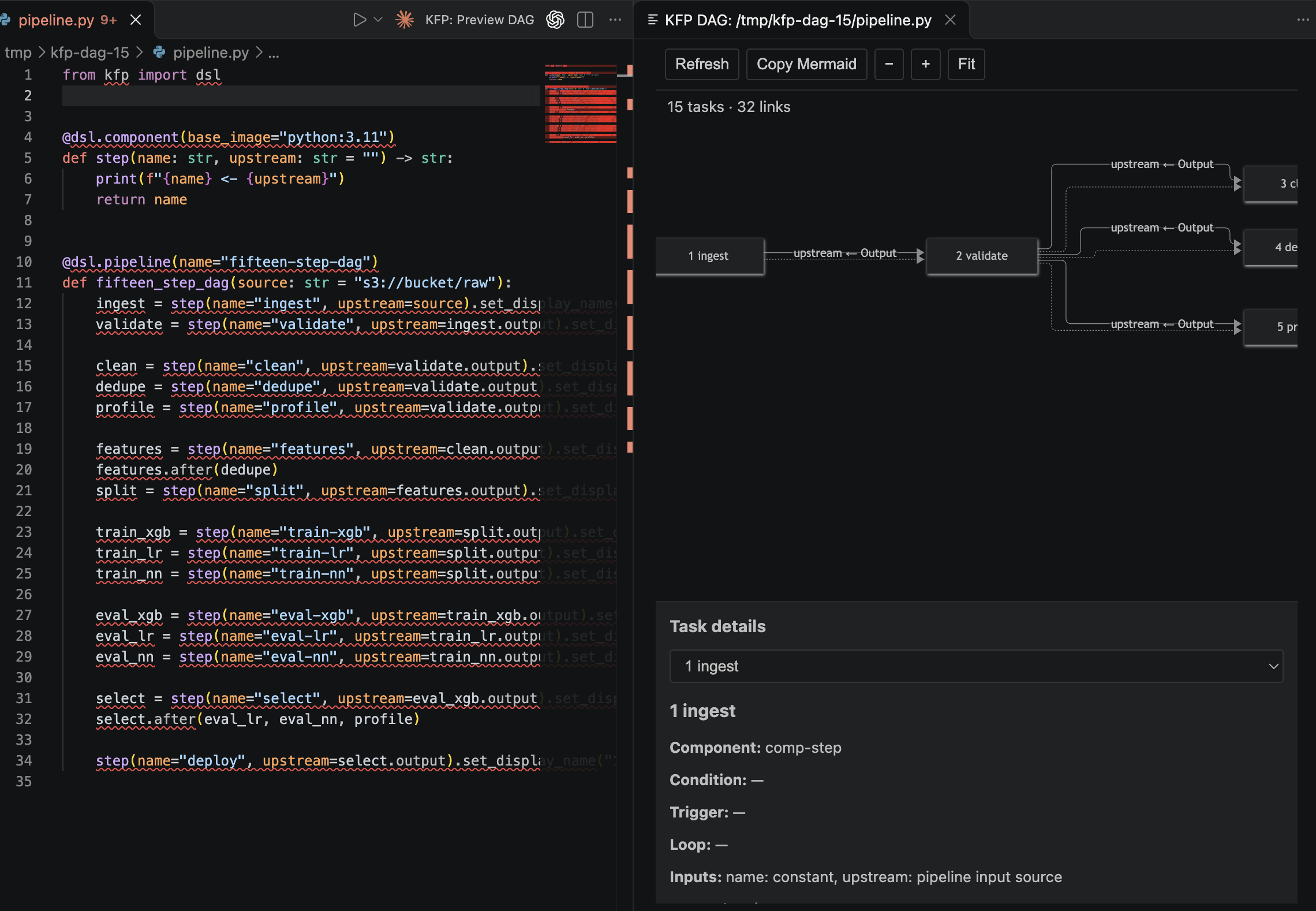
A read-only VS Code preview for Kubeflow Pipelines v2. Open a Python pipeline and see its compiled DAG beside the code. The preview refreshes when the pipeline file changes, whether you save in VS Code or an external tool edits it. Mermaid is bundled, so no separate diagram extension or Kubeflow cluster is needed.
Install
Install the local package with Extensions: Install from VSIX… in VS Code and select kfp-dag-preview.vsix. To build it from source, run npm ci and npm run package.
Install the KFP v2 SDK in the Python environment used for your pipeline:
python -m pip install 'kfp>=2,<3'
The extension picks the kfp command in this order: the kfpDagPreview.kfpExecutable setting (full CLI path) if set; otherwise the kfp beside the interpreter selected by the VS Code Python extension for the source file; otherwise kfp on PATH. If none is found, select the intended environment, install KFP there, or set the path. A compile that runs longer than two minutes is stopped and reported as timed out.
Preview a pipeline
- Open a KFP v2 Python file (the Python preview requires a trusted VS Code workspace).
- Run KFP: Preview DAG from the editor title or Command Palette. Choose a pipeline function if prompted.
- Inspect the DAG beside the Python editor. The preview recompiles when the file is saved or changed on disk (for example by a CLI agent or
git checkout), and when any other .py file in the same workspace folder changes, since the pipeline may import it. Changes under __pycache__, .venv, venv, node_modules, and .git are ignored, and bursts of events compile once. Running the preview command again for the same file and pipeline reveals the existing panel. Refresh runs a compile immediately.
The panel includes zoom and fit controls, a task detail list, nested group collapse controls, and Copy Mermaid. Copy Mermaid puts the standalone Mermaid flowchart source on the clipboard. The panel renders Mermaid itself; it does not depend on any Mermaid extension.
The diagram and controls use the active VS Code theme colors, including dark and high contrast themes. An open preview updates when the theme changes.
For a compiled KFP v2 PipelineSpec YAML file, run KFP: Preview Compiled DAG. This command reads the YAML directly, runs no Python, and works in Restricted Mode; it refreshes when that YAML file changes.
If compilation fails after a successful preview, the last graph stays visible with an Out of date message. Show compiler output opens the full diagnostic. Graphs over 500 tasks or 1,000 links pause before rendering; select Render anyway to continue.
Scope and safety
Compilation runs kfp dsl compile locally. KFP imports the Python module, so top-level Python code in that file can run during compilation. The Python preview requires a trusted workspace; in Restricted Mode only the compiled YAML preview is available, and the kfpDagPreview.kfpExecutable setting is ignored. Refresh watching starts only after you open a preview. It uses a temporary YAML file, removes it after each compile, and never submits a pipeline run or contacts a Kubeflow service.
The diagram shows the static compiled definition. It does not show runtime task states, actual loop iterations, or which conditional branch ran. KFP v1/Argo workflow YAML is outside the supported format.
Development
Run npm ci, then npm test, npm run typecheck, npm run build, and npm run test:integration. The VS Code integration check launches the installed VS Code application on macOS (set VSCODE_EXECUTABLE_PATH for another install), opens a Python source file beside the preview, and verifies recompilation on save with a local fake CLI. Run it from a plain terminal: a shell started by VS Code inherits ELECTRON_RUN_AS_NODE and VSCODE_* variables, which make the test launcher fail until they are unset. The host unit tests cover trust rejection, failure retention, rapid saves, watcher coalescing, compile timeouts, and size limits.
test/fixtures/pipeline.py and test/fixtures/stress_pipeline.py are real KFP v2 examples (nested pipelines, data and ordering links, If/Else, ParallelFor, ExitHandler, Collected). Their tests skip when kfp is unavailable. Set KFP_CLI to an installed CLI path to require the real compiler tests; compiler failures then fail the test rather than skip it.
Continuous integration runs typecheck, tests, build, and packaging on Linux and macOS.
Packaging
npm run package produces kfp-dag-preview.vsix from a production build (minified bundles, no test code). Install it with Extensions: Install from VSIX…, or from a terminal with code --install-extension kfp-dag-preview.vsix. To publish to the Visual Studio Marketplace or Open VSX, use npx @vscode/vsce publish or npx ovsx publish kfp-dag-preview.vsix with your own publisher token.
See CHANGELOG.md for release notes.
License
MIT © 2026 Tolga Tuncoglu.

