Localy v1
Localy is a professional, high-speed course automation tool for VS Code. It allows you to upload entire course directories from your local machine to Telegram channels with organized modules, automatic thumbnails, and a clean index post—all without leaving your editor.
✨ Features
- Native Sidebar Integration: Access everything from the VS Code Activity Bar.
- Terminal-Less Login: Securely connect your Telegram account directly via the extension UI.
- Smart Course Detection: Automatically identifies modules (folders) and individual videos.
- Professional Indexing: Generates a complete course roadmap at the end of the upload.
- Cinematic Video Preview: Forces landscape mode with auto-generated thumbnails.
- Custom Branding: Add your own credits/tags below every video.
🛠 Setup & Usage
1. Requirements
- Python 3.x installed on your system.
- FFmpeg installed (for thumbnail generation).
pip install pyrogram tgcrypto
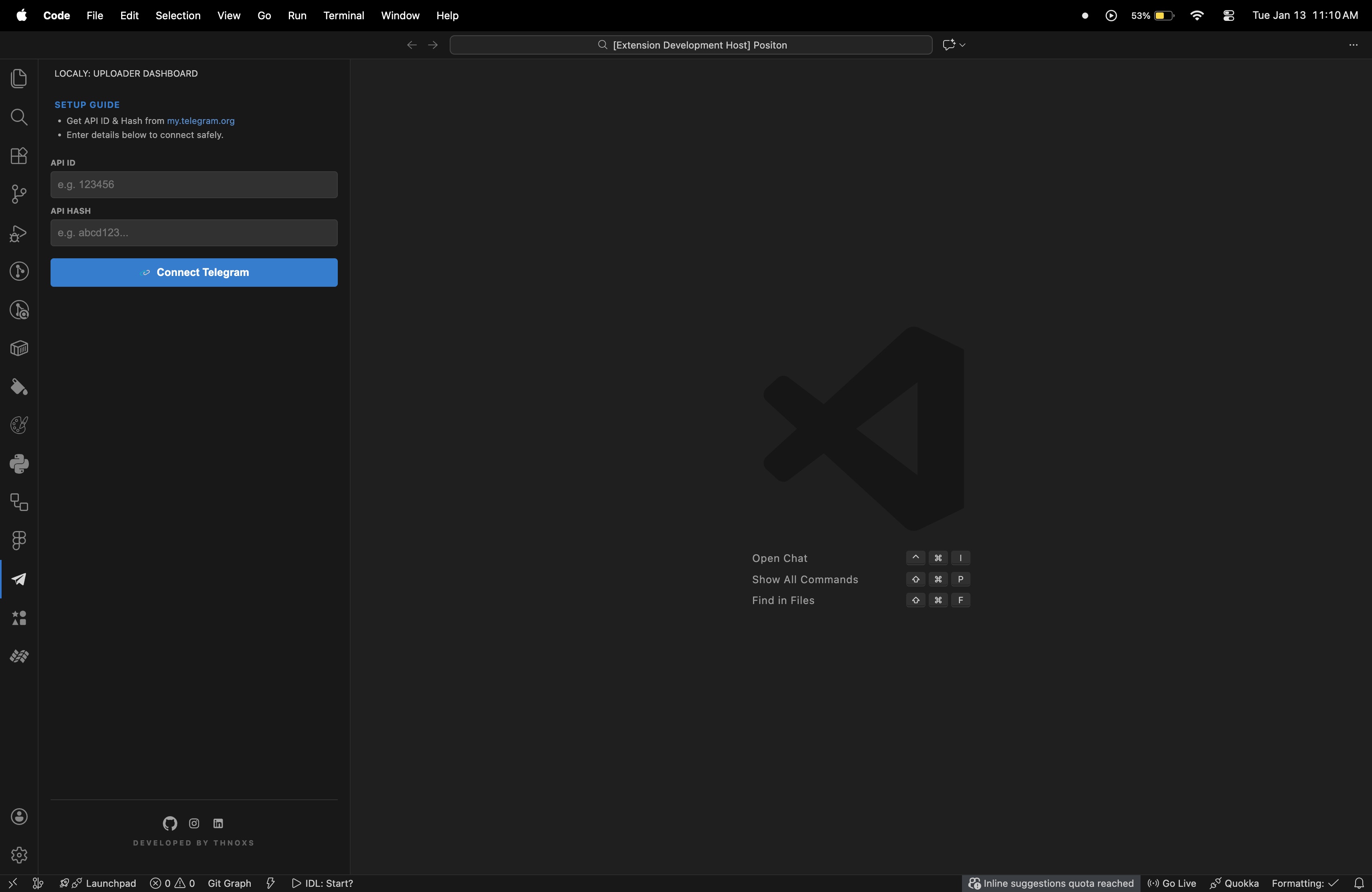
2. Getting API Credentials
- Go to my.telegram.org and log in.
- Click on API Development Tools.
- Create a new application and copy your
api_id and api_hash.
(4. Paste your API credentials and click )
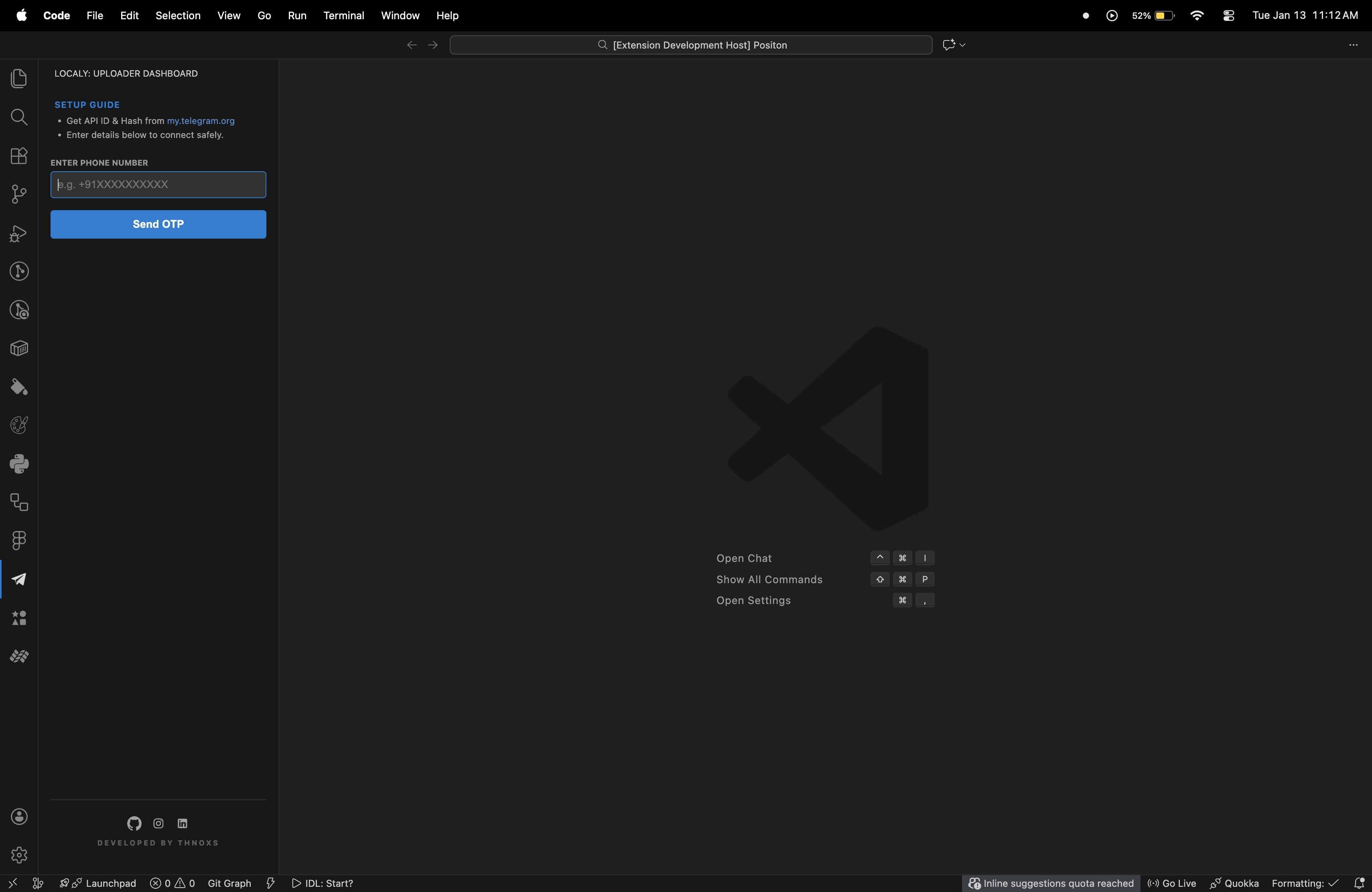
(5. Enter Your Number With country code unique identifier e.g +91 for india )
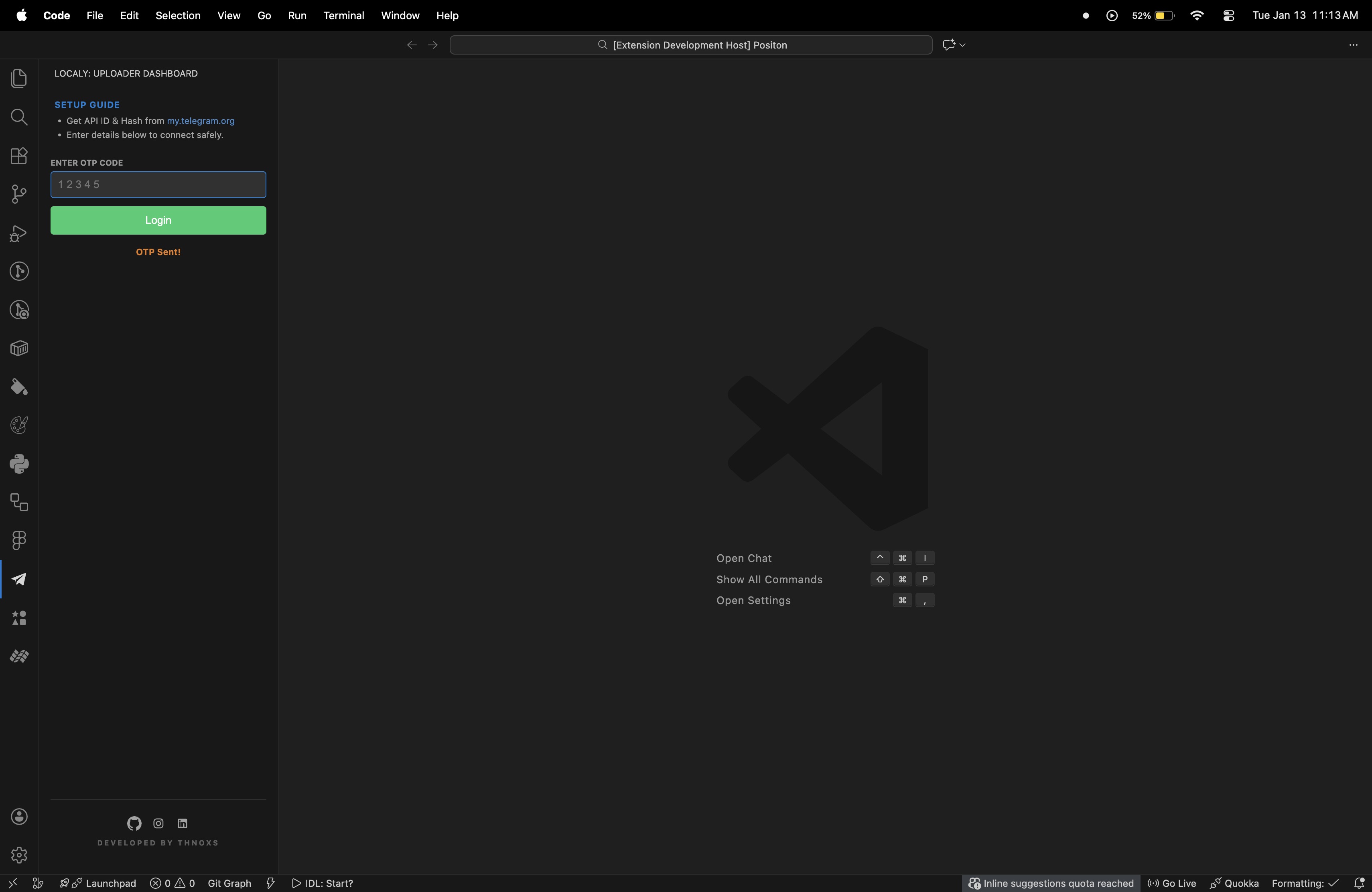
(6. Enter the OTP that has been sent to the Telegram account linked to the number you provided. )
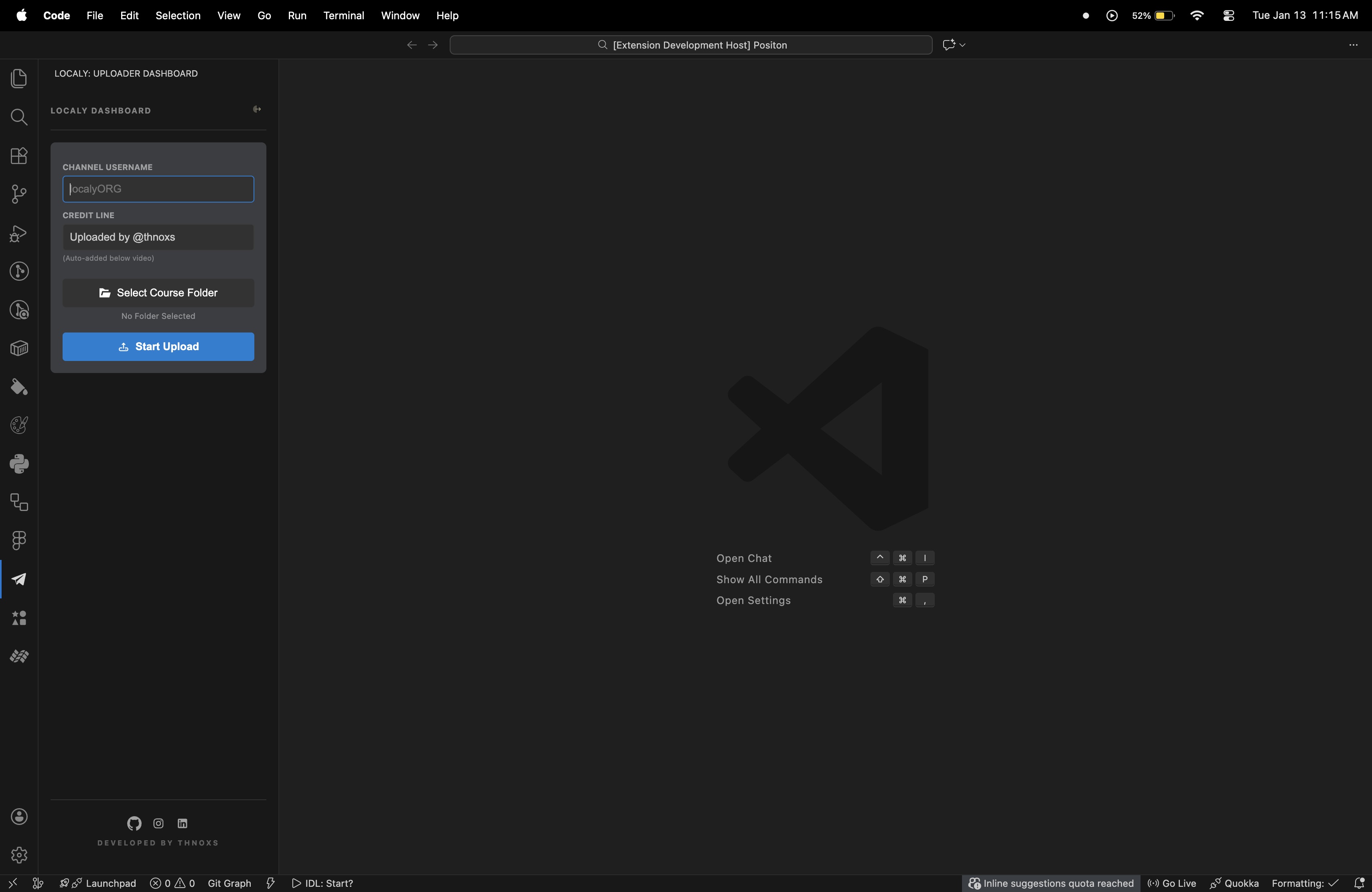
(4. voila.. Now, simply enter your channel's username without the "@" symbol, and then decide whether or not you want to include a credit line. Click on "Select Course Folder" to choose the folder containing your course videos, and then hit "Start Upload". )
4. Uploading
- Select the Root Folder of your course.
- Enter the target Channel Username (e.g.,
my_channel).
- Hit Start Automation and watch the magic happen!
💡 Pro Tips & Common Mistakes
- Phone Format: Always use the international format with the
+ sign and country code (e.g., +91).
- No Quotes: Do not wrap your API Hash or API ID in quotes (
"").
- FFmpeg: If thumbnails are not appearing, ensure
ffmpeg is accessible in your system's PATH.
🤝 Developed By
Thnoxs Follow for more tools:
Localy is an independent tool and is not affiliated with Telegram FZ-LLC.

