
Therapeutical.ai
Spend fewer tokens, on the work that was actually going somewhere.
Therapeutical.ai watches how your agent's tokens get spent and how the session is going — locally,
in your status bar. When the spend stops buying progress, it tells you, and tells you to stop.
Free · No account · No API key · Your code and prompts never leave your machine
What it watches
What the tokens buy. Connect Claude Code or Codex and it reads what each turn cost — in, out,
and how much came out of the cache rather than being read fresh. A turn that has to restate its
context instead of building on it is the expensive kind, and that is the number worth watching.
Whether the work is landing. Same file for forty minutes, three generations thrown away,
nothing committed since lunch, and whether you are reading what the agent writes or just accepting
it. A live score, six sub-scores, in the status bar. Working hard is not a symptom — it rises
on motion without progress, never on volume and never on using AI.
How you are doing. One short question at a moment that is already dead — while the agent is
working, not while you are mid-thought. Then, when it is warranted: a ten-minute break, an if-then
stopping rule, write down what you are actually trying to do, or park it and go home. That is the
whole intervention — the cheapest way to stop burning tokens is to notice an hour earlier that they
have stopped working.
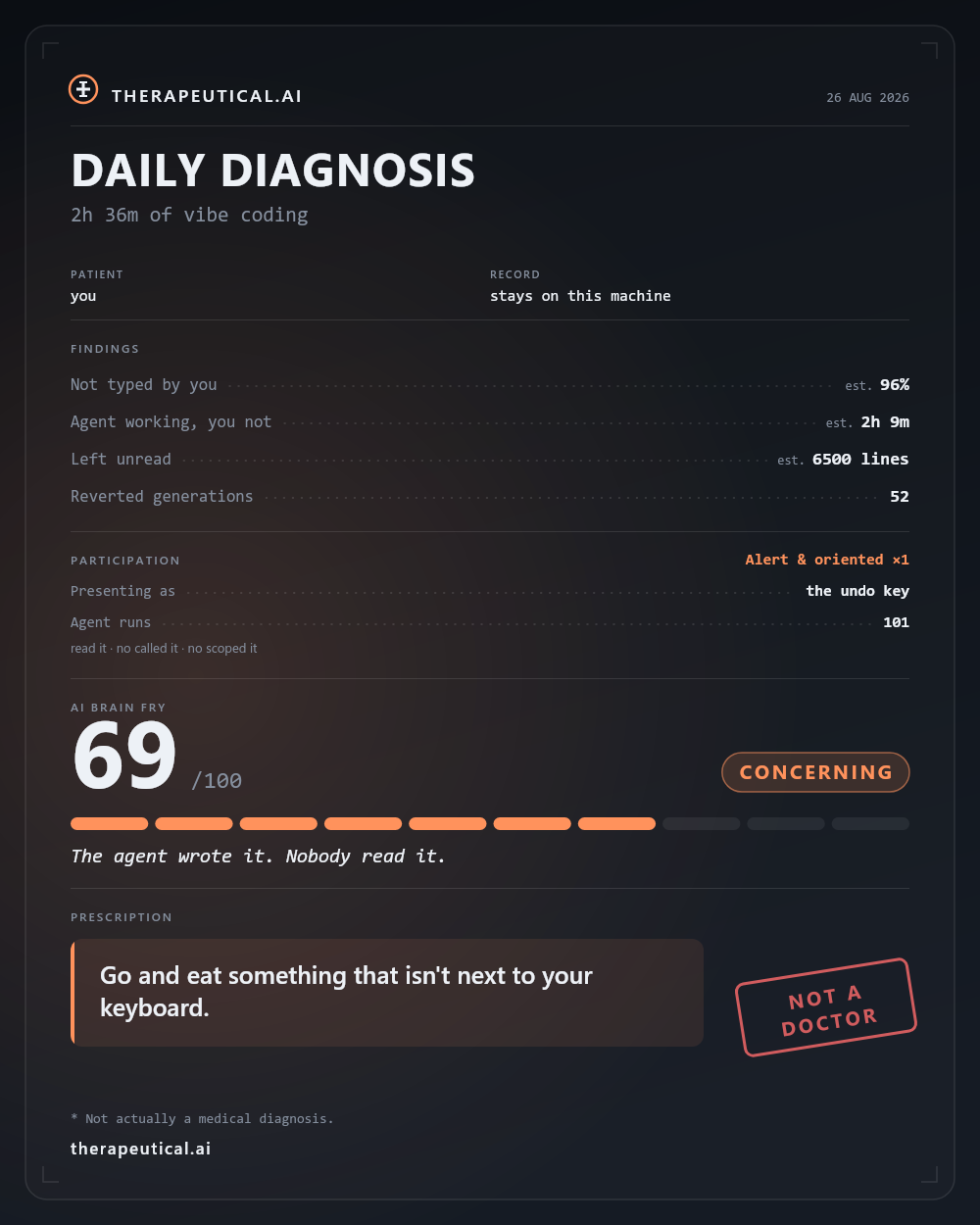
At the end of the day you get a Daily Diagnosis card: what the day cost, what it produced, and what
the engine made of it.
Getting started
- Install it. The welcome screen asks four questions and nothing interrupts you until you answer.
- Run Therapeutical: Connect your AI tool — Claude Code, Cursor or Codex CLI. Optional, but it
turns guesses into facts about where a turn starts and stops.
- Run Therapeutical: Track token usage for the cost side. It shows you the file it installs
before it installs it.
Everything else is in the walkthrough VS Code opens on install, and in the status bar tooltip.
Privacy
- Never your code, your prompts, or your file names — an extension cannot read the first two,
and the rest is stored as hashes. Not your email, account, repository or machine.
- Yes to sizes, counts, timings, token counts, and your multiple-choice answers. Numbers about
text, never the text.
- It lives here, in VS Code's own storage, 30 days, then deleted. Uninstalling takes it with it.
- Nothing is uploaded unless you agree to it. The welcome asks once, on the same screen as the
full disclosure, and that question starts on yes — one click turns it off, and turning off VS
Code's own telemetry setting turns it off too. Anonymous usage data is what the thresholds in
here get calibrated from; every one of them is currently a guess.
Therapeutical: Show what would be uploaded prints the literal rows, and
Therapeutical: Stop sharing usage data ends it.
The token stream from your AI tool arrives with your email address on every line. The twenty lines
that see it are a plain file in your own config directory (hooks/therapeutical-otel.mjs) that
drops it before anything is written down, and a test spawns that real script and fails the build if
any of it survives.
Honest about the numbers
Without a connected tool, everything is inferred from what an editor can see — how big an edit was,
how fast it landed, whether a human was at the keyboard. That is good enough to catch a spiral and
honest enough to say so; anything estimated is labelled (est.).
And the obvious one: this is not a medical diagnosis, or medical advice, or a mental health
assessment. It is an editor watching an editor.
Requirements
VS Code 1.85 or newer — Cursor, Windsurf and anything else built on it. The token reader currently
speaks Claude Code and Codex CLI; Cursor exposes no token counts to any extension.
MIT licensed. Issues and bugs.

